File Recovery, Photo Recovery
- 426.00
- 4.6
- Installs
- 10.00M
- Price
- Free

Screenshots

Analysis by Reviewed
Hey there! So, I’ve recently had the chance to check out this nifty app called File Recovery, Photo Recovery and I thought I’d share my thoughts on it. If you’ve ever had that heart-stopping moment where you accidentally deleted a precious photo or an important document, then you might want to stick around!
Why You Might Need It
Picture this: You’re scrolling through your gallery, cleaning out duplicates or blurry shots, when suddenly you realize you’ve deleted a picture you actually wanted to keep. Or maybe you were organizing files on your phone and accidentally trashed something vital. Been there, done that, right? Well, that’s where File Recovery, Photo Recovery swoops in to save the day!
Features That Stand Out
Let’s dive into what makes this app a bit of a lifesaver. First off, it’s incredibly easy to use. Seriously, you don’t have to be a tech whiz to navigate through it. The interface is straightforward and intuitive, which means you can jump right into recovering your files without a steep learning curve.
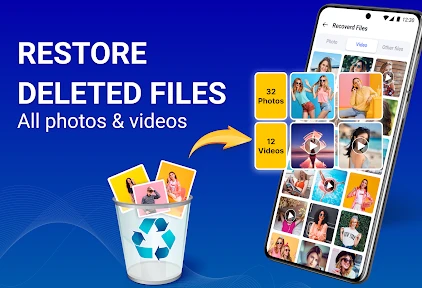
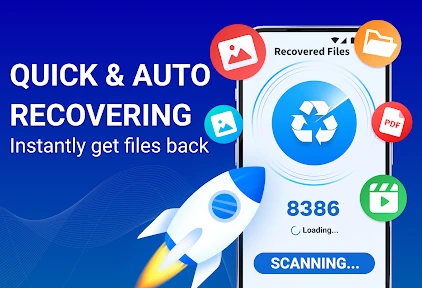
One of the features I found super handy is its ability to recover not just photos, but a wide range of file types. We’re talking documents, videos, and even audio files. Plus, the scan process is pretty quick, which is great because who has the patience to sit around waiting, right?
How It Works
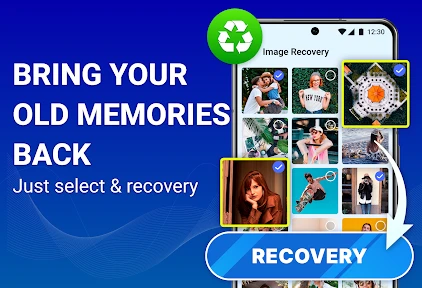
The app scans your device’s storage, including both internal memory and SD cards, to locate and recover files. It’s like having a mini tech wizard in your pocket. You simply select the types of files you’re trying to recover, hit scan, and let the app do its thing. It then presents you with a list of recoverable files, and you can choose which ones to restore.
What’s also cool is the preview feature. Before you hit the restore button, you get a preview of the files. This way, you can make sure you’re not bringing back anything you didn’t actually want. Talk about convenience!
The Wrap-Up
All in all, File Recovery, Photo Recovery is like a safety net for your digital content. It’s not only user-friendly but also effective in retrieving lost files that you might have thought were gone forever. It’s definitely worth having on your device, especially if you’re prone to accidental deletions like I am.
More From Our News Desk

Weather by Xiaomi Review: Clear at a Glance, Less Clear Up Close

X Under Pressure: Can It Recover When Posting Goes Wrong?

Clash of Clans Is Won Between the Battles

Android Auto Makes the Case for Quieter Car Software

MobiOffice: Transforming Mobile Productivity with Seamless Integration

EA SPORTS FC™ Mobile Soccer: Redefining Mobile Sports Gaming
So, if you’re looking for a reliable file recovery app, give this one a shot. It might just save you from a few future headaches!
File Recovery, Photo Recovery Frequently Asked Questions
What is File Recovery, Photo Recovery app?
File Recovery, Photo Recovery app is a specialized tool designed to help users retrieve deleted or lost files and photos from their Android or iOS devices. It supports various file formats and provides an easy-to-use interface, making the recovery process straightforward even for non-tech-savvy users. The app is particularly useful for individuals who have accidentally deleted important files or photos and need a quick recovery solution.
How does File Recovery, Photo Recovery app work?
The app scans your device's storage for any traces of deleted files or photos that can be recovered. It uses advanced algorithms to identify and restore these files, even if they have been deleted from the recycle bin. Users can preview the files before recovery to ensure they are retrieving the correct data. The app supports a wide range of file types, including images, videos, documents, and more.
Is File Recovery, Photo Recovery app safe to use?
Yes, the File Recovery, Photo Recovery app is designed with user safety in mind. It does not overwrite existing files during the recovery process, minimizing the risk of data loss. Additionally, the app does not require rooting your device, which can be a risky procedure. User privacy is respected, as the app does not share any personal data with third parties.
What are the limitations of File Recovery, Photo Recovery app?
While the app is quite effective, it does have some limitations. The success of file recovery depends on whether the deleted files have been overwritten by new data. If significant time has passed since the deletion, full recovery might not be possible. The app also requires sufficient storage space to restore files, and its performance can vary depending on the device's hardware capabilities.
Does File Recovery, Photo Recovery app support cloud storage recovery?
Currently, the File Recovery, Photo Recovery app focuses on recovering files directly from your device's internal storage or SD card. It does not support recovery from cloud storage services like Google Drive or iCloud. Users looking to recover files from cloud services may need to explore specific solutions offered by those platforms.
Pros
- Efficiently recovers deleted files.
- Supports a wide range of file formats.
- User-friendly interface design.
- Quick scan and recovery process.
- No root access required for recovery.
Cons
- Limited free version features.
- Some recovered files may be corrupted.
- Occasional ads disrupt user experience.
- Does not support cloud storage recovery.
- May not recover all lost data.
- Category
- Tools
- Version
- 3.5









