F-Secure Mobile Security
- 173.02K
- 4.2
- Installs
- 100.00M
- Price
- Free

Screenshots
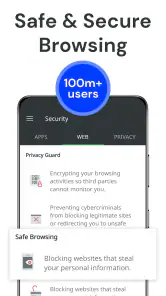
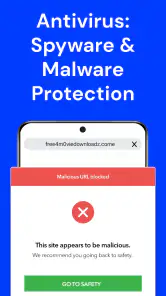
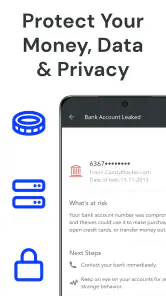
Analysis by Reviewed
My phone is most vulnerable when I’m busy: a delivery text arrives while I’m walking, I need to install an app in a hurry, or I can’t remember where I left the device. Those moments are exactly when I’m least likely to pause and think through every risk. I look for a security app that can reduce that everyday uncertainty without turning phone use into a chore, and F-Secure Mobile Security is built around bringing several useful protections into one place.
The recurring problem it tries to solve
Phone security is easy to postpone until a suspicious page, an unfamiliar download, or a misplaced device turns into a real headache. I judge a security tool less by how dramatic its warnings sound and more by whether it reduces those small decisions I have to make every day. F-Secure Mobile Security is a tools app from F-Secure Corporation, and its appeal is that it brings several kinds of protection into one place rather than asking me to manage separate utilities.
That convenience is most useful if you browse on your phone often, install apps from different sources, or simply want a visible reminder that protection is running. It is less compelling if you already rely on another security suite and are comfortable with its alerts and recovery tools. Adding a second scanner can create extra prompts without giving you a clearer picture, so I would choose one main security app rather than stack several and hope they cooperate.
This distinction matters because a security app cannot make a phone completely risk-free. I see its role as helping me spot certain hazards and making some responses easier, not as permission to tap every link or ignore account security. If you want one extra layer of guidance, the all-in-one approach can be useful; if you expect it to replace careful habits, you’re likely to be disappointed.
First Impressions
The first thing I noticed when I downloaded F-Secure Mobile Security was how smooth the installation process was. I mean, who likes to have to jump through hoops just to get an app up and running, right? Thankfully, this one didn’t require me to become a tech wizard overnight.
Once installed, the interface is pretty clean and intuitive. It doesn’t bombard you with too many options right off the bat, which I appreciate. The main screen gives you a clear overview of your device’s security status. It’s like having a mini command center right in your pocket.
Getting useful protection in place
My practical advice is to complete the initial setup carefully instead of tapping through every prompt just to reach the home screen. Security features are only useful when they are enabled and configured for the way you use your phone. Read each explanation, decide which protections you actually want, and check the status screen afterward so you know what is active. This small habit makes the app easier to trust than assuming that installing it automatically handles every risk.
More From Our News Desk

Weather by Xiaomi Review: Clear at a Glance, Less Clear Up Close

X Under Pressure: Can It Recover When Posting Goes Wrong?

Clash of Clans Is Won Between the Battles

Android Auto Makes the Case for Quieter Car Software

MobiOffice: Transforming Mobile Productivity with Seamless Integration

EA SPORTS FC™ Mobile Soccer: Redefining Mobile Sports Gaming
The app is free to install, while in-app purchases range from $0.99 to $99.99 per item. That makes it worth checking what a particular paid option includes before committing; don’t assume every tool you see is part of the free experience. It is rated for Everyone, and the current version is 10.58-c956ec4, with Android 7.0 as the minimum operating system. Those details matter if you are setting it up on an older phone or helping a family member choose an app.
If you’re helping someone less comfortable with phone settings, I’d go through the setup beside them rather than handing over the phone after installation. Ask them to explain what they’d do if a warning appears or the device goes missing. That quick walkthrough is a better test of whether the setup is clear than simply checking that the home screen looks reassuring.
Features Galore
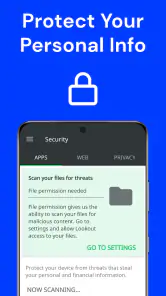
Now, let’s talk about what this bad boy can do. First up, it offers real-time protection, which is a must-have these days. It continuously scans for malware, keeping your device safe from threats lurking in the digital shadows.
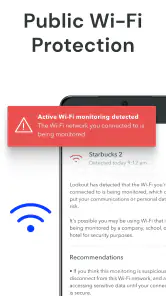
One feature I found particularly nifty is the browsing protection. We all know how sketchy the internet can be, and this feature acts like a digital bodyguard, making sure you don’t accidentally wander into dangerous territory. It even flags suspicious sites before you click on them.
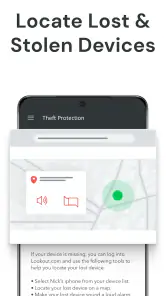
Then there’s the anti-theft function. Honestly, I can’t count how many times I’ve misplaced my phone. With this feature, you can remotely locate, lock, or even wipe your device if it gets lost. It’s like having a safety net for my forgetfulness!
These tools solve different problems, so I wouldn’t judge the app only by whether a scan finds anything. Scanning is the defensive layer; browsing protection is useful at the decision point before opening a questionable page; and the remote controls matter when the phone is out of reach. If one of those situations is your main concern, make sure you understand that part of the app rather than treating every feature as equally important.
Where it earns its place in a routine
A realistic use case is checking a delivery message while you are out and about. A link arrives when you are distracted, and it looks plausible enough to open. Browsing protection can add a warning at the moment it matters, giving you a chance to stop and inspect the address instead of relying on memory or instinct. It cannot make every online choice safe, but a timely pause is often more useful than a long list of technical warnings you never read.
The anti-theft tools are most valuable before the phone goes missing. I would review how to reach the remote controls while I still have the device, and make sure I understand what locking or wiping means for my own data. If you lose your phone, the priority may be locating it; if you believe someone else has it, protecting private information can matter more. Thinking through that difference in advance saves time when you are stressed.
For example, if I notice the phone is missing after leaving a café, I’d first retrace my steps and try to locate it. If I had reason to think someone had taken it, I’d consider locking it promptly rather than waiting in the hope it turns up. Wiping is a more serious choice, so I’d want to understand the consequences beforehand and decide what circumstances would justify it. The useful tip is simple: learn the recovery route when you’re calm, not while borrowing someone else’s phone in a panic.
F-Secure Mobile Security has an average rating of 4.2 from around 1.1 million ratings, with about 173,000 reviews and over 100 million installs. That broad adoption is useful context, but popularity does not tell me whether every feature suits my habits. I would treat the app’s security status and warnings as practical guidance, not as a reason to stop using common sense with links, downloads, and account details.
Performance & Usability
With all these features, you might think that the app would slow down your phone, but that’s not the case here. I didn’t notice any significant impact on my device’s performance, which is a huge plus. It runs quietly in the background, doing its thing without demanding constant attention.
As for usability, everything is pretty straightforward. The app doesn’t require you to have a PhD in cybersecurity to navigate. The settings are easy to customize, and the app guides you through the process with helpful tips and explanations.
That quietness is a strength as long as you still know where to look when you want reassurance. I’d make a habit of checking the status screen after changing settings or finishing setup, rather than opening the app repeatedly throughout the day. Frequent checking can become its own form of friction, while an occasional deliberate review helps confirm that your chosen protections remain in place.
Less friction, with a few trade-offs
Compared with the usual alternatives, this is an all-in-one approach: protection, safer browsing, and lost-phone tools sit together instead of being split among a built-in scanner, a browser feature, and a separate recovery service. That can save effort for someone who wants one place to check. A phone’s built-in protections may be enough for a careful user who installs apps selectively and needs no extra recovery options, while a dedicated password manager or privacy tool may be a better choice if that is the problem they are actually trying to solve.
The main friction is deciding which paid features are worth it and tolerating any advertising in the free experience. The original version of this review found ads present, and even modest interruptions can feel unwelcome in a security app because they compete with alerts that deserve attention. I would judge the free setup by whether its available protections address my needs before paying, rather than upgrading simply because a premium option is visible.
Another useful trade-off is alert fatigue. If you receive a warning, pause and read what it says instead of dismissing every notification automatically. At the same time, avoid treating a clean status screen as a guarantee that every message or site is harmless. The app can help catch certain risks, but careful choices still matter, especially when a page asks for account credentials or personal information.
There’s also a practical choice between breadth and specialization. Having several protections together is convenient, but it doesn’t make this the best answer to every security concern. If your biggest worry is keeping track of passwords, a dedicated password manager is more directly suited to that job. If your phone’s built-in safeguards already fit your browsing and installation habits, an extra suite may add little beyond another interface to check.
I’d also avoid installing a second security app just to compare its warnings with this one. Two tools can create overlapping prompts, making it harder to tell which notification needs attention. Choose the protection you understand and can keep configured, then use a careful review of its alerts rather than trying to assemble a stack of scanners.
What’s the Catch?
Okay, so no app is perfect, and I did find a couple of things worth mentioning. First, while the app is pretty comprehensive, some features are locked behind a paywall. So if you want the full package, you’ll need to shell out a few bucks.
Also, the free version does come with some ads. They’re not too intrusive, but they’re there. If you’re someone who gets easily annoyed by ads, you might want to consider the premium version.
I would skip it if I want a completely interruption-free experience, already have a security app whose protections I trust, or expect a phone utility to eliminate every online threat. It is also not a substitute for keeping the operating system and apps updated, using strong account passwords, and thinking carefully before sharing sensitive details. For a less confident phone user, though, the clear status screen and guided settings may make basic protection feel more manageable.
Another reason to pass is if you only want one narrow function and already have it covered elsewhere. Adding a broader suite for a single need can mean navigating extra settings or seeing purchase prompts for tools you won’t use. I’d start by naming the problem you want solved—suspicious browsing, malware concerns, or losing the phone—and then decide whether this combination is worth having on your device.
Final Thoughts
At the end of the day, I’d say F-Secure Mobile Security is definitely worth checking out if you’re serious about keeping your device secure. It offers a solid range of features that cater to most of your security needs without being overly complicated.
Whether you’re tech-savvy or just looking for a reliable security app, this one has something for everyone. So, if you’re in the market for a new security app, give it a go. It’s like having a digital bouncer for your phone, and who wouldn’t want that?
My recommendation is to start with the free installation, set aside a few minutes to understand the controls, and then decide whether any paid option solves a problem you actually have. The app is at its best when it quietly reduces everyday uncertainty without making you babysit it. If that balance fits your phone habits, it is a sensible tool to consider; if your built-in protections already cover your needs and you dislike ads or subscriptions, there is no need to add another layer just for the sake of it.
For me, the deciding question is whether the combination saves more attention than it asks for. Someone who often follows links on the go or wants remote options ready before a phone is misplaced may find that trade worthwhile. Someone who is careful about installs, rarely needs extra guidance, and is happy with existing protections can reasonably skip it. I’d choose based on that everyday fit, not on the size of the feature list alone.
F-Secure Mobile Security Frequently Asked Questions
What does F-Secure Mobile Security do, and who is it for?
F-Secure Mobile Security is a tools app from F-Secure Corporation, described as antivirus, virus cleaner, and malware scanning with mobile security and hacker protection. It may suit people looking for security tools on a phone or tablet, while its Everyone age rating indicates it is intended for a general audience. Consider which protections you need before installing it.
How much storage or device performance should I expect it to use?
As with any security app, F-Secure Mobile Security will need to run on your device to provide the protections you choose to use. Its effect can vary with your device and how you use the app. If storage or performance is a concern, check available space and observe how your phone behaves after installation; you can also review the app’s settings and limit features you do not need.
What should I know about the cost before downloading F-Secure Mobile Security?
F-Secure Mobile Security is free to download, with in-app purchases available for additional access. Before confirming a purchase, review the price and terms shown in the app store and check whether the option suits your needs. The app is a tools app from F-Secure Corporation, and its Everyone age rating makes it suitable for a general audience.
What features does F-Secure Mobile Security offer?
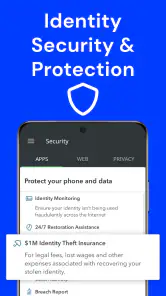
F-Secure Mobile Security provides a range of features to protect your mobile device, including real-time antivirus protection, anti-theft capabilities, secure browsing, and banking protection. Additionally, it offers parental controls to ensure safe browsing for children and tools to optimize device performance. These features work together to keep your device secure from online threats and unauthorized access.
Is F-Secure Mobile Security compatible with my device?
F-Secure Mobile Security is designed for both Android and iOS devices. It supports most smartphones and tablets running recent versions of these operating systems. On Android, the listed minimum operating system is version 7.0, so check your device’s software version before downloading. App-store compatibility details can also help you confirm that the app supports your particular device.
Pros
- User-friendly interface for easy navigation.
- Comprehensive protection against malware.
- Minimal impact on device performance.
- Automatic updates ensure top security.
- Includes parental control features.
Cons
- Some features require a premium subscription.
- Occasional false positives in scans.
- Limited support for older devices.
- VPN feature not included in basic plan.
- No dark mode available in the app.
- Category
- Tools
- Version
- 10.58-c956ec4








