ExpressVPN: Fast & Secure VPN
- 30.35K
- 4.7
- Installs
- 50.00M
- Price
- Free

Screenshots

Analysis by Reviewed
Before I connect for the first time, I remind myself what a VPN can—and cannot—do. It routes my internet connection through a VPN server and changes the IP address websites see, which can add privacy on public Wi-Fi. It does not make me anonymous, prevent every kind of tracking, or replace careful password and account habits. That distinction matters: I use a VPN as one practical layer of protection, not as a magic shield.
What to expect from the app
ExpressVPN: Fast & Secure VPN is a tools app from ExpressVPN, aimed at people who want a straightforward way to connect through a VPN without managing network settings themselves. It is free to install, with in-app purchases priced from $9.99 to $116.99 per item. The app is rated for Everyone, and the current version is 12.38.0 for devices running Android 5.0 or later. Its 4.7 average across around 434,000 ratings and more than 50 million installs suggest it has reached a broad audience, though popularity alone cannot tell you whether it suits your routine.
The main appeal is convenience: choose a location, connect, and continue using the apps you already have. I would consider it for coffee-shop browsing, hotel Wi-Fi, or travel when I want my connection to use a different IP address. The useful question is not whether a VPN is always necessary, but whether the extra privacy and location choice are worth the subscription for the way you actually use your phone.
Getting set up without overthinking it
After installing, take a moment to review the connection prompt and understand when you want the VPN on. For a first test, use a familiar app or webpage before and after connecting. That gives you a simple sense of whether the connection works, without relying on a complicated technical check. If a page behaves differently, disconnect once and compare; the VPN is only one possible reason for a change.
For an everyday example, imagine opening your banking app while waiting at a café. I would connect before signing in, complete what I need to do, then decide whether to keep the VPN active for the rest of the session. If a service asks me to verify my identity or shows different content, I would first check whether changing network location is affecting it rather than repeatedly retrying a login.
Where it fits—and where it may not
Compared with a basic VPN built into a browser, a dedicated phone app is more useful when I want protection for traffic from multiple apps rather than just browser activity. Compared with free VPN options, a paid service may be a better fit for someone who values a large choice of server locations and a familiar, guided interface. The trade-off is cost: if I only need occasional protection on trusted home Wi-Fi, paying for a VPN may not make sense. A VPN also cannot guarantee access to every streaming service or make a slow underlying connection fast.
ExpressVPN launched on January 6, 2012, and its current app reflects a mature product, but I would still judge it by my own connection and needs. The developer is ExpressVPN, and the app’s large audience—around 30,000 written reviews—offers context, not a promise that every device or network will behave the same way.
More From Our News Desk

Weather by Xiaomi Review: Clear at a Glance, Less Clear Up Close

X Under Pressure: Can It Recover When Posting Goes Wrong?

Clash of Clans Is Won Between the Battles

Android Auto Makes the Case for Quieter Car Software

MobiOffice: Transforming Mobile Productivity with Seamless Integration

EA SPORTS FC™ Mobile Soccer: Redefining Mobile Sports Gaming
Why ExpressVPN Stands Out
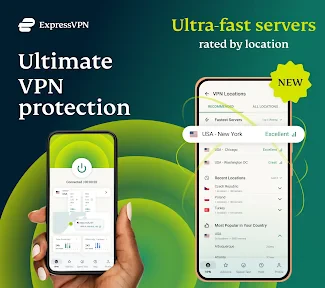
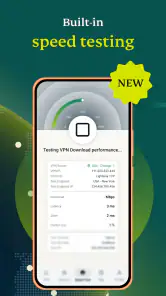
What initially drew me to ExpressVPN was its reputation for speed and security. No one wants a VPN that turns their internet into a snail race, right? With servers in over 90 countries, it ensures that you can find a fast connection no matter where you are. I’ve noticed almost zero lag time, which is a huge win for streaming and gaming.
Easy Peasy Setup
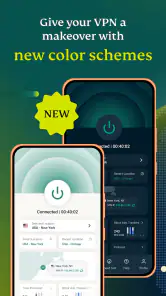
Setting up ExpressVPN was a breeze. I’m not exactly a tech wizard, so I appreciate the straightforward installation process. It’s literally a matter of tapping a few buttons, and boom, you’re shielded. Plus, the app’s interface is super user-friendly. Even if you’re new to VPNs, ExpressVPN makes it easy to navigate with its intuitive design.
For a first connection, I recommend starting with a nearby location rather than picking one far away just to see what happens. Distance can affect performance, and a location chosen for an everyday browsing session rarely needs to be on another continent. Save country switching for a specific need, such as checking how a site behaves from a different region; changing locations repeatedly can also trigger extra sign-in checks on services that notice a new IP.
Security at Its Best
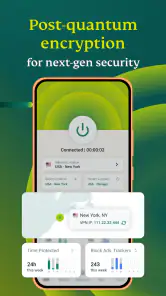
In today’s digital age, keeping your information secure is a top priority. ExpressVPN offers top-notch encryption that keeps your data safe from prying eyes. It’s like having a personal bodyguard for your online presence. From banking to browsing, I feel confident knowing my personal information is secure.
One useful habit is to think about the connection before opening sensitive apps, not after. If a public network drops and the VPN disconnects, I would avoid assuming that every app pauses safely; check the VPN’s connection state before continuing with a private task. And if a banking or work app refuses to load, try disconnecting briefly on a trusted network to see whether the VPN is the cause, then reconnect when appropriate. That small troubleshooting step is more helpful than treating every loading problem as a security emergency.
A Bit on the Pricey Side?
Alright, let’s talk about the elephant in the room—pricing. ExpressVPN isn’t the cheapest option out there, but in my opinion, you get what you pay for. The peace of mind and superior service quality make it worth the investment. Plus, they offer a 30-day money-back guarantee, so you can try it out risk-free.
Since the app includes in-app purchases, I would check the purchase screen carefully and compare the available option with how often I expect to use the service before committing. A free download does not mean every ongoing use is free. If I am unsure, I would first decide what problem I want to solve—public Wi-Fi privacy, travel, or location choice—and whether I need a VPN every day. Someone who wants only a no-cost, occasional connection may be better served by an option that clearly matches that limited need.
Choosing a location for a real task
For a first-time user, the tempting move is to treat the location list like a menu to browse at random. I find it more useful to start with the job in front of me. For routine browsing, a nearby location is a sensible baseline; for a particular site that is region-sensitive, choose a location relevant to that task and then leave it alone rather than cycling through countries. This makes it easier to tell whether the VPN is helping and reduces avoidable login prompts caused by sudden IP changes.
There is also a practical trade-off between privacy and convenience. Some websites may interpret a new IP address as unusual activity, so a banking service, workplace login, or account with extra security checks might ask me to confirm my identity. That does not automatically mean something is wrong with the VPN. I would keep my usual account recovery options available and avoid changing locations during a time-sensitive task, such as paying a bill or joining a work call.
What changes when you travel
Travel is a stronger reason to consider a VPN than simply turning it on out of habit. At an airport or hotel, I may need to use shared Wi-Fi for maps, messages, or a reservation, and routing through a VPN can add a useful layer while I do that. I would connect before opening accounts and verify that the VPN is active, rather than waiting until after I have entered sensitive information.
It is still worth keeping expectations grounded. A VPN cannot make every public hotspot reliable, and it does not replace checking that I have joined the right network. If a hotel connection has a sign-in page, I may need to complete that step before the VPN can work normally. If the sign-in page stops appearing, temporarily disconnecting to finish the network login and then reconnecting is a practical sequence to try.
Picking the right tool for your habits
The alternatives are not all interchangeable. A browser’s private mode mainly changes what is retained locally in that browser; it is not the same as routing the phone’s internet traffic through a VPN. A browser-only VPN or proxy can be adequate if I only care about one browser, while a dedicated VPN app is more relevant when I want coverage beyond it. On the other hand, if my main concern is avoiding tracking by websites, a VPN alone will not solve that problem, and privacy controls inside apps and browsers still matter.
I would also skip this app if my only goal is to watch a particular show from another country and I need a guarantee it will work. Streaming services can change how they handle VPN traffic, so a location change is not a dependable promise of access. Likewise, a person who only uses a secure home connection and does not need a different IP may find that the subscription adds little to their routine. Those are sensible reasons to choose a different approach rather than paying for a tool that will sit unused.
Small habits that make the first week easier
During the first few days, I would pay attention to the moments when I actually need the VPN: joining public Wi-Fi, handling a private task away from home, or needing a location change for a specific reason. I would not switch locations just to chase a theoretical speed improvement if everything I use is already working. A stable, familiar setup is often more useful than constant tweaking.
If an app seems slower or refuses to connect, I would troubleshoot in a deliberate order: check whether the underlying Wi-Fi or mobile connection works, confirm the VPN state, then test the app again with the VPN disconnected only when the network is trusted. That comparison helps separate a VPN issue from a weak signal or an app-side problem. Once the task is done, reconnect if I still want the extra layer. This is a clearer routine than repeatedly tapping the connect button without knowing what changed.
Whether you’re traveling abroad or just hanging out at your local coffee shop, ExpressVPN: Fast & Secure VPN is a must-have for anyone looking to protect their digital footprint. With its blazing speeds, robust security features, and easy setup, it’s a solid choice for both VPN newbies and seasoned users alike. So, if you’re in the market for a reliable VPN, give ExpressVPN a whirl—it might just be the best decision you make for your online safety.
My practical next step
I would install it, connect once on a network I know, and use a familiar site to confirm the basic workflow before relying on it during travel. Then I would try the same routine on public Wi-Fi and note whether any apps need a reconnection or extra sign-in. That gives a first-time user a calm, realistic test instead of assuming the VPN is working perfectly just because the button changed state.
For someone who wants a guided mobile VPN and expects to use it regularly, this is an approachable place to start. If you rarely leave a trusted home network, need only a browser-specific feature, or do not want a paid subscription, another choice may suit you better. My recommendation is to judge it by a simple measure: does it make your own online routine feel safer and remain easy enough to use that you actually keep it switched on when it matters?
ExpressVPN: Fast & Secure VPN Frequently Asked Questions
Can I use ExpressVPN on public Wi-Fi?
A VPN can be useful when you connect through public Wi-Fi because it routes your internet connection through a private VPN connection. ExpressVPN’s purpose is to change your IP address and provide a private connection, which may be helpful when using networks in places such as cafés or airports. It is still sensible to use care with sensitive accounts and keep your device’s security settings up to date.
Can ExpressVPN help me access content while traveling?
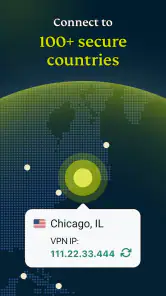
ExpressVPN offers a private connection through servers in 105 countries, which can be useful when you want to connect through a different location while traveling. Changing your IP address may affect how some online services treat your connection, but access can depend on the service’s own rules and availability. Check the relevant service’s terms before using a VPN to reach its content.
Does ExpressVPN keep my internet activity private?
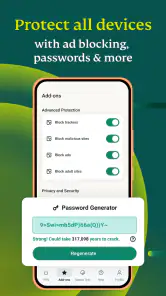
ExpressVPN is designed to provide a private connection and change your IP address. A VPN can help make your connection more private by routing traffic through its service, but it is not a substitute for careful browsing habits or account security. Use strong, unique passwords and review the privacy settings of the sites and apps you use, especially when handling sensitive information.
Can I choose which country my VPN connection uses?
The app offers servers in 105 countries, giving you a range of locations to choose from when connecting. Selecting a different country changes the apparent location associated with your IP address, while the actual experience may vary depending on your network and the service you are accessing. The app’s purpose is to make a private connection and change your IP address.
Is ExpressVPN suitable for someone new to VPNs?
ExpressVPN is designed to make getting started straightforward: install the app, open it, and follow the on-screen prompts to connect. Its main purpose is to provide a private connection and change your IP address, so you can use it without needing to understand networking details. The app is rated for Everyone, making it suitable for a general audience.
Pros
- Fast connection speeds for seamless browsing.
- Strong encryption ensures high security.
- Wide server network around the globe.
- User-friendly interface for easy use.
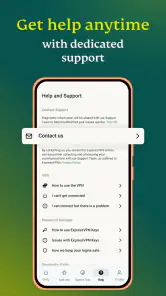
- 24/7 customer support available.
Cons
- Monthly subscription can be pricey.
- Limited features on free trial.
- Occasional connection drops.
- Not all servers support streaming.
- May slow down internet slightly.
- Category
- Tools
- Version
- 12.38.0








