Email - Email Login
- 171.00
- 3.9
- Installs
- 1.00M
- Price
- Free

Screenshots
Analysis by Reviewed
Let's talk about an app that's both a lifesaver and a headache: Email - Email Login. We all know how important emails are, and if you're anything like me, you've got multiple accounts juggling different parts of your life. This app promises to bring them all under one roof. Let's dive into whether it actually delivers on that promise.
Bringing All Your Emails Together
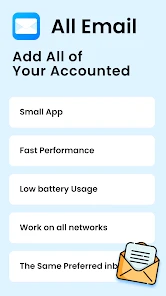
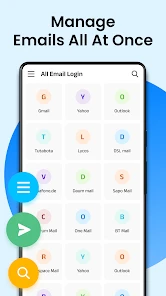
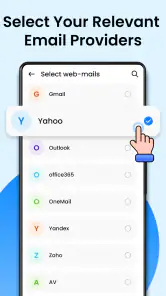
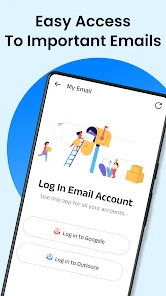
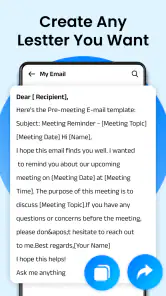
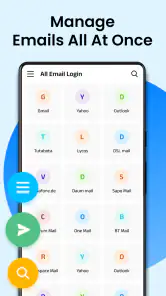
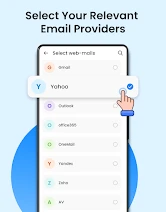
First off, Email - Email Login is all about convenience. Imagine having all your email accounts in one place without the hassle of switching apps or even tabs. The setup process is pretty straightforward. You just have to enter your credentials, and voila, you’re good to go. At first glance, the app interface is clean and intuitive, which is a breath of fresh air compared to some clunky email clients out there.
Seamless Synchronization
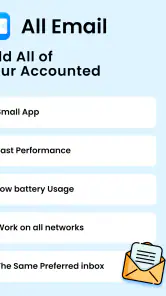
One of the standout features here is the seamless synchronization. Whether you’re on Wi-Fi or using mobile data, your emails are always up to date. This is crucial if you rely on email for work or important communications. I found that notifications come through almost instantaneously, so you’re not left waiting around for that crucial message.
Security and Privacy
Now, let’s talk about security because, let’s face it, we’re all a bit paranoid about our personal information these days. The app uses encryption to keep your data safe, a big plus in my book. You can also set up two-factor authentication for an extra layer of security. It’s comforting to know that your emails are protected from prying eyes.
Customization Options
Customization is another strong suit for Email - Email Login. You can tweak the app to suit your preferences, from notification sounds to the way your emails are displayed. Personally, I love being able to change the theme to match my mood or the time of day. It’s the little things that make using the app a pleasant experience.
Performance and Reliability
In terms of performance, I’ve had very few issues. The app runs smoothly without crashing, even when juggling multiple accounts. However, there are occasional lags when loading particularly large attachments. It’s not a deal-breaker, but it’s something to be aware of if you frequently deal with hefty files.
So, is Email - Email Login worth it? If you’re looking for a centralized hub for all your email accounts, I’d say absolutely. The combination of convenience, security, and customization makes it a standout option in a crowded market. Sure, it’s not perfect, but what app is? For now, it’s earned a spot on my home screen, and I’d recommend giving it a try if you’re in the market for a new email client.
Pros
- User-friendly interface for seamless navigation.
- Supports multiple email accounts in one app.
- Efficient spam filtering system.
- Customizable notifications for each account.
- Offline access to emails.
Cons
- Limited storage space for free version.
- Occasional sync issues with some providers.
- In-app ads in free version.
- Lack of calendar integration.
- No end-to-end encryption.

- Category
- Communication
- Version
- 3.0.7











