Drawing Pad Pro - Sketchpad
- 522.00
- 4.5
- Installs
- 1.00M
- Price
- Free
Screenshots
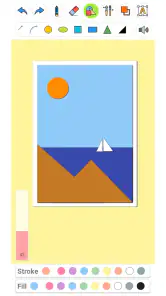
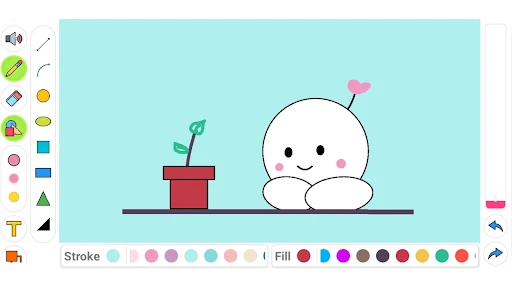
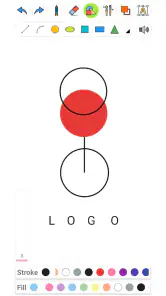
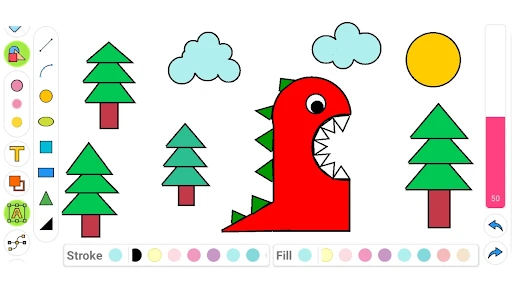
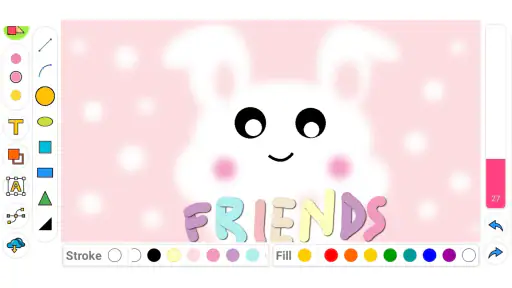
Analysis by Reviewed
I see Drawing Pad Pro - Sketchpad as a casual drawing app best approached as a handy place to sketch and experiment, rather than a guaranteed replacement for a dedicated professional art setup. It is free to install, aimed at all ages, and has attracted over a million installs, so it clearly appeals beyond experienced artists. My recommendation is strongest for people who want a low-pressure way to draw on a mobile device; anyone choosing it for a serious production workflow should first make sure its tools fit the work they have in mind.
A useful place for quick ideas
The app comes from DOSA Apps, and its focus is straightforward: open a drawing space and start making marks. In everyday use, that matters more than a long list of specialist tools. I can imagine reaching for it while waiting for an appointment to sketch a character, map out a room layout, or save a visual idea before it slips away. A phone screen is limiting for detailed work, but it is convenient for capturing a rough concept without setting up paper and supplies.
There is also a practical difference between a drawing app and a notes app with a pen tool. The former encourages you to treat the canvas as a place to make a picture, while the latter is often better for attaching handwriting to lists, documents, or class notes. If your goal is simply to doodle or practise shapes, this app’s art-first purpose is a sensible fit. If you need diagrams embedded in work notes, a general note-taking app may be more convenient.
How I would use it day to day
For a realistic routine, I would use it for short sessions rather than expecting to finish a complex illustration in one sitting. A student could sketch a reference from memory between classes; a parent and child could take turns drawing a simple scene; someone planning a handmade card could try a few compositions before choosing one to recreate. These small tasks suit mobile drawing because they reward speed and play, not a large screen or a lengthy tool setup.
One useful habit is to decide what the sketch needs to achieve before starting: a silhouette, a rough layout, or a finished-looking picture. That keeps the session focused and makes it easier to judge whether the controls feel comfortable. I would also try a short test drawing before committing to a detailed piece. It is a simple way to find out whether the available tools and the device’s touch response work for your hand, especially if you normally draw with a stylus.
Making a short session count
A small screen can be an advantage when the goal is to think visually rather than refine every edge. I would use a quick sketch to compare two ideas side by side in separate attempts, then choose one to develop elsewhere if the project grows. This avoids spending time polishing an option that may not work. For a room plan, for instance, rough rectangles and arrows can answer the practical question—where furniture might fit—without requiring a precise architectural drawing.
For a child or a beginner, I would keep the first activity deliberately simple: draw a few large shapes, add a background, and stop before the session turns into a test of patience. That makes the app a tool for play and practice, not a substitute for guided art instruction. It also gives a parent a useful way to see whether drawing on a touchscreen is enjoyable before investing in a more elaborate setup.
More From Our News Desk

Clash of Clans Is Won Between the Battles

Android Auto Makes the Case for Quieter Car Software

MobiOffice: Transforming Mobile Productivity with Seamless Integration

EA SPORTS FC™ Mobile Soccer: Redefining Mobile Sports Gaming

How Microsoft OneDrive Became a Mobile Productivity Giant

How Google Translate Breaks Language Barriers Effortlessly
Getting Started with Drawing Pad Pro
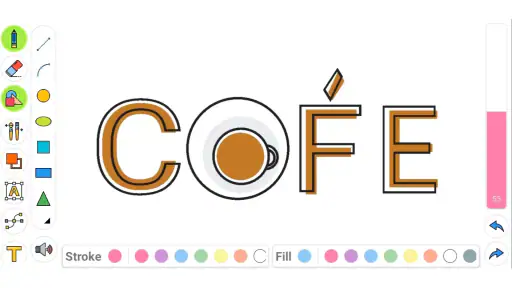
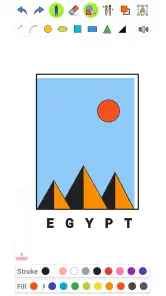
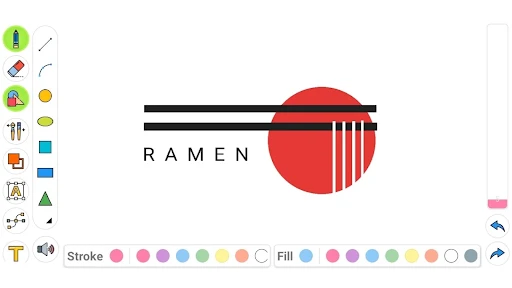
First things first, downloading and setting up Drawing Pad Pro - Sketchpad is a breeze. Available for both Android and iOS, this app doesn’t discriminate against your choice of device. Once installed, you're greeted with a clean and intuitive interface that doesn’t overwhelm you with too many buttons or options. It's as if the app is saying, "Hey, just relax and let's draw something cool today!"
Features That Spark Creativity
What really sets this app apart from the sea of drawing apps out there is its robust set of features. From various brush types, colors, and textures, to layers and blending modes, Drawing Pad Pro offers everything you need to create stunning digital art. The app supports high-resolution canvases, which means you can print your artwork without losing quality—perfect for those who want to showcase their work beyond the screen.
The app also supports stylus pressure sensitivity, making it a favorite among users who prefer using a stylus for precision. Whether you're sketching a rough draft or adding fine details, the app responds beautifully to your touch, offering a seamless drawing experience.
Choosing the right expectations
Those tools could make this a more flexible option than a bare-bones doodle pad, but I would test the workflow before relying on it for a polished project. A layered canvas can help separate a sketch from later marks, while blending options invite experiments that would be messy on paper. The trade-off is that every extra control takes time to learn; if you only want to jot down a quick visual reminder, a simpler canvas may feel faster.
Pressure sensitivity is most useful when the stylus and device combination support it in a way that feels natural to you. It can add expressive line weight, but it is not essential for simple sketches, and finger drawing remains a practical way to get started. For fine lettering, highly precise edits, or long sessions, I would compare the experience on your own screen with a larger tablet-based art app rather than assume a phone will be comfortable.
Practical ways to work with layers
If you are drawing something with several parts, separating the rough outline from later details can make experimentation less stressful. I would keep the first pass loose, then use another layer for cleaner lines or color decisions, rather than trying to make every mark final as it goes down. That workflow is useful for a character sketch or a card design because it lets you reconsider one part without rebuilding the entire image.
There is a trade-off: layers are helpful only if you remember what each one is for. A quick naming or ordering habit, where available, can prevent confusion in a more involved drawing; for a tiny doodle, the extra organization is needless overhead. I would use the simplest structure that protects the parts I may want to change and avoid turning a casual sketch into a miniature production pipeline.
User Experience and Interface
Navigating through the app is as smooth as butter. The developers have done an excellent job in ensuring that all the tools you need are just a tap away. You can easily switch between different tools, adjust your brush size, and even undo your last mistake with a quick swipe. It’s like having a virtual assistant who’s always ready to help you bring your vision to life.
Plus, for those who are new to digital art, the app offers tutorials and step-by-step guides to get you started. So, even if you're a beginner, you won't feel lost in the digital art world.
What to check before a longer project
Before putting serious time into a drawing, I would do a small trial run that covers the actions I expect to repeat: choosing a brush, changing its size, undoing a line, and working with layers if I plan to use them. The point is not to master every control. It is to discover whether the routine feels natural enough that I can concentrate on the picture rather than hunting through the interface.
I would also save a simple test image and reopen it before treating the app as the home for an important piece. That basic check helps establish whether the drawing process suits the way I want to continue working. If the picture is only a casual idea, a rough export or saved draft may be enough; if I need dependable handoff to another tool, I would test that specific path early rather than assume a sketching app will fit it.
Who should give it a try
I would point beginners, casual sketchers, and families looking for an easy creative activity toward this app first. Its free entry point makes it approachable for trying digital drawing, though in-app purchases range from $0.99 to $99.99 per item, so I would check purchase details before buying anything. The current version is 4.3.4, and it requires Android 5.0 or later on Android devices. The app has a 4.5 average from around 20,000 ratings, which is encouraging context, not a promise that every device or drawing style will feel the same.
I would be more cautious if you need professional file handling, a desktop-like workspace, or a carefully controlled illustration pipeline. Dedicated art software is usually the better choice when your process depends on extensive editing, exact output settings, or a large canvas. For a quick sketchpad, those demands may be unnecessary; for client work or print production, they can be essential. Drawing Pad Pro sits most comfortably between a simple doodle surface and a more specialized studio tool.
Where it fits among drawing options
Compared with drawing directly in a notes app, this is the more natural choice when the picture itself is the point: a character idea, a color experiment, or a rough composition. Notes apps still win when the drawing must live beside typed reminders or be organized with documents. Against a very simple doodle pad, the brushes, layers, and blending options described here offer more room to develop an image, but that flexibility may be unnecessary for a one-minute scribble.
A full desktop or tablet art suite is the stronger option for people who need a large working area, precise production controls, or a more demanding editing process. I would not choose this mobile sketchpad as the backbone of client work without testing the complete workflow. The sensible middle ground is to use it for ideation and practice, then move to a specialized tool when the image needs exact finishing or delivery requirements.
Cost and commitment
Because the app is free to install, I see little reason to decide in advance whether it will become a regular part of your routine. Try a few short drawings first and pay attention to the actual friction: whether the controls are easy to reach, whether you enjoy drawing with your device, and whether the available workflow matches your purpose. Optional purchases can be substantial, so I would treat each purchase as a separate decision rather than assuming that every paid item is necessary to begin.
That distinction matters for families as well as solo users. If a child is exploring art, an adult can help review purchase prompts before tapping through them. If you are an adult testing the app, I would wait until a specific limit in your workflow makes a purchase worthwhile. A free starting point is useful, but it does not make every optional upgrade automatically good value for every kind of sketcher.
Final Thoughts
In a nutshell, Drawing Pad Pro - Sketchpad is not just an app; it’s a creative companion. Whether you’re a professional artist or someone who just loves to sketch in their free time, this app provides all the tools you need to create beautiful artwork. Its user-friendly interface and rich feature set make it a must-have for anyone interested in digital drawing.
So, if you're looking to explore your artistic side without the hassle of carrying around physical art supplies, give Drawing Pad Pro - Sketchpad a try. Who knows, you might just discover a hidden talent!
My own verdict is a little more measured: I would recommend it as an accessible sketching space, especially for short sessions and informal practice, but I would not treat it as the automatic choice for every kind of digital art. DOSA Apps’ drawing app has a 4.5 average across roughly 20,000 ratings, with about 522 written reviews, and it is free to install with optional purchases. That combination makes it easy to explore, while the best reason to keep it is simple: it lets you turn a spare moment into a drawing without making the process feel like a project.
A clear recommendation
My strongest recommendation is for someone who wants a welcoming place to sketch without first building a complicated workflow. It makes sense for quick visual notes, practice, family drawing time, and testing ideas that may later move to another medium. The app is less convincing as a one-stop professional studio: a larger screen or dedicated art program is a better fit when precision, extensive editing, or controlled output matters more than convenience.
For a casual user, the best way to judge it is to bring one small, real task rather than an abstract expectation. Sketch a card layout, draw a character from memory, or test a few brush choices. If the process feels comfortable and the result is useful, it has earned a place on your device. If you find yourself fighting the screen or wanting more control, that is a sensible signal to choose a different kind of drawing tool rather than force this one to serve every purpose.
Drawing Pad Pro - Sketchpad Frequently Asked Questions
What kind of app is Drawing Pad Pro - Sketchpad?
Drawing Pad Pro - Sketchpad is an Art & Design app centered on making pictures and sketches on a mobile device. Its short description is simply “Drawing Pad Pro,” while its broader appeal is captured by the idea of a fun drawing app for all age groups. It may suit someone looking for a straightforward digital space to experiment with drawing.
What should I know about the app’s age rating before downloading it?
Drawing Pad Pro - Sketchpad has an Everyone content rating, so it is intended for a broad audience, including children and adults. The app’s drawing-focused purpose makes it approachable for creative exploration across age groups. As with any app that offers optional purchases, parents may want to check the purchase settings on a child’s device and supervise spending.
How popular is Drawing Pad Pro - Sketchpad, and what do users think of it?
Drawing Pad Pro - Sketchpad has been installed more than one million times and has an average rating of 4.5 from around 20,000 ratings. It also has more than 500 written reviews. Those figures suggest that the app has reached a substantial audience, although whether it fits your needs will depend on what you expect from a mobile drawing app.
Is Drawing Pad Pro - Sketchpad free to download, and are there in-app purchases?
Drawing Pad Pro - Sketchpad is free to download, so you can try the drawing app without an upfront purchase. It also offers optional in-app purchases, with prices ranging from $0.99 to $99.99 per item. If you are exploring digital art casually, you can start with the free download and decide whether any paid options are useful for your needs.
What devices and operating systems can run Drawing Pad Pro - Sketchpad?
Drawing Pad Pro - Sketchpad is an Android app for phones and tablets running Android 5.0 or later. Before downloading, check the operating system on your device to make sure it meets that requirement. The app is listed in the Art & Design category and is intended as a drawing space for users who want to sketch on a mobile device.
Pros
- User-friendly interface for beginners.
- Wide range of customizable brushes.
- Supports multiple layers.
- High-resolution canvas options.
- Export work in various formats.
Cons
- Limited text editing tools.
- Occasional lag on older devices.
- In-app purchases for premium features.
- No vector graphic support.
- Limited community sharing features.

- Category
- Art & Design
- Version
- 4.3.4













