Cyber Guard Antivirus
- 132.00
- 4.3
- Installs
- 100.00K
- Price
- Free

Screenshots
Analysis by Reviewed
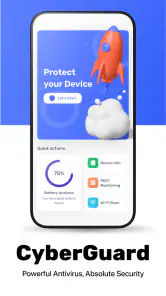
Cyber Guard Antivirus is the kind of Android tools app I would consider when I want a straightforward security check without committing to a paid suite immediately. Developed by medonia ltd, it is free to install, aimed at Everyone, and currently sits at version 1.28. Its focus is easy to understand: give your phone a dedicated place for antivirus protection and routine checks rather than leaving security as something you remember only after a problem appears.
What makes it worth discussing is not a flashy collection of extras, but the way a security tool fits into real mobile habits. I use my phone on home Wi-Fi, public networks, mobile data, and occasionally in places where connectivity is unreliable. That changes how useful an antivirus app feels. A scanner may be convenient at any time, while other parts of a security workflow can depend on communication with online services. With this app, I would treat the network connection as part of the experience whenever the app needs current information or remote checking, rather than assuming that every protective action works identically everywhere.
How Cyber Guard Antivirus fits into everyday phone security
The first impression is practical. This is a tools app, not an entertainment product, and its value comes from reducing uncertainty. When I download an unfamiliar file, install something I do not fully recognize, or simply want reassurance after months of ordinary phone use, an antivirus app gives me a clear action to take. That matters because Android security is not only about dramatic threats. It is also about making careful choices consistently.
The app has reached over one hundred thousand installs and holds a 4.3 average from more than six hundred ratings, with over one hundred written reviews. Those figures suggest that it has found an audience among people looking for a dedicated mobile defender, although they do not replace personal testing. I would still judge it by how clearly it communicates what it is checking, how much interruption it creates, and whether its results help me make a sensible decision.
One useful way to approach it is as a second layer beside ordinary phone habits. I would keep Android updated, install applications from trusted sources, review permissions, and avoid opening suspicious attachments. Cyber Guard Antivirus can support those habits, but it should not encourage anyone to ignore them. Antivirus software is most helpful when it confirms a cautious routine, not when it becomes an excuse to click first and investigate later.
Connectivity changes the timing of a security check
Network conditions are especially relevant for a security app. At home, I would be comfortable opening it and running a check while connected to a reliable Wi-Fi network. That is the best setting for a deliberate review because I am less likely to worry about mobile-data use or a weak signal interrupting the process. If the app needs online communication for part of its protection workflow, a stable connection should also make the experience more predictable.
On a train, in an underground station, or in a building with poor reception, I would not treat a delayed response as proof that the phone is safe or unsafe. A security result should be interpreted together with the conditions in which it was produced. If a check pauses or takes longer than expected, I would wait until I have a dependable connection and run the relevant action again instead of repeatedly tapping the screen.
More From Our News Desk

Clash of Clans Is Won Between the Battles

Android Auto Makes the Case for Quieter Car Software

MobiOffice: Transforming Mobile Productivity with Seamless Integration

EA SPORTS FC™ Mobile Soccer: Redefining Mobile Sports Gaming

How Microsoft OneDrive Became a Mobile Productivity Giant

How Google Translate Breaks Language Barriers Effortlessly
This is one of the less obvious points about mobile antivirus tools: convenience depends on timing. A scan performed immediately after downloading an app can be more useful than a scan performed days later, but that is also when I may be using mobile data or a temporary network. My practical routine would be to download only when I trust the connection, then open Cyber Guard Antivirus when I can give the result my attention.
I would also avoid judging the app solely by how quickly it responds on a strong network. A fast interface is pleasant, but security is about the quality and clarity of the result. When a connection is inconsistent, the important question is whether the app makes the state of the check understandable. If I cannot tell whether an action completed, I would consider that a usability weakness even if the underlying protection is sound.
Useful situations away from home
Public Wi-Fi is a realistic moment for extra caution. I might connect in a café to send a document, check a booking, or download something I need for the day. In that situation, I would not expect an antivirus app to make an untrusted network harmless. Instead, I would use it as part of a broader routine: avoid sensitive activity when possible, use secure websites and applications, and perform a security check later on a connection I trust.
Travel creates another useful scenario. Before leaving, I would make sure the app is already installed and that I know where to start a check. Then, after downloading travel documents or installing a local transport application, I could review the phone when I next have dependable Wi-Fi. This is more realistic than waiting for a warning at the exact moment I am rushing through an airport with a weak signal.
For people who share devices with children or less technical relatives, the Everyone age rating makes the app approachable in principle. I would still explain what the results mean rather than handing over a frightening alert without context. A warning should lead to a calm decision: remove the item, investigate its source, or seek help. The app can be useful in that teaching role because it gives a concrete place to begin, but it does not replace supervision.
On an older Android phone, compatibility is also worth noting. The minimum operating system is Android 8.0, so anyone using an earlier release would need to look elsewhere. For supported devices, I would pay attention to battery and responsiveness during longer checks, particularly on a phone with limited free storage or aging hardware. Even when an app is designed for mobile use, security work can feel more noticeable on a modest handset than on a newer one.
What I would do when a check fails or stalls
Security apps need a sensible recovery plan because interruptions happen. If Cyber Guard Antivirus appears to stall, my first step would be to check whether the phone has a usable connection, enough battery, and enough free storage for normal operation. I would then close the app, reopen it, and repeat the action once rather than launching several checks at the same time.
If the problem occurs only on mobile data, I would try again over Wi-Fi. If it happens only on one particular network, I would avoid drawing a conclusion about the phone until I had tested under better conditions. This approach prevents a common mistake: treating a connectivity failure as a malware finding. A security tool should help separate those two situations, and the user should resist guessing when the result is unclear.
There is also a recovery decision after an alert. I would not immediately delete an important application just because its name looks unfamiliar. I would first consider where it came from, whether I installed it intentionally, and what the app reports. If the item is clearly unwanted, removal may be sensible; if it is essential, I would investigate before taking an irreversible step. The most valuable workflow is therefore not simply “scan and tap,” but “scan, understand, then act.”
Restarting the phone can be a reasonable final troubleshooting step when ordinary app behavior becomes unstable, but I would not use repeated restarts as a substitute for a clear result. If the app consistently fails to complete checks, that limitation matters. In that case, I would use the phone’s built-in security controls and consider a different established security product rather than assuming the problem will disappear.
Keeping mobile-data use under control
Because this is a mobile security tool, I would be careful about when I use it on cellular data. A deliberate check over Wi-Fi is the simplest habit, especially for users with limited data plans. I would avoid opening the app repeatedly just to look for reassurance, since frequent manual checking can create more activity without improving my decisions.
My preferred routine would be event-based rather than constant: check after installing something from an unfamiliar source, after receiving a suspicious file, or when the phone begins behaving unusually. I would then use a trusted Wi-Fi connection whenever possible. This keeps security connected to meaningful events and avoids turning the app into a background source of anxiety.
People who travel internationally should be even more deliberate. I would not run unnecessary checks while roaming unless the situation required it. Instead, I would prepare before departure, use reputable networks, and review the device when connected normally. The app is easier to evaluate when connectivity is stable, and a planned workflow is less stressful than trying to troubleshoot security while dealing with expensive or unreliable data access.
There is a trade-off here. Waiting for Wi-Fi is sensible for data-conscious use, but waiting too long after a suspicious download is not ideal. If I had a genuine reason to suspect a file or application, I would prioritize checking it promptly and accept that the connection may be necessary. The right choice depends on the risk, not on saving every megabyte.
Where the free model works and where it may frustrate
The free price makes Cyber Guard Antivirus easy to try, which is important for someone who has never used a mobile security app. I can test whether its workflow suits me without making a purchase first. However, the app also lists in-app purchases at $9.99 per item. That means I would pay close attention to which functions remain available without spending money and whether any paid option is genuinely useful for my situation.
I prefer security apps that explain the difference between their basic and paid experiences clearly. If I only need occasional checks, a free tool may be enough. If I want a broader, more continuous security service, I would compare the purchase structure with a well-known security suite that combines antivirus, account protection, privacy tools, and support under a clearer plan. The better choice depends on whether I value simplicity or a larger package.
The current version is 1.28, which tells me the app is being presented as an actively versioned product rather than a one-off utility. Still, version numbers alone do not guarantee that it will behave perfectly on every phone. I would update it when updates are available through the normal app channel, then check that its main actions still work after a major Android update.
Another limitation is psychological rather than technical. A dedicated antivirus app can make users feel protected enough to take risks. Cyber Guard Antivirus should not be used to justify installing pirated applications, ignoring browser warnings, or granting every permission without thought. Its strongest role is as a checkpoint inside a wider safety routine.
Who should use it, and who should choose something else
I think this app is a reasonable fit for Android users who want a focused security tool, prefer to start with a free option, and are willing to perform checks thoughtfully. It may also suit someone helping a family member maintain a simple phone routine: connect to trusted Wi-Fi, open the app after a questionable download, read the result, and ask for help when the result is confusing.
I would be more cautious recommending it to someone who expects a complete privacy and device-management suite. If your main priorities are password monitoring, identity alerts, parental controls, theft recovery, or extensive network protection, you may be better served by a larger security product whose main purpose includes those areas. An antivirus-focused tool is not automatically the best answer for every security concern.
I would also skip it if my phone runs an Android version below 8.0, if I dislike managing security checks myself, or if I need a product with a clearly defined enterprise support model. In those cases, compatibility, automation, or support may matter more than having a lightweight free starting point.
For a technically confident user, the built-in Android protections and careful installation habits may already cover the basics. Adding another app can still provide reassurance, but it also adds another interface to maintain. I would install Cyber Guard Antivirus only if its checks give me useful confidence or help someone in my household make better decisions.
My connectivity verdict after using it as a mobile tool
Cyber Guard Antivirus makes the most sense when I treat it as a practical checkpoint rather than an invisible shield. Its free entry point, Everyone rating, Android 8.0 compatibility, and focused tools category make it approachable for ordinary users. The 4.3 average from its user feedback also gives it a credible starting impression, while the paid items mean I would review the available options before spending anything.
The connectivity lesson is straightforward: use a reliable Wi-Fi connection for planned checks, do not confuse a stalled network request with a security result, and act promptly when there is a real reason for concern. Mobile data can be appropriate when the risk is immediate, but routine checking is easier to manage when data use is not a worry.
My final recommendation is measured. I would try it for a simple Android security workflow, especially if I wanted a free tool that I could open after unfamiliar downloads or suspicious behavior. I would not rely on it alone, and I would move to a broader alternative if I needed extensive privacy, recovery, or account-protection features. Used with realistic expectations, it can be a useful extra step; used as permission to ignore basic caution, it cannot solve the underlying problem.
Cyber Guard Antivirus Frequently Asked Questions
Which devices can install Cyber Guard Antivirus?
Cyber Guard Antivirus is a mobile security app for Android and iOS. The Android version requires Android 8.0 or later, so check your device’s system settings before downloading. Compatibility can also depend on the device and operating system version. If you use an iPhone or iPad, review the app’s page in the relevant store to make sure it is available for your device.
Who makes Cyber Guard Antivirus, and is it suitable for all ages?
Cyber Guard Antivirus is developed by medonia ltd and is listed for everyone, making its age rating suitable for a broad audience. It is a Tools app focused on mobile security. Families should still review the app’s permissions and privacy information together, especially before enabling features that access files, notifications, or other device activity.
What is Cyber Guard Antivirus, and what does it do?
Cyber Guard Antivirus is designed to help protect Android and iOS devices from common digital threats, including suspicious files, unsafe applications, phishing attempts, and potentially harmful websites. Its main purpose is to provide security checks and alerts that help users identify risks before they cause problems. The exact tools available may vary depending on the device, operating system, and subscription plan.
Is Cyber Guard Antivirus free to download and use?
Cyber Guard Antivirus is free to download, but some features may require an in-app purchase. The app is listed with purchases of $9.99 per item, so check the purchase details before choosing an optional paid feature. Review any payment confirmation carefully, and make sure the selected option fits your needs before proceeding.
Does Cyber Guard Antivirus slow down the phone or drain the battery?
As with most security applications, Cyber Guard Antivirus may use system resources while performing scans, monitoring activity, or checking websites and downloads. On newer devices, the impact is usually limited, although battery consumption can increase when real-time protection is enabled. Users with older phones should review background settings and schedule scans when the device is charging.
Pros
- Real-time protection helps block suspicious apps and files.
- On-demand scans are quick and simple to start.
- Security alerts are easy to understand for nontechnical users.
- Low battery impact during routine background protection.
- Useful privacy checks highlight potentially risky app permissions.
Cons
- Some advanced tools may require a premium subscription.
- Scan results can occasionally include false positives.
- Background protection may need extra setup on some devices.
- The interface contains promotional prompts in the free version.
- Effectiveness depends on keeping virus definitions regularly updated.
- Category
- Tools
- Version
- 1.28








