Coin Identifier: Value Checker
- 253.00
- 4.5
- Installs
- 100.00K
- Price
- Free

Screenshots
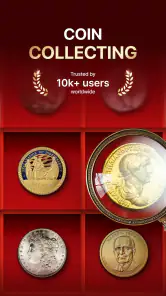
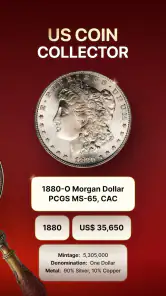
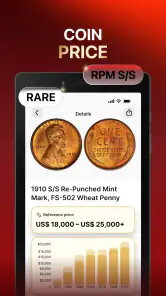
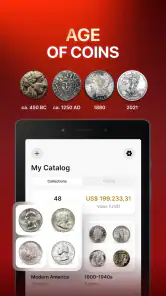
Analysis by Reviewed
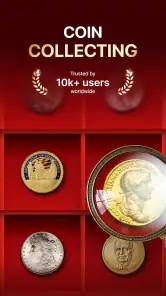
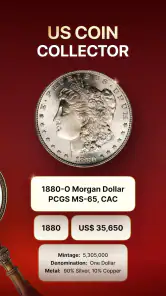
Coin Identifier: Value Checker is the kind of tool I would open with a small pile of unfamiliar coins on the table, not because I expect it to replace a professional numismatist, but because it can give me a useful starting point. It is a free tools app from Codabrasoft LLC for identifying coins, exploring possible value, and keeping a collection organized. After using it, my main impression is that its usefulness depends less on taking a quick picture and more on giving the app a clean, readable coin to work with.
The app has a 4.5 average from around 6.6 thousand ratings, with more than 100 thousand installs. That level of adoption makes it feel like a practical option for casual collectors and curious owners rather than an obscure experiment. It is rated for Everyone, works on Android 8.0 and later, and version 1.3.4 is the release I would look for when checking that my installation is current.
Getting past the points where coin identification usually fails
The first place I would expect a new user to get stuck is the photograph. A coin can look perfectly clear to the eye while appearing indistinct in a phone image. Reflections, a dark background, a cropped edge, or a tilted angle can hide the details that matter most: lettering, dates, mint marks, portraits, and small design differences. If the result seems vague, I would not immediately blame the identification engine. I would retake the image before doing anything else.
My preferred setup is simple. I place the coin on a plain, non-reflective surface, use even light from the side rather than a harsh flash, and keep the phone parallel to the coin. I capture the front and reverse separately when the workflow allows it. The point is not to make a beautiful photograph; it is to make the markings easy to read. A sharp image with the whole rim visible is usually more useful than a close-up that cuts off the date.
Coins also bring a special problem that ordinary image searches do not: two pieces can share a similar portrait while differing in year, denomination, country, or mint mark. I treat the first result as a lead, then compare it with what is physically printed on the coin. The app is most helpful when I use its suggestion as the beginning of verification, not as automatic proof of identity.
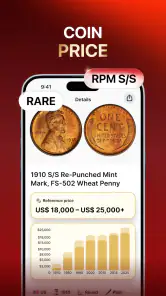
That distinction matters even more when value is involved. A rough value indication can be interesting, but collectible pricing depends on condition, authenticity, rarity, demand, and sometimes tiny variations that a casual photograph cannot settle. I would never clean a coin, sell it, or insure it solely because the app displayed an attractive possibility. Cleaning can reduce collector appeal, and a valuable-looking match still needs independent checking.
A sensible first setup
When I install a coin tool, I begin with an inexpensive or familiar coin rather than the most mysterious piece in the box. This gives me a low-pressure way to learn how the camera workflow behaves and whether I am framing images well. I also make sure the phone lens is clean. A fingerprint across the camera can turn engraved lettering into a soft blur, which creates unnecessary confusion later.
It is worth checking the basics before assuming the app is malfunctioning. The phone should meet the minimum Android requirement, the application should finish installing completely, and the device should have enough free space for normal use. I also keep the app updated through the usual app store process, especially if an identification screen behaves differently from what I remember. Version 1.3.4 is the current version associated with this review, so I would check for that version before spending time troubleshooting an older installation.
If the camera view does not behave as expected, I first close other camera-heavy apps, reopen Coin Identifier: Value Checker, and try again under better light. I avoid rapidly tapping through screens while the image is processing. A calm, repeatable capture routine makes it easier to tell whether the issue comes from the photo, the phone, or the app itself.
Because this is a free app with optional in-app purchases ranging from $7.99 to $49.99 per item, I would also pay attention to any purchase screen before confirming anything. Free installation does not mean every part of the experience must be free. I prefer to understand which action is available without payment and which one may lead to an optional purchase, particularly when handing the phone to a child or another family member.
How I recover when a scan gives a poor result
My recovery workflow is deliberately methodical. First, I remove the coin from a plastic sleeve or crowded collection tray if the material is interfering with the image. Next, I photograph one coin at a time. Several overlapping coins may be convenient for a quick snapshot, but they make it harder to associate a result with the correct piece and can hide the rim.
Then I repeat the scan with the opposite side visible. A date may be readable on one face while the country or denomination is clearer on the other. I compare the suggested identity with those physical clues instead of accepting the first familiar-looking image. If the coin is unusually worn, I record what I can read manually before trying again. Even partial information can help me notice that a result is only a close visual match.
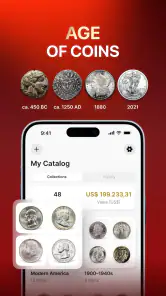
For a collection, I find it more useful to work in small batches than to photograph everything in one sitting. I identify a few coins, check the entries, and then continue. This makes mistakes easier to catch and prevents one incorrect result from spreading through a long list. I also use consistent names for my own records, such as country, denomination, and year, so that similar pieces do not become confusing later.
A practical tip is to separate identification from valuation. I first ask, “What coin is this?” and only then consider, “What might it be worth?” That order reduces the temptation to chase an exciting price before confirming the basic details. It also makes the app more useful for ordinary coins, where the main benefit may be organization and recognition rather than discovering a rare treasure.
When an entry looks wrong, I would rather delete or correct it than keep a doubtful record for the sake of speed. A collection manager is only as useful as the information inside it. The app can help me create a searchable personal inventory, but it cannot compensate for careless labeling. This is one of the less obvious trade-offs: the more valuable the collection, the more time I should spend reviewing each identification.
When the problem is outside the app
Not every failed attempt points to a software problem. Poor lighting, a scratched lens, a damaged coin, and unreliable connectivity can all affect an image-based tool. If other apps also struggle to load images or the phone camera produces blurry photographs everywhere, I would troubleshoot the device first. Restarting the phone, checking the camera lens, and trying a different location are sensible general steps before reinstalling anything.
The coin itself can be the limiting factor. Heavy wear may erase the date or mint mark. Tarnish can create contrast that looks dramatic in person but confuses a camera. A coin inside a reflective holder may show glare instead of detail. I would not polish or chemically clean it to improve recognition. Preserving the object is more important than obtaining a prettier scan, especially if it might have collector interest.
There is also a knowledge boundary that no convenient identifier removes. If the coin appears rare, has a suspected minting error, or could be valuable enough to affect a sale, I would compare the result with a reputable catalog, collector reference, auction history, or qualified dealer. The app is a convenient screening layer. It is not the only opinion I would use for a serious transaction.
This is where Coin Identifier: Value Checker compares favorably with a general web search. Searching manually can produce a large number of visually similar coins and force me to sort through unrelated pages. A dedicated coin tool gives the process a more focused starting point and can help connect identification with collection management. On the other hand, a specialist catalog or collector community may offer deeper information about varieties, grading, and market context. I would use the app for speed and organization, then move to specialist sources when the stakes rise.
Who will get the most from it
I think the app suits someone who inherited a mixed jar of coins, travels and wants to recognize foreign currency, or has started collecting without knowing how to record pieces consistently. It is also useful for a family sorting coins together: one person can photograph, another can read the markings, and a third can decide whether the item belongs in the collection record. The process turns an unstructured pile into something easier to review.
It can be especially helpful for beginners who do not yet know which details matter. By encouraging attention to the visible design, denomination, and year, the app can make casual collecting more deliberate. I would still teach a new collector to verify results and preserve condition, but the tool lowers the barrier to asking better questions.
I would be more cautious about recommending it as the main resource for an advanced collector. Someone who already relies on grading standards, die varieties, mint-error references, and detailed sales comparisons may find a general identifier too broad for final decisions. Likewise, a dealer processing a large inventory may prefer a specialized desktop database or established numismatic catalog with more control over records and valuation notes.
The purchase model is another consideration. Since the app is free to download but includes optional items priced from $7.99 to $49.99, I would decide in advance how much I want from it. Casual users may be satisfied with occasional identification, while someone planning to catalog a substantial collection should examine the available paid functions carefully before committing. The important question is not whether the app can identify one coin, but whether its ongoing workflow justifies the cost for the way I collect.
My practical verdict after using the workflow
Coin Identifier: Value Checker earns its place as a convenient first stop for recognizing coins and bringing order to a collection. I like that it addresses more than the initial mystery of “What is this?” by connecting identification with tracking and management. That makes it more useful than a one-off visual search when I have a box of pieces to sort over several sessions.
Its limitations are equally clear. Results depend heavily on readable images, and a suggested value should not be treated as a formal appraisal. The app cannot remove uncertainty caused by wear, unusual varieties, authenticity questions, or changing collector demand. I also need to stay alert to optional purchases rather than assuming that every function is included simply because the download is free.
For the best experience, I would use a clean lens, plain background, steady framing, both sides of the coin, and a verification pause before saving each entry. I would keep rare-looking pieces uncleaned and seek a specialist opinion before selling them. Those habits do more to improve the outcome than repeatedly scanning the same blurred photograph.
Overall, I would recommend it to curious beginners, families, travelers, and casual collectors who want a friendly way to identify and organize coins on an Android phone. I would skip it as a sole authority for high-value purchases, formal appraisals, or advanced variety research. Its real strength is practical collection triage: quickly turning an unknown pile into a set of leads that I can check, label, and manage more intelligently.
With that expectation, the free starting point is appealing, the Everyone rating makes it approachable, and the broad compatibility with Android 8.0 and later keeps it accessible to many phones. I would install it for exploration and organization, while keeping a trusted numismatic reference nearby whenever a coin looks genuinely important.
Pros
- Quickly identifies many common coins from a photo
- Useful reference for checking possible coin values
- Simple interface that is easy for beginners to navigate
- Convenient for organizing casual coin-collecting research
- Helpful starting point before consulting a professional appraiser
Cons
- Photo results may be inaccurate for rare or worn coins
- Estimated values can vary with market prices and coin condition
- Some features or information may require an internet connection
- The database may not cover every country or coin variation
- Not a replacement for professional authentication or grading

- Category
- Tools
- Version
- 1.3.4











