CleanLoom
- 119.00
- 3.4
- Installs
- 5.00M
- Price
- Free

Screenshots
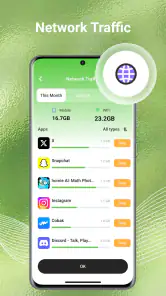
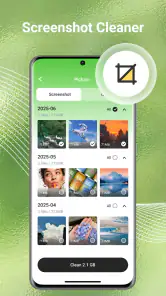
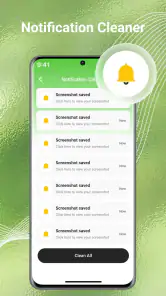
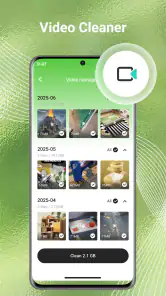
Analysis by Reviewed
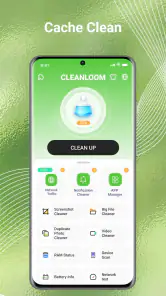
I look at a phone-cleaning app differently from a photo editor or a game: the useful question is not just whether it promises to tidy things up, but whether I can understand what it is doing before I let it touch personal files. CleanLoom is a free tools app from BetterFly Games, aimed at people who want help sorting out digital clutter. Its focus on junk, photos, videos, and files gives it an appealingly practical purpose, but that purpose also calls for a little care. I would treat it as an assistant for reviewing clutter, not as a reason to delete things quickly.
Trust starts with what you can check
The app has an average rating of 3.4 from around 5,500 ratings, with 119 written reviews, and more than 5 million installs. Those figures suggest that plenty of Android users have tried it, but they are not a substitute for deciding whether its behavior suits your own comfort level. A modest average is a reason to read recent user feedback and pay attention during setup, rather than assume the experience will be perfect for everyone.
CleanLoom is listed for Everyone and requires Android 7.0 or later. It was released on November 10, 2025, and its current version is V1.1.9. I would check that the app is compatible with my phone and running its current version before relying on it for routine cleanup. BetterFly Games is the developer; the name alone does not tell me how files are handled, so I would base trust on the choices and explanations I can actually see in the app and on my device.
That distinction matters because a cleanup tool has a different relationship with a phone than, say, a wallpaper app. To help organize local media and files, it may need access to content on the device. I would read each permission request when it appears, make sure it makes sense for the task I am trying to do, and avoid granting access automatically just because a screen presents a convenient button. If a permission prompt is unclear, I would pause rather than guess.
Take the first scan slowly
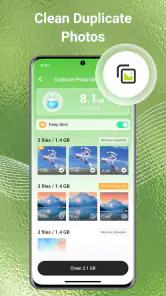
My first-use approach would be deliberately conservative: open the app, inspect the available screens, and understand what a scan is proposing before selecting any cleanup action. A result that looks like clutter to an automated tool can still be important to me. A short video may be the only copy of a family moment; a duplicate-looking image might be an edited version I meant to keep. The safest habit is to treat suggested items as candidates for review, not as disposable by default.
I would also avoid making a large batch of changes on the first visit. Start with a small group of files whose purpose is obvious, then check the phone’s storage and gallery afterward. This gives me a chance to learn how CleanLoom presents its results and what happens when I act on them, without turning a quick experiment into a difficult recovery job.
What to check before giving access
Before allowing access to photos, videos, or other files, I would consider what I actually want the app to help with. If my only problem is a crowded camera roll, broad access to unrelated documents may not feel necessary for that goal. Android’s own permission controls can help me limit or later review access where the system offers those choices. I would use the narrowest option that still lets me complete the task, and revisit permissions if I stop using the app.
You May Like

Clash of Clans Is Won Between the Battles

Android Auto Makes the Case for Quieter Car Software

MobiOffice: Transforming Mobile Productivity with Seamless Integration

EA SPORTS FC™ Mobile Soccer: Redefining Mobile Sports Gaming

How Microsoft OneDrive Became a Mobile Productivity Giant

How Google Translate Breaks Language Barriers Effortlessly
I would make the same careful check for any account-related prompt or explanation about data practices. A cleaning app does not automatically need an account for every local organization task, but I would follow what CleanLoom actually asks on my device rather than assume either way. Before entering personal details or accepting an optional choice, I would read its wording and decide whether the benefit is clear to me.
Make cleanup fit real routines
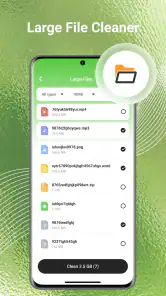
A realistic use case is preparing for a trip. Before leaving, I might want space for new photos, so I would use a cleanup session to review old downloads or media I already know I no longer need. I would not begin by selecting every suggested item. Instead, I would check filenames, previews, and dates wherever those are shown, then remove only things I recognize. That small amount of manual checking is worth it when the files are personal.
Another sensible workflow is to separate “find” from “delete.” I would first use a scan, if available, to identify areas that deserve attention, then leave the app and inspect anything uncertain in the phone’s regular file manager or gallery. Coming back to act only after that second look reduces the chance of confusing a thumbnail, copy, or old export with the version I wanted to keep. This is especially useful when several images look almost alike.
For a phone used by more than one person, I would be even more cautious. A shared device can contain screenshots, documents, and media belonging to someone else, so I would not treat a general cleanup result as permission to remove everything that appears unnecessary to me. Ask first, or leave the item alone. The app can help bring clutter into view, but ownership and context still belong to the people who created or saved the files.
How it fits beside built-in tools
CleanLoom sits in a category where the phone’s built-in storage settings and file manager are the obvious alternatives. Those tools are usually the better first stop if I only need to see what is taking space or remove a specific download I can identify. They keep the job simple and avoid adding another app to a phone that is already running low on room.
A dedicated cleaner can be more convenient when I want one place to look across cluttered photos, videos, and files. That convenience is meaningful only if the results are understandable and I stay in control of the final decision. I would compare the experience by asking whether it saves me time without making it harder to tell what will be affected. If the built-in tools already solve my problem, switching to an extra utility may not be worthwhile.
I would not expect any cleaner to know which memories matter to me. Similar images can serve different purposes, and an old file can be important even if I have not opened it recently. My practical rule is to use automation for discovery and my own judgement for deletion. If I need a highly specialized duplicate-photo workflow or precise file-management controls, I would look for a tool whose documented features clearly match that need rather than assume CleanLoom provides them.
Keep control of sensitive files
Photos and videos are often more personal than ordinary downloads, so I would pay particular attention when a cleanup action involves them. Before confirming, I would check whether the action is described as removing a local copy, moving something elsewhere, or doing something different. I would not infer what happens from a button’s color or position. Clear wording is important, and if I cannot tell what an action will do, I would cancel and inspect the file through a familiar system app.
For anything irreplaceable, I would make sure I have a separate copy before experimenting with cleanup. That might mean confirming the file exists in the backup method I already trust, rather than assuming a cleaner can restore it later. This is not a special trick; it is a sensible boundary for any app that can help manage personal files. Cleanup is easiest to regret when the item removed was the only copy.
There is also a useful distinction between a one-off tidy-up and ongoing use. If I only need to free space once, I can use CleanLoom for a supervised session and then review whether I still want it installed. If I plan to return to it, I would periodically check its permissions and revisit my own settings, especially after an app update. The current version is V1.1.9, but an update number by itself does not tell me what changed, so I would read any change notes presented before accepting new access or workflows.
Who I would recommend it to
I would consider CleanLoom if I have a crowded device, want a dedicated place to inspect several kinds of clutter, and am comfortable checking suggested actions before confirming them. Its free price makes trying it less of a commitment, while its broad Everyone age classification makes it suitable for a general audience in store terms. Neither point removes the need to supervise file access, especially on a phone holding work documents or private media.
I would skip it if I prefer to manage every file manually, have little storage pressure, or do not want to grant a cleanup app access to personal content. I would also avoid relying on it as my only safeguard for valuable photos. In those situations, the built-in storage screen, a file manager I already use, or a careful manual review is the more comfortable choice. Convenience is not a benefit if it comes at the cost of uncertainty about what I am deleting.
A cautious, practical verdict
My view of CleanLoom is cautiously positive: it addresses a familiar phone-maintenance problem and may make it easier to bring scattered clutter into one review process. The key is to keep the app in an assistant role. I would grant only the access that makes sense, inspect results before acting, and preserve anything valuable elsewhere before testing cleanup. Those habits matter more than a promise to make a phone feel tidier.
Ultimately, I would recommend CleanLoom to someone who wants help finding files to review and is willing to stay involved in each deletion decision. I would not recommend using it on autopilot or treating a scan as an authority on what matters. The app has attracted a sizeable audience, but the rating leaves room for different experiences, so I would start small and judge it on the clarity of its choices on my own device.
If I needed a quick, low-risk first step, I would begin with downloads or other files I can identify, not personal photos. Then I would confirm the result in the phone’s regular storage view and decide whether the added convenience earns a place in my routine. That approach gives CleanLoom a fair trial while keeping the final say—and the important files—in my hands.
CleanLoom Frequently Asked Questions
What is CleanLoom, and what does it do?
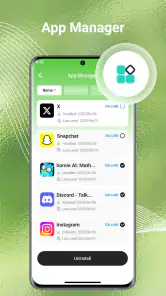
CleanLoom is presented as a cleaning utility, but its exact features can vary by app version and platform. Before installing, check the store listing to see whether it focuses on clearing temporary files, organizing storage, managing apps, or providing other tools. Review the feature descriptions and screenshots carefully, since a cleaner cannot necessarily speed up every device or remove files that the operating system protects.
Is CleanLoom safe to download and use?
Safety depends on downloading the genuine app from an official source, such as Google Play or the Apple App Store, and reviewing its current publisher information. Before granting access, read the requested permissions and consider whether they make sense for the features offered. Also check recent user reviews and the privacy policy. Avoid unofficial download files, and do not assume that a cleaning app can detect or remove every security threat.
Does CleanLoom cost money, or does it include ads or subscriptions?
The price and payment options may differ by device, region, and app version. Check the app-store page for details such as a purchase price, in-app purchases, advertising, or a free trial that renews as a subscription. If you start a trial, note its end date and cancellation terms. Confirm the final price in the store before approving any payment, since promotional wording may not show the full ongoing cost.
What permissions or personal data might CleanLoom require?
A cleaning utility may request access to storage or other device information so it can identify files or show storage usage, but the exact permissions depend on its design and operating system. Read the permission prompts rather than approving them automatically, and check the app’s privacy policy for information about data collection, sharing, and retention. If a request seems unrelated to the advertised tools, you can deny it or choose not to install the app.
Will CleanLoom work on my phone, and can I undo its cleanup?
Compatibility depends on your phone’s operating system, model, and the minimum version supported by the current release. Check the store listing before downloading, then review any confirmation screen carefully before deleting or cleaning files. Items removed by a cleaner may not be recoverable, particularly if they bypass a trash or recently deleted folder. Back up important photos and documents first, and avoid removing anything whose purpose you do not recognize.
Pros
- Helps organize cleaning tasks into a clear routine.
- Useful for keeping track of chores across rooms.
- Can make recurring household jobs easier to remember.
- Provides a focused space for cleaning-related planning.
- May help households coordinate who handles each task.
Cons
- Some features may require time to set up and maintain.
- Task reminders can feel excessive if schedules change often.
- Its usefulness depends on everyone keeping task lists updated.
- May offer less value to people with simple cleaning routines.
- Check the app’s privacy details before adding household information.

- Category
- Tools
- Version
- V1.1.9











