Cleaner Toolbox
- 6.00K
- 4.5
- Installs
- 5.00M
- Price
- Free

Screenshots



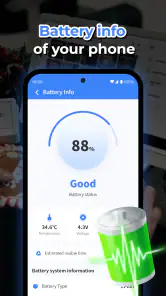
Analysis by Reviewed
When my phone starts feeling cluttered, I want a cleaner that makes its purpose easy to understand without asking me to become a technician first. That is the appeal of Cleaner Toolbox: it presents phone maintenance in a simple, approachable way. It is a free Android tools app from SELBY TEAM, rated for Everyone, and its focus is routine tidying rather than deep device management. Whether that simplicity feels reassuring or limiting depends on what you need from a cleaner.
A quick check before you install
I’d think of this as a helper for people who want maintenance options collected in one place, not as a magic fix for every slow phone. It makes most sense if you already have a specific job in mind: checking storage, reviewing battery use, or looking for a simple way to approach routine upkeep. If your phone is working well and you rarely run short of space, there may be little reason to add another utility.
It is also worth deciding in advance what you consider safe to remove. A useful cleaner should help you notice possible clutter, but only you know whether a file is an old download or something you still need. I’d make that distinction before opening a scan, especially if the phone holds work material, travel documents, or family photos. Going in with that small plan can prevent a rushed tap from becoming a frustrating recovery task.
Reading the interface and choosing what to do
Let's start with the setup. Getting Cleaner Toolbox up and running is as straightforward as ordering a pizza online. Just a few taps, and you’re ready to go. The interface is clean and intuitive, making it easy for even the least tech-savvy among us to navigate. Once installed, it prompts you to perform a quick scan, and trust me, you’ll be amazed at the junk it manages to dig up!
For someone who is unsure where to begin, a scan-first approach can reduce the effort of locating storage or maintenance tools among a phone’s settings. I’d still treat any suggested cleanup as a decision, not an automatic instruction: take a moment to understand what is being flagged before removing it. A cache can often be rebuilt, but files you deliberately saved are a different matter. That small pause is useful for anyone who relies on their phone for work, family photos, or documents.
What the tools are useful for
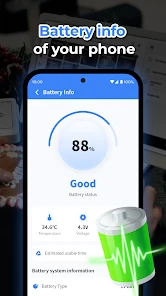
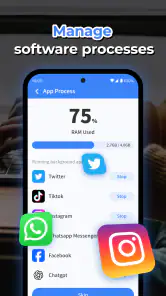
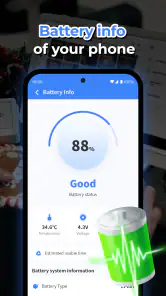
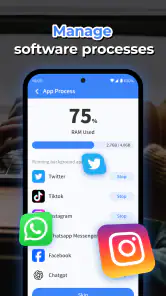
One of the coolest features of Cleaner Toolbox is its ability to analyze and optimize your phone’s storage. It doesn’t just clean up the obvious stuff; it dives deep, sweeping out hidden files and cache that you didn’t even know existed. Plus, it has a battery saver mode that helps extend your phone's life by managing apps that consume a lot of power. I found this particularly handy when I was out and didn't have access to a charger.
Additionally, the app offers a CPU cooler feature. Now, I didn’t even realize my phone was getting hot before using this app, but now that I’ve experienced a cooler device, there’s no going back. It’s like having an air conditioner for your phone during those intense gaming sessions or video marathons.
More From Our News Desk

Weather by Xiaomi Review: Clear at a Glance, Less Clear Up Close

X Under Pressure: Can It Recover When Posting Goes Wrong?

Clash of Clans Is Won Between the Battles

Android Auto Makes the Case for Quieter Car Software

MobiOffice: Transforming Mobile Productivity with Seamless Integration

EA SPORTS FC™ Mobile Soccer: Redefining Mobile Sports Gaming
These tools make most sense as occasional helpers, not as something I’d leave running constantly. For example, before a long trip I might check available storage, remove items I no longer need, and look at battery use so I can plan around a low charge. If a phone heats up during a demanding game, I’d first close the game and let the device rest; a cooler tool is not a replacement for sensible use or a cure for a failing battery. That distinction matters because cleaner apps can help organize routine maintenance, but they cannot make old hardware new again.
Touch, attention, and different situations
In terms of performance, Cleaner Toolbox is a powerhouse. It works swiftly and efficiently, ensuring your phone runs smoothly. I noticed a significant improvement in my device’s speed and responsiveness almost immediately after using it. It's like my phone had a good night's sleep and woke up all refreshed and ready to take on the day.
The user experience is top-notch, with no intrusive ads popping up every two seconds. It's a relief to use an app that lets you focus on what you need to do without constant interruptions. Plus, their customer support is quite responsive, which is always a plus in my book.
In everyday use, a clear, uncluttered screen can be easier to follow than a crowded settings menu, particularly when you are checking your phone quickly between tasks. Still, I would not assume that a clean-looking interface automatically suits every motor or sensory need. Someone who prefers larger text, voice guidance, or highly customizable controls should check how the app behaves on their own device before relying on it. A scan is also more comfortable when you have time to review its results rather than trying to make decisions while walking, commuting, or rushing out the door.
Using it around interruptions and access needs
A realistic time to use a maintenance tool is at home, while the phone is charging and you can give its suggestions your full attention. I would avoid starting a cleanup while waiting to board a train or during a short break when I might have to switch apps suddenly. If an alert, call, or other interruption arrives, pausing to recheck the selected items before continuing is a sensible safeguard. The point is not to turn a quick scan into a chore; it is to keep a small task from becoming a careless one.
For people who find dense screens tiring, I’d approach the app in short visits: open it for one purpose, review that result, and leave rather than trying to inspect every tool at once. This can also help anyone with limited dexterity who finds repeated tapping uncomfortable. Whether those steps are practical depends on the phone’s own text scaling and accessibility settings, so I’d test the actual screen rather than assume that the app will adapt in a particular way. If a control is hard to target or information is difficult to read, Android’s own settings may be the more comfortable route.
Where a cleaner helps—and where it does not
Cleaner Toolbox has earned a 4.5 average from around 73,000 ratings, with roughly 6,000 written reviews and over 5 million installs. It runs on Android 6.0 or later, and version 1.1.5 is the current release. Those figures suggest that many people have tried it, but popularity alone cannot tell you whether its recommendations fit your habits or your phone.
Compared with using Android’s built-in storage controls, a dedicated toolbox may feel more convenient because related maintenance options are gathered together. The trade-off is that built-in settings can offer a more direct view of individual apps and their storage, which is preferable when you want precise control or do not want another utility making suggestions. I’d choose the system settings for a one-off, careful cleanup; I’d consider this app when I want a simpler place to check several routine maintenance tools.
There is another useful comparison: a file manager is often better when you already know what you want to find, move, or delete. A cleaner is more appealing when you want help spotting possible maintenance tasks without manually browsing folders. Neither approach replaces the other. If I were trying to free space for a particular video or document, I’d look at storage details and my own files first; if I simply wanted a guided overview of routine upkeep, this toolbox could be the quicker starting point.
A practical habit is to review large or unfamiliar items before deleting anything, then check whether the phone’s available space actually changed. If the same clutter returns quickly, identifying the app or downloads creating it is more useful than repeatedly scanning. Likewise, if battery life remains poor or the device keeps getting hot, I would investigate the underlying app or hardware rather than expecting a cleaner to solve the cause. These are the limits I’d keep in mind: convenience is helpful, but it is not a substitute for informed choices or diagnosis.
Small habits that make its tools more useful
I would start with one scan when I have time, note which kinds of items it draws attention to, and then decide whether that result is genuinely relevant to my phone. That gives me a personal baseline without turning every routine check into an automatic cleanup. If I later run low on space, I can focus on the categories I already understand instead of treating every suggestion as equally urgent.
For battery concerns, I’d use the app as a prompt to think about what I’m doing rather than as a guarantee of longer use. A screen-heavy day, a demanding game, and a weak mobile signal can all change how long a charge feels like it lasts. If the battery saver tool points me toward app activity, I’d consider whether I actually need those apps active before changing how I use the phone. The practical benefit comes from making a deliberate choice, not from assuming a single tap can overcome every cause of drain.
The same measured approach applies to heat. If the phone warms during gaming or video playback, taking a break from the demanding task is the first step I’d trust. A CPU cooler option may be convenient to check, but I would not use it to dismiss repeated overheating or unusual behavior. For persistent problems, the phone’s own battery and device settings, or qualified repair advice, are more suitable than repeated cleanup scans.
Who will appreciate it, and who may prefer another route
This app is best suited to Android users who want a straightforward starting point and are willing to make the final call on cleanup. It can be handy for someone who has accumulated downloads over time, wants a single place to look at several maintenance options, or feels uncertain about where Android puts its storage controls. It is less compelling for a confident user who already checks individual apps and files directly and prefers not to add a separate cleaner.
I would also be cautious about recommending it as the sole answer for someone who needs a highly tailored accessibility experience. If screen reading, voice-operated navigation, unusually large text, or very precise control is essential, the sensible next step is to test the app with those settings enabled before depending on it. That is not a judgment about who should use it; it is a practical way to make sure the actual controls and results work comfortably for the person holding the phone.
Another question I’d ask is whether a cleaner is needed at all. If storage is healthy and the phone’s battery and temperature are behaving normally, occasional use may be enough—or the built-in Android tools may already cover the task. On the other hand, if repeated scans only surface the same items, a closer look at the apps generating them is more productive than installing or running additional cleaners. This is a tool for routine checks, not a reason to clean a phone that has no problem to solve.
My recommendation for the right user
So, is Cleaner Toolbox worth downloading? If you ask me, absolutely. It’s a handy tool to have in your arsenal, especially if you’re looking to optimize your phone’s performance without diving into the technical nitty-gritty yourself. It’s simple, effective, and really makes a noticeable difference. So go ahead, give it a try! Your phone will thank you.
I’d recommend it most to someone who wants an approachable toolkit for occasional storage checks and basic maintenance, and who is comfortable reviewing suggestions before acting. It may be a poor fit if you want granular controls, prefer to use only Android’s built-in tools, or need accessibility options that you have not been able to verify on your own device. The app is free, so trying it is straightforward, but I’d still judge it by whether its workflow is comfortable and whether its cleanup choices are clear to you. For me, that is the fairest test: a useful helper should make routine care less confusing, while leaving the final decisions in the user’s hands.
Cleaner Toolbox Frequently Asked Questions
What should I check before installing Cleaner Toolbox?
Before downloading Cleaner Toolbox, check that your device meets the app’s operating-system requirements and that you are comfortable granting the permissions it requests during setup. Also make sure you are choosing the app you intend to install, since the store short description is simply “Cleaner Toolbox.” Taking a moment to review these details can help you decide whether it suits your device and expectations.
What kind of app is Cleaner Toolbox?
Cleaner Toolbox is a Tools app described as a phone cleaner assistant. It is intended for people looking for phone-cleaning help and related device tools. If you are considering it, think about what you want a cleaner app to do and review the app’s features and permission prompts on your device before relying on it for a particular task.
How much storage space does Cleaner Toolbox need, and will it work on my phone?
Cleaner Toolbox requires Android 6.0 or later, so checking your phone’s software version is a useful first step. The amount of storage space an app needs can vary with its version and device, so check the download page on your phone before installing. If your device is compatible and has enough free space for the download, you can then decide whether to try its tools.
Is Cleaner Toolbox free to download, and is it suitable for everyone?
Cleaner Toolbox is free to download and is intended for a general audience, with an Everyone content rating. That makes it a straightforward option to consider if you want to try a phone-cleaning tool without an upfront purchase. Before installing, check that the app is compatible with your device and review its permissions during setup.
Who makes Cleaner Toolbox, and how established is the app?
Cleaner Toolbox is made by SELBY TEAM. It has been available since June 5, 2024, and its current version is 1.1.5. The app has received around 73,000 ratings and 6,000 reviews, with an average rating of 4.5, and it has been installed over 5 million times. These figures offer a sense of its reach, though individual experiences can vary.
Pros
- Enhances device speed effectively
- User-friendly interface design
- Offers a variety of cleaning tools
- Lightweight
- doesn't consume much RAM
- Frequently updated with new features
Cons
- Contains ads that can be intrusive
- Limited features in the free version
- Occasional false positives in cleaning
- May require manual permissions setup
- Some tools need deeper technical knowledge
- Category
- Tools
- Version
- 1.1.5








