Clean Planner
- 4.05K
- 4.6
- Installs
- 10.00M
- Price
- Free

Screenshots
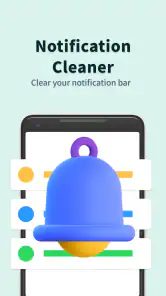
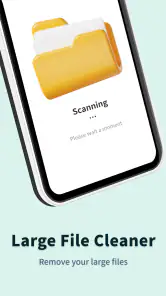
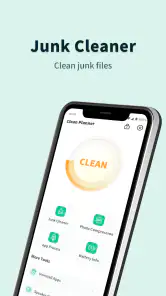
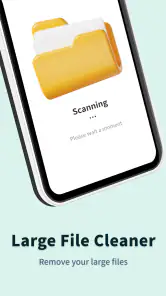
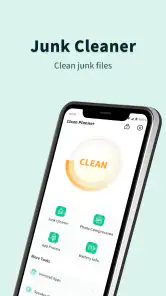
Analysis by Reviewed
Alright, folks, let me take you on a little journey through my experience with the Clean Planner app. If you're anything like me, juggling work, personal projects, and trying to have a semblance of social life, you might find this app to be your new best friend. So, let me give you the lowdown on what makes this app tick and why it deserves a spot on your phone.
Getting Started with Clean Planner
First things first, downloading the Clean Planner app was a breeze. It's available on both Android and iOS, so no one’s left out in the cold. Once I opened the app, I was greeted with a clean and intuitive interface. Seriously, I've seen some apps that make my brain hurt just trying to figure out where to start, but not this one. It feels like the developers had simplicity and usability at the forefront of their minds.
Features That Stand Out
What makes Clean Planner a cut above the rest are its stellar features. Right off the bat, the customizable task lists grabbed my attention. You can create different to-do lists for various aspects of your life – work, home, or even that book club you keep forgetting about. The app also allows you to set priorities and deadlines, which is a game-changer for procrastinators like me.
Another nifty feature is the integration with calendar apps. I synced it with my Google Calendar, and voilà, all my appointments and deadlines appeared seamlessly. This integration ensures that I never miss a beat, whether it's a crucial meeting or a dinner date with friends.
User Experience
The overall user experience with Clean Planner is top-notch. It's rare to find an app that balances functionality with simplicity so well. There are no unnecessary bells and whistles, just pure productivity tools. The app is responsive, and transitions between different sections are smooth, which is crucial when you're in a hurry.
Moreover, the notification system is subtle yet effective. It gently nudges you to complete your tasks without being overbearing. I appreciate that because the last thing I need is an app that's more stressful than the tasks I'm trying to manage!
Final Thoughts
In conclusion, if you're in the market for a reliable planning tool that won't overwhelm you with complexity, give Clean Planner a try. It's like having a personal assistant in your pocket, minus the coffee runs. The app's sleek design, essential features, and user-friendly nature make it a must-have for anyone looking to organize their life better.
More From Our News Desk

Weather by Xiaomi Review: Clear at a Glance, Less Clear Up Close

X Under Pressure: Can It Recover When Posting Goes Wrong?

Clash of Clans Is Won Between the Battles

Android Auto Makes the Case for Quieter Car Software

MobiOffice: Transforming Mobile Productivity with Seamless Integration

EA SPORTS FC™ Mobile Soccer: Redefining Mobile Sports Gaming
So, why not give it a whirl? Download Clean Planner today and see how it can transform the way you manage your day-to-day tasks. Trust me, you won't regret it!
Clean Planner Frequently Asked Questions
What is Clean Planner?
Clean Planner is a versatile and user-friendly application designed to help users organize their daily tasks and schedules efficiently. It combines features like task lists, reminders, and calendar integration to ensure that you stay on top of your commitments. Whether for personal or professional use, Clean Planner aims to simplify your planning process.
How does Clean Planner enhance productivity?
Clean Planner boosts productivity by offering a streamlined interface that allows users to easily manage and prioritize tasks. Its reminder system ensures you never miss a deadline, and the calendar integration helps visualize your schedule at a glance. By keeping all your planning tools in one place, Clean Planner reduces the time spent on organization, allowing more focus on task completion.
Is Clean Planner available for both Android and iOS devices?
Yes, Clean Planner is available for download on both Android and iOS platforms. This ensures that users can access their schedules and tasks across different devices, providing flexibility and convenience. Whether you prefer using a smartphone or tablet, Clean Planner synchronizes seamlessly to keep your planning consistent.
Are there any costs associated with using Clean Planner?
Clean Planner offers a free version with basic features accessible to all users. However, for those seeking advanced functionalities, a premium version is available for a subscription fee. The premium version includes additional features such as advanced reminders, detailed analytics, and additional customization options, enhancing the overall planning experience.
What customization options does Clean Planner offer?
Clean Planner provides a range of customization options to tailor the app to individual needs. Users can personalize themes, set task priorities, and choose notification preferences. Additionally, the app allows integration with other tools like email and cloud storage, offering a flexible planning experience that adapts to your unique workflow requirements.
Pros
- User-friendly interface for easy navigation
- Customizable task categories and priorities
- Integrates with calendar apps seamlessly
- Offers reminders for all scheduled tasks
- Supports collaboration with shared tasks
Cons
- Limited free version features
- No offline mode available
- Occasional sync issues with other apps
- Advertisements in free version
- Limited customization for reminders
- Category
- Tools
- Version
- 1.2.1








