

Clap to Find My Phone: Whistle
- 41.00
- 4.5
- Installs
- 5.00M
- Price
- Free
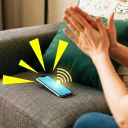
Screenshots
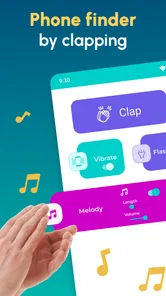
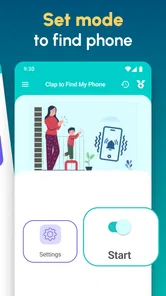
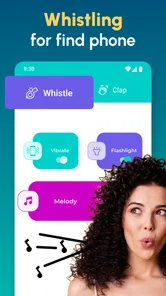
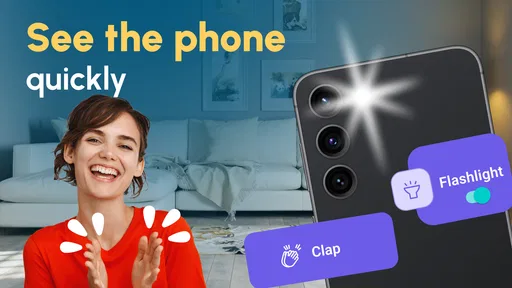
Analysis by Reviewed
I tend to misplace my phone at exactly the moment I need both hands: carrying groceries, getting a child ready, or putting things away in a room where the phone has vanished under something soft. Clap to Find My Phone: Whistle is built for that small, familiar problem. Instead of borrowing another device to call mine, I can try a clap or whistle and listen for a response. It is a focused idea, and its usefulness depends less on flashy customization than on whether I remember to set it up and whether the sound can be heard where the phone is hiding.
When one phone goes missing around the house
The app makes the most sense as a household convenience, not as a full phone-tracking system. Picture coming in with bags, setting the phone down somewhere near the kitchen, and later finding the counters clear but the phone nowhere in sight. A clap gives me a way to search without interrupting what I am doing to ask someone else to call it. Whistling can serve the same purpose when a clap is awkward or likely to be missed.
That simple workflow is also the main distinction from ordinary ways of finding a phone. Calling it from another handset depends on having another handset available, while a device-finding service is more useful when the phone is outside the home or needs to be located on a map. This app’s appeal is the hands-free, nearby search. I would treat it as a helpful extra for a phone that is somewhere within earshot, not as a replacement for the built-in tools I would rely on if it were lost farther away.
In a shared home, there is a practical boundary: the app helps find the phone it is set up on. It does not turn every family member’s handset into one shared locator, and I would not assume that one person can use it to search for another person’s device. If several people want the same convenience, each should think about the app in relation to their own phone and their own settings. That keeps the arrangement straightforward and avoids confusing a personal utility with household tracking.
Make the first test part of setup
With sound-triggered tools, the useful moment is not the time to discover that the setup needs attention. I would install the app, follow its available setup prompts, and test it while the phone is in the room and easy to retrieve. Then I would try a second test from a nearby spot, such as the next room, before trusting it as a shortcut. This gives me a realistic sense of whether my clap or whistle is recognized in the places where I usually put the phone.
A good test should include ordinary household noise. A quiet bedroom is an easy starting point, but a kitchen with a fan running or a living room with conversation is a more honest check of how well the idea fits daily life. I would also test from the sort of distance I expect to use, rather than assuming a sound will work through multiple rooms or closed doors. The app’s premise is acoustic, so walls, background noise, and the phone’s surroundings matter in a way they would not for a map-based search.
Placement makes a difference too. A phone buried under a cushion, tucked into a bag, or left in a drawer may be harder to hear than one sitting face-up on a table. I would not read a missed response as proof that the app is useless until I had checked the setup and tried a clearer location. Conversely, if it responds reliably only in a quiet room, that is useful information: I would keep it as a bedroom or study helper rather than depend on it throughout a noisy household.
More From Our News Desk

 Gmail
GmailGmail in a Busy Inbox: Who Benefits Most?
From first account to crowded workday, Gmail earns its place through dependable search and flexible sorting—but its best fit depends on how much inbox maintenance you can tolerate.

 Prime Video
Switching to Prime Video: What Changes in Your Viewing Routine
Prime Video can make a compelling second home for streaming, but switching means learning a different catalog, rental layer, and route from browsing to playback.

 Universal TV Remote Control
Universal TV Remote Control Works Best as a Reliable Backup
A phone remote earns its place through quick setup and reliable habits. Here is how to get more from Universal TV Remote Control—and where its limits show.

 Weather - By Xiaomi
Weather by Xiaomi Review: Clear at a Glance, Less Clear Up Close
Xiaomi’s weather app makes everyday forecasts quick to scan, but its calm surface can leave useful details and recovery paths harder to find than they should be.

 X
XX Under Pressure: Can It Recover When Posting Goes Wrong?
A resilience-focused review of X, examining setup, mistaken posts, interruptions, weak connections, and the gaps that matter when recovery needs to be dependable.

 Clash of Clans
Clash of Clans Is Won Between the Battles
Its raids are quick; its community is a long-term project of coordination, teaching, rivalry, and shared responsibility—with all the friction that entails.
Latest News



There is also a modest habit change involved. I need to remember that the app is intended to be ready before the phone disappears. A one-time test and an occasional check after changing how I use the device are more sensible than waiting until a rushed moment to work out what is enabled. For someone who wants a completely passive recovery method without any setup or sound conditions to consider, the phone’s built-in locator may be a better primary option.
Coordinate without turning it into a shared tracker
For a couple or a household with several adults, I would keep the routine simple: each person handles the setup on their own phone, and everyone knows that the clap-or-whistle approach is meant for nearby searches. That is enough coordination to prevent someone from assuming they can trigger a different person’s phone. It also avoids handing over account access or making a personal device part of a shared system when the goal is only to locate a phone misplaced at home.
This distinction matters if a household already uses built-in device-finding tools. Those services are a more natural choice when people intentionally share location or need a remote recovery option. I would use this app for the quick “where did I put it?” moment and keep the other method for situations where the phone may be out of the house, switched off, or beyond hearing range. The two approaches solve different problems; using one does not make the other redundant.
It is worth agreeing on what the sound means before making it part of a busy home routine. A clap could simply be someone’s normal way of getting attention, and a whistle may come from another person or a background sound. I would test whether ordinary noises cause confusion in my space, then choose a clear, deliberate signal and tell other household members what I am doing. That small bit of coordination is especially useful in shared rooms, where several people may be moving around at once.
I would also avoid treating the app as a way to monitor another person. Its practical value here is helping the owner recover their own misplaced phone. If a child or another family member uses a device, the setup should be discussed with them in an age-appropriate way rather than quietly framed as a household tracking arrangement. That keeps expectations clear: a sound-based finder is a convenience, not a substitute for consent, communication, or a family safety plan.
Who will feel comfortable using it?
The app is listed for Everyone, which makes its intended audience broad, but that label does not remove the need for a grown-up to think through how a child uses a personal device. For a younger user, I would explain that the app is for finding their own phone nearby and help them understand the setup. For older children and teenagers, I would let them know what the feature does and keep account boundaries intact. I would not use a simple finder as a reason to share passwords or give another person unrestricted access to a device.
There is a useful trust question for adults, too. If a phone is shared between people, decide whose settings and account are being used and who is responsible for keeping the app ready. A shared handset can make a sound-based finder handy for everyone who uses that one device, but it does not automatically create separate personal profiles or clear ownership rules. I would settle those expectations before relying on it, particularly if the phone contains personal messages or accounts belonging to more than one person.
Because the app reacts to a clap or whistle, the environment can affect the experience. A home with frequent whistling, loud television, or children playing may be a less predictable setting than a quiet flat. I would test it in the actual rooms and routines that matter rather than assume it will distinguish a deliberate signal in every circumstance. If it becomes distracting, causes false responses, or is unreliable around household noise, I would stop using it and return to calling the phone or using the device’s built-in finder.
What the app offers—and what it does not replace
As a personalization app from Firehawk, it has a narrow job: make a nearby misplaced phone easier to find through a familiar sound cue. I like that the idea can fit into a routine without needing a second person to help. The trade-off is equally clear: it depends on the phone being within range of the sound, the setup being ready, and the surroundings allowing a response to be heard. Those limits are not a flaw in the concept so much as a reason to use it for the right kind of search.
It is free to install, with in-app purchases ranging from $0.99 to $99.99 per item. I would start by deciding whether the basic experience solves my particular problem before considering any optional purchase. The wide range makes it especially sensible to check what an item offers and its price in the app before buying; I would not assume that an upgrade is necessary just to test the central idea.
The app has a 4.5 average from around 51,000 ratings and more than 5 million installs. Those figures suggest that many people have tried this kind of hands-free finder, but they do not tell me whether it will work well in my rooms or with my habits. I would use the first few days as a practical trial: test a deliberate clap, test a whistle if I expect to use one, and notice whether household noise interferes. That gives a more relevant answer than popularity alone.
Its current version is 3.2.2.1, and it requires Android 9 or later. That is a useful compatibility check before installing, especially on an older handset kept as a shared household phone. The app is free and rated for Everyone, but the presence of optional in-app purchases is still worth bearing in mind if a child is using the device. I would keep purchases under the account owner’s control and make sure the person using the phone understands that an install does not mean every optional item is included.
My household verdict
I would recommend Clap to Find My Phone: Whistle to someone who regularly misplaces their phone at home and wants a quick, hands-free method to try before asking another person to call it. It is a particularly natural fit for people who put their phone down while cooking, tidying, or carrying things, then forget which nearby surface they chose. It can also be a small convenience on a shared family handset, as long as everyone understands that it is for finding that device nearby rather than locating every phone in the household.
I would skip it as a primary solution if I often lose my phone outside the home, need remote location, or live in a space where noise makes sound recognition impractical. In those cases, a built-in device locator or a call from another phone is a more dependable first choice. I would also avoid adding it to someone else’s phone without their knowledge; a helpful household routine works best when the owner knows what is installed and why.
My recommendation is to install it only if the sound-based approach matches the way you lose your phone, then test it in the rooms and noise conditions you actually live with. If it responds reliably, it can save a few frustrating minutes and make a small everyday problem easier to solve. If it does not, there is no need to force the habit: keep a familiar call or device-finding method ready instead. The app’s best role is a simple, personal shortcut that complements—not replaces—clear household boundaries and the phone’s usual recovery tools.
Clap to Find My Phone: Whistle Frequently Asked Questions
How does Clap to Find My Phone: Whistle help locate a misplaced phone?
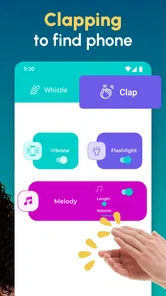
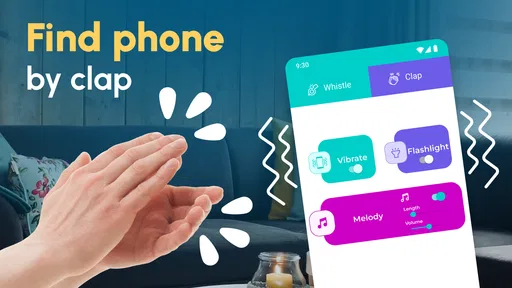
The app is designed to respond to a sound you make, such as clapping or whistling, so you can locate a phone hidden nearby. Depending on the available settings, it may play an alert, flash the screen, or use vibration. It needs permission to use the microphone and may need to remain active in the background; performance can vary with distance, noise, and phone settings.
Does Clap to Find My Phone: Whistle work when my phone is silent or locked?
That depends on the app’s alert options and your device’s operating-system restrictions. A finder app may offer an audible alarm or other visual and vibration alerts, but silent mode, Do Not Disturb, battery-saving settings, and background-activity limits can affect what happens. Before relying on it, test the chosen trigger and alert with your phone locked and adjust permissions or settings if needed.
What permissions does the app require, and why does it need microphone access?
Microphone access is needed to detect claps or whistles, which are the sounds used to trigger the phone-finding response. The app may also request permission for notifications, camera flash, or background activity so it can alert you as configured. Review the permission prompts and the app’s privacy information before enabling access; features that depend on a permission may not work if you deny it.
Will Clap to Find My Phone: Whistle drain my battery or listen all the time?
Listening for a trigger while the app is active can use battery, and the amount depends on your device, settings, and how long detection is enabled. Microphone access does not by itself explain how audio is handled, so check the app’s privacy policy and store listing for details about collection, storage, and sharing. Turn detection off when you do not need it to limit background use.
Is Clap to Find My Phone: Whistle free, and does it work on every Android or iPhone?
Availability, supported features, and pricing can differ by platform, region, and app version. Check the Google Play or Apple App Store listing for the current price, any in-app purchases or advertisements, device requirements, and recent compatibility notes before downloading. Even on a supported phone, microphone permissions and background restrictions can affect detection, so try the app in your usual settings before depending on it.
Pros
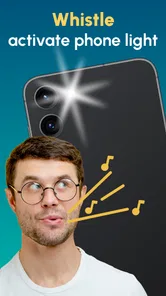
- Clap and whistle controls offer two hands-free ways to locate a misplaced phone.
- Adjustable detection sensitivity can help reduce missed triggers.
- A loud alert makes the phone easier to hear when it is nearby.
- Useful for finding a phone tucked under cushions or inside a bag.
- Simple setup makes the core feature accessible to new users.
Cons
- Background listening can increase battery usage.
- TV
- music
- or nearby clapping may trigger false alerts.
- Detection may be unreliable in noisy environments or from another room.
- The alert may be difficult to hear in a loud setting.
- Microphone access is required for clap and whistle detection.













