Castly -Roku, Chromecast,DLNA
- 2.83K
- 3.4
- Installs
- 500.00K
- Price
- Free

Screenshots
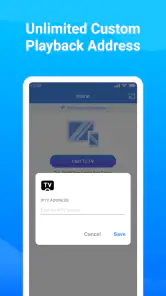
Analysis by Reviewed
When it comes to streaming your favorite content from your mobile device to the big screen, Castly - Roku, Chromecast, DLNA might just be the app you’ve been searching for. Let’s dive into what makes this app a standout choice for cord-cutters and streaming enthusiasts alike.
Seamless Streaming Experience
The first thing that struck me about Castly - Roku, Chromecast, DLNA is how effortlessly it connects to various streaming devices. Whether you’re using a Roku, Chromecast, or any DLNA-compatible device, the app’s interface is intuitive and easy to navigate. You don’t need to be a tech guru to get your favorite shows and movies up on the big screen.
Compatibility Galore
One of the standout features is its wide-ranging compatibility. I’ve tested it on multiple devices, and it works flawlessly with Roku TVs, Chromecast dongles, and even some smart TVs with built-in DLNA support. This versatility means you’re not tied to one type of streaming device, which is a huge plus in my book.
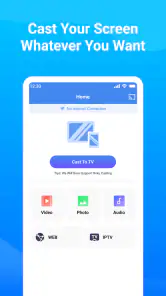
Setting up the app is a breeze. Simply download it, sync it with your preferred device, and you’re good to go. The app supports a variety of media formats, so whether you’re casting videos, photos, or music, Castly handles it all without a hitch.
User-Friendly Interface
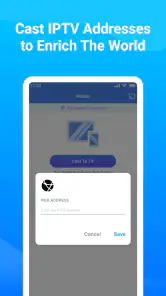
I appreciate a well-designed app, and Castly doesn’t disappoint. The interface is sleek and user-friendly, allowing you to easily access your media library. You can browse through your files with ease, and the app even includes a built-in browser for streaming content from the web directly to your TV.
What’s more, the app provides a stable connection with minimal lag, ensuring your streaming experience is smooth and enjoyable. It’s always a bummer when an app cuts out mid-show, but happily, that’s not an issue here.
Customization and Control
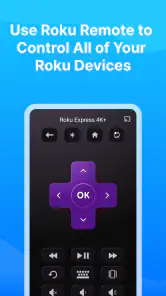
Another feature worth mentioning is the level of control you have over your streaming. The app offers playback controls directly from your phone, so you can pause, play, or skip without fumbling for the remote. Plus, with options to adjust the video quality, you can optimize the streaming experience based on your internet connection.
For those who love personalizing their viewing experience, Castly also offers subtitle support and audio track selection. It’s these little touches that elevate the app from good to great.
In conclusion, if you’re looking for a reliable, versatile, and user-friendly app to stream content from your mobile device to your TV, Castly - Roku, Chromecast, DLNA is definitely worth checking out. It ticks all the boxes for ease of use, compatibility, and customization, making it a must-have for any streaming setup.
Pros
- Seamless streaming to multiple devices.
- Supports a wide range of media formats.
- User-friendly interface for easy navigation.
- Quick setup with minimal configuration.
- Reliable connection with minimal buffering.
Cons
- Limited free version features.
- Occasional connection drops.
- Ads can be intrusive at times.
- Requires a stable internet connection.
- Some premium features are costly.

- Category
- Tools
- Version
- 2.1.8











