Case Tracker US Immigration
- 10.57K
- 4.4
- Installs
- 1.00M
- Price
- Free

Screenshots
Analysis by Reviewed
Immigration paperwork is stressful enough without repeatedly searching for case updates across several government systems. After spending time with Case Tracker US Immigration, I found its main value is simple but meaningful: it brings USCIS, NVC, CBP, and visa-related tracking into one focused tool, then adds alerts and reference material around citizenship and bulletin updates. It is not a replacement for official immigration accounts, but it can make the waiting period easier to manage.
My overall view is positive, with an important condition. This is best treated as a personal monitoring companion, not as legal guidance or the final authority on a case. If you want a convenient way to check several immigration matters and notice changes sooner, it is a practical free tool. If you need document preparation, attorney-level interpretation, or a complete official case history, you will still need other resources.
How Case Tracker US Immigration fits into real case monitoring
The app comes from ImmiVision, LLC and sits in the tools category rather than trying to be a broad social or educational platform. Its short identity, “Case Tracker,” is accurate: the experience is centered on entering and watching immigration cases instead of browsing unrelated content. That narrow purpose helps the interface feel more relevant when all I want is a quick status check.
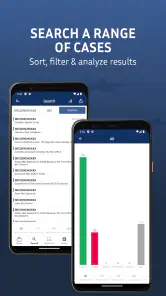
It supports tracking connected with USCIS, the National Visa Center, Customs and Border Protection, and visa processes. That range matters because an immigration journey can move between agencies. A person may begin by watching a USCIS petition, later deal with the NVC, and then need information connected with a consular or border stage. Keeping those reference points in one app is more convenient than maintaining a collection of separate bookmarks and reminders.
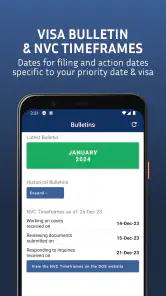
I also found the bulletin and citizenship material useful as context rather than as a substitute for case-specific information. A case status tells me what has happened to a particular filing, while a bulletin or citizenship reference can help me understand the wider process. Those are different kinds of information, and the app is more useful when I keep that distinction clear.
The first practical question many people have is whether it costs anything to begin. The app is free to install, which makes it easy to test without committing money at the outset. It also carries an Everyone content rating, so its presentation is suitable for a broad audience. Optional in-app purchases range from $1.99 to $64.99 per item, so I would review any purchase screen carefully and decide whether the extra convenience is genuinely useful for my situation.
On Android, it requires version 8.0 or later. That is helpful for people using a reasonably current device, although anyone with an older phone should check compatibility before planning around it. The current version is 5.5.6, and the app has been available since January 12, 2022. Its scale also suggests that it is not an obscure experiment: it has passed one million installs, with a 4.4 average from about fifty-one thousand ratings and roughly eleven thousand written reviews.
The strongest part is reducing scattered checking
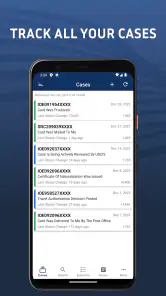
The clearest strength is organization. Immigration applicants often check a status only because they are anxious, not because they expect a change at that exact moment. A dedicated tracker gives that habit a defined place. Instead of opening a browser, finding the right government page, remembering which identifier belongs to which filing, and repeating the process for every family member, I can use one monitoring workflow.
A realistic example would be a household with a pending petition for a spouse, a separate matter for a child, and a later visa-related step. I would label each case carefully, save the relevant identifiers in a secure personal system, and use the app to watch for movement. When an alert appears, I would then open the official source or account before making any decision. The app saves attention; it does not remove the need for verification.
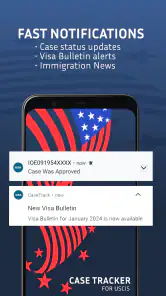
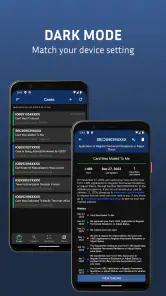
Alerts are particularly valuable for people who do not want to manually check every day. They can turn a vague waiting routine into a more manageable process: review the notification, compare it with the official record, note the date, and decide whether an action is required. That last step is important. An alert is a prompt to investigate, not proof that a deadline, approval, interview, or travel permission has been settled.
One useful habit is to keep a separate timeline outside the app. I would record when a form was filed, which receipt belongs to it, when an update appeared, and what follow-up was completed. This prevents a common mistake: confusing a new notification with a complete understanding of the case. The tracker can help me notice change, while my own timeline preserves the surrounding details.
Another non-obvious advantage is the ability to use the app as a central watchlist even when agencies are involved at different stages. I would not expect every stage to behave identically, and I would avoid assuming that one agency’s update predicts another agency’s next action. Still, having related cases visible together makes it easier to spot which part of a family process has moved and which part is still waiting.
Where it is more helpful than ordinary browser bookmarks
A normal browser bookmark can take me to an official status page, but it does not necessarily create a personal monitoring routine. Bookmarks are good for access; a tracker is better for repeated observation. The difference becomes noticeable when I have multiple receipt numbers, relatives with separate cases, or several agencies to follow.
The app also brings alerts and broader immigration references into the same experience. That combination is more convenient than keeping one bookmark for a case page, another for bulletin information, and a separate note for citizenship topics. For someone who is already overwhelmed by immigration terminology, reducing that scattered setup has real value.
However, official websites remain stronger for authoritative detail, account-specific documents, notices, and actions that require secure access. I would use Case Tracker US Immigration for awareness and routine checking, then go directly to the relevant official channel when the update affects a filing, appointment, response, or deadline. This two-step approach is safer than relying on any third-party tracker alone.
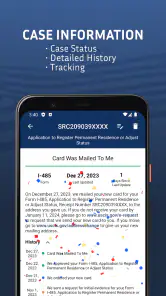
It is also worth separating tracking from legal interpretation. A status label may be easy to read but difficult to interpret in the context of a complicated history, a request for evidence, a change of address, or a family member’s connected application. The app can help me find out that something changed; it cannot, by itself, tell me the best legal response to every situation.
The meaningful weakness: convenience can create false confidence
The biggest limitation is not that the app lacks a useful purpose. It is that convenience may encourage users to treat a notification as the whole truth. Immigration systems can involve delays, different update timings, and agency-specific terminology. A third-party alert may be helpful, but I would never use it as my only record or assume that no alert means nothing has happened.
This is especially important for people with urgent travel plans or a deadline. If a decision matters financially or legally, I would verify it through the official source and read the actual notice rather than acting on a short status description. The app belongs near the beginning of that verification process, not at the end.
There is also a privacy consideration in practical use. Case identifiers are sensitive personal information, so I would avoid entering them casually on a shared phone, avoid showing screenshots publicly, and protect the device with a lock. I would also be selective about which family cases I add and who can access the phone. These are sensible precautions for any immigration-tracking tool, but they matter more here because the app is designed to collect details that connect directly to real cases.
Another point of friction is that the experience may be less valuable to someone with only one case who already checks an official account comfortably. For that person, the extra layer could feel unnecessary. The strongest benefit appears when there are multiple cases, multiple agencies, or a genuine need for reminders and alerts.
The purchase model may also make some users cautious. Since the app is free to start but includes optional purchases, I would not assume that every convenience is included without checking the exact description on the purchase screen. Someone who only wants occasional status checks may find the free experience sufficient, while a heavy user may consider an optional feature worth paying for. The right choice depends on how much monitoring is needed, not on the presence of a purchase option alone.
Small workflows that make the app more dependable
I would begin by adding cases one at a time and immediately giving each one a clear personal label. A label such as “spouse petition” or “child visa stage” is more useful than relying on memory when several identifiers look similar. I would then compare the first displayed result with my existing paperwork before adding more cases. This catches simple entry mistakes early.
For a family, I would maintain a short external note with the case label, agency, receipt or reference identifier, filing date, and the official page used for confirmation. I would not store that note in a place that is publicly synchronized or easy for others to access. The app can provide the watchlist, while the note provides a controlled audit trail.
I would treat alerts as scheduled prompts for a calm review rather than emergency messages. When one arrives, I would record what changed, open the official source, save any important notice through the proper channel, and check whether the update applies to the exact case I intended to monitor. This workflow prevents a family member’s update from being mistaken for my own.
The bulletin material can be used in a similarly disciplined way. I would read it to understand movement in visa availability or general timing, but I would not convert a bulletin reference into a promise about my individual case. General availability and personal eligibility are not identical, and the app is most helpful when it supports that distinction instead of replacing it.
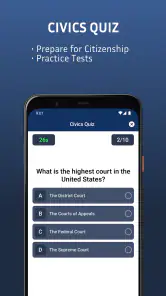
For citizenship-related reading, I would use the app as a starting point for orientation. It may help me identify subjects I need to study or questions I need to ask, but I would still rely on official instructions for current requirements and any formal filing. That makes the tool useful without asking it to do a job it was not designed to do.
Who should use it, and who should choose something else?
I would recommend it most readily to applicants and families who are tired of checking several immigration channels separately. It is a good fit for people who want a single place to watch USCIS, NVC, CBP, and visa-related matters, especially when alerts can reduce repetitive manual checking. It is also approachable for someone who wants a free starting point before deciding whether optional purchases add enough value.
It can be particularly practical for a relative helping from another city or country, provided that person has permission to monitor the case and handles identifiers responsibly. A shared routine can reduce the chance that everyone checks independently and misses an important change. Even then, the person directly responsible for the filing should remain the final reviewer of official notices.
I would skip it as a primary solution if I need legal advice, document drafting, secure filing, appointment management, or a complete substitute for an official immigration account. I would also look elsewhere if I have a highly unusual case and need detailed human interpretation rather than status monitoring. In those situations, an immigration attorney, accredited representative, or the relevant government channel is a better fit.
People who dislike notifications or rarely have more than one status to check may not gain much from installing another tool. Likewise, anyone who expects an app to predict approval dates or explain every procedural outcome will probably be disappointed. Its strength is watching and organizing, not forecasting or deciding.
My final verdict after using it as a companion tool
Case Tracker US Immigration succeeds because it focuses on a problem that is easy to underestimate: keeping track of immigration cases across multiple agencies without turning every check into a browser search. The combination of case monitoring, alerts, bulletin references, and citizenship material gives it more practical range than a single-purpose status bookmark.
My recommendation comes with a clear rule: use it for convenience, then verify important information through official sources. If I were waiting on several family cases, I would keep it installed, use careful labels, protect the device, and maintain my own timeline. If I had one straightforward case and already used the official channel confidently, I might not need the extra layer.
With its free entry point, broad immigration focus, and established audience, it is a sensible tool for routine awareness. The app is at its best when it reduces repetitive checking without encouraging overconfidence. Use it as an alert system and organizational aid, never as the final authority on an immigration decision. That balance is what turns it from a convenient status viewer into a genuinely useful part of a careful case-monitoring routine.
Pros
- Tracks USCIS case updates in one convenient place.
- Supports multiple immigration cases and receipt numbers.
- Provides timely notifications when case statuses change.
- Simple interface that is easy for first-time users.
- Useful for monitoring cases without repeatedly visiting USCIS.
Cons
- Not an official USCIS app or a substitute for legal advice.
- Updates may be delayed compared with the USCIS website.
- Some features may require payment or contain advertisements.
- Does not explain complex immigration decisions or next steps.
- Requires accurate receipt numbers to retrieve case information.

- Category
- Tools
- Version
- 5.5.6











