BuzzKill Notification Manager
- 525.00
- 4.6
- Installs
- 50.00K
- Price
- $3.99

Screenshots

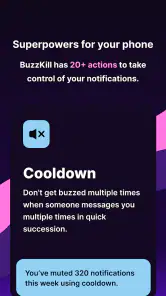
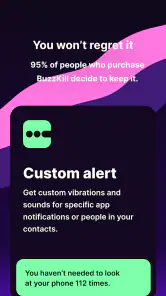
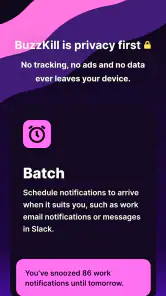
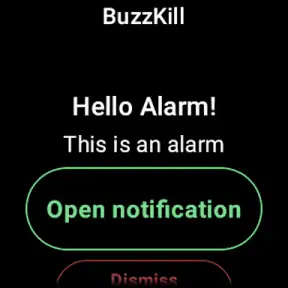
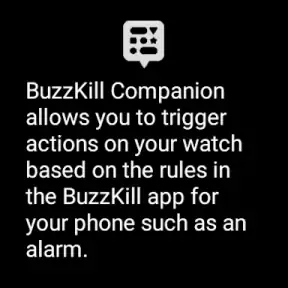
Analysis by Reviewed
I usually notice notification clutter most when I’m trying to concentrate and my phone keeps asking for attention. BuzzKill Notification Manager is designed for people who want more control than a single silent mode offers. Rather than treating every alert alike, it lets me decide how different notifications should be handled. That flexibility is its appeal, but it also means the app works best when I’m willing to make a few thoughtful choices instead of expecting an instant fix.
Who benefits from a calmer notification stream?
I find BuzzKill most useful when the problem is not simply “too many alerts,” but that different alerts deserve different treatment. A message from family may need to surface while a stream of routine updates can wait. Rules let me shape that flow instead of relying only on one broad quiet mode. The useful trade-off is that I need to decide those priorities in advance; if I prefer to handle every alert manually, the extra setup may feel unnecessary.
For a realistic workday, I might silence work email after hours, then use a reminder for a message I cannot answer during dinner. That is more deliberate than switching on Do Not Disturb and hoping I remember to check everything later. I would start with just one or two rules, test how they behave during an ordinary day, and only then add more. Too many rules can become another system to maintain.
Getting Started
Setting up the BuzzKill Notification Manager is a breeze. After downloading it from the app store, you’re greeted with a simple and intuitive interface. No rocket science here, just straightforward options to help you customize your notification experience. The app doesn’t overwhelm you with features right off the bat, which I really appreciate. It's all about making your life easier, not more complicated.
Features Galore
One of the standout features of BuzzKill is its ability to filter notifications based on your preferences. You can create rules to mute notifications at certain times or from specific apps. How cool is that? I set mine up to silence work emails after 7 PM, ensuring my downtime isn't interrupted by work-related pings. It's like having Do Not Disturb mode, but on steroids!
Another feature I love is the ability to highlight important notifications. You can choose to receive a reminder for missed notifications so that nothing slips through the cracks. There’s also an option to dismiss notifications automatically, which is perfect for those annoying pop-ups that you never want to see.
Making rules work in different situations
Compared with the built-in notification controls on a phone, BuzzKill is appealing when I want more tailored handling by app and circumstance. The standard controls may be the better choice if I only need a simple quiet period, since they require less ongoing thought. I’d also avoid automatically dismissing anything until I’ve watched how that rule affects real alerts; a harmless-looking cleanup can be frustrating if it hides something I meant to read.
More From Our News Desk

Clash of Clans Is Won Between the Battles

Android Auto Makes the Case for Quieter Car Software

MobiOffice: Transforming Mobile Productivity with Seamless Integration

EA SPORTS FC™ Mobile Soccer: Redefining Mobile Sports Gaming

How Microsoft OneDrive Became a Mobile Productivity Giant

How Google Translate Breaks Language Barriers Effortlessly
Parents can use the same kind of prioritizing to keep school-related alerts easier to notice among less urgent app activity, but I would not treat an automated rule as a substitute for checking important messages. For anyone who depends on alerts for work, caregiving, or time-sensitive plans, testing rules with low-risk notifications first is a sensible way to catch mistakes before relying on them.
Practical Uses
Imagine this: you’re in the middle of a meeting, and your phone is buzzing like crazy. Instead of fumbling to silence each notification, BuzzKill does the job for you. It’s perfect for those who value their focus and time. Plus, it helps in saving battery life by reducing unnecessary screen wake-ups.
For parents, it’s a lifesaver. You can set it up to prioritize school notifications over games and social media alerts, ensuring you’re always in the loop about your child’s activities. And for someone like me, who tends to miss messages, the reminder feature has been a game-changer.
Readable controls and different ways of using the app
When I’m considering whether a notification tool is accessible, I look beyond whether its screens seem tidy. The practical question is whether I can understand what a rule will do and change it without having to manage a complicated chain of settings. BuzzKill’s rule-based approach is clearest when I name each rule by its purpose in my own mind: for example, “quiet routine mail after work” is easier to review than a collection of rules I no longer remember creating. That small habit can make later adjustments less error-prone.
People who read notifications quickly, rely on visual cues, or prefer not to interact with a phone while it is in use may value different parts of the app. Selective muting can reduce interruptions, while a reminder can give an alert another chance to be noticed. Those are not the same kind of help: muting supports concentration, whereas reminders create a later prompt. I would choose between them based on what I tend to miss, rather than turning both on indiscriminately.
Motor and sensory considerations
Automating a repeated decision can be helpful when reaching for the phone is awkward, such as when I’m cooking, carrying groceries, or moving between tasks. Setting a rule in advance may mean fewer mid-task taps to clear routine alerts. The catch is that setup itself still requires attention, and I would not assume automation is a substitute for controls that are comfortable for a particular person to use. Anyone who finds configuration screens tiring should begin with the smallest possible change and see whether the benefit outweighs the effort.
For sensory overload, the value is not that every sound or visual interruption disappears, but that I can reduce some avoidable prompts by choosing how selected notifications are handled. It may be less helpful if the main difficulty is a phone-wide sound, display, or interaction setting rather than the volume of alerts from particular apps. In that case, the operating system’s own controls are a more direct place to start. I see BuzzKill as a layer for sorting notification behavior, not a complete accessibility solution.
Situational access: a day with competing priorities
Picture a parent working through a busy afternoon: a school update may matter, a group chat can wait, and routine promotional alerts do not need to interrupt a conversation. A sensible workflow is to identify the one kind of notification that truly needs attention, use a rule for a low-risk source first, and observe what happens before expanding the setup. If the rule behaves as intended, I can add another priority later. This gradual approach is more dependable than trying to reorganize every app at once.
The same logic suits someone who alternates between focused work and personal time. A quiet period can help draw a boundary around routine work alerts, while a reminder can bring a missed item back to mind when there is room to deal with it. I would still make a deliberate habit of checking essential channels. A notification manager can help shape interruptions, but it cannot know whether a particular message is urgent in the context of my day.
Practical Uses
Imagine this: you’re in the middle of a meeting, and your phone is buzzing like crazy. Instead of fumbling to silence each notification, BuzzKill does the job for you. It’s perfect for those who value their focus and time. Plus, it helps in saving battery life by reducing unnecessary screen wake-ups.
For parents, it’s a lifesaver. You can set it up to prioritize school notifications over games and social media alerts, ensuring you’re always in the loop about your child’s activities. And for someone like me, who tends to miss messages, the reminder feature has been a game-changer.
Readability, control, and everyday access
The straightforward layout is a good fit for someone who wants to make a few clear choices rather than learn a complicated automation system. In my view, the main accessibility benefit is practical: once a rule is set, I do not have to reach for the phone every time an interruption arrives. That can help during a conversation, while carrying things, or when I am trying to keep my attention on one task. It does not remove the need to review the rules, though, and anyone who finds settings screens difficult may prefer the phone’s simpler built-in controls.
BuzzKill can also be useful in situations where checking a screen is inconvenient, such as a meeting or a busy family evening. The reminder option gives me a way to revisit something I could not handle at the moment, while automatic dismissal can clear recurring distractions. Those choices call for care: I would not use dismissal for alerts I may need to act on later, and I would keep essential contacts outside any rule that could make them easy to miss.
Worth the setup for the right routine
As an Android tools app by Sam Ruston, BuzzKill costs $3.99 and is rated for Everyone. Its average is 4.6 from around 2.2K ratings, and it has over 50K installs. I would put those figures in context rather than treat them as a reason to buy: the real question is whether I have recurring notification problems that built-in controls do not handle neatly. At that price, it makes more sense to someone who expects to use its rules regularly than to someone who only wants an occasional quiet evening.
The friction is partly the learning curve and partly the ongoing responsibility. When my schedule changes, a rule designed for an old routine may no longer make sense. Reminders also need a purpose; otherwise they can add to the very stream I am trying to simplify. I would periodically review which rules are still useful and remove the ones I no longer trust. That is a better safeguard than building an elaborate setup and assuming it will stay right forever.
Where built-in controls still win
For a single daily quiet period, the phone’s own Do Not Disturb or app notification settings are usually the simpler choice: they avoid maintaining another set of decisions. BuzzKill is more compelling when I need different treatment for different sources, or when muting, reminders, and automatic dismissal solve distinct problems. It is not automatically better just because it offers more ways to intervene. More control is useful only when I can explain why each rule exists.
I would also be cautious about using the app to manage alerts that carry serious consequences. A rule can be well intentioned and still be too broad, especially if an app mixes routine updates with messages that need attention. Testing with harmless notifications and checking the result is a practical first step. If a person needs a guaranteed way to notice every urgent alert, relying on automated filtering alone is the wrong trade-off; a direct check-in routine or a simpler notification configuration may be safer.
Cost, fit, and remaining friction
This is a paid Android tools app from Sam Ruston, priced at $3.99, and it is rated for Everyone. It has a 4.6 average from around 2.2K ratings, with 525 reviews and over 50K installs. Those figures suggest a well-established niche, but I would judge its value by how often its rules solve a recurring annoyance. If notification noise is only an occasional problem, the phone’s free built-in settings may be enough; if I repeatedly need different handling for different apps, the one-time purchase is easier to justify.
The main friction is not a crowded interface so much as the responsibility that comes with customization. A rule that is too broad can mute something useful, and a reminder can add another notification if I do not keep its purpose in mind. I would also expect to revisit settings when my routine changes rather than assume a setup made for one schedule will suit every week. The app is less compelling for someone who wants a universal mute switch or dislikes tuning behavior app by app.
Final Thoughts
In a world where we're constantly connected, keeping our digital life under control is crucial. The BuzzKill Notification Manager offers a seamless way to manage notifications, making it a must-have app for anyone looking to reduce digital clutter. It’s user-friendly, efficient, and a true lifesaver in maintaining work-life balance.
So, if you’re tired of the constant barrage of notifications and want an app that understands your needs, give BuzzKill a try. It’s more than just an app; it’s peace of mind at your fingertips.
My inclusive verdict
I recommend BuzzKill to people who want notification rules to do more than a basic quiet schedule can manage, especially when reminders and selective muting match their daily routine. I would skip it if I rarely receive distracting alerts, prefer not to configure settings, or need a simpler approach that is already built into the phone. Its best quality is giving me more control over what interrupts me; its limitation is that good control depends on thoughtful setup. Start small, keep genuinely urgent alerts in mind, and the app is easier to trust without expecting it to make every notification decision for you.
BuzzKill Notification Manager Frequently Asked Questions
Does BuzzKill Notification Manager require access to my notifications?
Yes. BuzzKill needs access to your Android notifications so it can recognize incoming alerts and apply the rules you create, such as filtering, muting, or prioritizing notifications. Before downloading, consider whether you are comfortable granting that access and review the permission request on your device. Its notification-management features depend on being able to respond to notifications as they arrive.
Is BuzzKill Notification Manager a free app, and what is its age rating?
BuzzKill Notification Manager costs $3.99, so you should expect to pay to download it rather than treating it as a free utility. Its content rating is Everyone, which makes it broadly suitable from an age-rating perspective. If you are comparing notification tools, consider whether its rule-based controls and custom alerts are worth the purchase for the way you use your phone.
What is BuzzKill Notification Manager and how does it work?
BuzzKill Notification Manager is an app designed to give you complete control over your notifications. It allows you to filter out unwanted notifications, set custom alerts for specific contacts, and even automate responses. The app works by letting you create rules that dictate how notifications are handled, ensuring that you only get notified about what truly matters to you.
Is BuzzKill Notification Manager available for both Android and iOS?
BuzzKill Notification Manager is currently available for Android devices. Users can download it via the Google Play Store. Unfortunately, there is no iOS version available at the moment. The app is designed to integrate seamlessly with the Android notification system, offering features that are currently unsupported on iOS.
How does BuzzKill help in managing notification overload?
BuzzKill Notification Manager helps manage notification overload by allowing you to set up rules that filter out unnecessary notifications. You can mute certain apps during specific times, block repetitive alerts, and set priority notifications that alert you immediately. This customization helps reduce stress and distraction by ensuring you only receive relevant notifications.
Pros
- Custom notification filters
- Mute annoying notifications
- Block spam effectively
- Easy to use interface
- Enhances productivity
Cons
- Limited free version
- Occasional bugs
- Requires permissions
- Not compatible with all apps
- Steep learning curve initially
- Category
- Tools
- Version
- Varies with device








