Breaking News - Live Headlines
- 388.00
- 4.4
- Installs
- 10.00M
- Price
- Free

Screenshots


Analysis by Reviewed
When news is moving quickly, I want an app that lets me catch up without turning every quiet moment into a scroll through headlines. Breaking News - Live Headlines is built around that quick-check use: it brings news into one place, with a focus on major events around the world. I find that approach most useful when I have a few minutes between tasks and want a sense of what is happening before deciding which stories deserve more of my time.
Keeping up without losing the thread
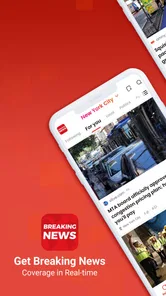
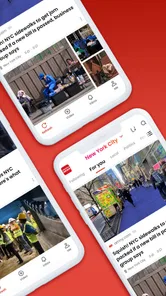
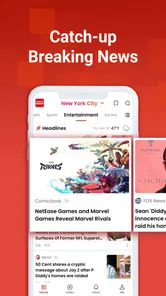
From the moment I opened Breaking News - Live Headlines, I was greeted with a sleek and intuitive interface. The app is designed to deliver real-time news updates, ensuring that you’re always in the loop. Whether it’s breaking news, politics, sports, or entertainment, this app covers it all. The live headline feature is particularly impressive, offering a quick glimpse at the most significant stories of the moment.
That kind of overview works well as a first stop, rather than a substitute for every news source. If a headline matters to me, I want to spend time with the full story and consider its context; a fast-moving feed is better at showing what to look into than settling complicated questions. Compared with reading one newspaper or visiting several individual news sites, a single headlines app can make a quick scan easier, though readers who prefer a publication’s consistent editorial voice may be better served by that publication’s own app.
Customizable News Feed
One of my favorite features is the customizable news feed. You know how some apps just bombard you with everything? Not here. You can tailor your news feed to focus on the topics that matter most to you. Want more tech news? Less celebrity gossip? It’s all in your hands. This level of customization not only makes the app more personal but also ensures that you're not wasting time sifting through irrelevant news.
A useful way to approach that choice is to keep the feed aligned with what you actually want to check during the day, rather than trying to follow every possible subject. For example, someone who checks headlines on a commute might prioritize a compact mix of general and personally relevant topics, then explore other interests later. The trade-off is that a narrower selection can make a quick scan feel calmer, but it may also mean you see less outside your usual interests. I’d treat the feed as a practical starting point, not a complete picture of the news.
Offline Reading
Another feature that deserves a shoutout is the offline reading mode. As someone who’s always on the go, I appreciate being able to download articles to read later without needing an internet connection. It’s perfect for those long commutes or when you’re stuck somewhere without Wi-Fi. Just download, save, and read at your convenience.
This is especially handy if I know I’ll have a stretch without reliable access: I can save reading while connected, then use that material to fill a train ride or a wait in a place with weak service. The practical tip is to think ahead and save what looks worth reading before leaving a connection, rather than assuming a headline you noticed will still be easy to retrieve later. Offline reading helps with access to saved material, but it does not replace the live feed when I want to check what has changed since I last looked.
More From Our News Desk

Weather by Xiaomi Review: Clear at a Glance, Less Clear Up Close

X Under Pressure: Can It Recover When Posting Goes Wrong?

Clash of Clans Is Won Between the Battles

Android Auto Makes the Case for Quieter Car Software

MobiOffice: Transforming Mobile Productivity with Seamless Integration

EA SPORTS FC™ Mobile Soccer: Redefining Mobile Sports Gaming
Alerts and Notifications
The app’s alert system is both a blessing and a curse, depending on how you set it up. You can choose to receive notifications for breaking news only, or for all updates. Personally, I prefer to keep things quiet, but I can see how this feature would be invaluable for those who thrive on up-to-the-second news.
For everyday use, I’d start with the least intrusive alert setting and see whether it gives me enough timely information. That keeps a quick news check from becoming a stream of interruptions, while still leaving the app available when I choose to open it. Someone following fast-changing events may reasonably prefer more alerts, but anyone who finds notifications distracting should be selective. The useful distinction is between wanting to read news and wanting the phone to interrupt you about it.
Speed, stability, and everyday demands
A headlines app earns its place when it feels convenient to check, but I would not judge its speed by the promise of “breaking” news alone. How quickly a particular story appears can depend on the news cycle and connection, so I’d use the feed for a broad overview and revisit it when I have time to follow developments. During a busy day, a short scan can be more useful than repeatedly reopening the app after every alert.
I also prefer to keep expectations realistic about performance. A news feed can involve changing content and network access, so the experience may feel different when a connection is poor. If the app is not showing fresh headlines, I’d first check whether the connection is working and try again later rather than treating one delayed refresh as proof of a lasting problem. For a reader who needs dependable background updates at all times, a trusted broadcaster or news organization may be a better primary source; this app is more suited to checking headlines when convenient.
Making a quick news check more useful
One small habit makes a headline-first app more valuable: separate scanning from reading. I use a quick visit to identify a few stories that seem important, then decide whether I have enough time to open them. That keeps the feed from becoming an endless scroll and makes it easier to return to a story with a clear question in mind, such as what changed or who is affected. When I only have a minute, I can still get a sense of the day without pretending that a headline gives me the whole story.
For a fast-moving event, I would also avoid treating repeated alerts as independent confirmation. Notifications can tell me that something is developing, but the sensible next step is to open the coverage and look for context before sharing a claim or making a decision based on it. This is a useful boundary for any breaking-news reader: use the app to notice a development, then verify important details through fuller reporting. The convenience of one feed is valuable, but it should not replace careful reading when the stakes are high.
A routine for busy days
A realistic weekday use might be checking the feed over breakfast, saving a couple of articles before leaving home, and reading them on the train without relying on a connection. At lunch, I might reopen the headlines to see whether a major story has moved on, but I would not need to keep the app open or let every update interrupt work. This routine takes advantage of the different ways I use the app—quick scanning, saved reading, and selective alerts—without making news the background task of the entire day.
That workflow also helps answer a practical question: should I leave notifications on? I would only do that if knowing promptly about new developments matters more to me than uninterrupted focus. If I mainly want a morning and evening catch-up, opening the app deliberately is likely a better fit. Conversely, someone following a developing situation may prefer alerts and can decide which level is useful after seeing how much it interrupts their day.
Where it fits among news options
Compared with a newspaper app, this headline-focused approach is more convenient for sampling stories from a broad mix of subjects, while a single publication’s app can offer a steadier editorial perspective and more room for in-depth reporting. Compared with visiting several news websites, a consolidated feed can reduce the effort of checking what is happening. The trade-off is that a quick overview may provide less continuity than following a reporter or publication over time. I would use this app as a discovery and catch-up tool, then turn to a specialist source when I need detailed coverage of a particular subject.
It is not the right choice for every reader. If I wanted long-form analysis, a strong connection to one publication’s reporting, or a carefully ordered reading experience, I would choose a source built around those priorities. It may also be a poor fit for someone who finds headline alerts stressful or who prefers not to use a feed that can encourage frequent checking. The option to keep notifications restrained helps, but the reader still needs to set a routine that feels healthy rather than letting breaking updates dictate the day.
Who will get the most from it
I can see this app fitting people who want a broad news check in short sessions: commuters, readers who follow several topics, or anyone who would rather start from headlines than open a collection of separate sites. A realistic routine might be to scan the feed over breakfast, save a couple of stories for a journey, and leave alerts limited so the rest of the day stays focused. Readers who want deep analysis, a carefully curated single-publication experience, or a completely interruption-free phone may prefer other ways of following the news.
Breaking News - Live Headlines is a free news and magazines app from YING LIANG HK LIMITED, and it is rated for Everyone. It has an average rating of 4.4 from around 33,000 ratings, with more than five million installs. Its release date is November 17, 2023, and version 13.1.2254.79147 supports Android 6.0 and later. Those details make it accessible to a wide range of Android users, while the most important decision is still whether its headline-first style suits the way you like to keep informed.
Device expectations and reliability
The Android requirement of version 6.0 or later gives the app a broad range of potential devices, which matters if you are keeping an older phone in service. Still, compatibility alone cannot tell me how responsive it will feel on every handset. A device with limited free space or several apps competing for attention may make any changing news feed feel less immediate, so I would keep expectations modest on an older or heavily loaded phone. I would also avoid leaving a news app open unnecessarily if I only need occasional checks; opening it when I want a catch-up is a simple way to keep the routine light.
Reliability, in my experience, is best judged by whether the app remains useful across ordinary conditions, not by expecting every headline to appear the instant it breaks. If a feed looks stale, I would check the connection, reopen the app, and compare the story with a trusted news source before concluding that the app has failed. Saved articles provide a fallback for reading when service is poor, but they cannot provide new developments while offline. That distinction is worth remembering before a trip or commute: download reading in advance, and use a connected source when freshness matters.
For readers wondering whether it can replace a primary news source, my answer is no—not if you rely on detailed reporting or need authoritative coverage of a specific event. Its strength is reducing the friction of a broad first scan. For someone who wants to know which subjects deserve attention and then choose where to read further, that is a useful role. If accuracy and depth are central to a decision, I would follow up with established reporting rather than acting on a short headline alone.
Overall, Breaking News - Live Headlines has quickly become an essential app on my phone. It’s efficient, comprehensive, and incredibly user-friendly. If you’re looking for an app that keeps you updated without overwhelming you, this is definitely worth a download. So why wait? Stay informed and ahead of the curve with this handy little app.
Breaking News - Live Headlines Frequently Asked Questions
Can I read headlines from around the world in Breaking News - Live Headlines?
Yes. Breaking News - Live Headlines is intended to deliver global news and help users follow major events around the world. Its focus is on presenting current headlines in one app, which can be useful if you want a broad overview rather than news limited to one location. You can explore its news feed and choose topics that match your interests.
Does Breaking News - Live Headlines cover different types of news?
The app is designed to bring together news about a range of subjects, including politics, business, entertainment, and sports. That variety can make it useful for readers who want to check several areas of current events in one place. You can also customize your feed to focus more closely on the subjects you care about.
Is Breaking News - Live Headlines easy to get started with?
The app is presented as a way to see major world events and grasp the latest information, with a user-friendly interface for browsing headlines. After installing it, open the app and explore the available news feed and preferences to find a setup that suits you. If you want a more focused experience, selecting topics of interest can help tailor what you see.
What devices and operating systems can I use with Breaking News - Live Headlines?
Breaking News - Live Headlines is a news app for Android and iOS, so it is intended for use on compatible phones and tablets. On Android, it requires version 6.0 or later. Before downloading, check that your device meets this requirement and that the app is available for your device through its app store.
Who develops Breaking News - Live Headlines, and is it suitable for all ages?
The app is developed by YING LIANG HK LIMITED and is rated Everyone, making it suitable for a general audience. Its focus is delivering global news and headlines, so the stories it presents may cover a wide range of current events. As with any news app, parents may wish to discuss news content with younger readers depending on their age and interests.
Pros
- Real-time updates on global events.
- User-friendly and intuitive interface.
- Customizable news feed options.
- Wide range of news categories.
- Offline reading mode available.
Cons
- Frequent ads can be distracting.
- Limited free content access.
- Occasional app crashes reported.
- Push notifications can be overwhelming.
- Requires stable internet for updates.












