Body Temperature Fever Tracker
- 89.00
- 3.6
- Installs
- 1.00M
- Price
- Free
Screenshots
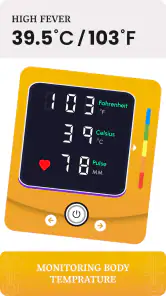
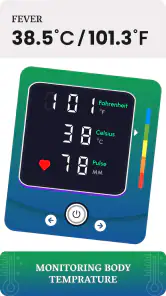
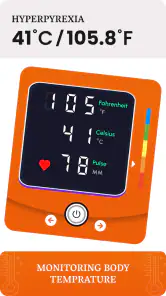
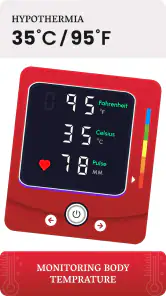
Analysis by Reviewed
I think the main question to ask before installing Body Temperature Fever Tracker is whether you want a simple place to keep temperature records, or a broader health platform. This is a medical tracking app from Prometheus Interactive LLC, and its purpose is focused: keeping temperature information together so you can look back at it. It is free to download, rated for Everyone, and has a 3.6 average from around 2,700 ratings. That makes it worth considering, but I would judge it by how well it fits your routine rather than treating a rating as a substitute for your own needs.
Choose it for record-keeping, not diagnosis
A tracker is most useful when you already have a reliable thermometer and want a consistent record of readings. The app should be thought of as a companion to measuring, not as a thermometer or a medical assessment. If you are trying to understand whether a symptom is changing, a dated history can be easier to discuss with a clinician than scattered notes or a memory of how you felt several days ago. It cannot tell you what is causing a fever, so urgent or worrying symptoms still call for appropriate medical advice.
A small habit makes the record more meaningful: use the same thermometer and follow its instructions each time, then enter the reading promptly. If you measure in different ways or at inconsistent times, the numbers may not be directly comparable. When recording for a child or another family member, make clear in your notes who the reading belongs to; a shared phone can otherwise turn a useful history into a confusing one. These practical details matter more than filling a chart with entries that lack context.
The User Interface: Simplicity at Its Best
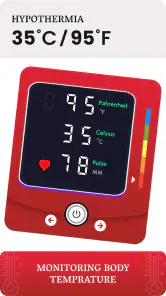
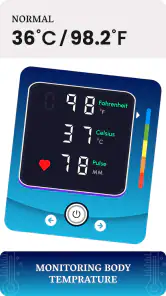
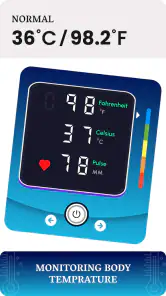
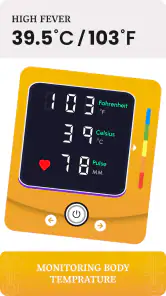
First off, let's talk about the user interface. The Body Temperature Fever Tracker app is designed with simplicity in mind. You won't find any flashy graphics or confusing menus here. Instead, the app offers a straightforward layout that's easy to navigate. When you open the app, you're greeted with a clean, uncluttered screen that allows you to log your temperature with just a few taps. It's a no-nonsense approach that I really appreciate, especially when I need to quickly jot down my temperature readings.
Features That Stand Out
So, what can you actually do with this app? Well, for starters, you can record your body temperature at any time and save the data for future reference. This feature is especially useful for tracking temperature trends over time. You can even add notes to each entry, which can be helpful for jotting down symptoms or other relevant information. Additionally, the app allows you to set reminders for taking your temperature, ensuring you never miss a check-in.
One of my favorite features is the ability to view your temperature history in a variety of formats, including graphs and lists. This makes it super easy to spot patterns and stay informed about your health. Plus, the app's compatibility with both Android and iOS devices means you can access your data no matter what type of smartphone you use.
Make the history useful in everyday life
The graph is most helpful when you use it to compare readings taken under similar circumstances, rather than treating every rise or dip as a meaningful change. A note can capture details that a number alone cannot: whether you felt chilled, had a headache, or had just taken a reading after resting. That context can keep you from drawing too much from one isolated result. If you are tracking someone else, keep entries clearly separated by person wherever your workflow allows, and check the saved history before sharing a summary with a healthcare professional.
More From Our News Desk

Weather by Xiaomi Review: Clear at a Glance, Less Clear Up Close

X Under Pressure: Can It Recover When Posting Goes Wrong?

Clash of Clans Is Won Between the Battles

Android Auto Makes the Case for Quieter Car Software

MobiOffice: Transforming Mobile Productivity with Seamless Integration

EA SPORTS FC™ Mobile Soccer: Redefining Mobile Sports Gaming
Reminders can help when you are following a routine, but they are not a reason to take readings more often than needed or to ignore how someone feels. For example, if a child feels unwell in the evening, I would use a reminder only if it supports a sensible monitoring plan; I would not let notifications replace checking on the child or seeking advice when symptoms are concerning. This is a useful distinction: the app can support consistency, while judgment about care stays with you and your clinician.
Who benefits, and where alternatives fit
Now, you might be wondering, "Do I really need a temperature tracking app?" Well, if you're someone who frequently monitors your body temperature due to health reasons, or if you're simply interested in keeping an eye on your health metrics, this app is definitely worth considering. The convenience of having all your data in one place, accessible with just a tap, cannot be overstated.
Moreover, for parents, this tool can be a lifesaver when managing their children's health. Keeping track of a child's temperature can be crucial, especially when they're feeling under the weather. This app takes the guesswork out of monitoring and offers peace of mind with its reliable and consistent tracking.
Where it makes sense depends on what you already use. A paper log or a note-taking app may be enough if you record readings only occasionally and prefer not to maintain another dedicated app. A broader health journal may suit you better if you want temperature alongside many other kinds of information. I would choose this tracker when temperature history itself is the main task and the reminder, notes, and visual history help me stay organized. The trade-off is another app to maintain, so it is only useful if you will actually enter readings rather than assuming the record will build itself.
A realistic routine, and a useful first test
Imagine you are caring for a child who feels poorly after school. You take a reading with the household thermometer, enter it while the details are fresh, and add a short note about the child’s symptoms and what was happening around the measurement. If you check again later as part of sensible guidance, the list gives you a timeline instead of a string of numbers you must remember. That is a modest but practical benefit: the app can help you prepare a clearer account for a clinician, while leaving decisions about treatment and urgency where they belong.
I would test the workflow before depending on it during a stressful evening. Add a sample entry, include a note, then return to the history and see whether the information is easy to interpret. If you are using it for more than one person, establish a naming habit in notes from the start. A label such as “Sam — evening” is more useful than relying on memory later, especially if several readings are taken close together. This is a simple safeguard, not a substitute for a dedicated multi-person record if your household needs one.
Another useful habit is to write notes that answer a future question rather than trying to document everything. “After resting, felt chills” gives context; a vague note such as “bad” may not help when you look back. I would also avoid comparing readings taken with different thermometers or measurement methods as if they were directly equivalent. The app can organize what you enter, but the quality of the record still depends on consistent measurement and clear notes.
When a different kind of tracker is better
Compared with paper, a dedicated app can make it easier to review a history as a graph or list and to use reminders. Paper may still win for someone who wants no screen involved, needs to jot down information quickly without unlocking a phone, or prefers a record that is physically available during a visit. A general notes app is another reasonable choice for occasional readings, particularly if you already keep symptom notes there. The dedicated tracker is most compelling when temperature is a recurring task and a focused history is more useful than a catch-all journal.
A broad health platform may be a better fit if temperature is only one part of a larger tracking routine. That does not make a general platform automatically better: extra categories can make a simple task feel less direct. The deciding point for me is whether I want to return to a temperature-specific record often enough to justify keeping another app. If I only take a reading once in a while, I would probably use the note-taking system I already open every day.
There is also a difference between tracking and interpreting. A chart can make a pattern easier to see, but it cannot determine whether a change matters in the context of a person’s age, symptoms, or medical history. If your main need is guidance about what a reading means, a qualified health professional is a better resource than any logging app. I see this app as a way to keep observations organized, not as an answer engine.
Practical limits and the cost of switching
The free download lowers the barrier to trying it, but in-app purchases range from $0.99 to $99.99 per item. I would check what is offered in the app before committing to anything, and start with the basic workflow to see whether it meets your needs. The current version is 2.1.2, and the app requires Android 5.0 or later. It has reached over one million installs, which suggests many people have tried it, but that alone does not tell me whether its organization will suit a particular household.
If you already have a consistent paper record, switching is worthwhile only if entering readings here feels easier and the history is clearer to you. Before relying on a new tracking routine, try a few entries and confirm that you can find them again and understand the graph or list. I would also keep any important medical notes somewhere you can access independently; an app record is convenient, but it should not be your only plan for communicating health information.
For someone moving from another app, the same principle applies: do not assume an old record will fit neatly into a new routine. Decide what information you actually need to preserve, then keep the previous record accessible while you test the new one. If searching older entries or explaining them to another person becomes harder, the switch has not improved your process. I would favor a tool that is easy to maintain over one that looks more polished but makes routine logging feel like work.
Cost also deserves a practical check beyond the initial download. Since optional purchases can vary widely, I would not treat “free” as a promise that every part of the experience is included. Take time to understand what a purchase unlocks before paying, and ask whether it solves a real problem in your routine. If the basic record-keeping is enough, there is no reason to buy something simply because it is offered.
Who should skip it, and my recommendation
I would skip a dedicated temperature tracker if I rarely take readings, want an app to diagnose an illness, or need a complete medical record rather than a focused log. It is also not a replacement for a thermometer, professional guidance, or urgent care. If you are comfortable keeping brief notes in a journal you already use, the extra step of opening a separate tracker may not pay off.
I would also be cautious about making it the sole record for a household with several people unless the way you label entries stays clear and workable. A focused temperature log is valuable only when you can tell whose readings you are reviewing. If that separation takes too much effort, a family-oriented record system or a paper chart with a clear name column may be more practical. Likewise, someone who needs comprehensive medical documentation should choose a system built around that broader purpose rather than stretching a temperature tracker beyond its role.
In conclusion, the Body Temperature Fever Tracker app is a fantastic tool for anyone who values ease of use and reliable health tracking. Its straightforward interface, combined with practical features, makes it a must-have for those who regularly monitor their temperature. While it may not be packed with bells and whistles, it excels in doing what it sets out to do: providing a seamless and efficient way to track your body temperature.
So, if you're in search of a dependable app that keeps your health data organized and easily accessible, give the Body Temperature Fever Tracker a try. Trust me, it's like having a personal health assistant right in your pocket!
Body Temperature Fever Tracker Frequently Asked Questions
Who developed Body Temperature Fever Tracker, and what kind of app is it?
Body Temperature Fever Tracker is a medical app from Prometheus Interactive LLC. It is intended as a practical companion for keeping temperature records, rather than a replacement for professional medical advice. If you are considering downloading it, that distinction is useful: it can help you organize health information, while decisions about symptoms or treatment should be discussed with a healthcare professional.
Is Body Temperature Fever Tracker free to download, and are there in-app purchases?
The app is free to download, so you can get started without an upfront purchase. It also offers in-app purchases, with items ranging from $0.99 to $99.99. Check the purchase details shown in the app before buying anything, and consider your needs first; the basic idea of the app is to help you keep a record of body temperature readings.
What is the main purpose of the Body Temperature Fever Tracker app?
The Body Temperature Fever Tracker app is designed to help users monitor and record their body temperature over time. It is particularly useful for individuals who need to track fever patterns or manage health conditions that require regular temperature checks. The app provides an easy-to-use interface to log temperatures and review historical data, which can be helpful for medical consultations.
How accurate is the temperature reading in the Body Temperature Fever Tracker app?
The Body Temperature Fever Tracker app itself does not measure temperature; instead, it serves as a logging tool. Users must manually input their temperature readings taken from a reliable thermometer. The accuracy of the data depends on the precision of the thermometer used. The app helps organize and track these readings for better health management.
Is the Body Temperature Fever Tracker app suitable for children?
Yes, the Body Temperature Fever Tracker app can be used for children and adults alike. Parents can utilize the app to keep track of their children's body temperatures, especially during illnesses. The app's interface is user-friendly, making it easy to log and access temperature data. However, always consult a healthcare professional when it comes to children's health.
Pros
- User-friendly interface
- Quick temperature logging
- Syncs with health apps
- Customizable alerts
- Supports multiple profiles
Cons
- Limited free features
- Ads in free version
- Requires manual data entry
- No temperature analysis
- Limited data export options
- Category
- Medical
- Version
- 2.1.2