Bitmoji
- 404.34K
- 4.5
- Installs
- 100.00M
- Price
- Free

Screenshots
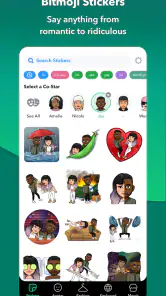
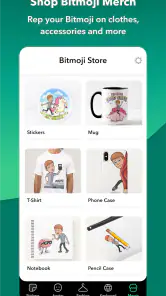
Analysis by Reviewed
In my first week with Bitmoji, I found the appeal easy to understand: a familiar face can make a quick message feel more like mine. The fun is strongest while shaping an avatar and discovering how it can convey a mood without another line of text. That novelty is real, but I think the better question is whether it earns a lasting place in a phone’s routine.
When the first-week novelty pays off
A practical use is replying to a friend with a playful reaction when a plain emoji feels too generic, or adding a little personality to a casual chat without composing a full response. I would reach for it in conversations where the other person already knows the avatar represents me; with a new contact or in a formal exchange, a standard emoji or straightforward sentence is clearer. This is a personal expression tool, not a replacement for every kind of message.
It also helps to think of the avatar as a recognizable character rather than a perfect portrait. I would choose features that make it feel like me, then stop tweaking once it is close enough. That saves time and makes the app easier to return to: the point is having a usable set of reactions, not spending every visit refining tiny details.
The Latest on Bitmoji
Create Your Digital Doppelgänger
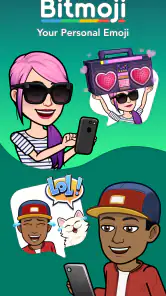
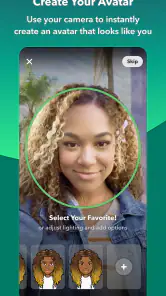
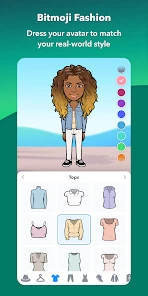
The first step when diving into the world of Bitmoji is creating your avatar. It's like playing a digital dress-up game but with a version of yourself. You get to design everything from your hairstyle, eye color, and even down to what outfit your Bitmoji will wear. It's an incredibly intuitive process, and honestly, I found myself spending way too much time trying to perfect my virtual self. But hey, who doesn’t want to look good even in digital form?
Seamless Integration
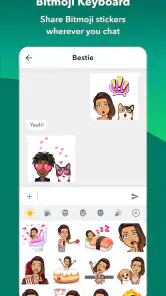
One of the highlights of using this app is how well it integrates with other platforms. Whether you're on Snapchat, where you can link your Bitmoji directly, or using it in your emails or chats, it’s super easy to include your personalized avatar. It adds a unique flair to messages, making communications more relatable and fun. If you’re someone who enjoys standing out in a sea of yellow smiley faces, this is definitely something you’d appreciate.
Also, the app keeps things fresh by regularly updating its avatar wardrobe and themes. Just when you think you've seen it all, they roll out new styles to keep your Bitmoji looking trendy. I must admit, it’s quite addictive checking out the new updates and dressing up my avatar accordingly!
Emotion, Amplified
One of my favorite aspects of Bitmoji is how it amplifies emotions. There’s a Bitmoji for practically every situation and emotion you can think of. Feeling excited? There’s an avatar for that. Want to sarcastically roll your eyes? Oh, they’ve got you covered. It’s these little touches that make interactions lively and more engaging.
More From Our News Desk

Weather by Xiaomi Review: Clear at a Glance, Less Clear Up Close

X Under Pressure: Can It Recover When Posting Goes Wrong?

Clash of Clans Is Won Between the Battles

Android Auto Makes the Case for Quieter Car Software

MobiOffice: Transforming Mobile Productivity with Seamless Integration

EA SPORTS FC™ Mobile Soccer: Redefining Mobile Sports Gaming
Moreover, the app supports various languages, so no matter where you're from, there’s a good chance it speaks your lingo. This inclusivity makes it a favorite among users worldwide, and it's always fun to see how different cultures use Bitmoji to express themselves.
How it fits into an everyday routine
Imagine a friend sends a photo of a burnt dinner and you want to respond with sympathy and a joke. A fitting avatar reaction can do both quickly, while a plain smiley may not carry the same personal tone. For everyday use, I’d keep Bitmoji as an occasional option rather than making every reply an avatar. If a recipient does not use it or the conversation is serious, a simple written response works better.
Compared with the standard emoji keyboard, Bitmoji offers a more personal, illustrated identity, but standard emoji are faster and universally familiar. A GIF can communicate motion or a specific pop-culture joke more vividly, while Bitmoji’s advantage is that the character is meant to resemble you. I would choose based on the recipient and the moment, not assume one format is always best.
Making it useful month after month
The app is an entertainment offering from Bitmoji, and it is free. It has a Teen content rating, an average rating of 4.5 from around 3.6 million ratings, and over 100 million installs. Released on October 28, 2014, its current version is 11.82.0.1, with Android support starting at version 5.0. That long-running popularity makes it easy to find among familiar messaging tools, though it does not guarantee that an illustrated avatar belongs in everyone’s routine.
Its recurring value is less about discovering a new trick every day and more about having a visual shorthand ready when a conversation calls for it. In a group chat with close friends, one expressive reaction can acknowledge a joke without interrupting the flow. In a work message, a family update that needs a clear answer, or a conversation with someone unfamiliar with the avatar, text is often kinder and more efficient. I would treat it as one expressive option in a messaging toolkit, not as a default keyboard for every situation.
A useful habit is to test the avatar in the conversations where it seems most natural, then notice whether people understand the tone. If a reaction repeatedly gets misread, use words instead; humor and sarcasm are especially dependent on shared context. This small check helps avoid the assumption that a picture communicates the same thing to every recipient. The app is at its best among people who know the character and the person behind it.
Keeping the upkeep light
For me, the maintenance burden is modest if I treat avatar editing as optional. I would revisit the look when I actually want a change, rather than checking for wardrobe updates out of habit. A useful trick is to decide on a basic appearance once and then use the ready-made reactions; constant customization can make a lightweight messaging aid feel like another feed to keep up with.
There is also a practical distinction between keeping an avatar recognizable and making it look exactly current. If a hairstyle or outfit changes, updating it can be enjoyable, but it is not necessary for the reactions to do their job. I would make only the edits that improve recognition or make the character feel more like me. That approach keeps setup from becoming a recurring task and means I can return to the app only when I have a reason.
For someone deciding whether to install it, the useful question is not whether avatar customization sounds entertaining once, but whether they send enough casual messages to use the results. People who regularly chat with friends, enjoy visual jokes, or want a consistent illustrated persona are the clearest fit. Someone who mainly uses messaging for arrangements, customer conversations, or concise work exchanges may find ordinary emoji and text more direct. The app is easy to try, but its lasting usefulness depends on the kind of conversations already in your life.
Where repetition starts to show
The main source of fatigue is repetition. If I use the same avatar reactions in every conversation, the personal touch starts to feel routine, and some messages call for words that an image cannot provide. I would also skip the app if I rarely send playful messages, prefer unillustrated communication, or do not want an avatar tied to how I present myself in chats. A conventional emoji keyboard is simpler in those cases.
Another trade-off is that an illustrated reaction carries a stronger personal style than a plain symbol. That can make a friendly exchange warmer, but it can also feel out of place when the tone is neutral or the topic is sensitive. I would pause before using a joking expression where the recipient might read it as dismissive. If the message needs reassurance, an apology, or a precise answer, writing a sentence is usually the better choice.
Compared with GIFs, Bitmoji is less about borrowing a recognizable clip or showing movement and more about sending a reaction that belongs to your own avatar. Compared with stickers that are not tied to a personal character, its distinctive appeal is continuity: the same illustrated self can appear across casual exchanges. The trade-off is that a familiar emoji or sticker may be more immediately legible to someone who has never seen your avatar. I would keep those alternatives close rather than expecting one format to cover every mood.
Final Thoughts – Is It for You?
If you find joy in customizing avatars and want to add a personal touch to your digital communications, then Bitmoji is definitely worth a try. It’s fun, easy to use, and adds a layer of personality that standard emojis just can’t compete with. Plus, with its seamless integration across various platforms, you can take your Bitmoji wherever you go.
So, if you're ready to spice up your messages and stand out from the crowd, give it a whirl. It might just become your new favorite app for all things expressive!
My long-term verdict is that it earns space when friends recognize the avatar and I naturally use it to add tone to casual chats. Its recurring value comes from those small moments, not from endlessly adjusting its appearance. If you want that personal shorthand, it is an easy app to try; if you mostly send practical or formal messages, you can comfortably stick with ordinary emoji and text.
A small role, not a daily obligation
I would not judge its value by how often I open the app itself. Once an avatar is set up, the real test is whether using it in a conversation feels quicker or more expressive than choosing a standard reaction. If I go several days without a reason to send one, that is not a failure; it simply means the app works best as an occasional accessory rather than a habit that needs constant attention.
That is why I would recommend it selectively. For a friend group that enjoys playful reactions, it can become a recognizable part of how people communicate. For someone who wants a quiet, low-maintenance phone and rarely uses stickers or expressive images, it may lose its novelty after the first customization session. I like that the decision can be simple: try making an avatar, use it in a few real chats, and keep it only if it genuinely improves them.
Bitmoji Frequently Asked Questions
Does Bitmoji work with messaging apps beyond Snapchat?
Bitmoji is described as a personal emoji for Snapchat and other places where you chat, so its appeal is not limited to one service. If you have a particular messaging app in mind, consider how you normally share stickers or images there and whether that fits the way you want to use your avatar. This can help you decide whether Bitmoji suits your everyday conversations.
How much space or setup time should I expect before using Bitmoji?
Before installing Bitmoji, make sure your phone has room for another app and is running a compatible operating system. Once installed, the main task is creating and personalizing an avatar so it feels like you. The amount of time this takes depends on how much detail you want to adjust; you can keep the process simple or spend longer exploring the available customization choices.
Can I change my Bitmoji avatar after creating it?
Bitmoji is centered on a personalized cartoon avatar, and its customization options let you shape its appearance with choices such as facial features, hairstyles, and outfits. That makes the app suitable for people who want an avatar that reflects their style rather than a fixed character. If your preferences change, you can revisit the customization experience and adjust the look you want to use in chats.
Is Bitmoji available in different languages?
The most important consideration before downloading is whether you can comfortably navigate the app and its setup. Bitmoji is a personalization app, so much of the experience involves choosing how your avatar looks and then using it in conversations. If you rely on a particular language, check the language options available on your device and in the app before deciding whether it will be convenient for you.
Can I use Bitmoji without creating an avatar?
Bitmoji’s main purpose is to provide a personal cartoon emoji, so creating an avatar is central to getting value from the app. The experience is designed around customizing that character and using it to express reactions in chats. If you do not want to create a personalized avatar, Bitmoji may not offer the kind of experience you are looking for.
Pros
- Easy to use avatar creation tool
- Seamless integration with Snapchat
- Wide variety of customization options
- Frequent updates with new features
- Fun way to express emotions
Cons
- Limited features without Snapchat
- Occasional app crashes
- Need internet for full functionality
- High battery usage on some devices
- Limited accessibility features
- Category
- Entertainment
- Version
- 11.82.0.1











