Birthday Invitation Card Maker
- 52.00
- 4.7
- Installs
- 1.00M
- Price
- Free

Screenshots
Analysis by Reviewed
I find a dedicated birthday-card app most useful when I need an invitation to feel personal but don’t want to start a design from a blank page. Birthday Invitation Card Maker is built for that quick, practical job: making a birthday invitation on a phone. It sits in the art and design category, and its focus is narrower than a general graphic editor, which can be a real advantage when I just want to get a party announcement ready.
How quickly can you get started?
The appeal is the short path from idea to something shareable. Instead of building a layout from scratch, I can begin with a birthday-themed design, add the essential details, and check how the result reads. That makes it a sensible choice when the date is approaching and I need to spend my time planning the gathering rather than learning a complex editing tool. I would still leave a little room for review: names, dates, and venue details are easy to mistype when I’m rushing.
For a smoother workflow, I’d decide on the wording before choosing decorative details. Put the who, when, and where in place first, then adjust colors or add a photo if the design needs more personality. This simple order helps avoid polishing an attractive card only to discover that the key information is crowded or difficult to read on a small screen.
Where it fits—and where it doesn’t
I can picture using it on an ordinary evening after confirming a birthday plan: make one invitation, check the wording, then send it to family or friends through a sharing option that suits the group. A purpose-built card maker is less intimidating than a broad design suite, especially for someone who rarely creates graphics. If I needed a highly controlled brand style, layered artwork, or a layout intended for professional print production, I’d choose a more advanced editor instead.
There is also a practical trade-off in keeping the job focused. A birthday-specific tool can help me avoid getting lost among unrelated design controls, but it may not be the best home for every kind of announcement. Before committing time to a detailed design, I’d check that its available styles match the mood of the event; a child’s party, a family dinner, and a formal celebration call for different visual choices.
First Impressions Matter
When I first opened the Birthday Invitation Card Maker, I was greeted with a colorful and user-friendly interface. It's clear that the developers put a lot of thought into making this app as intuitive as possible. You don’t need to be a tech wizard to get the hang of it. Within minutes, I was navigating through its features like a pro.
Customization Galore
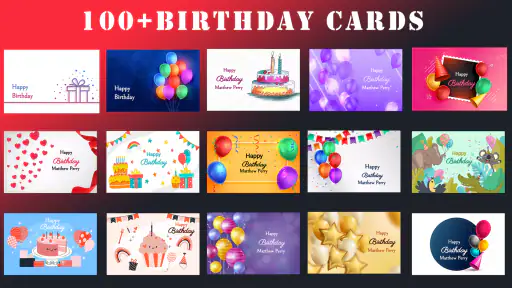
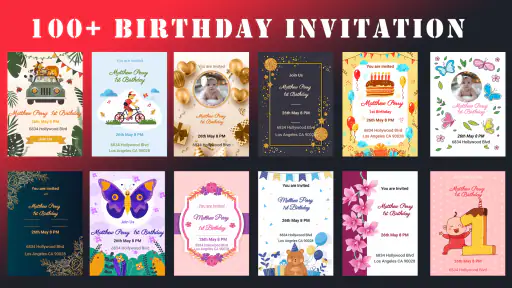
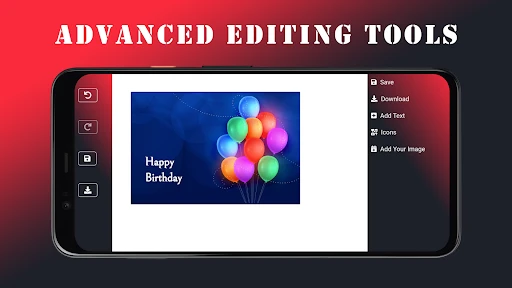
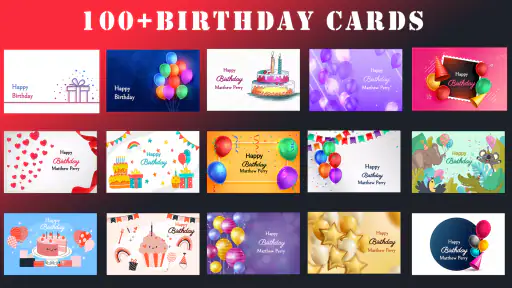
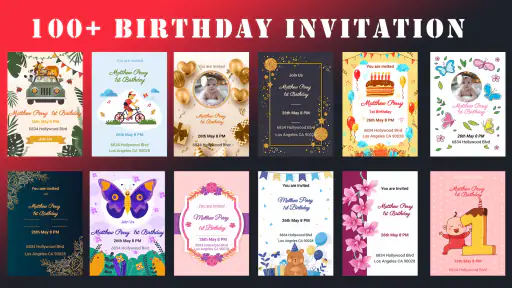
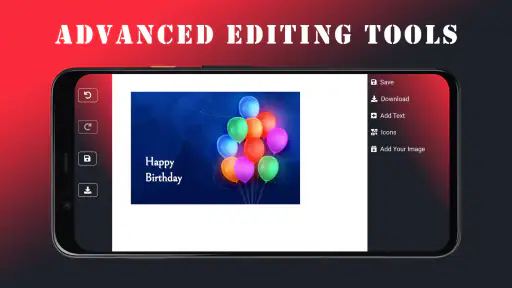
This app is packed with a myriad of templates to choose from. Whether you’re planning a birthday bash for a five-year-old or a sophisticated soirée for your best friend, there's something for everyone. I was particularly impressed by the level of customization available. You can tweak everything from the font and color scheme to adding personal photos and stickers. It’s like having a mini Photoshop on your phone!
More From Our News Desk

Clash of Clans Is Won Between the Battles

Android Auto Makes the Case for Quieter Car Software

MobiOffice: Transforming Mobile Productivity with Seamless Integration

EA SPORTS FC™ Mobile Soccer: Redefining Mobile Sports Gaming

How Microsoft OneDrive Became a Mobile Productivity Giant

How Google Translate Breaks Language Barriers Effortlessly
One feature that really stood out to me was the ability to add your own text in various styles and colors. It means you can make each invitation as unique as the person you're celebrating. Plus, the app allows you to preview your creation before finalizing it, which is a lifesaver for those of us who are a bit indecisive.
Sharing Made Easy
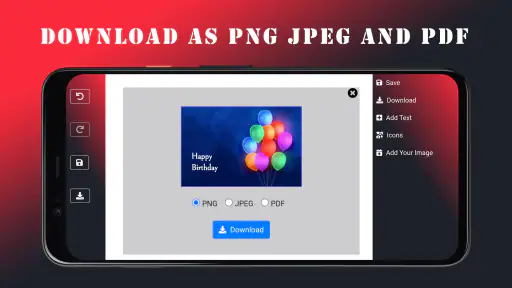
Once you've crafted the perfect invitation, you can share it directly from the app via social media, email, or even print it out if you’re feeling a bit old school. I tried sending invites through WhatsApp, and it was a breeze. The app optimizes the image quality for different platforms, so you don’t have to worry about your beautiful design looking pixelated.
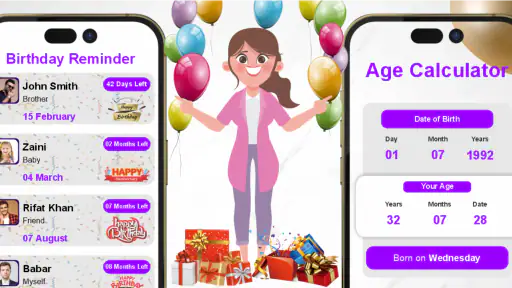
Another cool feature is the RSVP tracking. You can keep tabs on who’s coming and who’s not without having to chase people for responses. It’s like having a virtual party planner!
Performance and value in everyday use
For a card-making task, I expect the app to feel responsive enough to let me try wording and styling without turning a simple invite into a long project. The version currently available is 4.1.0, and it runs on Android 6.0 or later. Those details make it worth checking your device compatibility before you plan around it; they don’t, by themselves, tell me how much storage or memory it will use. I wouldn’t assume every older phone will feel equally quick, particularly if I’m working with personal photos.
Heavy use is most likely to expose small workflow annoyances: repeatedly changing text, comparing designs, or adding a photo while keeping the invitation readable. My practical tip is to make a copy or keep the original photo untouched outside the design process, then inspect the final image at the size recipients are likely to see it. A preview is useful, but it is not a substitute for checking that names and event details remain legible after sharing.
On reliability, I prefer a cautious routine with any design app: finish the wording first, preview the complete card, and share only after a final check. That gives me a clear point to catch a typo or an awkward crop rather than discovering it after the invite has gone out. If a particular edit feels slow on your phone, simplify the design before assuming the whole app is unsuitable; a photo-heavy layout can be more demanding than a straightforward text-led card.
The app is free to download, with optional in-app purchases ranging from about a dollar to around a hundred dollars per item. It has an Everyone age rating, comes from Galaxy studio apps, and has reached over a million installs, with an average rating of 4.7 from around nine thousand ratings. Those figures suggest it has found an audience, but they can’t decide whether its style or workflow suits your party. I’d try the basic creation flow first and consider any purchase only if I understand what it adds and expect to use it.
Final Thoughts
All in all, the Birthday Invitation Card Maker app is a fantastic tool for anyone looking to create personalized invitations without the hassle. The combination of ease of use, vast customization options, and seamless sharing capabilities makes it a must-have for party planners. So next time you're throwing a birthday party, give this app a try and become the invitation guru you were always meant to be!
A sensible choice for casual party planning
My recommendation is strongest for someone who wants a birthday invitation quickly and values a ready-made starting point over complete design control. Galaxy studio apps released it on February 10, 2023, and its current version is 4.1.0. Against a general-purpose editor, its birthday-only emphasis may save setup time; against a simple messaging app, it gives more room to shape the card before sending. If you only need to tell a few people the time and place, a plain group message is faster. If the invitation itself is part of the occasion, this app is the more considered option.
Before sending, I’d also think about the recipient’s screen and habits. A compact card with clear details is easier to read in a busy chat than a crowded design full of small text. For a mixed-age guest list, I’d use direct wording and avoid relying on decorative symbols to communicate practical details. The best design is not necessarily the most elaborate one; it is the one people can understand at a glance.
What I’d keep in mind before choosing it
The biggest reason to skip this app is not a flaw so much as a mismatch: it is aimed at birthday invitations, not at managing every part of an event. I would not rely on the invitation maker alone for guest coordination or treat a design as proof that everyone has received or answered it. Even if RSVP tracking is available, I’d confirm important responses through the communication channel my guests actually use, especially when plans are changing.
It is also worth deciding how you want to use the finished card before spending time on details. A digital invite should be easy to read as an image in a chat, while a printed one needs to look clear at its intended size. If I’m unsure, I’d make a restrained version first, share or print a test for myself, and only then commit to a more decorative layout. That approach limits wasted effort and keeps the invitation useful, not merely attractive.
Birthday Invitation Card Maker Frequently Asked Questions
What should I know about Birthday Invitation Card Maker before downloading it?
Birthday Invitation Card Maker is a free Art & Design app from Galaxy studio apps for creating birthday cards and invitations. It has an Everyone content rating and requires Android 6.0 or later. The app has a 4.7 average from around 9,000 ratings, and its current version is 4.1.0. Keep in mind that some optional content may involve in-app purchases.
What features does the Birthday Invitation Card Maker app offer?
The Birthday Invitation Card Maker app offers a variety of features to help you create personalized birthday invitations. Users can choose from a wide range of templates, customize text, add stickers, and even include personal photos. The app also provides options for selecting different fonts and colors to make your invitation unique and appealing.
Is the Birthday Invitation Card Maker app user-friendly for beginners?
Yes, the Birthday Invitation Card Maker app is designed to be user-friendly, even for beginners. It features an intuitive interface that guides users through the invitation creation process step-by-step. With easy-to-navigate options and clear instructions, users can quickly create beautiful invitations without needing any prior design experience.
Can I share the invitations directly from the Birthday Invitation Card Maker app?
Absolutely! The Birthday Invitation Card Maker app allows you to share your creations directly from the app. Once you've designed your invitation, you can easily share it via social media platforms, email, or messaging apps. This makes it convenient to send out your invitations to friends and family without any hassle.
Does the Birthday Invitation Card Maker app require an internet connection to function?
No, the Birthday Invitation Card Maker app does not require a constant internet connection to function. You can design and save your invitations offline. However, an internet connection is needed when you wish to share your invitations online or access any online-exclusive templates or resources.
Pros
- User-friendly interface for easy navigation
- Wide variety of templates available
- Customizable text and colors
- Easy sharing options via social media
- No watermarks on final designs
Cons
- Limited free features
- Contains ads in free version
- Requires internet for most functions
- Some templates are outdated
- Limited font options in free version

- Category
- Art & Design
- Version
- 4.1.0













