

Birthday Greetings & Wishes
- 78.00
- 4.8
- Installs
- 1.00M
- Price
- Free

Screenshots


Analysis by Reviewed
Have you ever found yourself scrambling at the last minute to send a birthday greeting? Well, let me tell you about an app that could be your new best friend: Birthday Greetings & Wishes. This nifty little app promises to take the stress out of remembering and sending those heartfelt messages, and I’ve put it through its paces to see if it really delivers the goods.
My clearest use for it is the moment I remember someone’s birthday while juggling other things: I want a greeting that feels warmer than a bare text, but I don’t have time to design a card from scratch. Birthday Greetings is an events app from Galaxy studio apps, and its focus is celebratory material rather than a full calendar or social network. That narrow purpose is useful when the immediate job is to find a card, frame, GIF, or Father’s Day wish without first building a larger event plan.
That distinction matters before you install it. I would reach for this app when I need inspiration or a visual greeting, not when I need a dependable system for tracking every date in my life. If you already use a calendar that reliably reminds you, the app can sit alongside it as the creative part of the process. If you expect one tool to discover birthdays, manage contacts, and deliver messages automatically, I’d be cautious about treating it as a replacement for those tools.
Getting Started
First things first, downloading Birthday Greetings & Wishes was a breeze. Whether you're on Android or iOS, it’s just a quick tap away on the respective app stores. Once installed, the app greets you with a cheerful interface that's as welcoming as a birthday party itself.
Setting up the app was straightforward. You can easily sync it with your contacts, which is a real lifesaver if you’re as forgetful as I am. The app pulls in birth dates and sets up reminders. No more belated wish embarrassments! Seriously, this feature alone had me sold.
In practice, I’d treat contact syncing as a convenience, not as something to leave unchecked. Before relying on reminders, I would verify that the important dates actually appear as expected and that names match the people I mean to contact. Contact lists often contain duplicates, old entries, and incomplete birthdays; a quick review at setup can prevent a polished greeting from being aimed at the wrong person or sent on the wrong day.
The app is free to install and rated for Everyone. Its current version is 3.1.0, and it requires Android 7.0 or later on Android devices. It has a 4.8 average from around 2,200 ratings and has passed 500,000 installs. Those figures suggest that it has found a sizeable audience, but I’d still judge it by whether its greeting choices suit the people I actually send messages to. Optional in-app purchases range from $0.99 to $99.99 per item, so I’d look carefully at any purchase prompt before deciding whether extra content is worth paying for.
More From Our News Desk

 Gmail
GmailGmail in a Busy Inbox: Who Benefits Most?
From first account to crowded workday, Gmail earns its place through dependable search and flexible sorting—but its best fit depends on how much inbox maintenance you can tolerate.

 Prime Video
Switching to Prime Video: What Changes in Your Viewing Routine
Prime Video can make a compelling second home for streaming, but switching means learning a different catalog, rental layer, and route from browsing to playback.

 Universal TV Remote Control
Universal TV Remote Control Works Best as a Reliable Backup
A phone remote earns its place through quick setup and reliable habits. Here is how to get more from Universal TV Remote Control—and where its limits show.

 Weather - By Xiaomi
Weather by Xiaomi Review: Clear at a Glance, Less Clear Up Close
Xiaomi’s weather app makes everyday forecasts quick to scan, but its calm surface can leave useful details and recovery paths harder to find than they should be.

 X
XX Under Pressure: Can It Recover When Posting Goes Wrong?
A resilience-focused review of X, examining setup, mistaken posts, interruptions, weak connections, and the gaps that matter when recovery needs to be dependable.

 Clash of Clans
Clash of Clans Is Won Between the Battles
Its raids are quick; its community is a long-term project of coordination, teaching, rivalry, and shared responsibility—with all the friction that entails.
Latest News



Features That Stand Out
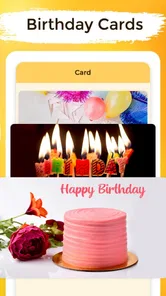
The app boasts a plethora of features, but let me highlight a few that really caught my eye. You can choose from an extensive library of pre-written messages, which range from the quirky and fun to the heartfelt and sincere. There’s something for every kind of relationship, ensuring you hit the right note each time.
The most useful way to browse a library like this is to start with the recipient, not the first attractive design on screen. A funny card may suit a sibling but feel awkward for a colleague; a sentimental message can be lovely for a close friend and too intimate for a casual acquaintance. I’d shortlist a few options, then read the wording aloud in my own voice. If it sounds unlike something I would say, I’d edit it rather than send it unchanged.
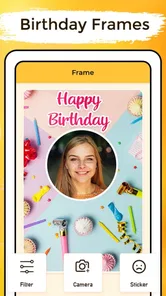
But wait, there’s more! You can customize these messages or even create your own from scratch. The app lets you add personal touches, like photos or even short video clips. Imagine sending a photo from a shared memory or a funny video clip; it’s those little personalized touches that make birthday wishes truly memorable.
For a more personal result, I’d use the template as a starting frame instead of treating it as the whole message. One concrete approach is to keep the greeting brief, add a specific memory or a sincere wish, and choose a visual that supports that thought. That small edit can make a familiar design feel intentional. I’d also check the finished card on the screen before sharing it: text that looks balanced in an editor may be harder to read once it is viewed as a message or image elsewhere.
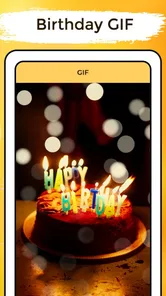
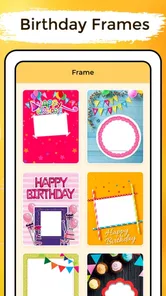
Birthday Greetings also covers more than birthdays: its collection includes frames, GIFs, and Father’s Day wishes. That makes it handy when a seasonal occasion arrives and I want a quick visual option, but it also means the library is not solely a birthday-card shelf. I would narrow my search by occasion before choosing a design, especially when a result could otherwise feel out of place. A Father’s Day greeting should sound like it is meant for that relationship, rather than like a generic birthday message repurposed at the last moment.
Ease of Use
One thing I absolutely loved about Birthday Greetings & Wishes is its user-friendly interface. I’m not exactly a tech wizard, so I appreciate when an app doesn’t require a PhD to navigate. The menus are intuitive, and everything is clearly labeled. Even if you’re new to smartphone apps, you’ll find your way around in no time.
The app also offers a scheduling feature. You can set up messages to be sent at a specific time on the big day. This is perfect for those of us who tend to forget once life gets busy. Set it, and forget it—your future self will thank you!
I would still separate preparing a greeting from handing it off. Before setting anything to go out later, I’d confirm the recipient, the date, and the tone, then make sure the final text or image is ready to share in the way I intend. A scheduled greeting is only helpful if the timing and destination are right. For important relationships, I’d rather leave myself a reminder to review the message than assume that a prepared card will handle every part of the interaction without attention.
Here’s a realistic routine: I notice that a friend’s birthday is coming up during a busy week, choose a design that fits our sense of humor, add a short line about a recent shared moment, and prepare the greeting while I have a few quiet minutes. Then I check the date and recipient again before the day arrives. The app helps with the creative preparation; my existing messaging habits handle the personal conversation that follows. That division keeps the greeting useful without asking a card app to do the work of a real catch-up.
What I Loved
There are a few things that truly stood out during my time using the app. Firstly, the variety of templates is impressive. Whether you need something for a close friend or a professional contact, there’s a template to suit every occasion.
I also loved the reminder feature. Getting a gentle nudge a few days before a friend’s birthday is super handy, especially in our fast-paced lives where things can easily slip through the cracks.
The app’s ability to integrate multimedia into the greetings adds a whole new layer to birthday wishes. It’s no longer just about words; it’s about creating an experience.
My practical tip is to make the personal part specific but not overly elaborate. A short sentence about why I value the person can do more than adding several decorative elements that compete for attention. When I’m sending a greeting to someone I do not know well, I’d choose a restrained design and simple wording; for a close friend, a photo or playful GIF may feel more natural. The right amount of personalization depends on the relationship, not on how many options the app offers.
This is also where it differs from the usual alternatives. A plain text message is faster and often feels more direct, while a general image editor offers more control but asks me to build the design myself. Birthday Greetings sits between those approaches: it gives me ready-made visual material and a chance to personalize it. That trade-off is appealing when speed and a bit of character matter more than complete design freedom. For a highly specific invitation or a carefully branded card, I’d choose a full design tool instead.
A Few Quirks
While the app is generally smooth sailing, there are a couple of things that could be improved. Sometimes the syncing with contacts can be a tad slow, especially if you have a lot of them. Patience is a virtue, but a little speed boost would be appreciated.
Also, while the free version is quite generous, there are some features tucked behind a paywall. If you’re someone who loves going all out with your birthday wishes, you might find the premium version tempting.
That purchase trade-off is worth considering before building a routine around paid content. Since individual in-app items can vary considerably in price, I’d first see whether the free selection already gives me a design and wording I’m happy to send. I wouldn’t pay just because a purchase prompt appears during browsing; I’d decide only after identifying a specific extra I expect to use. If I send occasional greetings, the free option may be enough. Someone who wants a broader collection for frequent celebrations may value paid choices more.
There is another everyday limitation: a ready-made greeting can still feel impersonal if I send it with no thought or follow-up. The app can help me find a card, frame, GIF, or message, but the relationship is not contained in the template. If the recipient is going through a difficult time, a cheerful birthday image may not be the best opening; a direct, considerate note may serve them better. I would treat the visual as an optional extra, not a substitute for reading the moment.
It is also not the right choice for everyone. If you mainly need reliable date management, prefer writing every message yourself, or want precise control over a custom layout, your calendar, messaging app, or design software may be a better fit. I’d skip this one if I expected it to function as an all-purpose event organizer. Its strongest use is narrower: reducing the effort of finding and personalizing a celebratory greeting.
Choosing It for the Right Job
For a busy friend or family member who regularly forgets to prepare a card, the combination of reminders and ready-to-use creative material can make the difference between sending something thoughtful and sending nothing until the next day. It can also help someone who feels stuck staring at a blank message box. Browsing examples gives me a starting point, and adapting one line is less demanding than inventing the whole greeting under time pressure.
For a professional contact, I’d be more selective. A polished template can save time, but a design that feels too playful may not match the relationship. I’d keep the wording concise, avoid private jokes, and check whether the image suits the recipient before sharing. For close friends, the flexibility to add a memory or a personal photo is a stronger reason to use it; for formal communication, a plain message may be safer and more natural.
One question people often have is whether they need to pay to get useful results. The app is free to install, and in-app purchases are optional; I’d explore the available choices before buying anything and make the decision based on a real need rather than the appeal of a locked design. Another practical question is whether the app replaces a calendar. I would not rely on it as my only date system unless I had checked that the reminders fit my routine. Keeping an established calendar for dates and using this app for the greeting itself is a sensible division of labor.
People may also wonder whether a greeting can be made personal without spending a long time on it. In my view, yes: choosing an appropriate template, adding one detail that belongs to the recipient, and checking the final result is a manageable workflow. The more elaborate the media or message, the more time I’d reserve to review it. A quick greeting should still sound like me, and a last-minute choice is not automatically a thoughtful one just because it includes a picture.
Final Thoughts
All in all, Birthday Greetings & Wishes is a delightful app that simplifies the task of sending birthday wishes while adding a personal touch. Whether you’re a forgetful friend or just someone who loves making birthdays special, this app is a fantastic tool to have in your pocket.
So, if you’re tired of the last-minute scramble or want to make your birthday messages truly memorable, give Birthday Greetings & Wishes a try. It’s like having a personal assistant for birthdays, and who doesn’t need one of those?
Ready to make every birthday a little more special? Check out the download link and see how this app can transform your birthday greetings game.
Birthday Greetings & Wishes Frequently Asked Questions
What devices can run Birthday Greetings & Wishes?
Birthday Greetings & Wishes is an Events app for Android, with a minimum operating system requirement of Android 7.0. Before downloading, check your device’s Android version so you know it meets that requirement. The app is free to download, and its birthday cards, frames, GIFs, and wishes are aimed at people who want to prepare greetings on their phone.
What kind of birthday content can I browse in the app?
The app focuses on birthday greetings and wishes, with birthday cards, frames, and GIFs among its content. It also includes Father’s Day wishes, so it can be useful for more than birthday occasions. If you are looking for a mobile app centered on ready-made celebratory material, these formats provide several ways to choose a greeting that suits the person and the occasion.
What features does the Birthday Greetings & Wishes app offer?
The Birthday Greetings & Wishes app provides a variety of features to enhance your birthday celebrations. Users can choose from a wide range of customizable greeting cards, schedule automated birthday wishes, and access a library of heartfelt messages. Additionally, the app offers reminders for upcoming birthdays and allows you to create personalized video greetings.
Is the Birthday Greetings & Wishes app free to use?
The app is free to download and includes in-app purchases, with individual items priced from $0.99 to $99.99. Its birthday cards, frames, GIFs, and wishes offer a starting point for creating greetings, while purchases may be relevant if you want to access additional content or features. Check the available options in the app before buying, so you can decide whether its free experience is enough for your needs.
Can I send greetings through social media platforms?
Yes, the app allows you to easily share your customized greetings via popular social media platforms such as Facebook, Instagram, and Twitter. You can also send greetings through messaging apps like WhatsApp and Messenger, making it convenient to reach your friends and family wherever they are.
Pros
- Wide variety of templates available.
- User-friendly interface for quick use.
- Customizable text and images.
- Option to schedule greetings ahead.
- Supports multiple languages.
Cons
- Limited free design options.
- Ads can be intrusive at times.
- Requires internet for full features.
- Some features are paid-only.
- Occasional app crashes reported.













