Baby Photo Editor
- 31.00
- 4.6
- Installs
- 100.00K
- Price
- Free

Screenshots
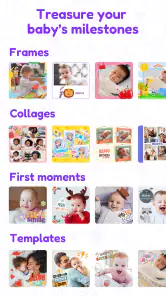
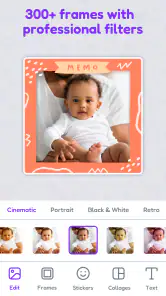
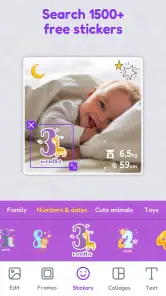
Analysis by Reviewed
Ever wished you could capture your baby’s cutest moments and make them even more adorable? Well, I recently got my hands on the Baby Photo Editor app, and it’s been a delightful experience! This app is a game-changer for parents who love to immortalize their baby’s precious moments in a fun and creative way. Let me take you through my journey with this app.
Let Your Creativity Flow
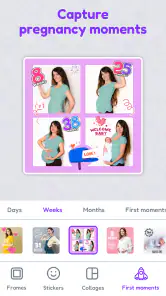
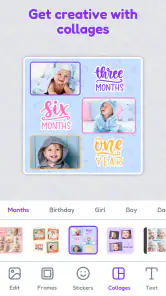
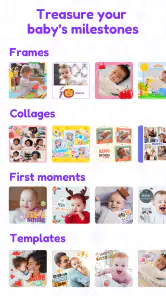
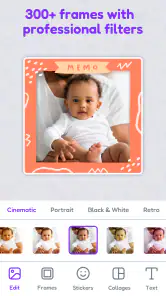
The first thing that struck me about the Baby Photo Editor was its user-friendly interface. Even if you're not tech-savvy, navigating through the app feels like a breeze. The app offers a wide array of features to let your creativity shine. From cute stickers, frames, and filters, there’s so much to play around with. I particularly loved the seasonal themes that allowed me to add a festive touch to my baby’s photos.
Features Galore
What sets this app apart are its well-thought-out features. You can add text to your photos, choosing from a variety of fonts that suit your style. The app also allows you to adjust the brightness, contrast, and saturation to make each photo pop. Perfect for those Instagram-worthy shots! And if you're like me and love to see your baby in cute costumes, the dress-up feature is a must-try. It lets you overlay costumes onto your baby’s photo, making each snapshot fun and unique.
Share the Love
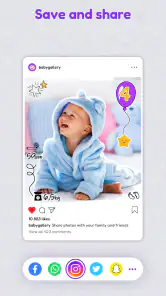
Once you’ve edited your masterpiece, sharing it with family and friends is just a tap away. The app integrates seamlessly with social media platforms, so you can post your baby’s adorable pictures directly. And if you’re worried about storage, the app keeps your edits safe in the cloud, giving you peace of mind.
One feature I truly appreciated was the ability to create a photo book. The app gives you the option to select your favorite edited photos and compile them into a digital photo book. It’s a wonderful way to preserve memories and makes for a heartfelt gift too!
Final Thoughts
Overall, the Baby Photo Editor is a fantastic app that brings a whole new level of charm to baby photography. It’s easy to use, packed with fun features, and offers great value for anyone looking to enhance their baby’s photos. Whether you’re a new parent or a seasoned one, this app is sure to add a sprinkle of joy to your photo editing adventures. So go ahead, download it, and let your baby’s cuteness shine brighter than ever!
Pros
- Easy-to-use interface for quick edits.
- Wide variety of cute stickers available.
- Supports high-resolution photo exports.
- Includes fun filters for baby photos.
- Ability to share directly to social media.
Cons
- Contains ads that can interrupt editing.
- Limited free features
- premium needed.
- Occasional app crashes during use.
- In-app purchases can be costly.
- Requires internet for some features.

- Category
- Parenting
- Version
- 2.07.06