Azar: Video Chat, Meet Friends
- 19.19K
- 3.8
- Installs
- 100.00M
- Price
- Free

Screenshots





Analysis by Reviewed
I see Azar: 1 on 1 Video Chat Online as a conversation-first social app: instead of building a contact list and waiting for someone to reply, you can be put face-to-face with a new person. That changes the mood from ordinary messaging. It can make meeting people feel immediate and spontaneous, but it also means you need to be comfortable with a stranger appearing on screen. I’d choose it when I’m curious and have a few minutes to talk, not when I need a predictable, private catch-up with someone I already know.
When a live introduction makes sense
That difference shapes how I’d use the app. I wouldn’t open it expecting every chat to become a lasting connection; I’d think of each match as a brief opportunity to meet someone I would otherwise never encounter. A little openness helps, but so does a clear boundary: if I’m tired, distracted, or not in the mood to be on camera, I can wait for a better moment rather than treating the instant connection as an obligation.
It also helps to decide what I want from a session before tapping in. Am I looking for a light conversation, hoping to hear another language, or simply curious about who I might meet? A modest goal takes pressure off both people. The app is easier to enjoy when I treat an awkward pause as ordinary rather than a sign that I need to perform or keep a conversation going at any cost.
Meet New People Instantly
One of the standout features of Azar is its ability to connect users with strangers in seconds. Gone are the days of endless swiping and waiting for matches. With Azar, you simply tap a button, and voila! You're face-to-face with someone new. The app uses a random matching system, but don't worry, there's a filter option to help you find people based on your preferences like gender and region. It's like having the world at your fingertips, ready for a chat.
What an instant video match feels like
The key distinction is that a match here is a live interaction, not just a profile you can browse and message later. That makes the first few seconds matter: a friendly greeting and a simple question are more useful than trying to plan a perfect opening line. If the conversation clicks, you can enjoy the moment; if it does not, the format makes it natural to move on. I find that spontaneity is the appeal, but it is also the main reason this will not suit everyone.
Azar is a free communication app from Hyperconnect LLC, with optional in-app purchases ranging from $0.49 to $359.99 per item. It has a 3.7 average from around 1.9 million ratings and more than 100 million installs, so it is clearly familiar to a large audience, though popularity does not guarantee that every match will be a good one. It is rated Mature 17+ and has been available since October 28, 2013. I would treat the paid options as optional extras rather than something to buy before learning whether random video conversations fit my habits.
Getting a better start to each chat
The first moments can feel abrupt because video removes the comfortable pause people get while composing a text. I find it useful to keep a couple of neutral openers in mind, such as asking how someone’s day is going or what they enjoy talking about. That is not a script to follow rigidly; it simply avoids putting pressure on either person to produce an impressive introduction. If the other person seems uninterested, a polite exit is better than forcing a conversation.
More From Our News Desk

 Lark Player:Music Player & MP3
Switching to Lark Player: A Better Fit for Music Stored on Your Phone?
Lark Player makes sense if your music already lives on your phone. Here is what changes, what does not transfer by assumption, and how to test the switch without regret.

 Tile Master® - Matching Game
Tile Master Finds Its Place in the Gaps of a Noisy Phone
OS changes rarely transform a tile puzzle, but they reshape the small rituals around it. Tile Master’s appeal lies in how well its brief, tactile rounds fit the modern phone.

 Google Docs
 Shows What Mobile Writing Still Gets Wrong
Google Docs still makes a strong case for the shared document, but its real significance is how it exposes the gap between cloud convenience and genuinely capable mobile work.

 YouTube Studio
 Is Becoming a Creator’s Daily Control Room
As publishing turns into a daily, data-led habit, YouTube Studio is becoming the control room creators reach for between uploads—not another tool for making videos.

 Tiles Hop Music & Ball Game
Tiles Hop Review: When the Beat Is Clear, Every Miss Counts
Tiles Hop turns a simple bouncing-ball premise into a sharp test of timing. Its best design is immediate and readable; its weakest moments come when recovery feels less clear than the beat.

 Piano - Music Keyboard & Tiles
: Inviting Rhythm, Unproven Recovery
A tile-tapping piano game lives or dies by timing. This resilience-focused review separates what its format promises from what players still need to verify.
Latest News



There is a small but important difference between using filters to narrow preferences and expecting them to guarantee a particular kind of encounter. They can help shape who you are more likely to meet, but the live, random nature remains central. I’d use them as a starting point, then judge the app by the conversations themselves rather than repeatedly changing settings in pursuit of a perfect match.
Easy to Use Interface
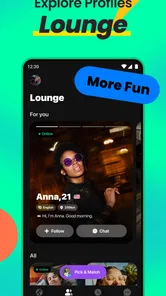
Let's talk about the interface for a second. Azar boasts a sleek and simple design that's easy to navigate. The app is intuitive enough that even the most technologically challenged individuals can find their way around without a hitch. The main screen offers large buttons for quick access to the features you need most, like starting a chat or viewing your matches. It's all about making the user experience as smooth as possible.
That quick entry is handy in a specific everyday situation: imagine having a short break, feeling curious about another place, and wanting a real-time conversation rather than another feed to scroll. I’d start only when I can give the other person my attention, and I’d keep the first chat light. A live call is harder to multitask through than text, so a few uninterrupted minutes make for a better experience than opening the app while rushing between errands.
Before starting, I’d also check the immediate setting: whether I have a quiet enough spot to hear, whether the camera is pointed where I want it, and whether I can leave if the timing turns out to be inconvenient. That quick check makes the experience feel more intentional. It is especially useful if I’m taking a break in a shared space, where background noise or other people passing through could make a spontaneous call less comfortable.
Safety and Privacy
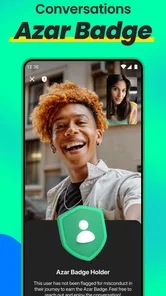
In today's digital age, safety is a top priority, and Azar takes it seriously. The app features AI-based moderation to ensure a safe and respectful environment for all users. Moreover, it allows you to block or report any inappropriate behavior instantly. Your conversations are also encrypted to protect your privacy, so you can chat away without any worries.
I would still use ordinary care with any stranger on video: avoid sharing identifying details, and end or report an interaction that makes you uncomfortable. Moderation and reporting tools are useful safeguards, not a reason to assume every encounter will be appropriate. Because this is live video, your face and surroundings may be visible; choosing a neutral background and checking what is in camera view before starting are small, practical habits that can make a call feel more comfortable.
I’d also separate feeling comfortable with a conversation from feeling obliged to continue it. A match can be ended when it is not working for me; I don’t need to disclose why or negotiate my way out. That simple rule is worth deciding in advance, particularly for people who tend to be polite even when an interaction feels off. The ability to block or report is more useful when I remember to use it promptly, rather than hoping an unpleasant exchange will improve by itself.
Additionally, Azar provides a "History" feature where you can revisit your past interactions, which is pretty handy if you want to reconnect with someone you met earlier. It's like a little black book, but digital!
That history can help when a conversation was interrupted or you meant to follow up, but it is not the same as a dependable contact list. I would not rely on a brief encounter as the only way to reach someone later. If reconnecting matters, make that intention clear during the conversation and use whatever follow-up options the app makes available to you. This is a useful distinction for anyone who prefers relationships to develop over repeated chats rather than one-off meetings.
For someone who wants to build familiarity, I’d use a first conversation to see whether there is mutual interest, not assume that the history feature will turn a chance encounter into a reliable ongoing connection. It can be a helpful reminder of people I’ve spoken with, but I’d keep expectations flexible. The app’s main strength is making an initial meeting easy; continuity takes more effort and depends on both people wanting to return.
A Few Bells and Whistles
Aside from video chats, Azar offers a variety of fun features to enhance the chatting experience. You can send text messages, use face filters, and even add effects during your video calls. These features are perfect for breaking the ice or just having a bit of fun during your conversations. The app also supports multiple languages, making it accessible to users worldwide.
Compared with familiar alternatives, Azar puts the emphasis on meeting a new person through video, while messaging apps are better for people you already know and social feeds let you browse without having to speak immediately. That directness is its strength if your goal is spontaneous conversation or casual language practice, where hearing someone speak can feel more natural than exchanging short written messages. It is a weaker fit if you want carefully curated profiles, a quiet text-only experience, or time to decide whether you want to engage before your face is on screen.
For language practice, I’d keep expectations modest and make the exchange easy for both people: ask whether they are comfortable chatting, take turns speaking, and use text when a phrase is hard to understand. The app’s international reach can create opportunities for that kind of informal practice, but a random match is not a scheduled lesson. If I needed structured instruction or guaranteed time with a particular partner, I would choose a dedicated learning arrangement instead.
That distinction matters when deciding between Azar and a conventional language-exchange group. A group or planned call gives me more control over the topic and who is present; a random video match offers less preparation but can feel more like a real-life introduction. I’d choose the latter for low-pressure exposure to conversation, and the former when I need a specific learning outcome or want to meet the same partner regularly.
It is also a different proposition from dating apps built around profiles and deliberate matching. Those give people more time to decide whether they want to contact someone before speaking. Azar’s immediate video format removes much of that browsing stage, which can be refreshing if I prefer conversation over profile evaluation, but uncomfortable if I want more context first. The better choice depends less on which app has more features and more on whether I’m ready for a live interaction with little preparation.
Moreover, Azar includes a "Gems" system, which is the app's virtual currency. You can earn or purchase gems to unlock certain features, like changing your region or gender preferences more frequently. It's a neat way to keep users engaged and offer a personalized experience.
The practical trade-off is that preferences and extra controls can involve virtual currency, so I would check what an action costs before using it repeatedly. Start with the free experience and see whether the available matching is already useful; only consider spending if a particular option solves a problem you actually have. The listed purchase range is broad, so it is sensible to avoid treating currency as necessary just to find value in the app.
My approach would be to spend time learning what the free matching experience feels like before deciding whether any paid control is worth it. If I keep wanting to adjust a preference, I’d pause and ask whether that change improves the conversations I’m having or merely gives me another way to tinker. This is a useful guard against small purchases adding up without changing the core experience, which is still a chance-based conversation with another person.
Face filters and effects can lower the self-consciousness some people feel on camera, but I wouldn’t treat them as a substitute for feeling ready to be seen. They work best as a playful detail, not a requirement for every call. If I’m only willing to appear with effects covering my face, that may be a sign that a text-based app is a more comfortable choice for now.
Who will get the most from it
I’d recommend Azar to adults who enjoy unplanned conversations, are comfortable appearing on camera, and can accept that some chats will be brief or awkward. It may also appeal to someone who wants occasional cross-cultural conversation without having to arrange a call in advance. I’d skip it for a younger user, anyone seeking a tightly controlled community, or someone who finds live interaction with strangers stressful. The Mature 17+ rating is a reminder to make an age-appropriate choice, not a promise that every exchange will feel suitable.
It is a particularly natural fit for someone with short pockets of free time who would rather speak than scroll. A person waiting at home before an evening plan, for example, could make a brief call when there is enough privacy and time to focus, then leave when the break is over. That works better than opening the app in the middle of a commute or a busy task, when attention and surroundings may make a video chat uncomfortable for either person.
I’d skip it if my main priority were a controlled social space, a guaranteed conversation with a particular person, or the ability to think through every response before sending it. People who are easily drained by small talk may also find the repeated introductions tiring. In those cases, messaging with existing contacts or a community organized around a shared interest gives more context and a gentler pace than a stream of unexpected face-to-face starts.
Overall, I like the clear purpose: Azar lowers the effort needed to start a face-to-face conversation with someone new. Its immediacy is more distinctive than its decorative extras, while random matching, the need to be camera-ready, and optional paid controls are real trade-offs. If I wanted familiar contacts, I’d use a regular messaging or calling app; if I wanted spontaneous human conversation, I’d give Azar a try, stay mindful about privacy, and judge it by the quality of the chats I actually have.
My practical recommendation is to approach it as an occasional social option rather than a replacement for the communication tools I already rely on. Start when you have privacy, a little time, and a genuine willingness to meet someone new; keep personal details to yourself and leave any interaction that feels wrong. If that balance sounds appealing, the app’s quick move from opening screen to live conversation is the reason to try it. If you want advance control, lasting contacts, or a more predictable pace, another kind of app will serve you better.
Azar: Video Chat, Meet Friends Frequently Asked Questions
Does Azar require a camera and microphone to use its main feature?
Azar is built around live, one-to-one video conversations, so a working camera and microphone are important for using its main feature as intended. You may also want to check your device’s privacy permissions and choose when to grant access. If you are not comfortable appearing on camera or speaking with new people, consider whether this communication style suits you before downloading.
Can I control who I meet or end a conversation whenever I want?
Azar is designed to connect users for live video chats, including conversations with people they may not know. Be prepared to manage each interaction actively: end a conversation if you feel uncomfortable, and use the available blocking or reporting tools when appropriate. Keeping personal details private can also help you feel more in control while meeting people through the app.
What should I know about Azar’s community and conversations?
Azar is a communication app for meeting people and talking through live video, so conversations can involve users with different backgrounds and expectations. Approach new contacts respectfully, and remember that a pleasant experience depends partly on how people interact. If someone behaves in a way that makes you uneasy or violates community guidelines, you can report or block them rather than continuing the conversation.
Can Azar help me meet people who speak another language?
Azar offers a real-time translation feature intended to help people communicate across languages. When activated, it translates text and voice messages into the user's preferred language, which can make conversations easier to follow. Translation can broaden the range of people you talk with, though it is still sensible to keep messages clear and patient when communicating with someone who speaks another language.
Is Azar suitable for someone who only wants text-based communication?
Azar’s central experience is live, one-to-one video chatting, so it is primarily suited to people willing to communicate face to face through a screen. Its translation feature can assist with text and voice messages, but the app is presented as a way to meet and talk with people live. If you prefer text-only socializing, consider whether this video-focused format matches what you want.
Pros
- Easy to use interface
- Connects globally with diverse users
- Fast connection speeds
- Language translation feature
- Secure and private chats
Cons
- In-app purchases required
- Frequent ads
- Limited free features
- Occasional connection drops
- Privacy concerns with data sharing