Auto Clicker - Automatic tap
- 16.94K
- 4.5
- Installs
- 100.00M
- Price
- Free

Screenshots
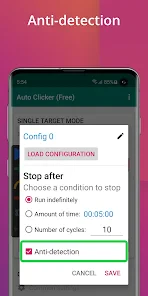
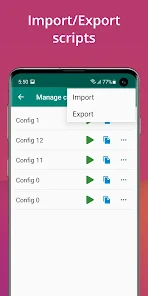
Analysis by Reviewed
Ever found yourself stuck in a loop of repetitive tapping on your smartphone? Whether you're grinding in a game or trying to automate some tedious tasks, the Auto Clicker - Automatic tap app is here to save the day. Let me take you through my journey with this nifty little tool and why it might just become your new best friend.
What is Auto Clicker?
The Auto Clicker - Automatic tap is an app designed to automate screen taps without rooting your device. It’s perfect for gamers or anyone who needs to automate their touch input, like clicking repeatedly on apps or games that demand such actions. I was initially skeptical about how effective it would be, but boy, was I surprised!
Easy Setup and User-Friendly Interface
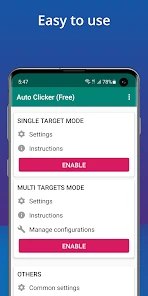
One of the first things I noticed was how easy it was to set up. You don’t need to be a tech wizard to get this going. The app walks you through the process with a simple, step-by-step guide as soon as you open it. The interface is clean and intuitive, making it accessible for anyone, regardless of their tech-savviness.
Customization Galore!
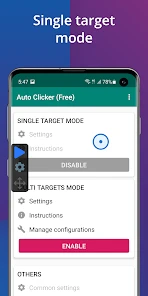
This app doesn’t just stop at basic screen tapping. You can customize the number of clicks and the interval between them, which is super handy. Need a hundred taps a minute? No problem! Want a slower pace? Just adjust the settings to suit your needs. This flexibility is one of the standout features, allowing you to tailor the app perfectly to whatever task you're tackling.
Performance and Reliability
Now, performance is where the rubber meets the road. I pushed the Auto Clicker through its paces with a couple of different games and everyday apps, and it performed consistently without a hiccup. It didn’t drain my phone’s battery excessively, which is always a plus in my book. It’s reliable, effective, and runs smoothly in the background, letting me go hands-free while it does the heavy lifting.
Is It Worth It?
In my humble opinion, if you find yourself needing automation for repetitive tasks on your phone, this app is absolutely worth a shot. It’s free to download and use, with some optional in-app purchases, but even the free version offers a robust set of features that will meet most users’ needs.
Overall, the Auto Clicker - Automatic tap app is a game-changer for anyone looking to automate their tapping tasks. It's straightforward to use, highly customizable, and reliable, making mundane tasks just a little bit easier. So why not give it a try and see how it can simplify your digital life?
Pros
- User-friendly interface for easy setup.
- Highly customizable tapping options.
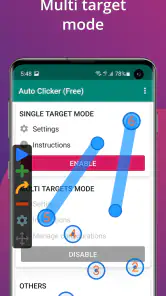
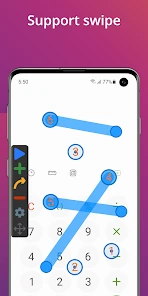
- Supports multiple click points.
- No root required for Android devices.
- Battery efficient operation.
Cons
- May trigger security warnings.
- Limited support for iOS devices.
- Ads can be intrusive.
- Can be tricky to stop once started.
- Might not work on all apps.

- Category
- Tools
- Version
- 2.3.0











