AR Drawing - Trace Drawing App
- 104.00
- 3.6
- Installs
- 1.00M
- Price
- Free

Screenshots

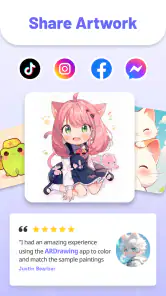
Analysis by Reviewed
Have you ever found yourself wishing you could just pick up a pencil and create stunning art without the stress of getting proportions right? Well, my fellow aspiring artists, let me introduce you to AR Drawing - Trace Drawing App. This delightful little app is here to help even the most artistically challenged among us create beautiful drawings with ease.
Getting Started with AR Drawing
First things first, let's talk about how you get started with AR Drawing - Trace Drawing App. The app is available for both Android and iOS, so no matter your device preference, you're covered. Once you download and open the app, you'll be greeted with a user-friendly interface that is both intuitive and straightforward. Trust me, even if you're not the most tech-savvy person, you'll have no trouble navigating this app.
The Magic of Augmented Reality
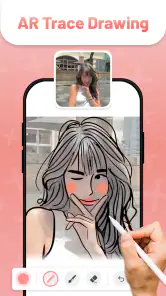
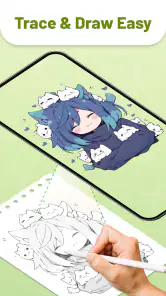
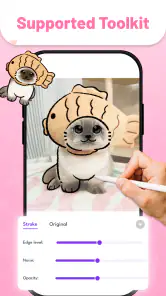
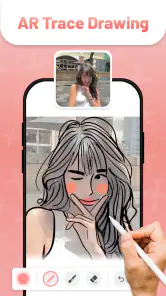
Now, onto the main event – the augmented reality feature. This is where the real magic happens. The app uses your phone's camera to overlay a virtual image onto your real-world surface. It's like having a digital tutor right in your living room. You can choose from a variety of images to trace, ranging from simple shapes to intricate designs. The app even allows you to adjust the size and position of the image, so you can trace on any surface, whether it's a small notebook or a large canvas.
And the best part? You don't need any fancy equipment to get started. Just your phone and a steady hand. It's a great way to practice your drawing skills and develop your artistic talents without the pressure of a blank canvas staring back at you.
Features That Stand Out
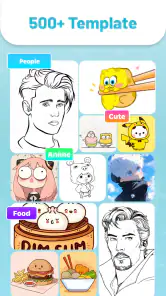
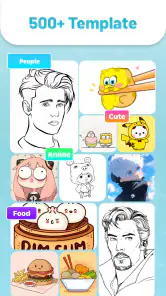
One of the standout features of this app is its vast library of images. Whether you're into landscapes, portraits, or abstract art, there's something for everyone. Plus, the app is regularly updated with new content, so you'll never run out of inspiration. Another feature worth mentioning is the ability to import your own images. If there's a particular picture you're itching to recreate, just upload it to the app and start tracing.
The app also includes a handy grid feature, which helps keep your proportions in check. It's like having a personal art instructor reminding you to "stay within the lines!" And if you ever get stuck, there's a helpful tutorial section to guide you through the process.
Final Thoughts
In a world where technology is often blamed for stifling creativity, AR Drawing - Trace Drawing App stands out as a tool that enhances it. Whether you're a complete beginner or a seasoned artist looking for a new way to practice, this app has something to offer. It's a fun, engaging, and innovative way to explore your creative side. So, why not give it a try? You might just surprise yourself with what you can create.
More From Our News Desk

Clash of Clans Is Won Between the Battles

Android Auto Makes the Case for Quieter Car Software

MobiOffice: Transforming Mobile Productivity with Seamless Integration

EA SPORTS FC™ Mobile Soccer: Redefining Mobile Sports Gaming

How Microsoft OneDrive Became a Mobile Productivity Giant

How Google Translate Breaks Language Barriers Effortlessly
So grab your phone, download the app, and start tracing your way to artistic greatness. Happy drawing!
AR Drawing - Trace Drawing App Frequently Asked Questions
What is AR Drawing - Trace Drawing App and how does it work?
AR Drawing - Trace Drawing App is an innovative application designed to help users enhance their drawing skills using augmented reality technology. The app works by overlaying a digital image on your device's screen, allowing you to trace the image directly onto a physical surface. By doing so, it aids in improving precision and technique, making it a valuable tool for artists of all levels.
Is AR Drawing - Trace Drawing App suitable for beginners?
Yes, AR Drawing - Trace Drawing App is suitable for beginners. The app provides an intuitive interface and step-by-step guides, which make it easy for newcomers to start using it right away. The augmented reality feature simplifies the tracing process, ensuring that even those with minimal drawing experience can create impressive artworks.
What devices are compatible with AR Drawing - Trace Drawing App?
AR Drawing - Trace Drawing App is compatible with a wide range of Android and iOS devices that support augmented reality capabilities. Users should ensure their device is AR-enabled and meets the app's system requirements for optimal performance. Generally, newer models of smartphones and tablets are more likely to be compatible with the app.
Are there any in-app purchases or subscriptions within AR Drawing - Trace Drawing App?
Yes, AR Drawing - Trace Drawing App may offer in-app purchases or subscription options to unlock additional features and content. These might include premium drawing templates, advanced tools, and ad-free experiences. Users can choose to make purchases based on their preferences and needs, but the core functionality of the app remains accessible for free.
How can I get the best results using AR Drawing - Trace Drawing App?
To achieve the best results with AR Drawing - Trace Drawing App, it's important to operate in a well-lit environment where the app can accurately overlay images. Additionally, ensure your device is stable and positioned correctly over the drawing surface. Practicing regularly and experimenting with different templates will also help improve your skills and overall experience.
Pros
- Easy to use tracing feature.
- Wide variety of drawing templates.
- Supports multiple languages.
- No internet connection required.
- Includes a comprehensive tutorial.
Cons
- Limited free content.
- Ads can be intrusive.
- Not suitable for advanced artists.
- Requires steady hands for accuracy.
- Limited color palette options.

- Category
- Art & Design
- Version
- 1.6.3













