Antivirus Expert: Junk Cleaner
- 32.00
- 3.7
- Installs
- 1.00M
- Price
- Free

Screenshots

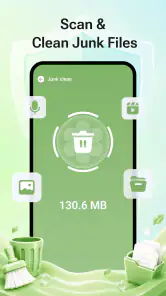
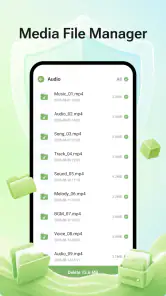
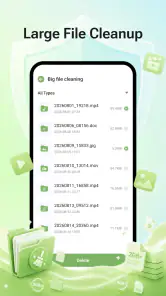
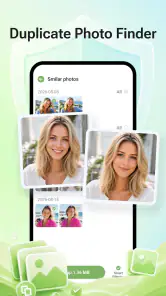

Analysis by Reviewed
I judge phone-cleaning tools less by the drama of their first scan than by whether I would still open them a few weeks later. Antivirus Expert: Junk Cleaner makes a straightforward case for that spot: it combines antivirus and phone-cleaning aims in a free Android tools app. That pairing can be useful when I want one place to check on device upkeep, but it also calls for sensible expectations. A cleaner cannot make every slow phone fast, and an antivirus label alone is not a reason to run repeated scans without a clear purpose.
From first scan to a useful routine
What the first week can tell you
In the first few days, the appeal of an app like this is easy to understand. A phone gradually collects unused files and apps, while security concerns tend to surface only when something feels wrong. Bringing cleaning and antivirus tools together may make those chores easier to remember. I would start by exploring what each option actually checks, then run a scan when I have time to review its suggestions rather than tapping every cleanup prompt automatically.
That distinction matters because “junk” is not always obvious. A file that looks disposable to a scan may still be something I want to keep, and removing an app can affect saved data or a workflow I rely on. My practical tip is to treat any cleanup result as a shortlist for review, not as permission to delete everything. If a recommendation is unclear, I would leave it alone until I can identify the file or app in question.
The app is published by Synastry Limited and has an average rating of 3.7 from around 1,400 ratings, with 32 written reviews. That gives a prospective user a useful signal that experiences vary; it is not a guarantee that the app will solve a particular phone problem. I would use the first week to decide whether its tools are understandable and relevant to my needs, rather than judging it by a single scan or a sudden change in free space.
Separate security checks from storage cleanup
Cleaning and antivirus functions address different concerns, even when they sit side by side. A cleanup pass is about deciding whether files or apps are worth keeping; a security check is about looking for potential threats. I would not use one as a substitute for the other. If I am trying to reclaim storage, I would focus on the cleanup suggestions and verify them. If I am worried about a suspicious app, I would use the security side and also consider whether I installed that app deliberately.
This separation is one of the more useful habits to establish early. For example, if a phone feels cluttered after a busy week of downloads, I would review the files I recognize and remove only what I no longer need. I would not assume that a security scan will identify every unwanted file, or that removing junk will address a security concern. Keeping those tasks distinct makes the results easier to interpret and reduces the chance of an unnecessary deletion.
Who is likely to appreciate the combination
I can see this fitting someone who wants a dedicated maintenance tool and prefers cleaning and antivirus functions in the same app. It may also suit a less technical user who benefits from having a clear prompt to check device clutter now and then. The app is free, carries an Everyone content rating, and is available to Android devices meeting its minimum OS requirement of version 9. Its developer lists version 1.7.1.0 as the current version.
More From Our News Desk

Clash of Clans Is Won Between the Battles

Android Auto Makes the Case for Quieter Car Software

MobiOffice: Transforming Mobile Productivity with Seamless Integration

EA SPORTS FC™ Mobile Soccer: Redefining Mobile Sports Gaming

How Microsoft OneDrive Became a Mobile Productivity Giant

How Google Translate Breaks Language Barriers Effortlessly
By contrast, I would skip a third-party cleaner if I already keep my phone tidy with its built-in storage controls and feel comfortable using the security protections already available on my device. Adding another maintenance app can create an extra place to check without changing the underlying problem. Antivirus Expert: Junk Cleaner is most convincing when its combined approach saves me effort; it is less compelling if I would only open it because a notification makes me feel that routine cleaning is urgent.
A realistic reason to open it
Imagine I have spent a week downloading travel documents, maps, and attachments, and now my phone is warning me that storage is getting tight. This is a more useful moment to try a cleaner than a random Tuesday when everything is working normally. I would first identify which downloads I still need for the trip, then use the app’s cleanup suggestions as a second look at material I might have overlooked. The key is to keep a copy of anything important before removing it and to avoid treating a scan’s label as proof that a file is disposable.
After that, I would consider whether the security check answers a separate concern, such as an app I recently installed from a source I do not usually use. I would not expect the storage review to settle that question. Splitting the tasks into two short decisions makes the combined setup easier to use responsibly: storage pressure gets a storage review, while a specific security worry gets a security check. If neither problem is present, there is no need to open the app just to maintain a streak.
Keeping its value after the novelty fades
A month-to-month test that avoids busywork
After the first-week curiosity wears off, the right question is whether the app helps with a recurring task I genuinely have. I would give it a modest role: check it when I have a reason to review storage or want to run a security scan, then close it when there is nothing that needs attention. That is more useful than turning maintenance into a daily ritual. Repeated scans and cleanups are not automatically better, especially when a device is already working normally.
A practical monthly check can be as simple as asking three questions: Is storage becoming tight? Have I installed anything I do not recognize? Did a recent download or app install create a specific concern? If the answer to all three is no, I would not invent a problem to solve. This approach gives the app a fair chance to prove its recurring value while keeping the phone-maintenance habit grounded in actual needs.
For a household phone shared with a less experienced user, I would make the cleanup decision together. The person who uses the device is more likely to recognize a downloaded document, saved attachment, or app that still matters. That small review step is a better safeguard than treating a scan’s recommendation as final. It also turns the app into a prompt for a sensible conversation about what is on the phone, rather than an automatic delete button.
How it compares with the usual alternatives
Compared with using separate tools, the main appeal here is convenience: one app is presented for both antivirus and cleaning tasks. Separate built-in storage settings can be a better fit when the only goal is to inspect space and remove files, because they keep that job close to the phone’s own controls. A dedicated security solution may be preferable for someone whose priority is a more focused security workflow. The best choice depends on the problem I am actually trying to solve, not on how many tools an app groups together.
I would also compare the app with simply changing a habit. If storage trouble comes from keeping large downloads or unused apps, periodically reviewing those items may be enough. If the concern is a particular unfamiliar installation, removing or investigating that app directly may be more useful than repeatedly cleaning unrelated files. The combined approach earns its place when it makes these separate checks easier to remember, not merely because it offers more buttons in one interface.
Maintenance burden and points of fatigue
The burden of a maintenance app is not only the time spent opening it. It is also the attention required to judge its findings and decide whether a proposed action is safe. A cleaner that makes me second-guess files I recognize can create more work than it saves. My rule would be to act only on results I understand, and to avoid making a large batch of changes in one go. If something stops working afterward, changing one thing at a time makes it easier to identify the cause.
Another source of fatigue is the temptation to equate frequent activity with good protection. I would not run scans just to keep a counter moving or clean files simply because a tool is available. That mindset can turn a useful check into recurring busywork. I would also pay attention to whether the app’s prompts are helpful to my routine; if I find myself dismissing them without reading, that is a sign to reduce how often I engage with the app or reconsider whether I need it.
There is a trade-off in combining categories, too. Convenience can reduce the friction of switching between tools, but it can also make it easier to confuse a storage recommendation with a security finding. I would pause before each action and ask what it changes. In particular, I would be cautious about deleting anything whose purpose I cannot identify. A conservative approach may leave some clutter behind, but it is preferable to removing something useful just to make a scan look complete.
Questions worth answering before making it a habit
Would I leave it installed if I only needed to clean storage? Probably not by default. For that narrow job, I would first use the phone’s own storage controls, which let me inspect what is taking up space without adding a separate maintenance routine. I would keep this app in consideration if having cleaning and antivirus options together makes me more likely to check both when a real need arises. That is a personal convenience test, not a reason to install every tool that offers overlapping functions.
Can I rely on a scan to decide what should be removed? I would not. The safest workflow is to read the recommendation, recognize the item, and then decide whether it is expendable. This matters especially for documents saved for offline use, downloads I have not sorted yet, or apps that appear infrequently but still serve a purpose. If I cannot tell what an item does, postponing the deletion is a sensible outcome rather than a failure to clean.
Will installing a cleaner automatically solve a phone that feels slow? I would not count on that. Storage clutter may be one part of a broader problem, but sluggish behavior can have several causes. I would use the app to investigate relevant maintenance needs, not as a promise of a speed boost. If the phone remains slow after I have reviewed storage and recent installations, I would look at other likely causes instead of repeating the same scan and expecting a different result.
Is the combined approach right for a beginner? It can be, provided the person using it is comfortable pausing to review suggestions. A simple interface is only helpful if its prompts lead to informed choices. I would show a less experienced user how to distinguish a security concern from a storage decision and agree that unclear items should stay untouched. If that extra explanation feels like more work than the app saves, built-in controls may be the calmer option.
Does it deserve lasting space?
Antivirus Expert: Junk Cleaner has surpassed 1 million installs, and its free access lowers the barrier to trying its combined maintenance approach. For me, though, lasting value depends on whether the app continues to answer a real need after the initial scan. If I use it occasionally to review clutter and check a security concern, and its suggestions remain easy to judge, it can earn a place as a practical utility. If I already have a comfortable system for those jobs, it may become one more app asking for attention.
I would recommend trying it to Android users who want cleaning and antivirus tools together and are willing to review results carefully. I would not recommend relying on it as a cure for every performance issue, nor would I encourage automatic cleanup without understanding what will be removed. Those limits are not a reason to dismiss the app; they are the boundaries that make a maintenance tool safer and more useful.
My long-term verdict is measured: keep it only if it makes a recurring task simpler, and let it sit unused when there is nothing worth checking. The best maintenance routine is not the one with the most scans; it is the one that helps me make informed changes without creating new work. If this app supports that kind of routine on your phone, it can justify its space. If it adds more prompts than useful decisions, your built-in controls or a more focused alternative will likely suit you better.
Antivirus Expert: Junk Cleaner Frequently Asked Questions
What is Antivirus Expert: Junk Cleaner used for?
Antivirus Expert: Junk Cleaner is presented as a utility for keeping an Android device tidy and checking for security risks. Depending on the features available in your version, it may offer tools such as junk-file cleanup, app or file scanning, and storage management. Review the app’s feature descriptions and permissions before installing, since capabilities can vary by version and should not be treated as a substitute for careful security habits.
Can Antivirus Expert: Junk Cleaner remove viruses and protect my phone in real time?
Do not assume that installing a cleaner guarantees complete protection from malware. Check the app listing and its settings to see whether it offers on-demand scans, continuous or real-time monitoring, and how detected threats are handled. No antivirus can identify every threat, so keep Android and your apps updated, install software from trusted sources, and avoid opening suspicious links or files.
Does Antivirus Expert: Junk Cleaner delete important files when cleaning junk?
A cleanup tool may identify temporary files, cached data, or other items it considers unnecessary, but you should review the scan results before confirming removal. Clearing app data can sign you out or erase locally stored information, while deleting downloads or media may be irreversible. If you are unsure what a listed item does, leave it untouched and make a backup of important files first.
Is Antivirus Expert: Junk Cleaner free, and does it include ads or subscriptions?
The app’s price, advertising, and optional paid features can depend on the version, region, and current store listing. Before downloading, check whether the listing mentions in-app purchases or subscriptions, and read the payment terms carefully. If a trial is offered, confirm when billing begins and how to cancel it. Do not rely on a feature being free unless the current listing clearly says so.
What permissions should I check before installing Antivirus Expert: Junk Cleaner?
Review the requested permissions and consider whether each one makes sense for the features you plan to use. A cleaner or security scanner may need access to storage or installed-app information to perform certain checks, but you should be cautious about unrelated access, such as contacts or location. You can manage permissions in Android settings, and you should consult the app’s privacy information to understand how data is collected or shared.
Pros
- Combines antivirus tools with storage-cleanup features in one app.
- Offers a quick way to check for unwanted files taking up space.
- Simple interface makes common maintenance tools easy to find.
- Can help users review installed apps and identify unfamiliar ones.
- Useful for users who prefer an all-in-one device utility.
Cons
- Security and cleanup results may vary by device and Android version.
- Some features may require payment or display advertisements.
- Cleaning files without reviewing them could remove items you want to keep.
- Antivirus scans do not replace careful app-download and browsing habits.
- Background protection may use battery or system resources.

- Category
- Tools
- Version
- 1.7.1.0