Alarm Clock
- 1.17K
- 3.9
- Installs
- 5.00M
- Price
- Free

Screenshots
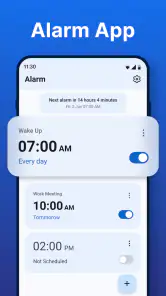
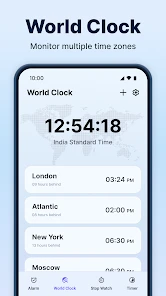
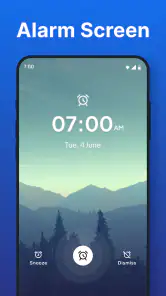
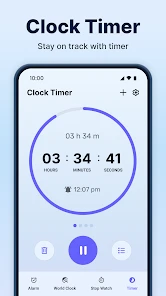
Analysis by Reviewed
Have you ever found yourself hitting snooze one too many times and then panicking because you’re late? Let me introduce you to the Alarm Clock app. It’s like having a personal assistant whose sole job is to wake you up, and trust me, it does a stellar job at it.
The Ultimate Wake-Up Call
When I first downloaded the Alarm Clock app, I wasn't expecting much more than the basic beep-beep wake-up we all dread. But boy, was I wrong! This app offers an array of sounds to gently nudge you out of dreamland. From the calming sounds of nature to your favorite tunes, it has everything to suit your morning mood.
Customization at Its Best
One thing that stood out to me was the level of customization available. You can set multiple alarms, each with different sounds and labels, so you know what you’re waking up for. Need a reminder to take your medicine? There's an alarm for that. Got a meeting at 10? Set another alarm. The interface is super user-friendly, making it easy even for the tech-challenged among us.
Another feature I found handy was the ability to adjust the snooze duration. If you're someone who needs just "five more minutes," you can set snooze intervals that work for you. Plus, the app lets you choose how many times you can hit snooze before it stops you, which is perfect for habitual snoozers like me.
More Than Just an Alarm
This app isn't just about waking you up. It also doubles as a nightstand clock with several display options. You can choose a color and style that matches your bedroom decor. And if you’re like me and use your phone as a main clock, this is a godsend.
For those who are into weather updates, the app syncs with your local weather forecast, giving you a heads-up on what to wear as soon as you wake up. It’s these little touches that make the Alarm Clock app more than just your average alarm.
Final Thoughts
In a world where every minute counts, having a reliable alarm app is crucial. The Alarm Clock app not only ensures that you wake up on time but does so with grace and style. Its customizable features and additional perks like weather updates make it a standout choice for anyone looking to upgrade their morning routine.
If you’re tired of your old, boring alarm and want something that adds a bit of joy to your mornings, give this app a try. It's available for both Android and iOS, so no one misses out on the fun. Happy waking!
Pros
- Easy to set multiple alarms.
- User-friendly interface.
- Customizable alarm tones.
- Snooze function available.
- Shows weather updates.
Cons
- Contains ads.
- Limited free features.
- Consumes battery quickly.
- No integration with smart devices.
- Lacks advanced customization.

- Category
- Tools
- Version
- 4.7











