Addons for Minecraft Mods
- 964.00
- 4.5
- Installs
- 10.00M
- Price
- Free

Screenshots
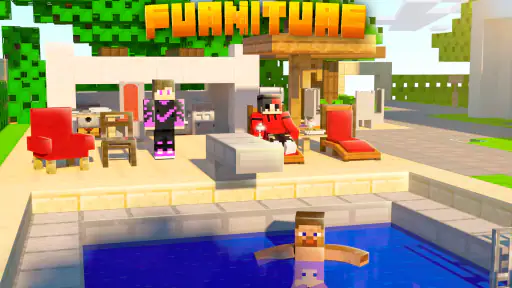






Analysis by Reviewed
My first-week reaction to Addons for Minecraft Mods is easy to understand: browsing for a fresh twist on Minecraft can be more inviting than figuring out mod files and setup on your own. This free tools app from Addons and Mods for Minecraft gives mobile players a place to explore add-ons, and it has a 4.5 average from around 93,000 ratings. The appeal is immediate, especially if you want to change a familiar world without turning the setup into a project.
Where the first week feels rewarding
The useful question is not how many ideas sound exciting, but which one fits the world you already play. I’d start with a small change that supports a current goal: something that makes a building session feel different, or gives a group a new reason to explore. Trying one addition at a time makes it easier to tell whether it genuinely improves your play or merely looked tempting while browsing.
A realistic use case is a player with a free evening who wants to freshen up a shared world before friends join. I’d choose one add-on, check its instructions and compatibility notes, then test it in a separate world before bringing it into a long-running save. That extra test is not glamorous, but it can prevent an experiment from disrupting a world you care about. The app is best treated as a discovery and setup aid, not a guarantee that every choice will suit every version or play style.
Value that can last beyond novelty
The app’s longer-term value depends on whether you return with a purpose. If you build often, enjoy trying new ideas, or like making a familiar world feel personal, having a browsing point for Minecraft add-ons can be useful over time. If you usually play the same survival routine and don’t want to change it, the first burst of curiosity may fade quickly. With over 10 million installs, it clearly reaches a large audience, but popularity alone won’t decide whether it belongs in your own routine.
Compared with searching the web for individual downloads or manually managing files, an app focused on Minecraft add-ons can make discovery feel more approachable. The trade-off is that convenience does not replace careful selection: read descriptions, look for signs that an add-on suits your game version, and keep notes on what you tried. I’d avoid installing several changes at once; when something behaves unexpectedly, a one-at-a-time approach makes it much easier to identify the source.
Maintenance, friction, and who should skip it
There is still some upkeep involved. Minecraft updates can affect whether an add-on works as expected, so I would revisit compatibility before relying on an older choice in a world I value. Keep a clean test world for experiments, and avoid treating a community rating as proof that an add-on will work in your particular setup. Ratings and reviews can help narrow the field, but they are most useful when you read them for practical clues rather than simply following the most popular option.
I’d recommend it most to curious mobile players who enjoy trying changes and don’t mind a little checking before they commit. It is a weaker fit for anyone who wants a strictly vanilla experience, expects every add-on to work instantly, or prefers a curated, hands-off game library. The app is rated Everyone and supports devices running Android 7.0 or later; its current version is 2.4.5. Optional in-app purchases range from $0.99 to $39.99 per item, so I’d check what is offered before spending. The app itself is free, but that does not mean every choice or extra is necessarily free.
More From Our News Desk

Weather by Xiaomi Review: Clear at a Glance, Less Clear Up Close

X Under Pressure: Can It Recover When Posting Goes Wrong?

Clash of Clans Is Won Between the Battles

Android Auto Makes the Case for Quieter Car Software

MobiOffice: Transforming Mobile Productivity with Seamless Integration

EA SPORTS FC™ Mobile Soccer: Redefining Mobile Sports Gaming
One practical way to avoid fatigue is to set a limit before browsing: choose a single idea for the next session, test it, and only keep it if it changes how you actually play. A catalogue can make novelty feel endless, but collecting add-ons is not the same as enjoying them. If you find yourself scrolling without a clear plan, returning to a build or survival goal may be more satisfying than adding another change.
Released on August 4, 2019, this app has a straightforward role: help Minecraft players discover add-ons without making every experiment a manual search. I would keep it installed if I regularly wanted new ideas and was willing to test them carefully; if I rarely alter my game, I would probably use it only when a specific project called for something different. That is the measure that matters after the first-week excitement: whether it supports a habit you already enjoy, rather than asking you to browse for novelty you won’t use.
Unleashing Creativity with Ease
One of the first things I noticed about Addons for Minecraft Mods is how it simplifies the often daunting task of modding. For those of us who aren’t tech wizards, modding can feel like trying to read an ancient language. But this app breaks it down into manageable chunks, making modding accessible to everyone. From adding new mobs to changing the textures of your world, it’s all just a few taps away.
Endless Possibilities
The sheer variety of mods available is staggering. Whether you want to incorporate realistic weather patterns, introduce new animals, or even experiment with futuristic technology, there’s something here for everyone. I found myself lost in a rabbit hole of possibilities, each mod more exciting than the last. It’s like having a magic wand that can reshape your Minecraft world with endless creativity.
The app doesn’t just stop at mods. It also offers a treasure trove of add-ons that can enhance gameplay. Imagine riding dragons, exploring new biomes, or even crafting powerful weapons that would make even the bravest adventurer envious. With Addons for Minecraft Mods, your imagination is truly the only limit.
User-Friendly Interface
What really sets this app apart is its user-friendly interface. Navigating through the various options is a breeze, and the app guides you through the installation process with clear instructions. Even if you’re a complete newbie to the world of mods, you’ll be able to customize your game in no time. Plus, the app is regularly updated, ensuring compatibility with the latest version of Minecraft.
I also appreciated the community aspect of the app. Users can rate and review mods, giving you an idea of what’s popular and what’s not. It’s like having a community of fellow gamers at your fingertips, ready to offer tips and recommendations. It’s this sense of community that makes the app feel alive and ever-evolving.
Choosing add-ons with a plan
For me, the most reliable way to use a discovery app like this is to begin with a problem or a project, not a search for the most dramatic-looking change. If I’m building a village, I might look for something that complements that build; if I’m preparing a short session with friends, I’d prioritize an addition that is easy to explain and does not require everyone to rebuild their plans around it. This approach turns browsing into a decision rather than an open-ended pastime.
I’d also keep a simple record outside the app: the add-on’s name, the world where I tested it, and whether I chose to keep it. That small habit is especially useful after trying several options over time. It helps me avoid repeating failed experiments and makes it easier to remember which change belongs to which save. It is not an advanced technical routine; it is just a practical way to protect the continuity of a world I have invested time in.
When deciding whether an option is worth trying, I would read beyond the headline and look for details that explain what it changes and what setup it expects. If the description is vague, or feedback raises concerns about compatibility, I would treat that as a reason to test cautiously rather than assume the add-on is broken or flawless. Community comments are most useful as clues to investigate, not as a substitute for trying an option in a disposable world first.
How it fits beside other ways to mod
The main alternative is searching the web for add-ons and handling the file process yourself. That route can suit players who want more control over where they get content and are comfortable sorting out installation steps, but it can also make discovery and setup feel like separate jobs. This app’s value is the convenience of exploring Minecraft-focused options in one place; the sensible compromise is to keep your own standards for compatibility and testing rather than treating convenience as a guarantee.
Another option is to stay with the content already available in Minecraft and avoid add-ons altogether. That is the better choice if you value a predictable, unchanged world more than experimentation, or if you play a shared save where everyone needs the same experience. Add-ons can make a familiar game feel new, but every change brings another thing to evaluate. I would not add them simply because the catalogue offers ideas; I would add one when it serves a reason to play.
For a player who is comfortable with manual file management, a more direct source may be preferable when precise control matters. For someone who wants an approachable starting point and is willing to check details, this app makes more sense. The distinction is not that one approach is universally safer or better; it is that ease of discovery and hands-on control are different priorities. I would choose based on how much setup work I enjoy doing, and how important it is to understand each step myself.
Keeping a shared world manageable
In a group, I would make the choice together before changing a shared world. A quick conversation about what the add-on does can prevent one player’s exciting discovery from becoming everyone else’s unwanted surprise. I would also test it away from the main save and agree on a fallback plan: if the new content does not fit the group’s play, return to the untouched world rather than trying to patch a session in a hurry.
This is particularly helpful for younger players or anyone who is new to add-ons. The Everyone content rating makes the app broadly suitable by age, but age suitability does not remove the need for an adult or experienced player to review purchases and installation choices. If I were helping a child, I’d browse together, explain that free access can coexist with optional paid items, and keep the decision about purchases with the adult account holder.
It is also worth separating the fun of discovery from the pressure to keep up with every new idea. A group does not need a constant stream of changes to stay interested. One well-chosen addition that supports the way everyone already plays may be more satisfying than a pile of unrelated experiments. That is a useful filter for anyone who enjoys browsing but wants the shared world to remain recognizable.
Where the convenience has limits
The app is a starting point, not a replacement for judgement. A simple installation path can reduce the intimidation of trying add-ons, but it cannot make every option fit every device, game version, or existing world. I would pause before applying anything to a save that matters, especially if the add-on changes several parts of play at once. A test world is a low-cost way to learn what an option actually feels like before it becomes part of a longer project.
There is also a difference between seeing many choices and having a carefully edited selection. A broad catalogue can be inspiring, but it puts more responsibility on me to distinguish a useful fit from a novelty I will abandon after one session. If I want a small number of dependable changes with minimal browsing, I may prefer to choose a known option through a source I already trust, or simply keep playing without additions.
For everyday use, I would not open the app automatically every time I play. I would return when I have a specific reason: a build needs a new ingredient, a group wants a different kind of session, or I am ready to experiment in a separate world. That occasional, intentional use is more likely to make the app feel worthwhile than treating it as a feed that must be checked. Its lasting value is practical when it helps me act on an idea, not when it gives me more ideas than I can use.
Final Thoughts
In a world where gaming is constantly evolving, Addons for Minecraft Mods offers a refreshing and exhilarating way to experience Minecraft. Whether you’re a seasoned builder looking to add new challenges or a newcomer eager to explore, this app has something for everyone. It’s not just about enhancing your game; it’s about transforming it into something uniquely yours. So why not give it a try and see where your creativity takes you?
With its easy-to-use interface, vast selection of mods, and active community, Addons for Minecraft Mods is a game-changer for anyone looking to breathe new life into Minecraft. So go ahead, download it, and let your imagination run wild. You won’t be disappointed.
Addons for Minecraft Mods Frequently Asked Questions
Can I install mods directly into Minecraft from the app?
The app is intended to help Minecraft players find mods and add-ons, but adding content may involve steps outside simply browsing the app. Check the instructions shown for each item and follow them carefully, then open Minecraft to see whether the content is available. You will need Minecraft to use the content, and compatibility can depend on the particular mod and your game setup.
Does the app work on iPhone and iPad as well as Android?
Addons for Minecraft Mods is an app for browsing Minecraft mods and add-ons. Before downloading, check that the version offered for your device is compatible with its operating system and that you have enough available storage. On Android, the app requires Android 7.0 or later. The app is free to download, while optional in-app purchases are available.
Can I use Addons for Minecraft Mods on my device?
Addons for Minecraft Mods is an app in the Tools category, with a minimum operating-system requirement of Android 7.0. Before downloading, check that your device meets this requirement and has enough available storage for the app and any content you choose to install. The app is intended to help Minecraft players find mods and add-ons, so you will also need Minecraft to use that content.
Who is Addons for Minecraft Mods intended for, and is it suitable for children?
The app is aimed at Minecraft players who want to browse mods and add-ons for a more customized game. Its content rating is Everyone, making it suitable for a broad audience, including younger players. Parents may still want to review the content children choose and discuss any in-app purchases, since optional purchases are available. The app is developed by Addons and Mods for Minecraft.
What is 'Addons for Minecraft Mods' and how does it enhance the gaming experience?
'Addons for Minecraft Mods' is an application designed to enhance your Minecraft gaming experience by providing a variety of mods and add-ons. These modifications allow players to customize gameplay, add new features, and alter the game environment. Whether you're looking to add new creatures, change game mechanics, or introduce new items, this app provides a wide selection of mods to suit different playstyles and preferences.
Pros
- Wide variety of mods available
- Enhances gameplay with new features
- Frequent updates and bug fixes
- Easy installation and setup
- Supports multiplayer mode
Cons
- Some mods may not be compatible
- Can slow down older devices
- Requires internet for updates
- Limited support for certain game versions
- May contain in-app purchases
- Category
- Tools
- Version
- 2.4.5








