ABC News: Breaking News Live
- 5.89K
- 3.2
- Installs
- 5.00M
- Price
- Free

Screenshots





Analysis by Reviewed
When I want a quick sense of what is happening without opening several news sites, I value an app that makes the next useful step obvious: read a headline, follow a developing story, or decide to come back later. ABC News: Breaking News Live is a free news app from Disney, aimed at people who want a mix of US coverage and international headlines in one place. I find it most useful as a convenient starting point, rather than as the only source I would consult for every story.
Readability and getting around
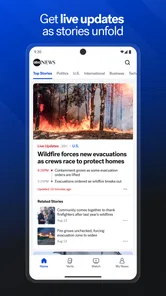
One of the first things you'll notice about the ABC News: Breaking News Live app is its sleek and user-friendly interface. Navigating through the app feels intuitive, making it easy even for the least tech-savvy among us. Once you open the app, you're greeted with the latest headlines, all laid out in a neat fashion. It's like having a personal news desk right in your pocket.
That straightforward layout matters when I only have a minute to check the news. I can scan the headlines before a meeting, then choose a story instead of committing to a long reading session. A practical habit is to treat the front page as a shortlist, not a complete account of the day: if an issue affects a decision I need to make, I look for more reporting and context before drawing a conclusion.
ABC News has an average rating of 3.2 from around 26,000 ratings, with about 5,900 written reviews and over 5 million installs. That gives a prospective reader a sense of its broad reach, but popularity alone doesn't tell me whether its presentation suits my habits. It is rated for Everyone 10+ and has been available since 2011, so it is an established option in the news and magazines category rather than a new experiment.
Alerts, attention, and everyday use
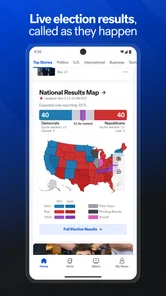
Now, what sets this app apart from the sea of other news apps is its alert system. You can customize alerts based on your interests, ensuring you only get notified about the things that matter to you. Whether it's politics, sports, or entertainment, you can tailor your news feed to match your preferences. And let me tell you, it's a game-changer!
For me, alerts are most helpful when I make them serve a purpose rather than letting every update compete for attention. If I am following a developing public story, a notification can prompt me to check in; for routine browsing, fewer interruptions make it easier to focus on work or conversation. I would start with only the topics I genuinely follow and adjust after seeing whether the alerts add useful context or simply pull me back to the phone.
Motor and sensory considerations
Another feature that deserves a shoutout is the live streaming option. Imagine catching a major news event as it unfolds, live and unfiltered. The app offers a variety of live streams, from breaking news to special reports. Plus, the video content is top-notch, offering a mix of short clips for a quick update and longer segments for a deep dive into complex issues.
More From Our News Desk

Weather by Xiaomi Review: Clear at a Glance, Less Clear Up Close

X Under Pressure: Can It Recover When Posting Goes Wrong?

Clash of Clans Is Won Between the Battles

Android Auto Makes the Case for Quieter Car Software

MobiOffice: Transforming Mobile Productivity with Seamless Integration

EA SPORTS FC™ Mobile Soccer: Redefining Mobile Sports Gaming
Video can help when listening is easier than reading, but it also changes the setting in which the app works well. In a quiet room, a live report may be an engaging way to follow a major event; on public transport or in a shared space, text is usually the more considerate and practical choice. If sound, motion, or a fast-changing screen makes news harder to follow, I would favor slower reading and pause between stories instead of trying to keep up with a stream.
Choosing the right way to follow a story
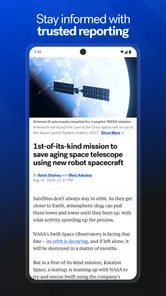
If you're someone who likes to dig deeper into the news, you'll appreciate the app's in-depth articles and analysis. The stories are well-researched and provide multiple perspectives, allowing you to form a well-rounded opinion on any given topic. It's like having a personal analyst breaking down the news for you.
Situational access and useful trade-offs
A realistic routine might be checking headlines over breakfast, silencing nonessential alerts during the workday, and opening a longer report in the evening when there is time to concentrate. That separates urgent awareness from deeper reading and avoids treating every notification as a demand for immediate attention. If a major event is unfolding while I am away from a reliable connection, I would not count on a video stream as my only way to stay informed; text updates are generally a better fit for quick checks, while viewing is something I save for when conditions allow.
Compared with a newspaper’s website, a dedicated news app can make repeat visits and alerts feel more direct. Compared with a broad news aggregator, ABC News gives me a clearer single-source experience, but less of the built-in contrast that comes from seeing several publishers’ accounts side by side. That distinction is useful: I might use ABC News to follow a live development, then consult other reporting when a story is contentious or when I want to compare framing and detail.
Where it may not fit
But, as with anything, there are a few hiccups. Occasionally, the app might take a few extra seconds to load, especially during peak news times. It's not a deal-breaker, but it's something to be aware of if you're in a hurry.
That delay is more noticeable when I am trying to check one detail quickly, so I would avoid making the app my sole source for time-critical information. The overall experience also depends on what kind of news reader you are: someone who wants a broad mix of video, alerts, and articles may appreciate the range, while someone who prefers a quiet, text-only feed or a deliberate comparison of many outlets may be happier with a different format. For accessibility, I would judge the actual reading and viewing experience on my own device and in my usual settings rather than assume that one layout will work equally well for everyone.
Who gets the most from it
I think ABC News is best for someone who wants a familiar newsroom’s coverage close at hand and is comfortable deciding when to read, watch, or check a notification. It suits a commuter who wants a quick scan before leaving the train, a parent keeping an eye on a major local or national development between other tasks, or a reader who prefers a recognizable source over an algorithmic mix of publishers. The app is less compelling for someone whose main goal is to compare many editorial perspectives in one screen, or for anyone who wants a calm, uninterrupted reading environment above all else.
There is also a useful distinction between following a subject and following a specific event. Topic alerts can help maintain a general awareness, but during a fast-moving story I would open the relevant report and revisit it deliberately rather than assume each notification gives the full picture. That workflow reduces the chance of mistaking a short alert for a complete update. When I have more time, I can then look beyond the initial account and compare details with other outlets.
A practical routine for busy days
Imagine I have a few minutes before a morning appointment and want to know whether anything major has changed. I can scan the leading headlines, open one story that seems relevant, and leave deeper reading for later. If I follow a developing issue, I can keep only the alerts that serve that interest and let less relevant notifications wait. At lunch, a short check can catch me up without turning the whole break into a stream of clips and headlines.
This routine also helps answer a common question: should the app replace a browser or a news aggregator? For a direct check of ABC’s reporting, the app is a convenient choice; for a story where competing interpretations matter, I would use it alongside a browser search or a multi-publisher service. A newspaper site may be preferable if I already follow that publication closely, while an aggregator is stronger when breadth and side-by-side comparison are the priority. I see ABC News as a focused part of a news mix, not a universal replacement.
Reading, listening, and control
Different people will get different value from the same mix of articles, alerts, and video. If reading is tiring, listening to a report may be an easier way to take in information when the surroundings are suitable. If motion, sound, or constant updates are distracting, the sensible approach is to choose a text story, reduce interruptions, and use the app in short, intentional visits. I would test it during an ordinary day rather than judge it only while exploring every format at once.
For someone with limited dexterity, the practical question is whether the controls and navigation feel comfortable on their particular device and with their usual settings. I would avoid relying on quick taps or long sessions if those are uncomfortable: short visits and fewer alerts can make the experience less demanding. The interface may feel straightforward to one person and cramped or tiring to another, so a personal trial is more useful than assuming that a clean-looking screen automatically works for every ability.
What the audience signals—and what it cannot
The app has an average rating of 3.2, and its audience is large, with more than 5 million installs. I treat that combination as a reason to read recent user feedback before making it part of a daily routine, not as proof that the experience will be consistent on every device. Ratings can reflect different expectations: some readers want a fast alert service, while others judge a news app by stability, depth, or how quietly it handles attention.
It is free to use, which makes trying it a low-commitment way to see whether ABC’s coverage and presentation suit you. The Everyone 10+ content rating is also useful context for households, though I would still make my own decision about what news and video are appropriate for a particular child. The app’s long presence in the news category gives it familiarity, but that alone should not settle whether its editorial mix or daily rhythm is right for you.
Remaining barriers and sensible expectations
The biggest trade-off is that a single publisher’s app naturally gives you one outlet’s selection and framing at a time. That can be an advantage when I want a coherent place to follow coverage, but it is a limitation when I need broad comparison. I would be especially careful with breaking stories, where early reports can change; checking the time and context of an update and seeking corroboration are good habits regardless of which app I use.
Another practical question is whether video makes the app useful in every setting. It does not. A live stream needs an appropriate moment, enough attention, and a suitable environment; when I am walking, working, sharing a quiet space, or dealing with an unreliable connection, a quick text check is the more realistic option. If I need dependable access during a specific event, I would plan a second way to follow it rather than assume one app and one format will always be available.
The app is a sensible fit if you want a familiar place to keep up with US stories and international developments, especially when quick alerts and live coverage matter to you. I would recommend it as one part of a news routine, not a substitute for checking context elsewhere. If you prefer fewer interruptions, start with a restrained alert selection; if you need multiple viewpoints, pair it with other publishers. Those small choices make its strengths more useful without asking it to be the right tool for every situation.
All in all, the ABC News: Breaking News Live app is a solid choice for anyone looking to stay informed with minimal fuss. It's reliable, customizable, and packed with features that make staying updated a breeze. So, if you're tired of sifting through endless articles to find what's relevant, give this app a shot. You might just find it becoming your go-to source for news.
ABC News: Breaking News Live Frequently Asked Questions
Can I read ABC News: Breaking News Live without creating an account?
The app is designed to deliver daily news and live updates on US breaking stories and global headlines. If you prefer to start reading without personalizing your experience, you can consider whether its general news coverage meets your needs first. For a tailored feed or other account-dependent features, review the app’s settings and prompts during setup.
Is ABC News: Breaking News Live free to download?
Yes. ABC News: Breaking News Live is free to download, making it easy to try as a mobile source for news. The app is developed by Disney and focuses on US breaking news and global headlines. Before installing, consider whether its news coverage and presentation suit the way you like to follow current events.
Is ABC News: Breaking News Live suitable for readers who want both US and international headlines?
Yes. ABC News: Breaking News Live is aimed at readers looking for daily news and live updates on US breaking news stories as well as global headlines. It belongs to the News & Magazines category, making it a straightforward option for keeping up with current events through a mobile app.
What kind of app is ABC News: Breaking News Live, and who makes it?
ABC News: Breaking News Live is a news app developed by Disney. It is free to download and has an Everyone 10+ content rating, which can help families decide whether it is appropriate for younger readers. The app has more than five million installs, so it has reached a broad audience of people who follow news on mobile devices.
What is ABC News: Breaking News Live and what features does it offer?
ABC News: Breaking News Live is a mobile application that provides users with the latest news updates from around the globe. The app features live streaming of news events, breaking news alerts, and personalized news feeds based on user preferences. It also offers video clips, articles, and in-depth analysis on a wide range of topics including politics, entertainment, and technology.
Pros
- User-friendly interface for seamless navigation
- Real-time notifications for breaking news
- Wide variety of news categories available
- Video news clips for visual updates
- Customizable news alerts to suit preferences
Cons
- Ads can be intrusive at times
- Occasional delays in news updates
- Limited offline reading options
- Requires stable internet for best performance
- Some news categories lack depth in coverage













