8Super App Manager & Cleaner
- 774.00
- 4.5
- Installs
- 1.00M
- Price
- Free

Screenshots

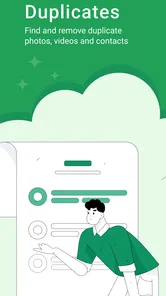

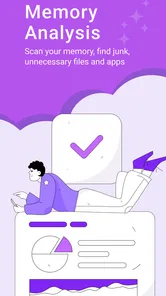

Analysis by Reviewed
When a phone starts warning me about storage just as I’m about to take a photo, I want a cleanup tool that helps me make a decision—not one that encourages me to delete things blindly. That is the practical appeal of 8Super App Manager & Cleaner: it brings several kinds of phone maintenance together, including app management and cleanup for cache, duplicate files, photos, and contacts. I’d still check what it selects before removing anything, because a file that appears redundant may be one I want to keep.
A useful way to approach a cleaner is to decide what problem I’m trying to solve first. If I need space for a trip, I can focus on reviewing photos and duplicate files; if the phone feels untidy, I can look at apps and contacts instead. That small distinction helps avoid treating every scan as a command to clear everything. The app is most helpful when I use it as a guide to clutter and keep control over the final choice.
Getting to Know 8Super App Manager & Cleaner
If you've ever felt like your phone is a bit sluggish or cluttered, 8Super App Manager & Cleaner is here to save the day. This app is designed to optimize your phone’s performance by cleaning up junk files, managing apps, and boosting speed. As someone who's always on the lookout for ways to keep my phone in tip-top shape, this app caught my attention immediately.
It’s a free tools app from 86Apps, with optional in-app purchases ranging from $0.99 to $59.99 per item. It is rated for Everyone and is available for devices running Android 7.0 or later. The current version is 0.2.44g; the app was released on February 8, 2024. Its average rating is 4.5 from around 85,000 ratings, with about 774 written reviews and over one million installs. Those figures suggest a sizeable audience, though I’d still judge it by whether its cleanup tools fit my own phone habits.
The Art of Clean-Up
The first thing I noticed about the app was its impressive cleaning capabilities. It dives into your device to find all those pesky junk files that accumulate over time. You know, the ones you didn’t even know existed and are taking up precious space. With just a tap, you can say goodbye to these unwanted files, freeing up storage and ensuring your device runs smoother.
For a practical routine, I’d start with a scan when storage is tight, then inspect the results and clear only items I recognize as disposable. That is especially useful before downloading a large file or taking a trip when I want room for photos. Cache cleanup can free space, but apps may rebuild cached content later, so it is better viewed as occasional housekeeping than a permanent fix for a phone that is always full.
One non-obvious trade-off is that reclaimed cache space may not stay reclaimed. If I clear it just before opening a navigation, music, or social app, that app may need to rebuild temporary content afterward. I’d therefore clean up when storage pressure is real, rather than making cache removal a daily ritual. If the phone is repeatedly running out of room, reviewing large personal files or uninstalling apps I no longer use is often a more lasting approach.
More From Our News Desk

Weather by Xiaomi Review: Clear at a Glance, Less Clear Up Close

X Under Pressure: Can It Recover When Posting Goes Wrong?

Clash of Clans Is Won Between the Battles

Android Auto Makes the Case for Quieter Car Software

MobiOffice: Transforming Mobile Productivity with Seamless Integration

EA SPORTS FC™ Mobile Soccer: Redefining Mobile Sports Gaming
App Management Made Easy
Managing apps has never been easier. The app's user-friendly interface lets you see what’s happening on your phone in real-time. You can easily uninstall unnecessary apps, move apps to an SD card, or just get a clear view of your app usage. It’s like having a personal assistant for your phone who handles all the nitty-gritty details so you don’t have to.
I find the app-management angle most helpful when I’m deciding what to remove, rather than simply looking for a one-button speed fix. Before uninstalling something, I’d check whether it stores drafts, downloads, or other data I might want; removing an app can be more consequential than clearing temporary files. The option to move apps to an SD card may also depend on the device and Android’s handling of that app, so I wouldn’t plan a storage strategy around every app being movable.
That makes the app a reasonable fit for someone who wants a central place to review several kinds of clutter, but not necessarily for someone who expects it to replace Android’s own controls. Built-in storage settings are often enough for a quick look at what is taking up room, and they can be the simpler choice if I only need to remove one large download. I’d turn to this manager when I want a broader pass across apps, photos, contacts, and temporary files rather than a single targeted action.
Boosting Performance
One of the standout features is the phone booster. Ever find yourself frustrated with slow load times or apps freezing? This feature gives your device a quick speed boost, ensuring everything runs smoothly. It’s like giving your phone a shot of espresso to power through the day!
I’d use a booster when the phone feels bogged down, but I wouldn’t expect it to solve every slowdown. A nearly full storage drive, an app that keeps misbehaving, or an older device can need a different fix. If a problem returns immediately, restarting the phone or dealing with the specific app may be more useful than repeating a cleanup. That distinction keeps the tool useful without treating a temporary boost as a repair.
When something is actually malfunctioning, I’d troubleshoot the affected app before running another broad cleanup. For example, if one app freezes while the rest of the phone works normally, I’d close or restart that app and check whether it needs attention. A general booster is more appropriate for a momentary feeling of sluggishness than for diagnosing a recurring fault. Knowing that boundary helps me avoid repeated scans that may not address the cause.
Using It on the Move
For someone who takes photos throughout the day, the combination of photo and duplicate-file cleanup can be more practical than a generic cache sweep. I’d review suggested duplicates side by side before removing anything, especially when similar shots capture different moments. A quick pass while connected to a trusted network can also make it easier to pause and check what is being processed, but I would not assume that every function requires connectivity or works offline in the same way.
Contacts deserve the same care. If I’m tidying an address book, I’d check names and numbers before merging or deleting entries, since two people can share a name and an old contact may still matter. The useful trade-off here is convenience versus control: a manager can surface clutter more quickly than manual browsing, while personal review helps avoid losing something important.
A realistic use for these tools is a few minutes of maintenance before leaving for a weekend away. I might review duplicate-looking photos while I have time to compare them, remove an app I genuinely no longer need, and check the contact list only if I already know it has become messy. I would not try to do all of that while rushing to catch a train or relying on a weak connection. The point is to create breathing room without turning a quick phone task into a hurried deletion session.
For frequent photographers, the key question is whether a cleaner’s duplicate suggestions make review easier than browsing manually. I’d still be cautious with near-identical images: a burst of similar shots can include a favorite expression or a detail that matters later. A photo-focused organizer may be better if I want to sort albums or build a careful archive; this app makes more sense when photo cleanup is one part of general phone maintenance.
Connectivity, Privacy, and Recovery
Network conditions can shape the experience around an app manager, particularly when opening the app, viewing content, or moving between cleanup tasks. I’d avoid starting a large maintenance session on an unreliable connection if the app seems to be waiting, and I’d give it a moment to settle before tapping repeatedly. Repeated commands can make it harder to tell whether a cleanup action completed.
If the app closes or a scan is interrupted, my first step would be to reopen it and check the current state before running the same action again. For anything valuable, I’d keep a separate backup rather than relying on a cleaner to serve as recovery. This is a sensible precaution for photos and contacts in particular: deletion tools are for reducing clutter, not for restoring memories after an accidental removal.
For data-conscious use, I’d reserve cleanup for moments when I can review the results, rather than running through prompts in a hurry on mobile data. I’d also be selective about permissions and only grant access needed for the feature I’m trying to use. Compared with Android’s built-in storage controls, 8Super groups several maintenance tasks in one place; the built-in tools may be enough if I only need to clear a little space and prefer fewer moving parts. A dedicated photo organizer can be a better fit if sorting pictures is my main goal.
If a cleanup is interrupted, I would not assume that repeating the last tap is harmless. I’d reopen the relevant screen, look for what has already changed, and then decide whether another action is needed. That cautious recovery routine is particularly useful when handling contacts or personal pictures, where an accidental second action can be harder to undo than clearing temporary clutter. I’d also avoid using a network problem as a reason to rush through a task; waiting until the connection is steadier is a sensible choice if the app appears not to respond.
People often ask whether a manager like this is worth adding when Android already includes storage tools. My answer depends on how many jobs I want to handle together. If I only need to inspect storage or remove one file, the built-in settings are a simpler starting point. If I want to review app clutter alongside photos, duplicate files, and contacts, having those tasks gathered in one utility can be more convenient. That convenience is useful only if I’m comfortable taking time to inspect suggestions rather than granting every prompt and accepting every selection.
The free starting point makes it possible to try the basic experience before deciding whether optional purchases are relevant. I’d first identify which task I actually need, then check whether the available version handles it in a way I like. The in-app purchase range runs from $0.99 to $59.99 per item, so I would not assume that every feature or level of use is included simply because the app itself is free. Anyone who only wants occasional cleanup should be especially deliberate about paying for something they may rarely use.
On a phone used by several people, I’d be even more conservative. One person’s old-looking photo or contact may be important to someone else, and a shared device makes it harder to judge what is safe to remove. In that situation, I’d ask the owner before clearing personal material and focus on items I can confidently identify. The app’s usefulness depends as much on careful habits as on how quickly it can surface candidates for cleanup.
My Two Cents
Overall, the 8Super App Manager & Cleaner is a fantastic tool for anyone looking to maintain their smartphone’s health. I’ve personally found it incredibly useful for keeping my phone organized and efficient. It’s intuitive, effective, and frankly, a bit of a lifesaver for those of us who are a bit too attached to our smartphones.
I’d recommend it most to people who want app management and several cleanup tasks together, and who are willing to check before deleting. If I only needed a basic storage check, I’d start with the phone’s built-in settings; if I wanted detailed photo cataloguing, I’d choose a tool focused on that job. The optional purchases also make it worth checking which functions matter to me before spending anything, rather than assuming every useful task requires an upgrade.
It is less suited to someone who wants a fully automatic cleaner that makes every decision without review, or to someone who expects a general-purpose utility to fix persistent hardware or app problems. I would also skip it if my only goal were detailed photo organization and I already had a workflow I liked for that. For a person who regularly accumulates temporary files, unused apps, and duplicate-looking pictures, its broader mix of tools is more appealing than a single-purpose cleaner.
In short, if you're tired of dealing with a cluttered, slow device, give this app a try. It's like having a digital declutterer that ensures your phone is always running at its best. Who wouldn't want that?
My connectivity verdict is measured: network conditions are one part of using any phone utility, but they shouldn’t be confused with the core value of organizing local clutter. I’d use 8Super with a steady connection when convenient, keep important files backed up, and judge the results by whether it helps me make careful, useful cleanup decisions.
8Super App Manager & Cleaner Frequently Asked Questions
What should I check before installing 8Super App Manager & Cleaner?
Check your device’s operating system before downloading: 8Super App Manager & Cleaner requires Android 7.0 or later. The app is rated Everyone, making it suitable for a broad audience. It is a tools utility from 86Apps, focused on app management and cleaning. Confirm your device meets the system requirement and that you are comfortable reviewing files and personal information before using cleaner features.
Who develops 8Super App Manager & Cleaner, and how popular is it?
8Super App Manager & Cleaner is developed by 86Apps. It has over one million installs and an average rating of 4.5 from around 85,000 ratings. These figures offer a useful snapshot of its reach and user feedback, although individual experiences can differ depending on a person’s device and how they use the app.
Is 8Super App Manager & Cleaner free to download, and are there optional purchases?
8Super App Manager & Cleaner is free to download. It also offers in-app purchases, with individual items ranging from $0.99 to $59.99. You can consider whether any paid options suit your needs before purchasing; the app’s basic description centers on managing apps and cleaning cache and duplicate files, contacts, and photos.
What is 8Super App Manager & Cleaner and how does it work?
8Super App Manager & Cleaner is a comprehensive utility application designed to optimize and maintain your mobile device's performance. It offers a suite of tools to manage apps, clear cache, and remove junk files. By freeing up storage space and improving processing speed, the app ensures your device runs smoothly. Additionally, it helps in managing app permissions and provides insights into app usage, making it easier to control resources and enhance battery life.
Is 8Super App Manager & Cleaner safe to use on my device?
Yes, 8Super App Manager & Cleaner is safe to use on both Android and iOS devices. The app is designed with user privacy in mind, ensuring that no personal data is collected or shared. It operates under strict security protocols to protect your device from potential threats. Regular updates ensure that it remains compatible with the latest operating systems and continues to provide a secure environment for managing your apps and files.
Pros
- Efficient app management capabilities
- Cleans junk files effectively
- User-friendly interface
- Enhances device performance
- Battery optimization features
Cons
- Contains ads in free version
- Some features require in-app purchases
- May slow down older devices
- Occasional crashes reported
- Limited support for tablets








