فیلتر شکن قوی پرسرعت Homa Vpn
- 4.24K
- 4.7
- Installs
- 1.00M
- Price
- Free

Screenshots



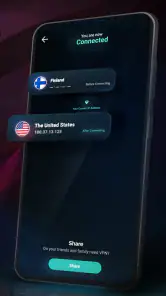



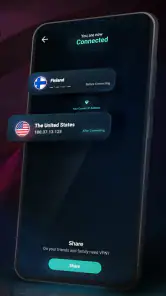
Analysis by Reviewed
I judge a VPN by what it feels like in ordinary use: whether it makes a connection noticeably slower, whether it stays usable when I move between tasks, and whether it is easy to recover when a page stalls. فیلتر شکن قوی پرسرعت Homa Vpn is a free Android tools app from Aloapi, and its appeal is straightforward: a simple way to try a VPN when you want another route to online content. I would treat speed claims as a starting expectation, not a guarantee, because the result depends on your connection, location, and what you are trying to reach.
What “fast” means in daily use
For browsing and short sessions, a VPN can feel fast if pages open without making you wait through repeated retries. Video is a tougher test: the quality you can watch smoothly depends on both the VPN route and your normal internet connection. I would try a familiar site first, then a video you already know loads reliably, so you can tell whether any slowdown is coming from the VPN or from the network you started with.
A useful habit is to avoid changing several things at once. If a page becomes sluggish, reconnect once and test the same page again before switching networks or changing other settings. That makes it easier to decide whether the connection is temporarily having trouble or whether this route simply is not a good match for that task.
When a light session becomes demanding
Reading, messaging, and checking a few sites put less pressure on a connection than a long video call, large downloads, or streaming while other devices share the network. In those heavier moments, even a VPN that feels responsive during browsing may not keep the same pace. I would not start an important call or time-sensitive download until I had checked that the connection was behaving well in that location.
For travel or public Wi-Fi, a VPN may be useful as an extra layer in your routine, but I would still avoid treating it as a substitute for careful account habits. Use strong, unique passwords and pause before entering sensitive details on a page that looks unfamiliar. That practical caution matters more than assuming any one app can make every online action risk-free.
Keeping expectations realistic
Homa VPN has a 4.7 average from around 71,000 ratings, and it has passed one million installs. Those figures suggest that many people have tried it, but they cannot tell me whether a particular server or connection will work well for you. The app is free and rated for Everyone; its current version is 2.5.1, and it runs on Android 6.0 or later. I would check that your phone meets that requirement before planning to use it.
Getting Started with Homa Vpn
Setting up Homa Vpn was as easy as pie. I hopped onto the app store, downloaded the app, and within minutes, I was ready to roll. The user interface is incredibly intuitive, which I absolutely appreciated. There’s nothing worse than a clunky app when you’re trying to get things done quickly. Homa Vpn's clean, straightforward design ensures you won’t get lost in a sea of options.
More From Our News Desk

Weather by Xiaomi Review: Clear at a Glance, Less Clear Up Close

X Under Pressure: Can It Recover When Posting Goes Wrong?

Clash of Clans Is Won Between the Battles

Android Auto Makes the Case for Quieter Car Software

MobiOffice: Transforming Mobile Productivity with Seamless Integration

EA SPORTS FC™ Mobile Soccer: Redefining Mobile Sports Gaming
Features That Stand Out
One of the standout features of this VPN is its high-speed connection. Seriously, I’ve tried a bunch of VPNs that promise speed, but few deliver like Homa Vpn. Streaming videos and browsing through heavy websites was a breeze, with no annoying lag or buffering. This is a major win for anyone like me who hates waiting for videos to load.
Another notable aspect is its robust security protocols. With cyber threats becoming more sophisticated, knowing that my data is encrypted and secure gives me peace of mind. Plus, the app doesn’t log my data, which is a huge plus for privacy enthusiasts.
Why You Might Love It
If you're someone who travels a lot or simply loves accessing international content, Homa Vpn will be your best friend. I was able to unlock content from various parts of the world without a hitch. The app supports multiple devices too, so whether you’re on your phone or tablet, you’re covered.
Moreover, the app offers a variety of servers to choose from. This means you can always find the fastest server available, which is a massive bonus when you're in a hurry. I found switching servers to be quick and easy, which isn’t always the case with other VPNs.
A Few Thoughts Before You Download
While I've had a fantastic experience with Homa Vpn, it’s always good to remember that your mileage may vary. Internet speeds, location, and the specific device you’re using can all influence your experience. However, in terms of reliability and performance, Homa Vpn has ticked all the right boxes for me.
So, if you’re in the market for a strong, fast, and reliable VPN, I’d suggest giving فیلتر شکن قوی پرسرعت Homa Vpn a shot. It’s user-friendly, efficient, and most importantly, keeps you safe online. Happy browsing!
A practical routine for switching networks
Imagine opening Homa VPN on a café connection to check a route or read a page, then heading outside where your phone changes networks. I would check that the VPN is still connected before assuming the next page is protected or diagnosing a slow load. If it feels stuck, close the activity that matters, reconnect, and try one ordinary page. This small sequence helps separate a brief handoff problem from a consistently poor route.
That is also why I would not leave a long upload or an online meeting to chance if I have not tested the connection first. VPN traffic travels through an additional route, so a weaker local signal can become more noticeable during demanding tasks. For simple browsing, convenience may matter most; for work that cannot pause, a trusted connection without an added route—or a VPN service with clearly explained controls and support—may be a better fit.
Choosing it over other VPN approaches
Compared with manually configuring a VPN, an app like this is appealing when I want a quick, phone-based option rather than handling connection details myself. Compared with a paid service that publishes extensive privacy and support information, a free option asks me to be more deliberate: I would review the app’s current privacy details and the permissions Android requests before using it for sensitive activity. I would not infer privacy practices from a speed-focused description alone.
It suits someone who wants a simple tool for occasional browsing, travel, or checking whether a different connection route makes a page accessible. It is less suited to a user who needs dependable performance for work calls, wants detailed control over routing, or expects a VPN to guarantee access to every streaming library. Access rules and services change, so I would test the specific destination rather than assume it will always open.
Device fit and a sensible verdict
On an older phone, I would pay attention to more than the Android version: available battery, mobile signal, and how well the device handles its usual apps can all affect the overall experience. A VPN adds another active connection to the routine, so if the phone already struggles during video or navigation, I would test a short session before relying on it for a whole journey. I would also disconnect when I no longer need the VPN, especially if conserving battery is a priority.
My bottom line is that Homa VPN is worth considering as an easy, free starting point, not as a promise of constant speed or universal access. Use a low-stakes page to test it, compare the result with your normal connection, and reserve high-demand or sensitive tasks for a setup you have personally verified. That approach gives you a fair sense of whether this particular app fits your phone and your daily routine.
A realistic day-to-day test
For a practical first run, I would pick a moment when nothing important depends on the connection. At home, I might open a page I use often, note how quickly it normally loads, connect through the VPN, and revisit that same page. Later, I would repeat the check on mobile data if that is how I expect to use it. Keeping the destination and task consistent makes the comparison more useful than judging performance from a single unfamiliar site.
This also helps answer a common question: should you leave a VPN connected all day? I would decide based on the task, battery needs, and how consistent the connection feels on your phone, rather than assuming permanent use is automatically better. If you only need another route for a particular browsing session, connecting for that session and disconnecting afterward is a straightforward way to limit extra battery and connection demands.
How to judge stability, not just speed
A quick page load is only one part of a good VPN experience. I would also notice whether a connection remains usable while I move between pages, whether audio or video pauses unexpectedly, and whether the phone needs repeated reconnects. Those small checks reveal more about fit than a one-time impression of speed. If the app works well for reading but falters during a call, that is a meaningful distinction rather than a contradiction.
If a connection drops or a page hangs, I would first check whether the phone still has a healthy Wi-Fi or mobile signal. Then I would retry one simple page after reconnecting. If the same issue continues, I would stop relying on that route for the current task instead of repeatedly restarting the app while a call or payment is in progress. A fallback connection is especially useful when timing matters.
Privacy choices and appropriate use
People often ask whether a VPN makes every activity private. I would not make that assumption. A VPN changes how traffic is routed, but it does not replace secure account practices, careful handling of personal information, or checking that a website itself is legitimate. Before using any VPN for sensitive browsing, I would read its current privacy information and consider whether the level of detail meets my needs.
That is where Homa VPN’s simple, free appeal has a trade-off. It can be an approachable option when I want to try a different route without paying, while someone who handles confidential work or needs detailed assurances may prefer a provider that clearly explains its privacy practices, support, and connection controls. That does not make one choice right for everyone; it means matching the tool to the consequences of a failure.
Who is likely to get the most from it
I see the strongest case for someone who wants a low-effort Android VPN for occasional browsing, short trips, or checking whether a page behaves differently through another route. It may also suit a user who prefers an app-based connection to manually entering network details. The one-million-plus installs and around 4,200 written reviews show that it has attracted a substantial audience, though popularity alone is not a performance guarantee.
I would be more cautious if your routine depends on uninterrupted video calls, large transfers, or consistent access to a particular streaming service. Those needs make route stability and provider transparency more important than a quick setup. In those cases, I would compare Homa with alternatives that offer the specific controls and support I need, and test any candidate before relying on it for work or travel.
Final performance verdict
For speed, the most honest expectation is conditional: light browsing may be comfortable, while video and other sustained activity deserve a real-world test on your own network. For reliability, I would judge it by how often it stays connected through an ordinary session and how easily I can recover when it does not. For resource use, I would pay attention to battery and responsiveness on an older or already busy phone, and disconnect when the VPN is no longer useful.
That makes Homa VPN a reasonable free starting point for casual use, especially if convenience matters more than fine-grained control. It is not the choice I would make blindly for sensitive work or a time-critical task. Try it first with a familiar, low-stakes activity, compare the result with your usual connection, and keep a backup plan for anything that cannot afford a pause.
فیلتر شکن قوی پرسرعت Homa Vpn Frequently Asked Questions
What should I check before downloading Homa VPN?
Check that you are choosing the app named فیلتر شکن قوی پرسرعت Homa Vpn and that your device meets its operating-system requirement. It is listed as a free app for general audiences, so the main practical step is confirming compatibility and deciding whether a VPN suits your needs. As with any app, review its permissions and privacy information before installing.
Can I use Homa VPN on iPhone or iPad?
Homa VPN is presented as an app, but its stated minimum operating-system requirement is Android 6.0 or later. If you use an iPhone or iPad, search the Apple App Store for the exact app name and check that it is available and compatible with your device before proceeding. Avoid assuming that an Android release also means an iOS version is available.
What devices can I use Homa VPN on?
Homa VPN is an app in the Tools category. Before downloading, check that your device runs Android 6.0 or later, which is the stated minimum operating-system requirement. The app is free and rated for Everyone. You can find it by searching for فیلتر شکن قوی پرسرعت Homa Vpn in the app store for your device.
Who develops Homa VPN, and is it widely used?
Homa VPN is developed by Aloapi. It has a 4.7 average rating, based on around 71,000 ratings, and more than 1 million installs. Those figures suggest that many users have tried the app, but individual experiences with a VPN can differ, so it is sensible to consider your own privacy and connection needs before installing it.
What is Homa VPN and what does it offer?
Homa VPN is a powerful and high-speed VPN application designed to provide users with a secure and private internet browsing experience. It offers a variety of servers located around the world, ensuring that users can bypass geo-restrictions and access content from different regions. Additionally, it promises strong encryption to protect user data and anonymity online.
Pros
- High-speed connectivity for seamless browsing.
- User-friendly interface for easy navigation.
- Compatible with various devices and platforms.
- Offers strong encryption for data security.
- Provides unlimited bandwidth for users.
Cons
- May contain in-app advertisements.
- Potential connectivity issues in certain regions.
- Limited customer support options available.
- Requires periodic updates for optimal performance.
- May not support advanced security protocols.
- Category
- Tools
- Version
- 2.5.1








