Chess
- 27.00
- 4.4
- Installs
- 100.00K
- Price
- Free

Screenshots
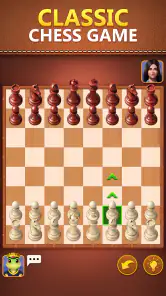




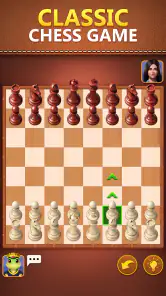


Analysis by Reviewed
Chess is most appealing when you want the game itself, not a pile of extras around it. Big Cake’s free board game is an easy way to open a chessboard and play, and that focus is a strength for casual players. My main reservation is that the available description promises accessibility but offers little detail about the tools or modes surrounding a match, so experienced players should check whether its actual play options suit their habits before making it their main chess app.
A quick fit check before you download
I would start by deciding whether you want a place to play or a place to improve. Those sound similar, but they lead to different expectations: a ready-to-use board can serve a spare ten minutes, while a training routine usually needs explanations, puzzles, or a way to review decisions. If you mainly want the former, this game’s straightforward pitch is appealing. If you need the latter, make sure the tools you rely on are available before you reorganize your chess routine around it.
It is also worth thinking about how you like to play on a phone. Chess rewards careful attention, and a small screen can make it harder to scan the whole position than a physical board or tablet. Before settling into a long session, try a few moves at a comfortable pace and check that you can distinguish the pieces and track threats without repeatedly losing your place. A game that feels fine for a quick match may be less pleasant for extended study.
A straightforward way to get a game going
Chess is one of those games that can fill a short break or absorb an entire evening, and a mobile version is useful when a physical board is impractical. This one is presented as a chess game for a wide range of skill levels. In practical terms, that makes it a reasonable starting point for someone who wants to play on a phone or tablet without paying upfront.
The appeal is the familiar board and the decisions that make chess engaging: developing pieces, protecting the king, and looking for tactics without overlooking the opponent’s reply. A digital board also removes the setup and cleanup that come with a physical set. I find that convenience most valuable for brief sessions, when I have time for a game but not enough time or space to arrange a board.
There is a useful distinction between offering chess and teaching chess. The game’s positioning makes it sound approachable, but that alone does not tell a beginner whether it explains legal moves, provides hints, reviews mistakes, or adjusts an opponent’s strength. If you are learning from scratch, do not assume that a welcoming presentation means you will get a structured course. It may be a place to play; a dedicated chess-learning app or a patient human opponent may be a better teacher.
The game is free to download, though it includes optional purchases priced from $1.99 to $59.99 per item. That range is worth noticing before you hand a device to a child or tap through purchase prompts. You can begin without paying, but I would treat any spending as optional rather than necessary until you know exactly what it unlocks and whether it matters to your use.
More From Our News Desk

Weather by Xiaomi Review: Clear at a Glance, Less Clear Up Close

X Under Pressure: Can It Recover When Posting Goes Wrong?

Clash of Clans Is Won Between the Battles

Android Auto Makes the Case for Quieter Car Software

MobiOffice: Transforming Mobile Productivity with Seamless Integration

EA SPORTS FC™ Mobile Soccer: Redefining Mobile Sports Gaming
Where this version fits among chess options
Chess apps tend to serve different needs. Some emphasize lessons and puzzles, some connect players for online matches, and others aim to keep a simple board ready for casual play. Chess’s concise presentation makes it most naturally suited to the last of those expectations. It is not automatically a substitute for a service built around analysis, a large lesson library, or a competitive player community.
That trade-off can be positive. If you already know the rules and simply want a game on your device, a focused chess app can feel less demanding than a platform with leagues, profiles, coaching material, and constant prompts to explore other content. On the other hand, if you want to track improvement or study your blunders after each match, choose an app that clearly explains those tools rather than expecting this one to provide them.
A practical way to decide is to identify what you want from your next session. For a quick match while waiting for an appointment, a basic board may be enough. For a planned study session, look for analysis and training features you can verify before committing. For regular games against friends, check that the way this app handles opponents and invitations matches your needs. Those are different jobs, and “chess” alone does not guarantee that one app handles all of them equally well.
Small habits that make mobile chess better
On a touchscreen, I recommend slowing down for the moments that are easy to rush: moving a piece to a square where it can be captured, leaving the king exposed, or making a move before checking the opponent’s threats. A useful routine is to pause after every move and ask what your opponent can attack next. That habit improves the quality of a casual game whether you are playing against a person or a computer.
Another good use is to turn spare time into a single deliberate game rather than starting several matches at once. Pick one goal—such as developing both knights or avoiding unprotected pieces—and judge the session by whether you remembered it, not only by the result. This is especially helpful for newer players, who can otherwise treat every loss as proof that they are not improving.
If you are sharing the device with a child, set a simple boundary before play: agree on whether purchases are off-limits and make sure the child knows to ask before tapping a payment prompt. The game is rated Everyone, which makes its age classification broad, but that rating does not replace an adult’s judgment about spending or screen time.
Making a short session count
A realistic use for this kind of mobile board is the pause between errands: you have enough time for a game, but not enough to settle in at a table. I would avoid starting if I know I need to leave immediately, since chess is not always easy to stop at a satisfying point. When time is tight, choose a single practice intention instead—such as checking every possible capture before moving—and use the session to reinforce that habit rather than rushing toward a result.
For players who already know the rules, a useful self-check is to name the threat behind each move before responding. It helps prevent the common mobile-game habit of reacting only to the last move and missing a longer plan. After a game, take a moment to recall one decision you would reconsider. Even without assuming that the app provides analysis, this quick mental review can make casual play more purposeful.
There is a trade-off between convenience and concentration. A phone makes a board available almost anywhere, but notifications, a cramped display, or interruptions can break your calculation. I would choose a quieter moment for a serious game and reserve distracted waiting-room play for experimentation or relaxed practice. If uninterrupted concentration and a larger view matter most, a physical board or tablet may be the better option.
What the audience figures suggest—and what they do not
Chess has an average rating of 4.4 from 124 ratings, with 27 written reviews, and it has reached over 100,000 installs. Those figures suggest that it has found an audience, but they are not a substitute for checking whether its particular play style matches yours. Chess players often care about details such as opponent choice, move controls, and analysis, so a favorable overall score may not answer the question that matters most to a serious player.
Big Cake is the developer, and the current release is version 1.0.7. The game was released on September 1, 2026, and requires Android 6.0 or later. Those details make it easier to judge device compatibility, though they do not tell you how well the game will suit a specific playing routine. If your device meets the requirement, the most useful test is still whether the board and match options feel comfortable in actual use.
Who should choose it, and who should look elsewhere
I would consider Chess for someone who already understands the basic rules and wants a free, uncomplicated way to play on a mobile device. It also makes sense for a casual player who wants to try chess without first buying a physical set or committing to a paid app. Its Everyone rating is reassuring for broad household use, while the in-app purchase range makes a little supervision sensible when children use the device.
Beginners can use it as a place to practise, but should pair play with an explanation of the rules and common tactics if they want to learn efficiently. A board can give you repetition; it cannot necessarily explain why a move was weak. Try a few games and notice whether you can understand the outcome yourself. If you repeatedly finish without knowing what went wrong, a teaching-focused alternative is likely to be more useful.
Regular tournament players and students of the game may want a more specialized option. If you depend on detailed analysis, puzzle training, a particular online matchmaking community, or a reliable way to review past games, confirm those capabilities before switching to this app. I would not choose any chess app solely because its name promises the full game; the supporting tools are what separate a convenient board from a serious training environment.
My verdict
Chess works best as an accessible, low-commitment way to put a chessboard on your phone. Its free entry point and familiar game make it an understandable choice for casual sessions, and the broad age rating may suit a shared family device. Its biggest limitation is not a flaw I can confidently assign to a specific feature; it is the gap between wanting to play chess and needing a particular set of tools to play, learn, or compete.
If your goal is simply to fit a game into a quiet moment, I think it is worth trying. If you want coaching, deep post-game study, or a specific kind of online competition, compare those needs against the alternatives first. That is the fairest way to approach this release: enjoy it for convenient chess, but do not mistake a straightforward mobile game for a complete training or tournament platform unless its options prove to be a match for you.
Chess Frequently Asked Questions
What is Chess, and what do you do in the game?
Chess is a two-player strategy game in which each player commands an army of pieces on an eight-by-eight board. The goal is to checkmate the opponent’s king, meaning the king is under attack and has no legal way to escape. Pawns, rooks, bishops, knights, queens, and kings each move differently, so learning their rules and planning ahead are essential.
Can beginners learn to play Chess, or is it only for experienced players?
Chess is suitable for beginners as well as experienced players. Newcomers can start by learning how each piece moves, how check and checkmate work, and a few basic opening and endgame ideas. Many chess apps offer tutorials, puzzles, hints, or games against adjustable computer opponents, though the exact features depend on the version you choose. Regular practice helps build confidence and improve decision-making.
Can I play Chess offline, or do I need an internet connection?
You can play Chess without an internet connection if you have a physical board or an app that supports offline play, such as matches against a computer. Online play generally requires a connection to find opponents, join rated games, or use multiplayer features. Check the app’s listing and settings before downloading, since offline availability and the amount of content accessible without internet can vary.
Is Chess free to play, and are there in-app purchases or ads?
Chess itself is a traditional game with no required purchase when played with a board and pieces you already own. Digital versions may be free to download, but their business models differ: some include advertisements, optional subscriptions, or purchases for lessons and other features. Review the app’s store listing and purchase details before installing, particularly if you are choosing a version for a child.
What should I check before downloading a Chess app?
Chess apps can differ in interface, difficulty settings, teaching tools, online matchmaking, privacy practices, and accessibility options. Before downloading, check that the app supports your device, read recent user reviews, and look at its permissions and privacy information. If you want to play with friends or compete online, confirm those options are available; if you prefer practice, look for offline games and adjustable opponents.
Pros
- Classic chess rules are familiar and easy to learn.
- A good fit for short sessions or longer games.
- Encourages strategic thinking and careful planning.
- Can be enjoyed solo or with another player.
- Chess has enduring replay value thanks to varied positions.
Cons
- The app’s specific features may vary by version or platform.
- New players may find chess rules and tactics challenging.
- Games can take longer than expected
- especially at higher levels.
- Strong opponents may make casual play feel demanding.
- A stable internet connection may be needed for online matches.
- Category
- Board
- Version
- 1.0.7













