Color by Number:Coloring Games
- 12.51K
- 4.6
- Installs
- 50.00M
- Price
- Free
Screenshots
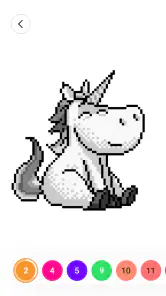
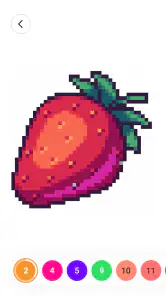
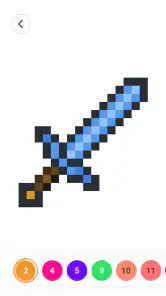
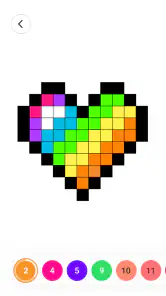
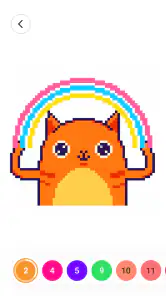


Analysis by Reviewed
I often reach for a coloring game when I want something quiet to do without planning a project or learning a complicated set of rules. Color by Number: Coloring Games is built around that small, satisfying loop: choose an image, match numbered spaces to colors, and gradually reveal a finished picture. It feels more like a screen-based coloring book than a traditional board game, so it suits short, low-pressure sessions better than competitive play.
Where I get stuck—and what helps
The basic interaction is easy to grasp, but detailed pictures can become fiddly on a phone. When several tiny spaces sit close together, I slow down and check the number before tapping rather than rushing through. On a larger tablet, those little sections are generally easier to target, which is worth considering if precision on a small screen bothers you.
I also treat the numbered image as a guide, not a test. If I lose my place, I scan for the color I was working on and look for its remaining sections instead of tapping randomly. That makes the process feel calmer and helps avoid the frustrating sense that I have to restart. The game is most enjoyable when I let a picture take several visits rather than expecting to finish every design in one sitting.
Setup checks before a coloring session
Before blaming a missed tap on the game, I check the simple things: whether the screen is responding normally, whether I can see the small numbers clearly, and whether I have enough time for the level of detail I picked. A busy, intricate design is a poor choice when I only have a minute; a simpler page makes a better quick break. These small choices do more for a smooth session than trying to color faster.
Color by Number: Coloring Games is a free board-category game from Wildlife Studios, with an Everyone age rating. It has a 4.6 average from around 257,000 ratings and over 50 million installs, so it has clearly found a broad audience. Version 4.5.0 requires Android 5.0 or later. I’d describe its appeal as focused and accessible: there is no need to draw an outline or choose every color from scratch, which is helpful when I want the pleasure of making an image without the pressure of being artistically skilled.
Rediscover the Joy of Coloring
Remember those childhood days spent filling in outlines with your favorite crayons? Color by Number: Coloring Games takes that experience and amps it up with a digital twist. The app offers a wide array of coloring pages that range from simple designs perfect for beginners to intricate patterns for those wanting a bit more of a challenge. And trust me, there's nothing quite like watching those black-and-white sketches come alive with a splash of color.
How Does It Work?
The mechanics are as simple as they come, which is one of the reasons I love this app. Each drawing is divided into numbered sections, each corresponding to a specific color. All you have to do is follow the numbers and watch as your masterpiece unfolds. It's like a modern-day paint-by-numbers, but instead of canvas, you’re using your phone or tablet.
More From Our News Desk

Weather by Xiaomi Review: Clear at a Glance, Less Clear Up Close

X Under Pressure: Can It Recover When Posting Goes Wrong?

Clash of Clans Is Won Between the Battles

Android Auto Makes the Case for Quieter Car Software

MobiOffice: Transforming Mobile Productivity with Seamless Integration

EA SPORTS FC™ Mobile Soccer: Redefining Mobile Sports Gaming
Features That Stand Out
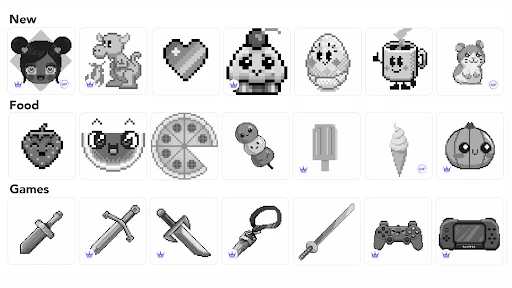
What sets this app apart is its extensive library of images. From animals and nature to complex mandalas and famous paintings, there’s something for everyone. The app is constantly updated, ensuring that you never run out of fresh content. Plus, the color palette is expansive, allowing for a vibrant coloring experience.
Another feature I appreciate is the time-lapse video option. Once you've finished a piece, you can watch a playback of the entire coloring process. It's oddly satisfying and perfect for sharing your artwork on social media. Who knew watching yourself color could be so captivating?
Choosing a picture for the time you have
I get more out of the game when I choose the artwork before I start rather than tapping the first image I see. A compact, clearly divided design is a sensible pick for a short pause, while a denser picture works better when I can give it attention without interruption. That choice matters because the same numbered routine can feel soothing or tedious depending on how many small spaces I’m trying to track.
For example, if I have a few minutes before leaving home, I’d open a familiar image and fill a handful of sections instead of beginning a highly detailed one. If I’m settled in for a longer break, I’m more willing to work through a busier design and enjoy watching the picture emerge gradually. This is a useful distinction for anyone wondering whether the game demands a long session: it doesn’t, but some images reward patience more than others.
Comparing the feel with other creative options
Compared with a blank drawing canvas, this number-guided approach removes the hardest first step: deciding what to sketch and which colors to use. That makes it a better fit for winding down than for practicing freehand drawing. A physical coloring book still wins if I want the feel of paper, pencils, and an activity away from a screen; this game is more convenient when I have my phone nearby and want to pick up a picture without setting anything out.
A practical routine is to choose a design based on the time I have, finish a few colors, then stop at a natural point rather than trying to complete the whole image. The number-color pairing gives me an easy way back into the same picture later. It also means the game is less suited to someone who wants to invent a scene or freely blend shades: the satisfaction comes from revealing the preset artwork, not making every artistic decision myself.
Perfect for Relaxation
One of the main reasons I turn to this app is for its stress-relieving benefits. There's something incredibly calming about focusing on filling in tiny sections with color. It’s a fantastic way to unwind after a hectic day, providing a much-needed mental break. And because the app is so user-friendly, it’s accessible to anyone, regardless of age or artistic ability.
For a realistic everyday use, I’d open it during a quiet wait or after dinner, pick a less intricate page, and color until I’m ready to put the phone down. It asks for enough attention to occupy restless hands, but not the planning that a puzzle or strategy game demands. That balance is the main reason I’d recommend it to someone who wants a gentle screen break. It is less compelling if you need a deep challenge, a shared multiplayer activity, or a game with a strong sense of competition.
Who is likely to enjoy it—and who may not
I’d recommend it to someone who likes visible progress and wants a creative activity with clear instructions. The numbered areas make it approachable for people who feel unsure about drawing, and the image gradually changing gives each visit a small sense of completion even when I stop before finishing. It can also suit a household looking for a calm activity that doesn’t depend on quick reactions or knowing a set of game rules.
I’d skip it if my main goal were to learn illustration, make original artwork, or collaborate with another player. A freeform art app offers more control over composition and technique, while a conventional board game gives more interaction and strategic choices. This game occupies a narrower lane: it is a guided coloring pastime, and that focus is a strength only if the process itself sounds appealing.
Paying, staying free, and setting expectations
The game is free to start, with in-app purchases priced from $7.99 to $99.99 per item. I’d decide whether to spend only after trying the free experience and working out how often I actually use it; a purchase makes little sense if I only open the game occasionally. The premium option is described as unlocking additional content and removing ads, but I wouldn’t treat that as necessary to enjoy the basic coloring loop. The main trade-off is straightforward: paying may make the experience more convenient, while sticking with the free version avoids committing money to a pastime you may not keep.
One practical question is whether the game is appropriate for younger players. Its Everyone rating makes it broadly accessible, though I’d still make purchase settings part of a parent’s usual device checks, especially when a game offers optional spending. For adults, the same advice applies: the free entry point is a useful way to see whether the pace and artwork suit you before deciding whether any purchase is worthwhile.
When a hiccup may be outside the game
If a picture seems slow to respond, I first check whether other things on the device are behaving normally and whether the screen is registering taps elsewhere. If the issue appears across multiple apps, restarting the device or closing background activity is a sensible general check before assuming the coloring game itself is at fault. For a single difficult section, I zoom my attention in, tap deliberately, and switch to another part of the picture for a moment rather than repeatedly hitting the same spot.
If I’m interrupted mid-picture, I don’t try to reconstruct every step from memory. I return to the image and use the visible numbered areas to orient myself, then continue with one color at a time. If a section is hard to target, moving to a clearer patch and coming back later is less frustrating than tapping repeatedly. That’s a simple recovery habit, but it keeps a small technical annoyance from turning a relaxing activity into a chore.
When the app is not the cause
I also keep expectations realistic about what this kind of app can do: it can provide a pleasant, guided creative pause, but it cannot replace drawing practice or the tactile comfort of paper. The image library and simple numbered workflow are its strengths; the fixed color-by-number format is also its limit. If I want to experiment freely, I choose a drawing app. If I want to relax with a clear, achievable task, I choose this instead.
It is also worth separating a frustrating session from a problem with the game itself. Small targets, glare, a cramped screen, or trying to color while distracted can all make accurate tapping harder. I’d change one thing at a time—pick a less detailed image, settle somewhere with a clearer view, or pause when I’m rushing—before deciding the experience is a poor fit. If I consistently want larger, tactile marks and fewer screen interactions, though, paper is probably the better choice rather than something to troubleshoot.
A practical verdict
As a board-category game, it is unusual in the best sense: there’s no opponent to beat and no elaborate rules to remember. Wildlife Studios has made a simple activity that works when I want to occupy a short stretch of time with something orderly and visual. The high average rating and broad install count suggest plenty of people enjoy that formula, but neither changes the personal question that matters most: do you like following a color key and watching a picture fill in?
My answer is yes when I want an easy, low-pressure creative break, and no when I’m in the mood for a demanding game or a blank canvas. I’d start with a less intricate picture, use the free version long enough to see whether I return to it, and treat purchases as optional rather than part of the basic appeal. If that guided rhythm sounds relaxing, Color by Number: Coloring Games is an approachable choice; if you want to create every detail yourself, you’ll be happier with a drawing tool or real art supplies.
In conclusion, Color by Number: Coloring Games is more than just a coloring app; it’s a delightful journey back to simpler times. Its ease of use, combined with a vast selection of designs, makes it a must-have for anyone looking to add a splash of color to their day. So why not give it a try? You might just discover a new favorite pastime.
Color by Number:Coloring Games Frequently Asked Questions
Will Color by Number: Coloring Games suit someone looking for a calm, creative game?
Color by Number: Coloring Games focuses on filling in pixel-art illustrations using numbered sections, rather than competing against other players. That makes its central activity easy to approach at your own pace. If you enjoy guided coloring and want a creative break, its format may appeal; players looking for action or a strong competitive challenge may prefer a different kind of game.
What should I know about the game’s age rating before downloading it?
Color by Number: Coloring Games carries an Everyone content rating, so its stated age suitability is broad. Its number-guided coloring format is straightforward and can encourage creativity and concentration, which may make it suitable for family use. As with any game, parents can look over its content and any purchase settings with younger players before allowing them to use it.
Is Color by Number: Coloring Games free to download, and what does it cost to play?
Color by Number: Coloring Games is free to download, so you can try its pixel-art coloring experience without paying upfront. Optional in-app purchases are available, with listed prices ranging from $7.99 to $99.99 per item. You can enjoy the game without making a purchase, but paid options may provide access to additional content or features.
What kind of game is Color by Number: Coloring Games?
It is a board game built around pixel-art painting and color-by-number activities. The store describes it as a pixel art painting game book and a 3D sandbox drawing and painting game, so it combines guided coloring with a broader creative theme. If you enjoy filling in illustrations at your own pace, its format offers a relaxing alternative to more competitive games.
What is Color by Number: Coloring Games and how does it work?
Color by Number: Coloring Games is a digital coloring app that allows users to color various images by following a number guide. Each image is divided into sections, each marked with a specific number. Users select colors according to these numbers, creating vibrant artworks. The app is designed for relaxation and creativity, making it perfect for both kids and adults.
Pros
- Extensive variety of coloring pages.
- User-friendly interface for all ages.
- Regular updates with new images.
- Offline mode available.
- Helps improve concentration and creativity.
Cons
- Contains in-app purchases.
- Frequent ads can be intrusive.
- Large app size requires ample storage.
- Some images require premium access.
- Limited free content for advanced users.
- Category
- Board
- Version
- 4.5.0













