Happy Color®: Coloring Book
- 384.72K
- 4.6
- Installs
- 100.00M
- Price
- Free

Screenshots

Analysis by Reviewed
I judge a coloring app by what it gives me during an ordinary spare moment, not by whether it promises to turn me into an artist. Happy Color®: Coloring Book is a board-style mobile game built around filling numbered spaces in illustrations, and I find its appeal clearest when I want a calm, guided activity rather than a blank page. It is free to download, with optional in-app purchases priced from $1.99 to $7.99 per item, so I can try the basic experience before deciding whether paying for extras makes sense to me.
A low-pressure way to fill a break
The numbered approach removes the hardest first step of coloring: choosing what to draw and which colors to use. I can open an image, follow its numbers, and make visible progress without needing drawing skills or a plan. That makes the game especially handy during a quiet wait, while listening to something, or when I want a small task that does not demand much concentration. It is not the same as making original art, though; the satisfaction comes from completing a prepared design, not from inventing one.
A useful habit is to treat each picture as a short session rather than a project I must finish at once. If I have only a few minutes, I can work through a patch of matching numbered areas and stop when I’m ready. When I have more time, zooming in helps me handle small sections without tapping at random. I also like choosing an image with larger areas when I’m tired and saving denser designs for when I feel patient. That small choice can make the experience feel soothing instead of fiddly.
Color Your World
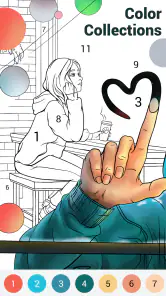
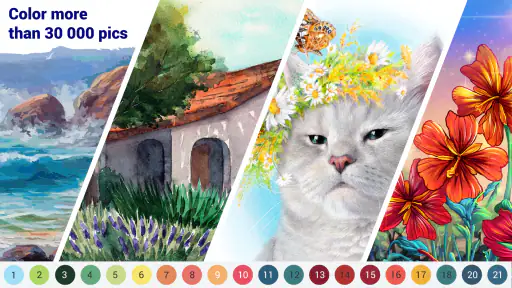
Upon launching Happy Color®: Coloring Book, you’re greeted with a vibrant and user-friendly interface. The app offers a vast array of pictures to choose from, ranging from animals and flowers to intricate mandalas and famous artworks. The categories are neatly organized, making it a breeze to find something that piques your interest. I found myself particularly drawn to the animal section – who doesn’t love a cute panda?
Simple Yet Satisfying
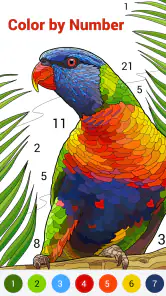
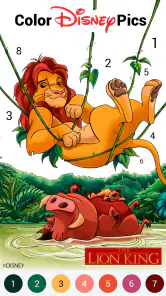
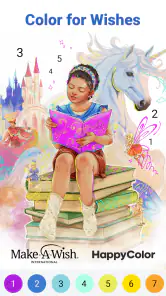
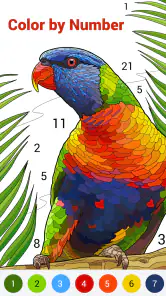
One of the standout features of this app is its simplicity. You don’t need to be a tech wizard to navigate it. Just tap on a picture, and you’re taken to a zoomable canvas ready for your artistic touch. The app uses a number-based system, where each color is associated with a number that you simply tap to fill the corresponding sections of the image. It’s almost therapeutic how easy it is to lose yourself filling in those tiny numbered spaces, and before you know it, you’ve created a masterpiece.
Picking the right kind of coloring game
Compared with a free-form drawing app, this is much less intimidating: I do not need to sketch, manage brushes, or decide on a palette before I begin. Compared with physical coloring books, it is easier to switch between designs and work on a picture without carrying supplies, but the screen cannot offer the same tactile feel or freedom to color outside the lines. This is a good trade if convenience matters more than hands-on craft. If I want to practice illustration or make something truly personal from scratch, I would choose a drawing tool instead.
For a realistic daily routine, I might open it after dinner while a family member reads nearby, or use a short coloring session to settle into a break between chores. With a child, I would let them choose the picture and take turns finding sections, while remembering that the age rating is Everyone rather than treating the game as a substitute for shared supervision. The developer is X-FLOW, and the game has an average rating of 4.6 from around 3.6 million ratings, a sign that this simple format has broad appeal without proving it will suit every player.
More From Our News Desk

Weather by Xiaomi Review: Clear at a Glance, Less Clear Up Close

X Under Pressure: Can It Recover When Posting Goes Wrong?

Clash of Clans Is Won Between the Battles

Android Auto Makes the Case for Quieter Car Software

MobiOffice: Transforming Mobile Productivity with Seamless Integration

EA SPORTS FC™ Mobile Soccer: Redefining Mobile Sports Gaming
Perfect for All Ages
What I adore about Happy Color®: Coloring Book is its universal appeal. Whether you’re a youngster just starting on your artistic journey or a seasoned adult looking for a relaxing hobby, this app caters to everyone. It’s a great way to bond with family, too. I’ve spent countless hours coloring with my niece, and it’s become a delightful weekend ritual for us.
Small frustrations to keep in mind
Numbered coloring is deliberately guided, so it can become repetitive if I want more challenge or creative control. Tiny sections may call for frequent zooming, and a missed patch can interrupt the sense of a clean finish. I find it helps to slow down around dense areas and check the remaining numbered spaces before deciding I am done. The game is also a less natural fit for someone who wants uninterrupted, screen-free relaxation or who dislikes tapping through detailed images.
It has passed 100 million installs, and the Everyone content rating makes its intended audience broad. That reach should not be mistaken for a promise of identical enjoyment: children may like the clear matching task, while adults may value the gentle pace, but players who need constant novelty or strategic competition may tire of the routine. The current version is 2.19.0, and it runs on Android 5.1 or later; those details matter if I’m checking whether an older device can install it.
Free access and the value question
While the app is free to download and use, it does offer in-app purchases if you’re the type who wants a little extra. There are premium packs and features that can be unlocked, but in my experience, the free version is more than sufficient to keep you entertained. The occasional ad might pop up, but it’s a small price to pay for the hours of fun this app provides.
I would start with the free experience and only consider spending if I had already found myself returning to the available pictures and knew what extra content I wanted. The listed purchase range is $1.99 to $7.99 per item; that tells me the possible item prices, not whether any particular purchase is worth it for my habits. I would skip paid extras if I only color now and then, and weigh them more seriously if I regularly run out of designs I want to complete. The key question is whether the added content would get used, not whether the app makes coloring feel relaxing.
Who is likely to enjoy it
I recommend trying it if you like guided, low-stakes activities, enjoy seeing an illustration fill in gradually, or want an easy shared pastime that does not require art experience. It can also suit someone who wants a simple way to occupy a short pause without learning a complicated interface. I would skip it if the main attraction of coloring for you is choosing every mark yourself, if repetitive tapping frustrates you, or if you are looking for a competitive board game with opponents and tactical decisions. Those are different needs, and a free-form art app, a paper coloring book, or a strategy game would be a better match.
Making a session fit your day
The game works best for me when I decide in advance what kind of attention I have available. A brief pause between errands suits an image with broad, easy-to-spot regions; a quiet evening is a better time for a detailed picture that asks me to zoom and scan carefully. I would not choose a dense design while walking, waiting in a crowded place, or trying to follow a conversation, since the small targets can pull my focus away from what is happening around me. That simple bit of timing makes the activity feel like a break rather than another task to manage.
If I’m sharing the screen with a child, I find it more enjoyable to take turns choosing a numbered color or spotting the next area than to race through the picture. The game gives us a clear shared goal, but it does not turn coloring into a creative lesson by itself. Asking a child why they like a particular image or inviting them to imagine a different palette can add conversation without pretending the app lets us change the artwork. For a child who wants to draw their own characters, a blank-canvas app and a stylus or paper would give more room to experiment.
Small habits that reduce tapping friction
When a picture has many tiny spaces, I try not to treat every unfinished mark as equally urgent. I work in one visible area at a time, keep the canvas enlarged while filling neighboring sections, and then zoom back out to see whether the image reads clearly. This reduces the back-and-forth of hunting across the whole picture for a single number. If I lose patience, stopping at a natural point is better than tapping carelessly just to reach completion; the design will still be there when I return.
It is also worth choosing by mood, not just by subject. A familiar, simple image can be a better pick when I want to settle down quickly, while a more intricate design suits a session when I am willing to concentrate. That is a useful distinction because the numbered system makes the first steps easy, but it does not make every picture equally effortless. The app offers guided coloring, not an automatic way to avoid all fiddly detail.
What the format does—and does not—replace
Among mobile coloring options, the appeal here is the direct link between a numbered section and its color. I do not have to make a sequence of artistic decisions before I can begin, which is why I would choose it over a drawing canvas when I want a low-effort activity. A paper book is still preferable if I want to feel the page, use pencils or markers, or step away from a screen. And if my goal is to improve at drawing, an app built around sketching and editing gives practice this guided format cannot provide.
It is a board game in the broad, casual sense, but I would not pick it as a substitute for a traditional board game night. There is no opponent to read, plan against, or cooperate with through turns; the main reward is seeing the prepared illustration fill in. That makes it a quiet companion activity rather than a social strategy game. Knowing that difference before downloading helps avoid expecting competition or deep decisions from a game whose pleasure comes from steady completion.
What to expect before spending
The free starting point is the clearest reason to try it: I can find out whether the numbered routine suits me before considering an optional purchase. The price range for individual in-app items runs from $1.99 to $7.99, but I would not assume that buying something is necessary to enjoy the core activity or that every paid option offers the same value. I would first notice whether I am actually returning to the game and whether I want access to something specific. If I have not built that habit, keeping my money is the sensible choice.
For someone who colors often, the practical question is less “Is a paid item cheap?” than “Will I make use of it?” A purchase may feel worthwhile to a regular player who has a clear reason to want more, while a casual user could be perfectly content with the free experience. I would also treat the game as entertainment rather than a productivity tool: a completed picture can make a short break satisfying, but it does not replace the freedom or learning that comes from creating an image myself.
Simple to try, best for the right mood
In conclusion, Happy Color®: Coloring Book is a fantastic option for anyone looking to blend relaxation with a touch of creativity. It’s easy to use, offers a wide variety of images, and is suitable for all ages. Whether you’re unwinding after a long day or spending quality time with loved ones, this app is sure to bring a burst of color to your day. So, why not give it a try and discover the joys of digital coloring for yourself?
My recommendation is to begin without paying and see whether the numbered rhythm genuinely helps you unwind. If you enjoy following a picture to completion, the free entry point makes that an easy test. If you want original drawing, tactile materials, or deeper game mechanics, I would choose something else rather than expecting this one to become a different kind of hobby.
Happy Color®: Coloring Book Frequently Asked Questions
What should I know before downloading Happy Color®?
Happy Color®: Coloring Book is a board-style game centered on coloring digital art templates by number. It is free to download and is rated Everyone, so it may suit a broad range of players looking for a guided creative activity. Before installing, consider whether you enjoy tapping numbered sections to complete pictures, and check that your device meets the operating system requirement.
Who develops Happy Color®, and what kind of game is it?
Happy Color® is a coloring game developed by X-FLOW. Rather than requiring drawing skills, it guides you through filling numbered areas in digital artwork with matching colors. The straightforward approach makes it easy to pick up, while the finished pictures offer a simple creative goal. It is best suited to players who enjoy relaxed, image-based activities.
Can I use Happy Color®: Coloring Book on my device?
Happy Color®: Coloring Book is available for Android and iOS devices. The Android version requires Android 5.1 or later, so it is worth checking your device’s operating system before downloading. It is a board-style coloring game built around painting digital art templates by number, making it a straightforward option for players who want a creative activity on a phone or tablet.
Is Happy Color® free to download, and what does it cost to use?
Happy Color® is free to download, and its core color-by-number activity can be enjoyed without paying. Optional in-app purchases are available, with individual items priced from $1.99 to $7.99. These purchases are not required to start coloring, so you can try the game first and decide whether any optional extras suit the way you want to use it.
What is Happy Color®: Coloring Book?
Happy Color®: Coloring Book is a digital coloring app that allows users to relax and unwind by coloring a variety of images. The app offers thousands of pictures, including animals, flowers, and famous paintings, which users can color by numbers. It's available for both Android and iOS devices, providing a creative escape for all ages.
Pros
- Extensive variety of coloring pages.
- Regularly updated with new designs.
- User-friendly interface.
- Offline mode available.
- Free to download and use.
Cons
- Contains in-app purchases.
- Some ads can be intrusive.
- Limited features without subscription.
- Requires internet for daily updates.
- May consume significant battery life.
- Category
- Board
- Version
- 2.19.0