Classic Drum: play drums
- 1.21K
- 4.6
- Installs
- 10.00M
- Price
- Free

Screenshots
Analysis by Reviewed
I like a drum app best when it gives me a clear reason to make one more attempt: a beat to try, an audible result, and a simple way to adjust it. Classic Drum: play drums fits that kind of quick, hands-on session. It puts a virtual kit within reach when a real one would be too loud, too bulky, or simply unavailable. I’d treat it as a casual place to tap out ideas and explore rhythm, rather than expect a phone screen to teach every part of drumming.
Picking a useful first exercise
For a first session, I’d resist the urge to hit every on-screen drum at once. Pick a steady pulse and give yourself a small task, such as keeping the same beat for a short stretch without speeding up. This makes the first action easier to judge: I can pay attention to timing instead of getting distracted by how many sounds I can trigger. Once the pulse feels settled, I can add another part and see whether the groove still holds together.
That approach also helps answer a practical question: can I use it without knowing how to play drums? Yes, as a low-pressure way to explore beats and get comfortable coordinating taps. I wouldn’t treat tapping accurately on glass as proof that I’ve learned stick control, though. The screen offers no physical rebound, and playing with fingers is not the same movement as using drumsticks. For a beginner, that distinction matters: the app can make rhythm feel approachable, while a teacher or a real instrument is better for building sound technique.
Making a short session count
A realistic use for me is a small break between other tasks. I can open the app, try one rhythm idea, listen back, and stop before the session turns into aimless tapping. The metronome gives that exercise a reference point, while recording can preserve a rough take to revisit. I’d keep the goal narrow: compare two attempts for steadiness, or see whether adding a new hit throws off the pulse. That is a more useful measure of progress than simply playing for longer.
There’s also a handy way to use the recording option as a memory aid. If a pattern comes to mind while I’m away from my instruments, a quick take can capture the idea before I forget it. I would treat the recording as a sketch, not a polished demo: a phone performance may be enough to remember the shape of a rhythm, but it is not a substitute for arranging parts or rehearsing with other musicians. This is especially useful for casual players who want to bring a starting point to their next practice.
Who will enjoy the freedom, and who may want structure
The open-ended format suits curious beginners, hobby musicians, and anyone who wants a quick way to experiment with drum sounds. It is also useful when noise or space makes a physical kit inconvenient. Because there is no need to set up hardware before trying an idea, the barrier to a brief session is low. That convenience is the main draw for me: a few taps can be enough to explore whether a rhythm works.
The trade-off is that an open canvas asks me to invent my own reason to continue. Someone who wants songs, prompts, a score, or a clear sequence of challenges may prefer a rhythm game built around those things. A touchscreen kit offers more freedom to make a beat, but less built-in direction than a lesson or a game that tells me what to play next. Before choosing, it helps to ask whether I want to create a pattern freely or follow a prepared activity.
More From Our News Desk

Weather by Xiaomi Review: Clear at a Glance, Less Clear Up Close

X Under Pressure: Can It Recover When Posting Goes Wrong?

Clash of Clans Is Won Between the Battles

Android Auto Makes the Case for Quieter Car Software

MobiOffice: Transforming Mobile Productivity with Seamless Integration

EA SPORTS FC™ Mobile Soccer: Redefining Mobile Sports Gaming
Touchscreen play has another practical limit: fingers can reach several pads quickly, but they don’t create the spacing and movement habits of a drummer using a kit. If I’m sitting still, concentrating on a basic groove, that limitation is manageable. If I’m walking, riding a crowded bus, or trying to play a complicated pattern without watching the screen, it becomes much less comfortable. I’d save focused practice for a place where I can hold the phone securely and look at the layout.
Getting into the Groove
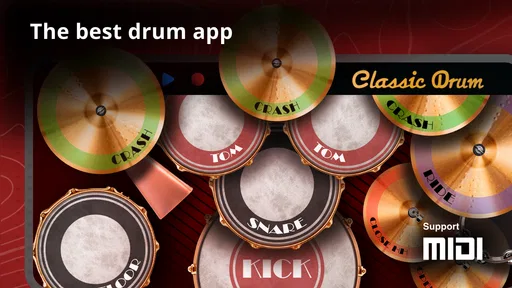
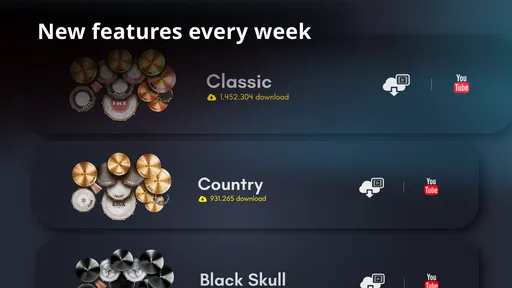
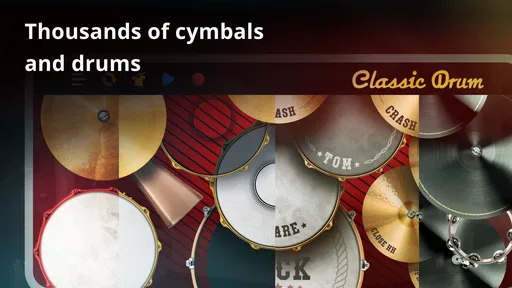
When you first open Classic Drum: play drums, you're greeted with a sleek and intuitive interface. It's like stepping into a virtual music studio. The app offers a variety of drum kits, each with its own distinctive sound and vibe. From rock and jazz to electronic beats, there's something here to suit every musical taste. I was particularly impressed with the app's attention to detail—the drum sounds are incredibly realistic, which makes for an immersive drumming experience.
Classic Drum is a free music game from Kolb Apps, and its long-running appeal shows in its 4.5 average from around 118,000 ratings and more than 10 million installs. It’s suitable for everyone, while optional in-app purchases range from $1.99 to $18.99 per item. The current version is 8.45.8, and it runs on Android 7.0 or later. I’d think of it less as a replacement for a physical kit and more as a compact way to explore drum sounds and keep your hands involved when a full setup isn’t practical.
Features that Hit the Right Note
One of the standout features of this app is its versatility. You can customize your drum kit according to your preferences, which is a huge plus if you're picky about your sound. The app also includes a metronome, which is perfect for keeping time while you jam. Whether you're a beginner or a seasoned pro, having a metronome handy is always a good idea. Plus, the app allows you to record your sessions, so you can track your progress or share your beats with friends.
For a useful practice routine, I’d start with a simple pulse on the metronome, then add one drum part at a time rather than trying to play a complete groove immediately. Recording a short take gives you something concrete to review: listen for whether your hits land steadily, not just whether the pattern feels exciting while you’re playing it. That small pause between playing and listening is where a touchscreen drum kit can become more than a time-killer.
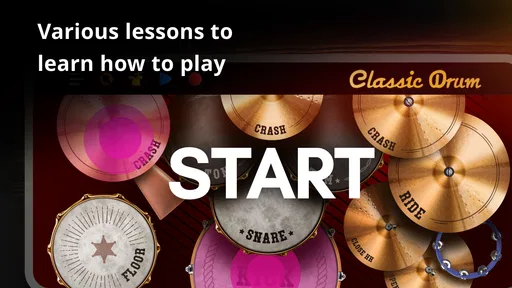
Another cool feature is the app's tutorial mode. If you're just starting out, the tutorials guide you through the basics, helping you get a feel for rhythm and timing. The learning curve is gentle, and the app does a great job of making the process fun and engaging. I found myself tapping away for hours, lost in the music!
Drumming on the Go
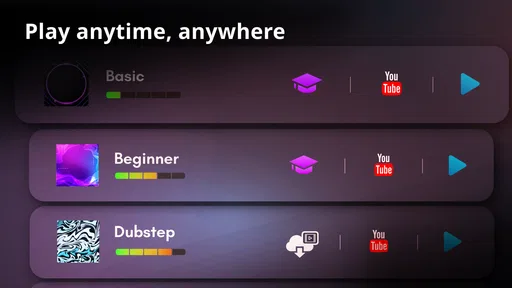
One of the things I love most about Classic Drum: play drums is its portability. You can practice your drumming skills anytime, anywhere, without disturbing the neighbors. Whether you're waiting for a bus or chilling at home, this app lets you keep the rhythm going. It runs smoothly on both Android and iOS, so no matter what device you have, you'll be able to enjoy the beats.
A realistic use is a few quiet minutes before rehearsal: I can tap out a sticking idea, save a rough session, and bring that rhythmic thought to a real kit later. On a commute, it’s better suited to discreet finger practice than an all-out performance; the small touch targets and the need to look at the screen make elaborate playing awkward when you’re moving. Headphones can make the sounds easier to hear in a noisy place, but the app is still most comfortable when you can sit down and focus.
In terms of usability, the app is user-friendly and straightforward. The controls are responsive, and I didn't encounter any lag or glitches during my sessions. It's clear that the developers put a lot of thought into creating a seamless experience for users.
Compared with rhythm games built around fixed songs, this gives me more freedom to make a beat instead of following a track’s prompts. Compared with a real electronic kit, though, a phone screen can’t reproduce the spacing, rebound, or physical feel of separate pads. I’d choose this for quick experiments and casual timing practice; if I needed reliable full-body technique, volume dynamics, or serious rehearsal, I’d move to a physical instrument. The phone format is convenient, but it also means long sessions can feel cramped and less natural.
Following the Beat from First Tap to Reset
The satisfying loop here is straightforward: I choose a sound, tap out a rhythm, use the metronome or playback to check the result, then adjust and try again. The reward is not a score or a level to clear; it’s hearing a groove become more even or discovering a pattern I want to keep. When a session starts to feel repetitive, I can switch the rhythm or return to a basic pulse instead of treating every attempt as a performance. That easy reset is useful, but it also means the motivation has to come from my own goals rather than a structured challenge.
If you’re wondering whether it works for someone with no drumming experience, I’d say it offers a low-pressure place to begin exploring timing and hand coordination. It can help make rhythm practice approachable, but it shouldn’t be mistaken for a complete course in technique. Beginners may get the most from choosing one simple pattern and repeating it slowly; experienced players are more likely to value it as a sketchpad than as their main practice tool. And if you prefer guided songs, scores, or a game that steadily unlocks objectives, a track-based rhythm game may keep you more engaged.
Final Thoughts
All in all, Classic Drum: play drums is a fantastic tool for anyone looking to dive into the world of drumming. Whether you're a newbie or an expert, this app has something to offer. It's a great way to practice your skills, have fun, and maybe even inspire your next musical masterpiece. So why not give it a try? You might just discover a hidden talent!
So, drumsticks in hand, let's get ready to rock. Happy drumming!
Classic Drum: play drums Frequently Asked Questions
What kind of experience can I expect from Classic Drum: play drums?
Classic Drum: play drums is a music game built around playing drums on a mobile device. Its store summary describes it as an app for learning and playing drums anytime, anywhere, so it may suit people who want to explore drumming without setting up a physical kit. The experience is centered on tapping the screen to play.
Can I play Classic Drum: play drums without owning a drum kit?
Yes. The game is designed to let you play drums on a smartphone or tablet, so you can try drumming without buying or setting up a physical drum kit. It offers a convenient way to explore rhythms through a touchscreen. Keep in mind that playing on a screen is different from practicing on acoustic drums, especially in feel and technique.
Does Classic Drum: play drums need an internet connection to play?
Classic Drum: play drums is a mobile music game, but whether every feature works offline can depend on how the app handles downloads and other connected services. If you plan to play while traveling or away from Wi-Fi, check the app’s current behavior on your device before relying on it. You can also try opening it with your connection disabled to see which parts remain available.
Can I use headphones while playing Classic Drum: play drums?
Headphones can be useful when playing a touchscreen drum game, especially if you want to hear the sounds clearly without disturbing people nearby. Connect your headphones to your device and check the audio before you begin. The overall sound and responsiveness may depend on your phone or tablet, so it is worth trying your preferred setup during a short practice session.
Is Classic Drum: play drums free to download, and are there optional purchases?
Classic Drum: play drums is free to download, so you can try the game without paying upfront. It also offers optional in-app purchases, with items priced from $1.99 to $18.99. You can decide whether any paid extras are worthwhile after trying the free experience; downloading the app does not require choosing an in-app purchase.
Pros
- Realistic drum sounds
- Customizable drum kits
- User-friendly interface
- Offline mode available
- Free to download
Cons
- Ads can be intrusive
- Limited song library
- No multi-device sync
- Occasional latency issues
- In-app purchases required for some features













