Solitaire - Classic Card Games
- 12.68K
- 4.9
- Installs
- 50.00M
- Price
- Free

Screenshots
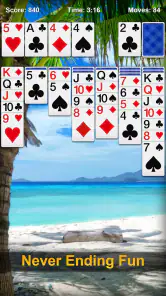
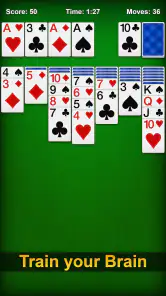
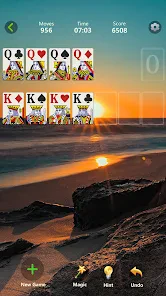
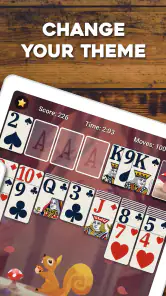
Analysis by Reviewed
I like solitaire most when it gives me a quiet few minutes without asking me to learn a complicated system first. Solitaire - Classic Card Games is built for that familiar sort of break: a straightforward card game from Guru Puzzle Game, aimed at players who want to settle into a round rather than chase a big new gaming experience. Its appeal is easy to understand, but the details that matter are how well it fits into ordinary routines, what kind of commitment it asks for, and whether its payment model suits you.
A small routine, not a new hobby
A useful way to fit a round into a busy day is to choose a natural stopping point before you begin. If I have only a couple of minutes while waiting for a kettle or a ride, I can play until that window closes rather than promising myself I will finish every deal. That makes the game easier to keep as a casual pastime instead of letting one more round quietly take over a break.
It also works well for people who want a game they can pick up without arranging a session with anyone else. I would recommend it to someone who enjoys familiar card play but does not want to manage a collection, learn a large ruleset, or follow a competitive schedule. If you prefer tactile cards, shared table conversation, or a clear endpoint imposed by a multiplayer match, a physical deck or a social card game may suit you better.
A familiar card game for short breaks
This is a free card game rated for Everyone, and the basic proposition is refreshingly approachable. Solitaire needs little explanation if you have played a classic version before, so I can open a round when I have a spare moment without spending that time navigating a tutorial or learning a story. That makes it a natural fit for a coffee break, a quiet commute when it is safe to play, or a few minutes winding down before bed.
The game has an average rating of 4.9 from around 718,000 ratings, and it has passed 50 million installs. Those figures suggest a broad audience, but they do not tell me whether every player will enjoy the same experience. The important point is that this is a well-established take on a familiar pastime, not a specialist card battler that expects a steep learning curve or a competitive mindset.
Guru Puzzle Game’s version works best for people who already know why they return to solitaire: the satisfaction of spotting a useful move, uncovering a hidden card, and gradually bringing order to the layout. If you are looking for multiplayer rivalry, elaborate deck-building, or a narrative campaign, this is not the game I would choose. Its strength is the simple loop, and that simplicity is also its main limitation.
What a round asks of you
Solitaire rewards attention more than speed. I find it more enjoyable when I pause to look at the available cards before moving anything, rather than tapping through the layout automatically. That small habit helps me notice when a move opens a column or reveals a card that could change the direction of the round. It also makes the game feel less like repetitive tapping and more like a compact puzzle.
More From Our News Desk

Weather by Xiaomi Review: Clear at a Glance, Less Clear Up Close

X Under Pressure: Can It Recover When Posting Goes Wrong?

Clash of Clans Is Won Between the Battles

Android Auto Makes the Case for Quieter Car Software

MobiOffice: Transforming Mobile Productivity with Seamless Integration

EA SPORTS FC™ Mobile Soccer: Redefining Mobile Sports Gaming
A useful way to play is to treat each round as a short decision-making exercise, not a test of how quickly you can finish. When the board stalls, I try to reconsider the order of my moves instead of assuming that the first visible play is best. This is a practical tip for classic solitaire generally, but it matters especially in a mobile version: on a small screen, hasty taps can make a useful card sequence easier to overlook.
That makes the game suitable for different moods. I can play casually while waiting for an appointment, or give a round more focus when I want a low-pressure mental diversion. It is less suitable if I need a game that reliably fits into a very precise time limit: a round may take longer than the break I have available, and the attraction of continuing can make a brief session stretch.
Progress without a demanding climb
The pleasure here is largely self-contained in each deal. I would not approach it expecting the kind of long-term progression found in role-playing games or competitive card titles. Instead, the motivation is to work through the current layout and enjoy the moment a difficult sequence begins to make sense. That can be satisfying, but players who need unlocks, a story, or a visible ladder of achievements to stay engaged may find the experience too repetitive.
For a more deliberate session, I recommend resisting the urge to make every immediately available move. Look first for moves that uncover cards or preserve useful options, then commit. This is not a promise that every deal can be solved; it is simply a better way to make the choices you do control. The distinction matters: when a round goes poorly, it can be tempting to blame yourself, but a card game always includes uncertainty in the deal itself.
There is also a trade-off between convenience and depth. A dedicated physical deck or a more feature-rich solitaire app may be preferable if you want to customize rules extensively, study strategy, or make the cards part of a longer social session. This game is the more natural choice when you want the basic activity readily available on your phone and do not need it to become a hobby-management system.
Spending, pressure, and fairness
The game is free to start, with optional in-app purchases listed from $0.99 to $59.99 per item. I would keep that range in mind before making any purchase, particularly if the phone is shared with a child or someone who might tap through a payment screen without checking. The price range alone does not explain what each item provides, so I would review the purchase details shown in the app and the device’s confirmation screen before spending.
I also would not treat spending as a requirement for enjoying a basic solitaire session. The game is presented as free, but the existence of in-app purchases means that “free” does not mean every possible item has no cost. Whether optional purchases affect convenience, presentation, or anything else should be judged from the actual offer displayed to you; I would not assume that a purchase improves your odds or gives you an advantage.
On fairness, the key distinction is between a solo card puzzle and a competitive game. Since the appeal is the individual round rather than a contest against other players, there is no reason for me to evaluate it as a head-to-head esports-style experience. At the same time, I cannot infer the exact deal-generation rules, scoring approach, or purchase effects from the general product details. If those points are central to your decision, check the in-game explanations before spending or making the game part of a personal challenge.
My practical advice is to decide what you want from the app before opening the purchase menu. If all you want is an occasional classic card game, start with the free experience and see whether the rhythm suits you. If an optional item catches your eye, compare its displayed contents and price with the benefit you expect. That is a more grounded approach than assuming a purchase is necessary—or assuming every paid item is irrelevant.
Small-screen habits that make it work better
Solitaire is one of the card games that translates naturally to a phone because its central task is visual: scan the layout, identify a move, and follow the changing arrangement. Even so, screen size changes how carefully I play. On a compact display, I take an extra beat before tapping and check that I have selected the card I intended. This is particularly useful when several cards sit close together and a quick touch could interrupt the flow.
Another good habit is to decide whether you are playing for relaxation or concentration before you begin. When I want a calm break, I let a round unfold at its own pace and stop when I am ready. When I want a little more mental engagement, I examine the consequences of a move before making it. Switching between those approaches keeps the basic format from feeling entirely automatic, without pretending that the game offers a deep strategic campaign.
For people who use games to fill unpredictable gaps, this is more practical than a title that requires a team, a live match, or an uninterrupted long session. But I would not recommend playing while doing something that needs your attention. Solitaire feels low pressure, yet the same ease of starting a round can make it tempting to glance at the phone when you should be focused elsewhere.
How it compares with other solitaire choices
Compared with a physical deck, a phone game is easier to carry and does not require a table, but it cannot replace the tactile feel of handling cards. Compared with a solitaire app that offers extensive rule variations or customization, this one is better suited to someone who wants a familiar, direct experience rather than a toolbox of options. I would choose based on the kind of break I want: convenience and an uncomplicated card session here, or greater control and variety elsewhere.
It also differs from collectible card games, where building a deck, managing resources, and competing against other people are often central. Solitaire keeps the focus on the deal in front of you. That makes it easier to dip into, but it gives players fewer reasons to return if they need social interaction or a continuing progression system. The right alternative depends less on which game is objectively better and more on whether you want solitary focus or ongoing competition.
Who should try it, and who should pass
I would recommend this game to anyone who already enjoys classic solitaire and wants a convenient phone version for short, self-paced sessions. It is also a sensible first choice for a casual player who wants a familiar card game rather than a complex mobile title. Its Everyone age rating makes the intended audience broad, though I would still pay attention to purchase controls on a shared device.
I would steer away from it if you dislike repeated rounds, want guaranteed outcomes, or expect a strong sense of advancement beyond the card game itself. It is also not my pick when I want a social game or a contest where skill can be measured against another person. If you are sensitive to optional spending prompts, take a moment to review the purchase settings and offers before settling in; that small precaution is more useful than assuming every free game has the same payment experience.
The game has been available since April 25, 2021, and its current version is 7.3.0-26080645 for Android 6.0 and later. It has 13,000 written reviews alongside its large rating base, but I would still judge it by whether its pace and style suit you rather than by popularity alone. A broad audience can confirm that the format has lasting appeal without guaranteeing that every design choice will match your preferences.
My trust verdict
Solitaire - Classic Card Games earns my recommendation as a simple, accessible way to play a familiar card game on a phone. I like it most when I want a quiet puzzle that can fit around the day, not a game that demands a schedule or promises constant new goals. Its free entry point is useful, while the in-app purchase range is a reason to make deliberate choices rather than tap casually.
My verdict is positive with a clear boundary: choose it for the solitaire experience, not for features or guarantees you have not seen for yourself. I would start with a free session, pay attention to how the rounds feel on your screen, and only consider an optional purchase after checking exactly what is offered. If that straightforward rhythm is what you want, this is an easy game to keep nearby; if you want multiplayer competition, extensive customization, or a more substantial progression loop, another card game will be a better fit.
Solitaire - Classic Card Games Frequently Asked Questions
What is Solitaire - Classic Card Games?
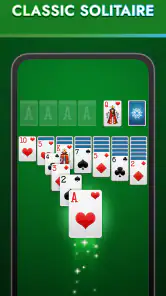
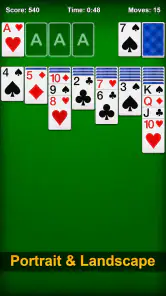
Solitaire - Classic Card Games is a mobile card game centered on familiar solitaire play, usually featuring Klondike-style rounds in which you arrange cards into descending sequences, alternating colors, and build each suit from Ace to King. The exact selection of modes and features can vary by app version, so check the store listing before downloading if you are looking for a particular solitaire variant.
Is Solitaire - Classic Card Games free to download and play?
The game may be available to download without an upfront charge, but free-to-play apps can include advertisements, optional purchases, or other monetized features. Availability and pricing may also differ between Android and iOS or change over time. Review the current store listing and its in-app purchase details before installing, especially if you prefer an ad-free experience or want to avoid accidental purchases.
Can I play Solitaire - Classic Card Games offline?
Many solitaire games support offline play because their core card rounds do not require multiplayer or a constant internet connection. However, some features—such as advertisements, daily challenges, cloud saves, leaderboards, or statistics synchronization—may need internet access. Check the app’s current description and test its behavior after installation if offline access is important for travel or for playing where connectivity is limited.
Is Solitaire - Classic Card Games suitable for beginners?
Solitaire is generally easy to learn: the basic goal is to uncover cards and organize them into the appropriate sequences and suit foundations. The app may provide hints, undo controls, or other assistance, but available guidance depends on its version. Beginners can start with standard games and learn the rules as they play; experienced players may prefer to check whether the app offers additional modes or difficulty settings.
What permissions or privacy considerations should I check before downloading?
Before installing, review the app’s permissions, privacy policy, and data-safety information on the relevant app store. A card game should not need access to unrelated personal features, but advertising, analytics, notifications, or optional account services may involve data collection or additional permissions. The information can differ by platform and app version, so rely on the current store disclosures rather than assuming every release handles data in the same way.
Pros
- Simple rules make it easy for beginners to pick up.
- A good choice for short breaks or offline play.
- Familiar Klondike-style gameplay offers a relaxing pace.
- Undo options can help recover from accidental moves.
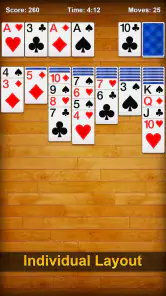
- Card and background customization adds a personal touch.
Cons
- Frequent ads may interrupt games or menus.
- Some features or themes may require in-app purchases.
- Random deals can occasionally feel difficult or unwinnable.
- Small cards may be hard to read on compact screens.
- Progress and settings may not sync across devices.
- Category
- Card
- Version
- 7.3.0-26080645