Solitaire - Classic Card Games
- 11.81K
- 4.5
- Installs
- 50.00M
- Price
- Free

Screenshots
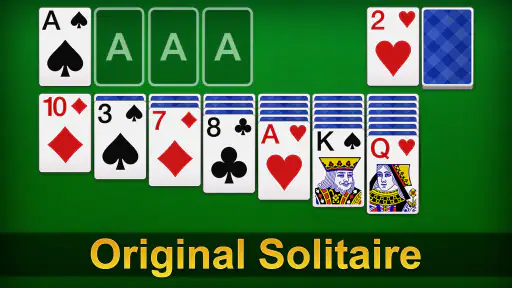
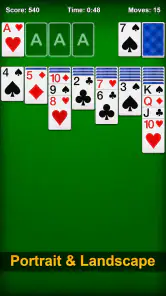
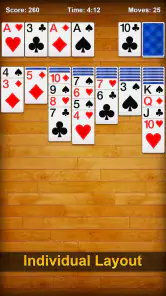
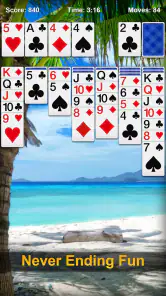
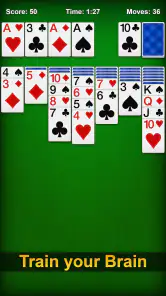
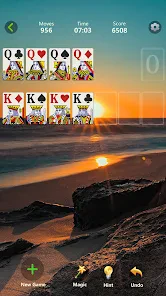
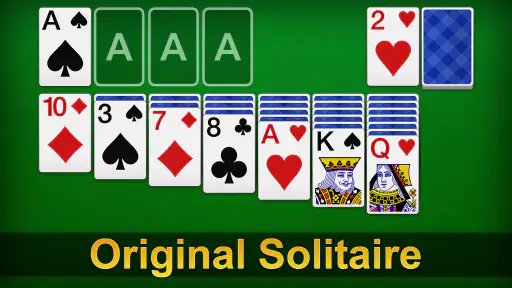
Analysis by Reviewed
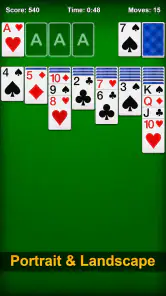
I like solitaire best when it gives me something to think about without demanding a whole evening, and Solitaire - Classic Card Games fits that small-gap role well. It is a straightforward card game from nerByte GmbH: the familiar solitaire format is the point, not a pile of unrelated modes or a complicated progression system. I can start a round while waiting for a kettle to boil, pause when real life interrupts, and come back later without having to remember a story or a long sequence of objectives.
That simplicity is also the main trade-off. If you want a deep strategy game, frequent surprises, or a social card experience, this is unlikely to hold your attention for long. But if you enjoy sorting a tableau, spotting a useful move, and deciding when not to move, it offers an approachable way to return to a classic. I would think of it as a casual brain teaser, rather than a card-game collection or a serious training tool.
Building a useful routine around a familiar game
I find the most useful way to approach a familiar solitaire game is to make each session feel intentional without turning it into a chore. A simple start-and-stop routine helps me enjoy the puzzle in short breaks, while a few consistent checks keep rushed moves from narrowing my choices. From there, I look at which settings and control habits make that routine comfortable on my device.
A calm baseline for each round
The most satisfying way I play is to slow down at the start. I scan the face-up cards in the tableau and look for moves that uncover a hidden card or open up a column, rather than automatically moving every available card to a foundation. That small pause matters: an obvious move can be legal without being the move that gives me the most options next. Solitaire rewards a little attention, even when I am playing casually.
When the board looks tight, I switch from trying to “win quickly” to asking what the next move would reveal. A move that exposes a face-down card can be more useful than one that simply tidies the layout. I also avoid filling an empty column just because I can; keeping track of which card could make that space useful helps me avoid boxing myself in. These are simple habits, but they make a short session feel more deliberate.
There is a practical rhythm to the game: inspect the tableau, make a move that improves access, then reassess before drawing or cycling through cards. I find that rhythm especially helpful when I am playing in brief bursts. If I am distracted, I can still enjoy the familiar card sorting, but I am less likely to make a careless move that closes off a useful sequence.
Settings and choices worth checking
Before settling into a routine, I would take a moment to look through the available settings in the installed version. Solitaire players can have strong preferences about how a round feels, and choices such as card presentation, sound, or how moves are handled can affect comfort. I would not assume every familiar option is present or enabled; checking what this particular version offers is more useful than relying on expectations from another solitaire app.
More From Our News Desk

Weather by Xiaomi Review: Clear at a Glance, Less Clear Up Close

X Under Pressure: Can It Recover When Posting Goes Wrong?

Clash of Clans Is Won Between the Battles

Android Auto Makes the Case for Quieter Car Software

MobiOffice: Transforming Mobile Productivity with Seamless Integration

EA SPORTS FC™ Mobile Soccer: Redefining Mobile Sports Gaming
It is also worth noticing how the game responds to taps and repeated actions. If a card can be moved with a simple tap as well as a drag, that can make one-handed play more comfortable; if dragging feels more precise on your device, use that instead. I treat the first few rounds as a low-pressure test of the controls. That prevents a frustrating session in which I keep blaming my strategy for what is really an awkward touch habit.
For a calmer experience, I would choose a quiet moment to explore the interface rather than adjusting things in the middle of a close round. Small display or sound preferences can matter more than they seem when you play repeatedly. On the other hand, if you like a more tactile feel, keeping sound or animation options available may make the cards feel less like a static puzzle. The right choice is personal; the useful point is to set up the game for the way you actually play.
Faster patterns that preserve choices
Experienced players often move quickly, but speed should come from a repeatable scan, not from tapping every available card. I look first for face-down cards that can be uncovered, then for columns that may become useful, and only after that for moves that advance the foundations. This order gives me a quick way to compare options without studying every card for too long. It is a modest routine, but it helps keep a casual round from turning into aimless shuffling.
Another useful habit is to pause before placing a king into an empty column. Clearing space feels like progress, yet a column is most helpful when it gives you room to move a sequence or reveal cards. If a king is the only candidate and there is no clear follow-up, I consider whether waiting might preserve more flexibility. The best choice depends on the board, so I do not follow a rigid rule; I use the pause to avoid spending an important space automatically.
I also try not to cycle through the stock on autopilot. When the available cards do not help, I take a moment to remember what has appeared and what I might be waiting for. This is particularly useful when I have already seen a card that could unlock a column or complete a sequence. If the game offers an undo option in the current version, it can be useful for learning from a mistaken move, but I would avoid using it to erase every uncertain decision. A little consequence is part of what makes the puzzle engaging.
For short breaks, I set a natural stopping point before starting: one round, or a few minutes, rather than “just one more” indefinitely. Solitaire makes it easy to restart, which is convenient but can also stretch a tiny break. I sometimes stop after a move that opens the board, rather than beginning another round immediately. That leaves the session feeling complete and keeps the game in its intended role as an easy-to-pick-up pastime.
Where this version is a better fit—and where it is not
Compared with a solitaire app that bundles several card games, this one is more appealing if you already know you want solitaire and would rather get to the tableau quickly. A larger collection is a better choice if you like switching between different rules or want variety in the same app. Compared with playing cards on a table, a mobile version is tidier and easier to carry, but it cannot replace the physical feel of handling a deck or the company of another player.
The game is also less suited to someone looking for a competitive ladder, a long-term campaign, or a strong social element. I would not choose it as my main game if I needed constant novelty. Its pleasure comes from familiar decisions and the possibility of improving how I read a layout, not from a changing world or a complicated set of unlocks. That makes it easy to return to, but it also means the basic experience can feel repetitive if solitaire itself is not what you enjoy.
For a busy day, I can see the appeal clearly: during a commute with a free seat, between household tasks, or while waiting for an appointment, a round gives me a small focus task that I can leave behind when needed. It is not a substitute for a demanding puzzle when I want to concentrate deeply, and it is not ideal if I am trying to avoid screen time altogether. I would choose it when I want a simple, self-contained diversion rather than a commitment.
What to expect before installing
The game is free to install and is rated for Everyone, so it is an easy option to try for yourself or share with a family member who enjoys card puzzles. It has an average rating of 4.5 from around 423,000 ratings, with roughly 12,000 written reviews, and has passed 50 million installs. Those figures suggest a widely played title, though popularity alone cannot tell you whether its particular pace and presentation will suit you.
It was released on November 24, 2020, and the current version is 3.9.9.9.9.9.9. The listed minimum operating system is Android 6.0. While the game itself is free, in-app purchases are available at $9.49 per item. I would check the purchase details shown on your device before buying anything, and decide in advance whether you want a wholly no-cost casual game or are comfortable with optional spending.
That price model does not change my basic recommendation: the core reason to install it is the familiar solitaire loop. If you want a plain card puzzle to return to in spare moments, the free entry point makes it straightforward to judge for yourself. If you already know you dislike repetitive solo card games, paid extras are unlikely to transform it into a different kind of experience.
A measured verdict for solitaire fans
My advice is to give Solitaire - Classic Card Games a try if you enjoy thinking a move or two ahead and want a game that can fit around ordinary interruptions. Make the early rounds about learning the controls and the layout, then use a consistent scan: uncover cards, protect useful spaces, and advance the foundations when doing so does not sacrifice a better opportunity. That approach makes the familiar format feel more thoughtful without turning a relaxing pastime into homework.
I would skip it if your idea of a good card game depends on opponents, varied modes, or a steady stream of new challenges. For everyone else, its strengths are precisely its modest ambitions: a known puzzle, quick access, and room to build a better routine through practice. It is not a reinvention of solitaire, and it does not need to be. When I want a small, quiet challenge that asks for attention but not a major time commitment, this is the kind of game I am happy to keep within reach.
How I fit a round into an ordinary day
One realistic use is a short pause between tasks when I have enough attention to follow a sequence but not enough time to start a larger game. I would begin a round only when I can tolerate leaving it unfinished; the appeal is that the puzzle is self-contained, not that every session needs a neat win. If I am waiting for an appointment, I can play a few moves, put the phone away when called, and return later if the moment allows. That flexibility makes it more practical than a game built around a continuous match.
For anyone wondering whether it suits a first-time solitaire player, I think it can, provided you are comfortable learning through the cards rather than expecting a lengthy tutorial. I would start by identifying which moves reveal hidden cards and which simply move cards between visible areas. That distinction quickly makes the board easier to read. If the controls feel uncertain, testing tap and drag behavior in a low-stakes round is more useful than trying to play fast immediately.
Small habits that make repeat play better
A helpful routine is to treat each stock pass as a memory aid rather than a slot machine. I try to notice which card becomes accessible and whether it changes what I can do in the tableau. That way, when the stock comes around again, I have a reason for choosing a move instead of repeating the same sequence blindly. It does not guarantee a win, and that is part of the trade-off: attentive play improves decisions, but the deal can still leave limited options.
I also separate “tidying” from progress. Moving a card to a foundation can make the screen look cleaner, but it may remove a card that would have helped build a sequence in the tableau. Before committing, I ask whether that card still has a practical role below. This is a useful check for players who tend to move every eligible card immediately. It is not a strict rule against foundations; it is a way to avoid mistaking visual neatness for a better position.
What the familiar format cannot provide
Compared with a more elaborate card game, the pleasure here is in small decisions, so it is a poor match if you want a fresh rule set each time or meaningful interaction with other people. Even a thoughtful routine cannot remove the repetition inherent in returning to the same kind of solitaire puzzle. If you enjoy the core pattern, that consistency is a comfort. If you need changing objectives to stay engaged, a multi-game collection or a competitive card title is likely the better choice.
The same restraint applies to expectations about progression. I would approach this as a game for practicing patience and reading a layout, not as a campaign that promises a lasting sense of advancement. Someone looking for a substantial challenge may prefer a puzzle game with more varied mechanics, while someone who wants a quick familiar diversion has a clearer reason to try this one. The distinction is useful before installing: the right question is not whether it has endless novelty, but whether a quiet solitaire round is what you want at that moment.
A practical choice for the right player
With a 4.5 average and a large audience, it is clearly a familiar choice for many people, but I would still judge it by how much I enjoy its basic loop. The free download makes that an easy decision to test, while the optional purchases mean I would keep an eye on any spending prompts if I want the experience to remain entirely free. I would not buy extras expecting them to change the game’s fundamental character: the appeal is still the card puzzle itself.
My bottom line is simple: this is a sensible pick for someone who likes a quiet, portable round and is willing to think a little before moving. It is less suitable for anyone who wants opponents, a wide menu of card games, or a steady stream of new goals. If you recognize yourself in the first group, try a few rounds with a deliberate scan and see whether the pace feels relaxing rather than repetitive. That is the best measure of whether this particular solitaire game belongs in your everyday rotation.
Solitaire - Classic Card Games Frequently Asked Questions
What is Solitaire - Classic Card Games?
Solitaire - Classic Card Games is a mobile card game centered on the familiar Klondike Solitaire format. Players arrange cards into descending sequences with alternating colors, then build the four foundation piles from Ace to King. The app is designed for quick solo play, whether you want to complete a single deal or spend longer working through a series of puzzles. Exact modes and features can vary by version.
How do you play Solitaire - Classic Card Games?
In a standard Klondike game, move cards between tableau columns in descending order while alternating red and black suits. Turn cards from the stock when you need more options, and move Aces and subsequent cards to the foundations as they become available. The goal is to transfer all cards to the foundations. If you are new to the game, check the in-app instructions for its specific draw rules and controls.
Is Solitaire - Classic Card Games free to download and play?
The app may be available to download without an upfront purchase, but that does not necessarily mean every part of it is free. Depending on the edition and platform, it may include advertisements, optional in-app purchases, or paid features. Review the listing in the Google Play Store or Apple App Store before installing, and check the purchase and privacy details, especially if the device is shared with children.
Can I play Solitaire - Classic Card Games offline?
Many Solitaire games allow you to play basic deals without an internet connection, which makes them convenient for travel or short breaks. However, features such as advertisements, daily challenges, leaderboards, cloud saving, or rewards may require connectivity, and availability depends on the particular version. If offline play matters to you, test a game after disconnecting from Wi-Fi or mobile data and consult the app’s store listing for current requirements.
Is Solitaire - Classic Card Games suitable for beginners, and what should I check before downloading?
The familiar rules make Solitaire approachable for beginners, and many versions offer simple touch controls or hints to help players understand possible moves. Before downloading, check that the app supports your device and operating-system version, and review recent user ratings for information about ads, performance, and accessibility. Also confirm its permissions and whether it offers the features you want, since different apps can share very similar names.
Pros
- Simple rules make it easy for beginners to get started.
- Undo and hint options can help when you get stuck.
- Adjustable settings let you tailor the card layout and gameplay.
- Short rounds work well for quick breaks.
- Familiar solitaire gameplay offers a relaxing
- low-pressure experience.
Cons
- Random card deals can sometimes be impossible to win.
- Ads may interrupt play
- depending on the version and settings.
- Small cards can be hard to distinguish on compact screens.
- Some features or themes may require in-app purchases.
- Gameplay may feel repetitive if you prefer more variety or challenge.
- Category
- Card
- Version
- 3.9.9.9.9.9.9