Solitaire.com - Classic Cards
- 62.93K
- 4.7
- Installs
- 50.00M
- Price
- Free

Screenshots


Analysis by Reviewed
When several people share a phone or tablet, a familiar card game can be an easy way to fill a quiet moment without needing to coordinate a group activity. I like that Solitaire.com - Classic Cards is built around a straightforward game most people can understand quickly. It suits a short turn while waiting for dinner or a longer solo break, though sharing one device works best when everyone is happy to take turns rather than keep separate progress.
A simple fit for shared moments
In a household, the appeal is the low barrier to starting a game: one person can finish a round and hand the device to someone else. The classic layout also makes it easier for a less experienced player to follow what is happening, while the hint option can offer a nudge without requiring another person to explain every move. I would treat hints as occasional help, not a substitute for learning to spot useful card sequences yourself.
A practical routine is to agree on a clear handoff: finish the current game, then let the next person start their own. That avoids confusion about whose turn it is and reduces the chance that someone accidentally changes a game in progress. I would not assume a shared device automatically means separate player histories or personal settings, so anyone who cares about keeping play distinct should check how the app behaves on their device before making that part of a family routine.
Choosing the right play setting
The customization options are useful when different people prefer different visual styles. If one person finds a card design hard to distinguish, trying another available design may make the layout more comfortable. That is a more practical reason to personalize the table than simply changing its look. A hint can also help a new player understand what moves are possible, although working out the next move independently is more satisfying for someone who already knows the rules.
For a quick everyday example, I can see this working during a short wait when one person has the device: play a few moves, pause when attention is needed elsewhere, and return later if the game remains available. Since the app can be played offline, it is also a reasonable choice for a commute or a flight when a connection is unavailable. I would still avoid starting a game if I only have a few seconds; solitaire is easy to pick up, but a rushed move can make a relaxing break feel fiddly.
Making turns feel fair on one device
For siblings or partners sharing a tablet, I would keep the arrangement simple rather than turn the game into a household competition. Decide who has the device, let that person finish a deal, and then pass it on. That is less exciting than a multiplayer match, but it avoids the awkward question of whether someone should continue another person’s half-played game. It also makes the app easier to use around chores or conversation, because there is no need for everyone to stop what they are doing at once.
A useful boundary is to distinguish taking turns from sharing an identity. If one person changes the card design or leaves a game open, the next player may encounter that state. I would agree in advance whether the next person should continue, start fresh, or leave the settings alone. This small habit is more reliable than assuming a casual solitaire app will organize different household members’ preferences for them.
More From Our News Desk

Weather by Xiaomi Review: Clear at a Glance, Less Clear Up Close

X Under Pressure: Can It Recover When Posting Goes Wrong?

Clash of Clans Is Won Between the Battles

Android Auto Makes the Case for Quieter Car Software

MobiOffice: Transforming Mobile Productivity with Seamless Integration

EA SPORTS FC™ Mobile Soccer: Redefining Mobile Sports Gaming
Small habits that make solo play smoother
When I want a quick session, I choose a moment when I can give the board a little attention instead of opening a deal while juggling several tasks. Solitaire rewards noticing which cards are exposed and planning a few moves ahead, so interruptions can make it harder to remember why I moved a card. If I know I may have to hand the device over, I finish a deal first; if that is not practical, I pause only when I can leave the screen in a clear state.
The hint is most useful as a learning tool when I am unsure what the game allows, not as something to tap after every move. I would first scan the tableau and the foundation piles, then use a hint if I still cannot see a sensible option. That keeps the game from becoming a sequence of prompts and helps a newer player learn the visual logic. For someone who already knows solitaire well, skipping hints can make a familiar deal feel more like a small personal puzzle.
When a different kind of card game is better
This is a good fit for one person at a time, but it cannot replace the social rhythm of a real card table. If the goal is to talk, teach a child by pointing at the cards, or play together across the same table, a physical deck is the better choice. If you want opponents, team play, or a changing set of rules, a multiplayer card game will likely hold your attention longer. I see this app as the convenient option for a quiet gap, not as a universal answer for every card-game mood.
It also suits people who prefer a familiar format over a large collection of modes to learn. That focus makes it approachable, but it can feel repetitive if you want each session to introduce a new mechanic or a strong narrative. I would choose it for an uncomplicated solo routine and look elsewhere when novelty or direct interaction is the main reason I want to play.
Getting Started
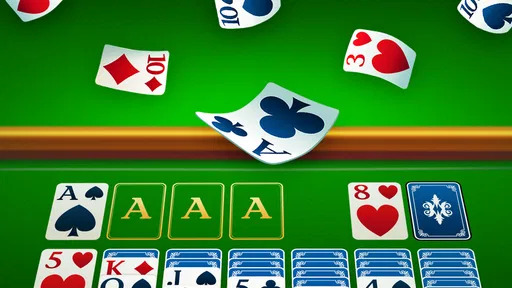
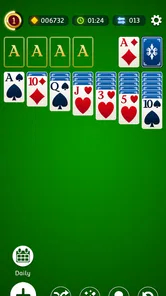
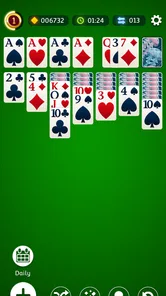
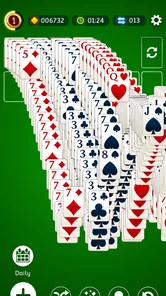
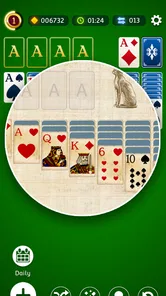
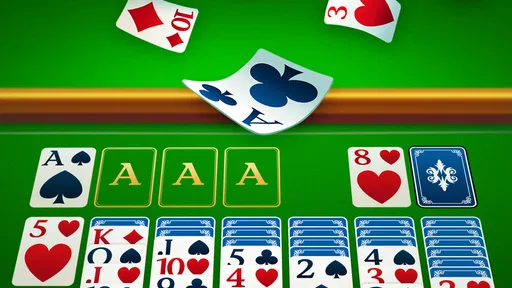
When you first open Solitaire.com - Classic Cards, you’re greeted with a clean and intuitive interface. No fluff, just straight to the point. The app is designed to mimic the classic solitaire experience, so you’ll find all the familiar elements like the deck of cards, the tableau, and the foundation piles. The beauty of this app is in its simplicity. You don’t need to be a tech wizard to figure out how to play. Just tap, drag, and drop your way to victory.
Features that Stand Out
One of the things that I really appreciate about this app is its customization options. You can choose from a variety of card designs and backgrounds to suit your personal style. It’s a small touch, but it makes the game feel more personal and engaging. I also love the hint feature, which gives you a nudge in the right direction if you’re stuck. It’s like having a helpful friend by your side when the cards aren’t in your favor.
For those who are competitive, the app offers a daily challenge mode where you can compete against other players worldwide. It adds a fun layer of competition and keeps things interesting. Plus, there’s a leaderboard, so you can see how you stack up against other solitaire enthusiasts.
How it compares in the card-game aisle
Compared with a physical deck, this version saves setup time and gives you a ready-made tabletop on a small screen. A paper deck is better for playing together face to face, teaching by pointing at cards, or avoiding screen time; this app is better when you want a solo game without carrying anything extra. Compared with more elaborate digital card games, its familiar solitaire format is easier to dip into, but it is not the right pick if you want multiplayer card-table interaction or a story-driven campaign.
The daily challenge and leaderboard give repeat play a goal beyond finishing a single deal. I’d use them when I want a reason to return, while treating the standard game as the better choice for an unhurried break. The competitive layer may be less appealing to someone who wants a completely private, no-pressure pastime. In that case, the ordinary solitaire routine still makes sense without needing to focus on rankings.
Age, cost, and practical expectations
The game is rated for Everyone, and its familiar card format makes it accessible to a broad range of players. For children, I would still make the usual shared-device choices with an adult: agree on turns and avoid assuming that the game provides household accounts or parental controls. The developer is Tripledot Studios Limited. It is free to play, has an average rating of 4.8 from around 306,000 ratings, and has been installed over 10 million times. It was released on January 19, 2018; version 4.53.00 requires Android 6.0 or later.
One trade-off is that a familiar solitaire game can become repetitive if you want a steady stream of new rules or social play. Its strongest use is simpler: a dependable solo card game that is quick to understand and can be played without an internet connection. If you need each household member to have clearly separated progress, or prefer a shared physical activity, I would choose another option rather than count on this app to provide those boundaries.
Who will enjoy it most
I would recommend it to someone who already likes solitaire, wants a familiar game ready on a phone, and values being able to play without a connection. It is also a sensible first digital card game for a person who knows the basic idea but wants hints while learning. The adjustable card designs can help make the table easier to read, while the daily challenge gives a regular player a reason to try a fresh goal instead of repeating ordinary deals every time.
I would steer away from it if your main aim is a shared, live game or if you need separate household profiles to keep settings and progress clearly divided. It is also not ideal for someone who quickly tires of repeating a classic format. Before settling into a shared-device routine, it is worth checking that the visual layout feels comfortable on the screen and agreeing how to handle an unfinished round. Those simple choices matter more than trying to make a solo game serve as a group activity.
Why You Should Download It
Now, let’s talk about why you should download this app. First off, it’s free! Yep, you heard me right. You can enjoy endless hours of solitaire without spending a dime. Plus, it’s available on both Android and iOS, so no one is left out. It’s perfect for those moments when you need a quick mental break or just want to zone out for a bit.
Another reason to love this app is its offline capability. You can play anytime, even when you’re without an internet connection. So, whether you’re on a plane, on the subway, or just somewhere with spotty Wi-Fi, you can still get your solitaire fix.
Final Thoughts
In conclusion, this classic card game is a must-have for any card game lover. It’s a faithful adaptation of the classic game with a few modern twists to keep things fresh. The app is user-friendly, customizable, and offers just enough challenge to keep you coming back for more. So go ahead and give it a try. I promise you won’t be disappointed!
Solitaire.com - Classic Cards Frequently Asked Questions
What kind of game is Solitaire.com - Classic Cards?
Solitaire.com - Classic Cards is a mobile card game centered on solitaire, offering a familiar way to play on a phone or tablet. Its store summary describes it as a collection of fun solitaire card games, so it may suit players looking for a casual game to pick up for a short break or enjoy at a more relaxed pace.
Is Solitaire.com - Classic Cards suitable for quick sessions?
Yes. Solitaire is easy to return to whenever you have a little time, and the game is designed for mobile play. You can enjoy a round during a short break or settle in for a longer session, depending on your mood. Its simple card-game format makes it a natural choice for players who want something familiar rather than a lengthy story or complex setup.
Is Solitaire.com - Classic Cards free to download and play?
Yes. Solitaire.com - Classic Cards is free to download and play, so you can try its classic card-game experience without paying upfront. The game is developed by Tripledot Studios Limited and is listed for everyone. If you prefer a straightforward solitaire game for a quick break or a longer session, the free starting point makes it easy to give it a try.
What devices can run Solitaire.com - Classic Cards?
Solitaire.com - Classic Cards is available for Android and iOS devices. On Android, it requires Android 6.0 or later, while iPhone and iPad users can look for it in the Apple App Store. It is a mobile card game, so the main experience is designed around playing on a phone or tablet rather than on a desktop computer.
What platforms is Solitaire.com - Classic Cards available on?
Solitaire.com - Classic Cards is available for both Android and iOS platforms. Users can download it from the Google Play Store for Android devices and from the Apple App Store for iOS devices. It offers a seamless gaming experience across various mobile devices, ensuring you can enjoy your favorite card game anytime, anywhere.
Pros
- User-friendly interface
- Multiple game modes
- Daily challenges available
- Offline play supported
- Customizable card designs
Cons
- Contains ads
- Limited free features
- Occasional bugs
- Requires internet for updates
- In-app purchases necessary for bonuses