Block Craft 3D:Building Game
- 74.31K
- 4.3
- Installs
- 100.00M
- Price
- Free

Screenshots
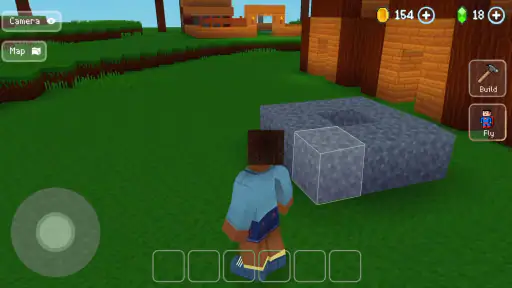

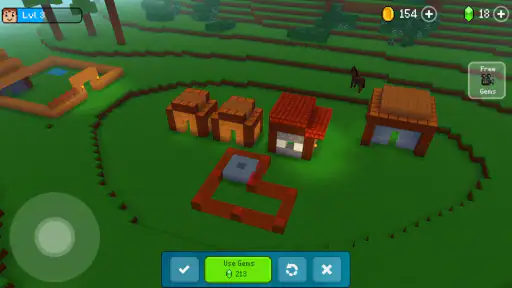
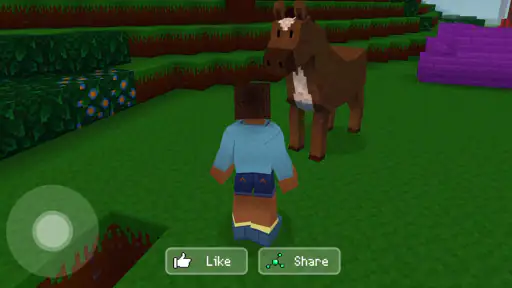
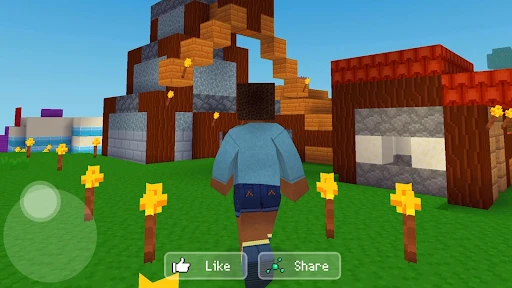
Analysis by Reviewed
I can see Block Craft 3D: Building Game working especially well on a shared tablet during a quiet stretch at home. One person can sketch out a small house, then hand the device over so someone else can add a garden or a taller roof. That kind of casual turn-taking suits a builder better than a game that depends on everyone reacting at once. I’d agree on whose town is being changed before sharing the screen, though: creative freedom is enjoyable, but it also means a well-meant edit can disrupt someone else’s plan.
Making a shared device work
For a household routine, I’d treat each play session as a small project rather than assume several people can safely share one ongoing build. Before handing over the device, take a moment to look at what is on screen and agree whether the next player should continue it or simply explore. That simple boundary matters more than elaborate planning, especially when a younger player is still learning how block placement and camera movement affect a structure.
It also helps to keep early projects manageable. A compact home, a path, or a recognizable landmark gives a new builder room to experiment without turning the first session into a sprawling, hard-to-finish project. If the device is used by different people, a quick verbal handoff—what is finished and what is still in progress—can prevent accidental changes and make collaboration feel more like a shared activity.
Choosing the right kind of creative game
This is a good fit when the appeal is visible construction: placing blocks, shaping a town, and enjoying the result from different angles. Compared with arcade games built around quick reactions, it asks for patience and gives the player more control over the pace. Compared with a more demanding sandbox, its straightforward touch controls are approachable, but players who want intricate systems, strict building challenges, or a carefully guided campaign may find the open-ended approach too loose.
One useful habit is to rotate the view before committing to a tall or awkward section. A structure that looks tidy from the front may be uneven from the side, and checking the angle early can save a frustrating round of adjustments. I’d also build in stages—outline first, then walls, then details—rather than trying to complete a whole city in one sitting. That makes the work easier to resume and gives younger players a clear sense of progress without needing a complicated plan.
Age, purchases, and expectations
The game is rated Teen, so I would not treat its blocky look alone as proof that it is suitable for every child. In a family setting, an adult should check the experience and decide whether it fits the player; the rating is a more useful starting point than the cheerful art style. The game is free to start, while optional in-app purchases range from $0.99 to $119.99 per item, so I’d review purchase settings on a shared device before letting someone play unsupervised. That is a practical household precaution, not a claim that the game includes a particular parental-control feature.
It also helps to set expectations about what “building together” means. Multiplayer can make it fun to visit friends’ towns and look for ideas, but it is not the same as a household planning session around one screen. If people are using separate devices, agree on what kind of feedback is welcome before offering suggestions; if they are taking turns on one device, decide who is making the next change. Either approach keeps the social side encouraging instead of turning a creative project into an argument over whose design is better.
More From Our News Desk

Weather by Xiaomi Review: Clear at a Glance, Less Clear Up Close

X Under Pressure: Can It Recover When Posting Goes Wrong?

Clash of Clans Is Won Between the Battles

Android Auto Makes the Case for Quieter Car Software

MobiOffice: Transforming Mobile Productivity with Seamless Integration

EA SPORTS FC™ Mobile Soccer: Redefining Mobile Sports Gaming
For a short everyday session, I can imagine opening the game after school or during a quiet weekend break, adding one room or fixing a path, and then stopping without needing to finish an entire city. That is where its low-pressure building style makes sense. It is less suitable for someone who wants a clear win condition, a tightly paced story, or competitive action. If the main goal is shared creativity, though, a small agreed project gives everyone something concrete to contribute.
Who will enjoy building at this pace
The appeal is strongest for players who like making something they can look at and gradually improve. It suits a child and adult taking turns, a solo player who wants a calm creative break, or friends who enjoy visiting one another’s towns for ideas. Wildlife Studios has made an arcade game with a building focus, and that blend makes the experience feel more relaxed than a typical score-chasing arcade title. I would choose it when the goal is to tinker, not when I want a quick match with a clear winner.
There is a practical difference between playing for ten minutes and settling in for a longer session. A short visit can be spent on one visible task—finishing a roof, extending a path, or adjusting a building’s shape—while a longer session is better suited to planning how several structures relate. I find that choosing a stopping point before starting helps: otherwise, the open-ended nature can make “one more detail” stretch the session without a satisfying sense of completion.
Small workflow choices that prevent frustration
For a shared build, I’d use a simple verbal plan rather than give everyone a vague instruction to “make it better.” Decide whether the next person is adding decoration, changing the outline, or building nearby. Those tasks are different in scale, and agreeing on one makes it easier to preserve the original idea while still leaving room for another person’s style. It also gives younger players a manageable goal instead of asking them to take responsibility for an entire town.
When a structure starts to feel messy, I would pause and inspect it from more than one angle before placing another block. The camera view can hide uneven edges, so a quick rotation is a useful check, not just a way to admire the result. Building the outline first is another good safeguard: it lets you judge proportions before spending time on walls and decorative details. These habits are especially helpful on a touch screen, where an unintended placement can be harder to notice until the view changes.
It is also worth separating inspiration from imitation. Visiting other towns can give you ideas for scale, layout, or a color arrangement, but copying a whole design may leave a player with little to decide for themselves. I’d pick one feature to borrow—perhaps the shape of a roof or the placement of a path—and adapt it to a smaller project. That keeps visits useful without turning the building session into a contest over who can reproduce someone else’s work.
How it compares with other building games
Against a conventional arcade game, this one trades quick reactions and score pressure for steady construction. That is a real advantage if I want something I can pause mentally and return to, but it is a drawback if I need each session to feel like a complete round. More complex sandbox games can offer deeper systems and more demanding goals; Block Craft 3D is easier to approach when the main pleasure is arranging blocks and seeing a town take shape, rather than learning a large set of rules.
That simpler approach does not make it the right choice for every builder. Someone who wants a campaign that directs them from one objective to the next may find the freedom a little aimless. A player who enjoys intricate planning may also outgrow the straightforward construction loop and prefer a sandbox with more involved mechanics. I would start here for casual, visual creativity, then look elsewhere if the player begins asking for tougher constraints, elaborate systems, or a stronger sense of progression.
There is a trade-off in the social side, too. Being able to visit other players’ towns offers a source of inspiration, but it does not automatically create coordinated teamwork. A household sharing one device has to manage turns and protect each other’s plans through conversation; friends on separate devices need to be clear about whether they are browsing, giving feedback, or working toward a shared idea. That distinction helps avoid expecting the game itself to organize collaboration.
What to know before handing over the device
The Teen rating is a useful prompt for an adult to decide whether the game fits a particular player, rather than relying on its block-based appearance. I would also talk about purchases before a child begins, because a free download can still include optional spending. With item prices spanning $0.99 to $119.99, checking the device’s purchase arrangements is sensible in a household where more than one person can use it. This is about setting clear boundaries, not assuming the game offers family-specific settings.
For shared-device use, keep account and ownership expectations simple. Before anyone changes a town, agree who is responsible for the current design and whether the next player is allowed to alter existing buildings. If the household has separate profiles or accounts on its devices, decide which one is being used for the session; do not assume that a shared screen means everyone’s progress or preferences are separated. A brief check before play is easier than trying to settle a disagreement after a favorite structure has changed.
Storage and connection questions are often part of deciding whether to try a game, but I would not make assumptions about those details. What matters for the household decision is whether the player enjoys the actual loop: tapping to place blocks, adjusting the view, and gradually shaping a town. The best test is a modest project rather than a grand city plan. If the player enjoys improving a small build, there is a reason to continue; if they quickly ask for missions or action, this style may not hold their attention.
Block Craft 3D is free, has a 4.3 average from around 2.7 million ratings, and has passed 100 million installs. Those figures show that the building concept has reached a broad audience, but they cannot tell me whether a particular player will enjoy its pace. The game was released on August 24, 2016, and version 2.21.16 requires Android 6.0 or later. I would check that requirement against an older household device before planning a shared play session.
Hey there, fellow gamers! Today, I'm diving into the pixelated world of Block Craft 3D: Building Game, a game that’s been making waves among sandbox enthusiasts. If you’ve ever dreamt of creating your own virtual city block by block, then you might want to stick around as I share my thoughts on this addictive builder game.
Getting Started with Your First Build
Jumping into Block Craft 3D for the first time is like opening a box of LEGO bricks, but without the risk of stepping on a stray piece! The game welcomes you with a simple tutorial that guides you through the basic mechanics. Within minutes, you're crafting houses, towers, and even castles. It's super intuitive, which means you won't be scratching your head trying to figure out what to do next.
Building and Crafting: Your New Obsession
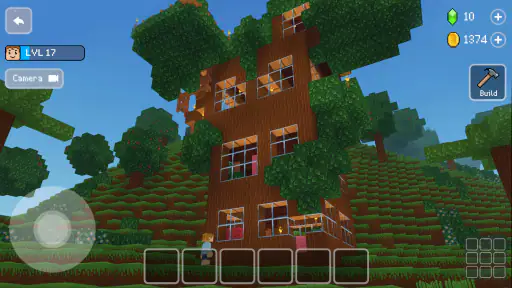
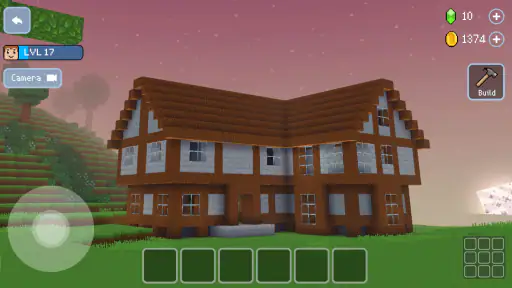
What really hooks you in is the sheer freedom the game offers. You can literally build anything your imagination can concoct. From towering skyscrapers to quaint countryside cottages, the world is your oyster. The game provides a variety of blocks and items to use, and as you progress, you unlock even more. Trust me, once you start building, it’s hard to stop!
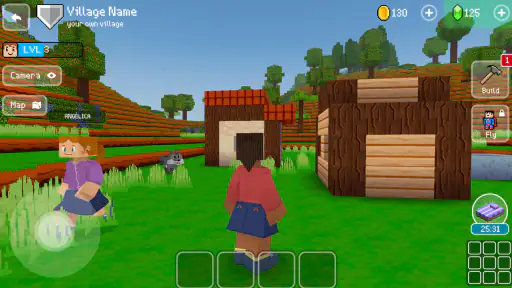
The design mechanics are straightforward. You tap to place blocks and swipe to rotate your view. It's all about creativity here, so if you’re the kind of person who loves to get lost in your imagination, this game is right up your alley.
Multiplayer Mode: Building Together
One of the standout features of Block Craft 3D is the multiplayer mode. Imagine roaming around in your friend’s virtual town, checking out their architectural prowess, and perhaps getting a little competitive with your own builds! It adds a layer of social interaction that makes the game even more engaging. Plus, you can visit other players’ cities for inspiration or just to admire the creativity of others.
Graphics and Soundtrack
Let’s talk visuals. The game sports a charming voxel-style aesthetic that’s both nostalgic and modern. It’s not the most graphically intense game out there, but it doesn’t need to be. The simplicity of the graphics is what gives it its charm. And the soundtrack? It’s a soothing accompaniment to your building endeavors, perfect for those long sessions of crafting.
If I had to highlight one thing, it would be how the game manages to keep you engaged without overwhelming you with too many options at once. It's a balanced experience that caters to both casual gamers and dedicated builders alike.
Final Thoughts
In conclusion, Block Craft 3D: Building Game is a delightful sandbox experience that offers endless hours of creativity. Whether you're a seasoned builder or a newbie just looking to have some fun, this game is bound to captivate you. With its user-friendly interface, engaging multiplayer mode, and charming graphics, it's a must-try for anyone with a creative spark. So, grab your virtual hard hat and start building your dream city today!
My household verdict
I’d recommend it to someone who wants a flexible, visual building game and is happy to make their own goals. It is especially easy to share as a turn-taking activity when everyone agrees on the project and the boundaries first. I would skip it for a player who needs tightly structured missions, fast competitive rounds, or a deep simulation to stay engaged. The strongest reason to try it is simple: a small building task can fit into an ordinary break and still leave behind something personal.
For me, the most useful way to approach it is to treat every session as one step in a design, rather than a demand to finish a city. Pick a clear task, check the view as the structure grows, and hand the device over with a quick explanation of what should stay untouched. That makes the creative freedom feel welcoming instead of chaotic. If that sounds like the kind of low-pressure play your household wants, Block Craft 3D is worth a look; just make sure the age and purchase expectations are right for the person using it.
Block Craft 3D:Building Game Frequently Asked Questions
Who developed Block Craft 3D, and what kind of game is it?
Block Craft 3D is an arcade game developed by Wildlife Studios. Its central appeal is building a city in a 3D simulation, using blocks to shape a world around your ideas. That makes it a natural option for players who want a creative mobile game rather than a title centered on fast-paced combat or competitive matches.
Is Block Craft 3D suitable for younger players, and what should parents know?
Block Craft 3D has a Teen content rating. Its main appeal is creative building, which may also interest younger players, but parents should consider the age rating and review the game together with their child. The game offers in-app purchases, so checking the device’s purchase settings can help families decide whether spending should be restricted.
Can I play Block Craft 3D without building a city from scratch?
Yes. Block Craft 3D lets you explore a creative building experience, and you can choose projects that suit your interests rather than treating every structure as part of one large city plan. The game’s focus is on making and shaping a world with blocks, so it can appeal whether you want to work on a single building or develop a broader settlement.
Is Block Craft 3D a good choice for players who enjoy creative games?
It can be a good fit if you enjoy experimenting with designs and turning ideas into structures. Block Craft 3D is an arcade game built around a 3D simulation of city building, with a sandbox-style approach that encourages creativity. Players who prefer fast action or a structured competitive challenge may find its open-ended building focus less appealing.
What is Block Craft 3D: Building Game all about?
Block Craft 3D is a free, fun building game that allows you to construct your own city using various blocks. Similar to Minecraft, it offers a sandbox experience where creativity knows no bounds. Players can build houses, skyscrapers, and even entire villages, making it an engaging option for gamers who enjoy architectural endeavors.
Pros
- Intuitive controls make building easy.
- Vast variety of blocks and items.
- Engaging multiplayer mode.
- Creative freedom in sandbox mode.
- Regular updates with new content.
Cons
- In-app purchases can be costly.
- Graphics are quite basic.
- Requires internet for some features.
- Can be repetitive over time.
- Ads can disrupt gameplay.
- Category
- Arcade
- Version
- 2.21.16