YouTube Studio
- 36.28K
- 4.4
- Installs
- 100.00M
- Price
- Free

Screenshots
Analysis by Reviewed
Ever found yourself lost in the world of content creation, trying to juggle analytics, comments, and video edits all at once? If you're a content creator like me, you probably know the struggle. Enter YouTube Studio – a lifesaver that fits right in your pocket! Let's dive into how this app can become your best buddy in managing your YouTube channel.
What the first week feels like
During the first few days, the appeal is immediate: I can check how a recent upload is doing, review comments, and make a small metadata change without opening a laptop. YouTube Studio is a free channel-management app from Google LLC, in the video-player and editing category. It is rated for Teen audiences, and its 4.4 average from around 2.2 million ratings, alongside over 100 million installs, suggests it has become a familiar tool for many creators.
That quick access is most useful when I have a specific reason to open it. For example, after publishing a video, I might check whether viewers are responding and answer a thoughtful question while the topic is still fresh. The app is less compelling as something to browse aimlessly: its value comes from helping me act on channel information, not from supplying a new creative activity.
The Magic of YouTube Studio
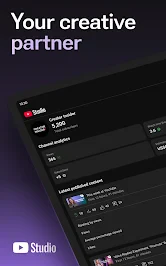
When I first downloaded YouTube Studio, I was skeptical. Could it really simplify my chaotic channel management? Spoiler alert: It does! The app is designed to give you a streamlined experience, allowing you to access your channel's analytics, manage your videos, and interact with your audience all from your smartphone.
Intuitive Dashboard
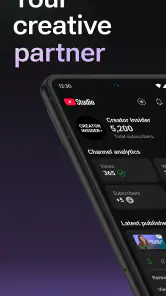
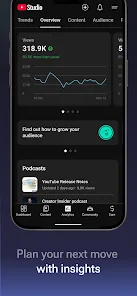
The first thing you'll notice is the intuitive dashboard. It's like having a personal assistant who knows exactly what you need. All your vital stats are presented clearly – views, subscribers, watch time, and even your real-time analytics. No more fumbling around to find out how your latest video is doing!
For a more useful check-in, I look at one signal at a time instead of treating every number as a verdict on a video. A rise or dip can prompt me to investigate, but it does not explain by itself why viewers behaved a certain way. I use the dashboard to spot questions worth following up elsewhere, rather than letting a quick glance dictate what I make next.
Seamless Video Management
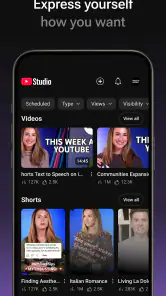
Managing videos on the go has never been easier. You can edit video details, like titles and descriptions, right from the app. Plus, it allows you to schedule your videos, ensuring that your content goes live exactly when you want it to. It's like having a mini production studio in your pocket.
More From Our News Desk

Weather by Xiaomi Review: Clear at a Glance, Less Clear Up Close

X Under Pressure: Can It Recover When Posting Goes Wrong?

Clash of Clans Is Won Between the Battles

Android Auto Makes the Case for Quieter Car Software

MobiOffice: Transforming Mobile Productivity with Seamless Integration

EA SPORTS FC™ Mobile Soccer: Redefining Mobile Sports Gaming
That makes it a useful companion to a desktop workflow, not a replacement for the whole production process. I would use a phone to correct a title, tidy a description, or handle a scheduling adjustment; for careful writing, comparing several drafts, or working on the video itself, a larger screen and dedicated editing tools are more comfortable. The distinction matters: this is for maintaining a channel, not building every part of a video.
Engage with Your Audience
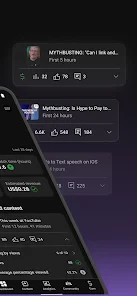
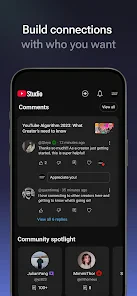
One of the standout features is how effortlessly you can engage with your audience. You can reply to comments, filter out spam, and even manage your community settings. It's a fantastic way to stay connected with your viewers without being tied to your computer.
In practice, I would set a boundary around that access. A short comment check after an upload can help me answer genuine questions and remove spam, while repeatedly opening the app can turn audience feedback into a constant interruption. Creators who receive a steady stream of comments may find mobile replies convenient, but anyone who needs to write thoughtful, detailed responses may prefer to sit down at a keyboard.
Stay Informed with Notifications
Notifications are a blessing and a curse, but with YouTube Studio, they are more of the former. You'll get updates about your channel's performance, comments, and other essential alerts. The app ensures you are always in the loop, helping you make informed decisions on the fly.
The trade-off is attention. I would keep alerts useful by deciding which updates deserve an immediate interruption and which can wait for a planned check-in. A notification is a prompt to look, not a complete explanation of what is happening on a channel. If you already check your phone often, frequent alerts can add noise rather than insight.
How it fits into a lasting routine
After the novelty fades, the strongest reason to keep the app is recurring maintenance: checking a channel after publishing, making a necessary detail correction, and responding to viewers at a sensible time. A realistic routine might be to glance at performance during a commute, save any deeper analysis for later, then review comments once you have a few quiet minutes. That keeps the phone useful without turning every spare moment into work.
Compared with general video-editing apps, YouTube Studio is focused on the channel after a video is made: its audience, details, activity, and performance. A conventional editor is the better choice for cutting footage or shaping a finished video, while a desktop browser is often more comfortable for extended analysis and careful administrative work. I see the app as a companion to those tools, especially for creators who publish regularly and want to handle small tasks away from a desk.
Useful ways to make mobile checks count
I get the most from a phone check when I decide what I am looking for before opening the app. After a new upload, that might mean scanning comments for a question that deserves a response, rather than refreshing performance figures repeatedly. On another day, I might open a video’s details because I spotted a typo or need to adjust its scheduling. Keeping those jobs separate makes it easier to finish one task and put the phone away.
There is also a useful distinction between noticing a signal and deciding what it means. If a video seems to be getting a different response than I expected, I can make a note to investigate later instead of changing my plans based on a quick glance. That is especially helpful when I am away from a screen and cannot comfortably compare information or think through a broader pattern. The app is good at making channel activity accessible; my judgement still has to supply the context.
Where a phone is the wrong workspace
Mobile access is convenient, but it does not make every channel task pleasant on a small screen. I would not choose it for a long session spent comparing several videos, drafting careful descriptions, or making decisions that need focused attention. Those jobs are easier when I can sit down, keep relevant material visible, and avoid interruptions. Studio works best when a task is brief and clear, not when I am trying to turn a quick check into a complete workday.
It is also not the right app for someone looking primarily to edit footage. Its video-related tools concern managing a channel and its published content, rather than replacing a dedicated editor. If my goal is to trim clips, assemble scenes, or make creative changes to a video, I would use an editing app instead and return to Studio for the channel-side work. That division of labour is a strength for creators with an established workflow, but it can disappoint anyone expecting one app to do everything.
A practical day-to-day example
Imagine I publish a video before heading out for the day. Later, I have a few minutes between errands, so I check the comments, reply to a viewer whose question can be answered simply, and remove obvious spam. I notice a detail in the video description that needs correcting, make that small adjustment, and close the app. I leave deeper performance questions for a quiet moment when I can give them proper thought. That is the kind of everyday use where mobile access feels genuinely helpful rather than merely available.
The same routine would not suit every creator. Someone who uploads rarely and has little need to handle comments may get almost no recurring benefit from keeping the app close at hand. Someone who posts regularly, answers viewers, and occasionally needs to adjust a video away from a computer has more reason to make it part of the week. The difference is not how ambitious a creator is; it is whether channel maintenance actually comes up often enough to justify another app and another possible source of alerts.
Who should keep it installed
I would recommend it to creators who actively manage a YouTube channel, particularly those who publish often enough to benefit from checking comments and making occasional updates between computer sessions. It can also suit a small team member who needs a quick view of channel activity while away from the main workspace. If you only watch videos, rarely manage a channel, or want an all-purpose editor, this is probably not an app you need to keep close.
The main maintenance burden is modest but real: checking the app can become a habit, and reacting too quickly to short-term performance can distract from longer-term creative plans. I get more from it when I open it with a task in mind, then leave once that task is done. That simple boundary helps preserve the convenience without letting analytics or comments occupy the whole day.
Questions I consider before relying on it
Can I manage a channel without a laptop? For routine checks, comment handling, and small video-detail changes, a phone can cover a useful share of the work. Would I want to do everything there? No. Extended analysis, substantial writing, and the creative process of editing footage are better suited to a larger screen or dedicated tools. Thinking of the app as a mobile control point, rather than a full production setup, sets fair expectations.
Will the app tell me exactly why a video is performing a certain way? I treat its figures as clues, not explanations. A quick view can help me notice what deserves attention, but it cannot replace context or careful reflection. Is it worth keeping if I upload irregularly? That depends on whether I still need its channel-management tools between uploads. If I rarely check comments or update video details, opening it only when a task arises may be more sensible than building a daily habit around it.
In conclusion, if you're serious about growing your YouTube channel, YouTube Studio is a must-have tool. It's like having a command center that empowers you to manage your channel efficiently. Whether you're in a coffee shop or on the bus, you can stay on top of your game. So why not give it a try and see how it transforms your content creation journey?
My long-term verdict
For me, YouTube Studio earns lasting space when channel upkeep is part of my regular week, not because I expect it to replace editing software or a full desktop workflow. It is free, and its broad adoption makes it an easy option to try, but the real test is whether the quick checks save me time without encouraging constant monitoring. If I publish and engage consistently, I would keep it installed; if channel management is occasional, I would use it only when a concrete task comes up.
YouTube Studio Frequently Asked Questions
Is YouTube Studio suitable for someone who does not run a YouTube channel?
YouTube Studio is built around managing a YouTube channel, so its tools are most useful to people who create or oversee channel content. It is not a general-purpose app for watching videos. If you mainly want to browse or play YouTube videos, the regular YouTube app is a better fit; Studio is intended for channel-related tasks.
Can I download YouTube Studio on Android and iPhone?
Yes. YouTube Studio is available for Android and iOS, so creators can manage their channels from a compatible phone or tablet. Its mobile format is useful when you want to check channel information or handle routine tasks away from a computer. Before downloading, make sure you are choosing the official app from Google LLC.
What devices can I use YouTube Studio on?
YouTube Studio is a mobile app for managing a YouTube channel while away from a computer. It is available on Android and iOS, so creators can use a compatible phone or tablet to check channel information and handle routine tasks on the go. The app is free, and its content rating is Teen, so users should also consider that rating before downloading.
Who develops YouTube Studio, and what kind of app is it?
YouTube Studio is developed by Google LLC and belongs to the video players and editors category. Its purpose is centered on channel management rather than serving as a general-purpose video viewing app. The store summary describes it as a way to manage your YouTube channel on the go, making it relevant for creators who want access to channel tools from a mobile device.
What is YouTube Studio and what is its primary function?
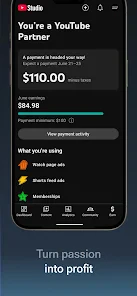
YouTube Studio is an essential tool for YouTube content creators that allows them to manage their channels efficiently. It provides features like video editing, performance analytics, comment moderation, and revenue tracking. By using YouTube Studio, creators can optimize their content, engage with their audience, and grow their channel effectively. It is available on both Android and iOS platforms.
Pros
- Intuitive user interface.
- Detailed analytics reports.
- Real-time performance tracking.
- Easy video management.
- Customizable dashboard.
Cons
- Limited features on mobile.
- Requires a Google account.
- Occasional sync issues.
- Can be data-intensive.
- Learning curve for beginners.
- Category
- Video Players & Editors
- Version
- Varies with device













