Weather Complications: Wear OS
- 8.00
- 4.4
- Installs
- 1.00K
- Price
- $5.49
Screenshots
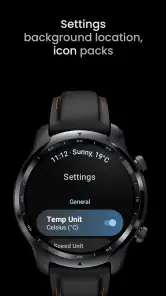
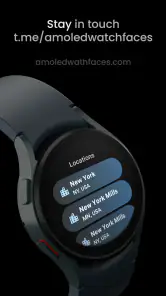
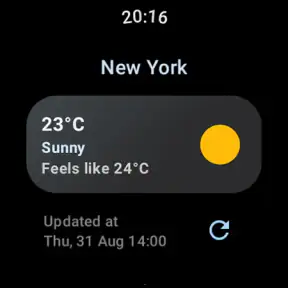
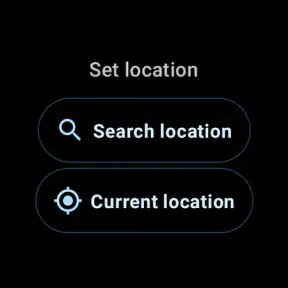
Analysis by Reviewed
Weather is one of those things I check in brief bursts: before leaving home, while deciding whether to walk, or when a change in the sky makes me reconsider my plans. A watch can make those checks feel effortless, but only if the information is easy to read at a glance. Weather Complications: Wear OS is aimed at that quick wrist-based check, with weather details designed to sit on a Wear OS watch face rather than demand a trip to the phone.
What the watch-first approach is good for
The useful question here is not whether a smartwatch replaces a full weather app. For me, it does not. The appeal is seeing a few relevant conditions without opening a larger forecast screen. The app comes from amoledwatchfaces™, a developer focused here on weather complications, and the idea suits people who already like tailoring their watch face to the information they use most.
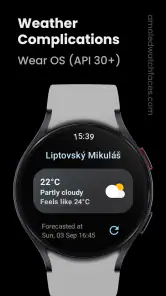
The available complication choices include UV, high and low temperatures, and air quality, among other weather details. That range makes the app more practical than a single temperature readout: UV information can help me think about sun exposure, while air quality may matter more than the forecast when I’m planning an outdoor workout. The trade-off is that a watch face has limited room. I’d choose the details I actually act on instead of trying to display everything at once.
Speed expectations and everyday checks
Weather complications are most valuable when they reduce a small interruption. If I’m already wearing my watch, checking a displayed condition can be quicker than taking out my phone, unlocking it, and opening a weather app. That convenience depends on setting up the watch face so its chosen information is legible at a glance; a cramped layout or tiny text can undo the benefit.
A realistic routine might be checking the temperature and UV level before a lunchtime walk, then looking at air quality before choosing a longer route. These are quick decision cues, not a substitute for studying a detailed forecast. If I’m planning travel or need to understand how conditions may change later, I’d still turn to a full weather app on my phone.
Choosing a useful layout for real routines
I’d set up the face around the decision I make most often, rather than treating every available reading as equally important. For a commute, a temperature-focused display may be enough to decide whether to add a layer. For a run, air quality might deserve the more prominent spot, with UV useful if the route keeps me outside for a while. The best arrangement is personal, and it may change with the season or a new routine.
There is a small but meaningful trade-off in combining information. A complication that squeezes several values into a tiny area can technically show more while helping me less. I’d compare the face at normal wrist distance, not only while looking closely during setup. If I have to pause and decipher a number, I’ve lost much of the advantage of a glanceable watch display.
More From Our News Desk

Weather by Xiaomi Review: Clear at a Glance, Less Clear Up Close

X Under Pressure: Can It Recover When Posting Goes Wrong?

Clash of Clans Is Won Between the Battles

Android Auto Makes the Case for Quieter Car Software

MobiOffice: Transforming Mobile Productivity with Seamless Integration

EA SPORTS FC™ Mobile Soccer: Redefining Mobile Sports Gaming
For someone who uses a watch face as a practical dashboard, this approach can be a good fit. It is less compelling for someone who mainly wants an attractive face and rarely checks weather there. In that case, keeping the face simple and opening a phone forecast when needed may be more comfortable than dedicating scarce wrist space to readings that do not change a decision.
An Overview of Weather Complications: Wear OS
So, what exactly is Weather Complications: Wear OS? In simple terms, it’s a weather app designed specifically for Wear OS devices. Imagine having real-time weather updates, forecasts, and warnings right on your smartwatch. It’s all about convenience and staying one step ahead of Mother Nature.
Features That Stand Out
Let’s dive into what makes this app a must-have for smartwatch users. First up, the real-time updates. Say goodbye to the days of staring at your phone; now, you can just glance at your wrist. The app offers up-to-the-minute weather conditions, ensuring you’re always prepared, whether you’re planning a jog or just heading out for groceries.
Another feature I adore is the customizable watch faces. You can choose from a variety of styles that not only display the weather but also add a personal touch to your device. It’s like dressing up your smartwatch for the occasion!
And let’s not forget about the alerts. The app sends timely notifications about severe weather conditions. Living in a place where the weather can change in the blink of an eye, this feature is a lifesaver. It’s like having a guardian angel watching over your outdoor plans.
Usability and Performance
Installing and using Weather Complications is a breeze. The interface is intuitive, and even if you’re not tech-savvy, you’ll find it easy to navigate. The app runs smoothly on Wear OS devices, with no noticeable lag or crashes. It’s snappy, responsive, and doesn’t drain the battery excessively – a huge plus in my book!
For a wrist-first weather tool, perceived speed is not just about how quickly a screen opens. The real test is whether I can read the relevant detail without interrupting what I’m doing. When I’m carrying bags or walking between meetings, a complication already visible on the face can feel faster than navigating into a separate app. If I need to tap through several screens to find a useful value, though, the convenience shrinks quickly.
I would judge resource use in the context of my whole watch rather than assuming any one complication is responsible for a change in battery life. Watch-face choices, connected features, and the device itself all shape the overall experience. My practical approach would be to begin with a restrained face, use it through an ordinary day, and only add more readings if they earn their space. That makes it easier to tell whether the setup is genuinely helpful without confusing a busy layout with a better one.
Reliability, limits, and device fit
For a complication, reliability is partly about whether the information stays useful on the face I choose and whether I remember to look at it. I’d treat a quick glance as a prompt, not a guarantee that conditions will remain unchanged. When the weather could affect a longer trip or a safety decision, I’d check a detailed forecast rather than rely on a compact watch display alone.
There’s also a practical setup trade-off: every complication occupies watch-face space that could show something else. I’d start with one or two details I regularly use, then see whether they remain readable with my preferred face. If I rarely check UV or air quality, those options may add visual clutter rather than value. Someone who wants a complete phone-based forecast, maps, or a broad daily overview may be happier with a conventional weather app; this one makes most sense when wrist access is the priority.
Compatibility is another sensible check before buying: the app is for Wear OS, requires Android 11 or later, and is rated for Everyone. It is not a general-purpose weather app for iOS watches. The current version is 2.1.0, and the app was released on October 15, 2023. Those details make it easier to decide whether it fits your device before spending time on setup.
A realistic day with wrist-based weather
Imagine I’m getting ready to leave for work and have a walk planned later. A glance at the face can help me decide whether the temperature calls for a different jacket; the UV reading can be relevant if I’ll be outside during the brighter part of the day. Before turning the walk into a longer run, I might use air quality as another cue. Each reading answers a narrow question, which is where this kind of tool feels most useful.
The same routine also shows where I would stop relying on the watch. If the sky changes or I need to decide whether to alter an outdoor plan, I’d check a full forecast on my phone for more context. A compact complication is good at keeping a selected detail nearby; it is not the place I’d expect to compare a day’s changing conditions or plan a route around them. Treating it as a first check rather than the final word makes the feature more practical.
Who should pay for it—and who can skip it
The app costs $5.49, so I’d think about how often I use watch-face weather information before purchasing. It has a 4.4 average from around 50 ratings, with around eight written reviews and over 1,000 installs. That is a modest footprint, not a reason by itself to expect either a problem or a perfect fit. I’d buy it for a Wear OS watch I use daily and for weather details I genuinely check; if I only look at the forecast occasionally, a phone app may be enough.
It particularly suits people who already glance at their watch throughout the day and want weather to share that surface with other useful information. If UV, air quality, or high and low temperatures affect my choices, I can see the value in keeping those details close. Someone who wants a broad forecast with more room for explanation, or who does not wear a compatible watch regularly, is better served by a conventional phone weather app instead.
Before buying, I’d also ask whether I’m comfortable adjusting my watch face. The app’s appeal depends on placing the information where it remains readable and useful; someone who wants a complete weather experience without any setup may find a standard phone app simpler. I’d start with the one complication most likely to change my plans, then add another only if the face still feels clear. That small bit of discipline helps avoid paying for options that look interesting but never become part of a routine.
Price, audience, and performance verdict
For speed and resource use, my judgement is necessarily tied to the experience described here rather than a promise for every watch. A light, glance-oriented complication is a sensible format for quick checks, but the watch face, device, and number of displayed elements can affect how comfortable it feels. I would keep the layout focused and see how it behaves through ordinary daily use before relying on it as my only way to follow changing conditions.
One useful habit is to make the watch face match the decision at hand: temperature for everyday errands, UV for time outside, or air quality when exercise is the plan. That makes the complication more actionable than filling the face with readings I seldom use. If the information appears stale or stops being useful after a change of routine, I’d reopen the relevant weather view and reassess the setup instead of assuming a glance has answered every question.
One thing I appreciate is the minimalistic design. It’s not cluttered with unnecessary information, making it easy to find what you’re looking for without any fuss. This straightforward approach is refreshing, especially when you just need a quick weather check.
As a performance choice, I see the main win as reducing friction rather than replacing the phone or transforming how a watch handles weather. The experience should feel most rewarding when the chosen reading is immediately visible and consistently relevant. If I notice myself opening a phone app for nearly every check, that is a useful sign that this wrist setup is not matching my habits, even if the displayed values themselves are appealing.
Final Thoughts
In a world where we’re constantly on the move, having quick access to reliable weather information is essential. Weather Complications: Wear OS delivers just that, with its real-time updates, customizable features, and user-friendly interface. Whether you’re a weather enthusiast or just someone who likes to be prepared, this app is worth checking out.
To sum it up, if you’re looking for a handy weather companion for your smartwatch, give Weather Complications a try. It’s like having a little piece of the sky on your wrist, always ready to inform and guide you through the day’s weather adventures.
Weather Complications: Wear OS Frequently Asked Questions
What smartwatch requirements should I check before downloading Weather Complications: Wear OS?
Before downloading, check that your watch runs Wear OS and uses Wear OS 11 or later. The app is made for Wear OS, so a smartwatch running a different operating system is not a suitable match. This compatibility check is separate from the weather features themselves and helps you avoid installing an app that cannot work with your device.
What is Weather Complications: Wear OS and how does it enhance my smartwatch experience?
Weather Complications: Wear OS is a specialized app designed to provide real-time weather updates directly on your smartwatch. It enhances your device by displaying detailed weather complications like temperature, wind speed, and precipitation chances right on your watch face, ensuring you have the latest weather information at a glance without needing to check your phone. Its weather-focused options include UV, high and low readings, and air quality information, giving you more ways to tailor a glanceable watch face.
Is Weather Complications: Wear OS compatible with all smartwatch brands?
The app is specifically designed for Wear OS devices, so compatibility is limited to smartwatches that run on the Wear OS platform. Users should ensure their smartwatch is updated to the latest version of Wear OS to enjoy seamless functionality and access to all features offered by the app. As a practical first step, confirm both the operating system and its version on your watch before installing.
Does Weather Complications: Wear OS require an internet connection to function?
Yes, Weather Complications: Wear OS requires an active internet connection to fetch the most current weather data. The app relies on real-time updates from weather services to provide accurate and timely information on your smartwatch. Without an internet connection, the app will not update weather information. If you often use your watch away from a connected phone or network, keep in mind that fresh weather readings depend on having an internet connection available.
How customizable are the weather complications on Weather Complications: Wear OS?
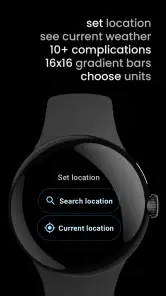
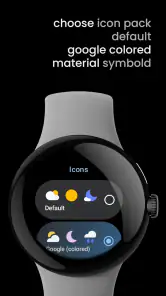
Weather Complications: Wear OS offers a high degree of customization allowing users to select which weather metrics to display, such as temperature, humidity, or wind speed. Users can choose different styles and colors for the complications, making it easy to integrate with their preferred watch face design while tailoring the information to their needs. The available weather-focused choices also include UV, high and low readings, and air quality, so you can prioritize the details that matter to you.
Pros
- Highly accurate weather data.
- Customizable watch face widgets.
- Seamless Wear OS integration.
- Low battery consumption.
- Real-time weather alerts.
Cons
- Limited free features.
- Ads in free version.
- Occasional sync issues.
- Requires constant internet.
- No offline mode available.
- Category
- Weather
- Version
- 2.1.0













