

Wallpapers:Live&Control Center
- 195.00
- 4.7
- Installs
- 1.00M
- Price
- Free

Screenshots


Analysis by Reviewed
I like a wallpaper app best when it helps me make a phone feel more personal without turning a quick change into a project. Wallpapers: 4K Live Wallpapers aims for that easy, visual appeal, pairing still images with animated options and control center templates. It is a free personalization app from ThemeKit, and its broad focus makes it useful when I want to refresh several parts of the screen’s look rather than settle on one picture and stop there.
How it fits into a daily routine
The app makes most sense as a small source of inspiration, not something I need to open every day. I might browse while waiting for a coffee, save a few images that suit different moods, then choose one later when I have time to see how it looks behind my icons. Favorites are especially useful here: I can keep a short list of contenders instead of trying to remember which image caught my eye during a long scroll.
For example, I’d use a quiet landscape as my default during a busy workweek, then switch to a brighter design on the weekend. That simple rotation gives the phone a change of feel without requiring a new launcher or a full redesign. If you like coordinating the wallpaper with your lock screen or control center, the app’s mix of visual options is a practical starting point, though I’d preview each choice on the actual screen before committing.
Making a shortlist that works
A useful way to browse is to decide what the background needs to do before looking at thumbnails. If I use several widgets, I look for a composition with room around the areas they occupy; if I rely on app labels to find things quickly, I avoid images with busy detail behind the icons. This turns browsing from a contest for the prettiest preview into a practical choice about how I use the phone.
I’d also keep separate favorites for different situations rather than trying to find one design that does everything. A low-key option can work well for work or reading, while a more colorful image can be the change I reach for when I want the phone to feel less routine. The point is not to build a complicated theme collection; it is to make the next switch easy and deliberate.
Choosing images with care
High-resolution artwork can look impressive, but the most striking preview is not always the best everyday background. A detailed image may compete with app icons, while a darker or simpler composition can make the home screen easier to scan. I’d look for open space where icons sit and check whether the main subject is obscured by the clock or widgets. This small selection habit matters more than choosing the most dramatic thumbnail.
Live designs bring movement, but I’d treat them as an occasional change rather than an automatic upgrade. A subtle animation can make a screen feel lively; a busy one may become distracting when I unlock the phone repeatedly. If you prefer a quiet, predictable interface, static art is likely the better fit. People who enjoy motion and visual novelty will get more from exploring the animated choices.
More From Our News Desk

 Gmail
GmailGmail in a Busy Inbox: Who Benefits Most?
From first account to crowded workday, Gmail earns its place through dependable search and flexible sorting—but its best fit depends on how much inbox maintenance you can tolerate.

 Prime Video
Switching to Prime Video: What Changes in Your Viewing Routine
Prime Video can make a compelling second home for streaming, but switching means learning a different catalog, rental layer, and route from browsing to playback.

 Universal TV Remote Control
Universal TV Remote Control Works Best as a Reliable Backup
A phone remote earns its place through quick setup and reliable habits. Here is how to get more from Universal TV Remote Control—and where its limits show.

 Weather - By Xiaomi
Weather by Xiaomi Review: Clear at a Glance, Less Clear Up Close
Xiaomi’s weather app makes everyday forecasts quick to scan, but its calm surface can leave useful details and recovery paths harder to find than they should be.

 X
XX Under Pressure: Can It Recover When Posting Goes Wrong?
A resilience-focused review of X, examining setup, mistaken posts, interruptions, weak connections, and the gaps that matter when recovery needs to be dependable.

 Clash of Clans
Clash of Clans Is Won Between the Battles
Its raids are quick; its community is a long-term project of coordination, teaching, rivalry, and shared responsibility—with all the friction that entails.
Latest News



What stands out—and what to keep in mind
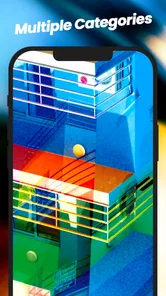
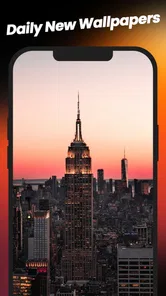
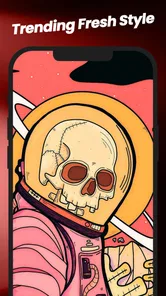
As soon as I fired up the app, I was hit with an explosion of colors and themes. The range is mind-blowing! From serene nature landscapes to bustling cityscapes and abstract art, there's a seemingly endless collection to choose from. The app’s interface is pretty intuitive too, making it easy to navigate through the categories and find something that suits your mood or style.
Quality and Aesthetics
Now, let’s talk about quality. The wallpapers here are not your average, run-of-the-mill images. We're talking about 4K resolution here, folks! Each wallpaper is crisp, vibrant, and just downright beautiful. Whether you’re looking for something calming or something that pops, every piece is a work of art. I found myself switching wallpapers more often than I care to admit, just because there were so many that caught my eye.
Live Wallpapers: Bringing Your Screen to Life
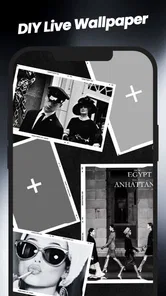
If static images aren’t your thing, the app has a fantastic selection of live wallpapers that add a dynamic touch to your device. Imagine having a gentle waterfall or a blazing fire right on your home screen. It’s mesmerizing and adds a whole new dimension to how you interact with your phone.
User-Friendly Features
One of the things I loved most about the app is how user-friendly it is. There’s a favorites option, so you can save the wallpapers you love and easily switch between them. Plus, the app doesn’t bombard you with ads, which is a relief. It feels like the developers really focused on creating a seamless experience for the user.
Control center templates in context
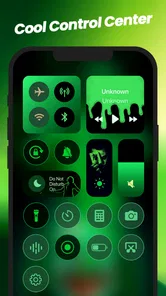
The control center templates give the app a role beyond choosing a background, but I’d think of them as visual inspiration rather than a promise of a complete system redesign. A wallpaper changes the canvas behind the interface; templates invite you to consider how that quick-access area might look alongside it. I would compare the example with the controls I actually use and decide whether the style is worth adopting, rather than choosing a template only because it matches a wallpaper thumbnail.
That distinction matters if your goal is functional customization. Someone who wants to rearrange how the phone behaves should start with the device’s own settings, while someone who mainly wants a more coordinated visual feel may appreciate having templates and backgrounds together in one place. In practice, I’d choose the image first, then see whether a template complements it, rather than forcing both choices into a single matching set.
Who should give it a try
I’d recommend it to anyone who enjoys browsing visual styles and likes having a few alternatives ready for different occasions. It has a 4.7 average from around 24 thousand ratings, with more than a million installs, so it has clearly found an audience among people who want a straightforward way to refresh their phone’s appearance. Its Teen content rating is worth noting for families choosing apps together, and version 3.6 requires Android 6.0 or later.
The free download makes it easy to explore, but some in-app purchases range from $0.99 to $29.99 per item. I’d browse with a clear idea of what I want and check any purchase details before confirming, rather than assuming every visual option is included at no cost. That is a sensible habit for any app with optional paid items, especially if you are setting it up for a younger user.
A realistic way to use it
Imagine I’m waiting for a train after a long day and notice that my home screen feels cluttered and dull. I can browse for a calmer image, save two or three options, and later check which one leaves the clearest space around the icons I tap most. If one of the live designs catches my attention, I can compare its movement with a static choice before deciding whether I want that extra activity every time I look at the screen.
That workflow is more useful than changing the wallpaper impulsively from a tiny preview. It gives me a chance to judge the whole screen in context: the image, the clock, widgets, and labels all compete for attention. I’d also keep the old favorite in my shortlist so I can return to it if the new design looks tiring after a few days. Personalization should make the phone feel better to use, not create another task to manage.
Where the experience has limits
The main trade-off is choice itself: a large gallery can make it harder to settle on one background, and a beautiful preview still needs to work with your own icons and widgets. I would not choose this app if I wanted a highly controlled home-screen makeover with detailed layout tools; a launcher or built-in customization settings are a better route for that. Nor is a live background essential just because it is available. A static image is the simpler choice when I want a calm screen and less visual movement.
There is also a difference between liking an image in isolation and enjoying it as the backdrop to daily phone use. I might love a high-contrast design while browsing, then find that its brightest areas pull my attention away from notifications or app names. That is why I would not treat the strongest visual effect as the best result. The app is most satisfying when I’m willing to be selective, and less compelling if I expect every attractive preview to translate perfectly to my particular layout.
How it compares with familiar options
Compared with the usual alternatives, such as picking a photo from my own gallery or relying on the phone’s built-in wallpaper picker, this app is more about browsing a dedicated collection and keeping favorites together. My personal photos offer meaning and familiarity; the built-in picker is convenient and already on the device. ThemeKit’s app is more appealing when I want to discover a different look, especially an animated one, without assembling an image collection myself.
Those alternatives can still be the better choice. A photo from my own gallery is personal in a way a curated visual option may not be, and the built-in picker is enough when I only want to change a background quickly. A launcher is a more suitable option when the real goal is adjusting the home screen’s arrangement or behavior. I see this app as a companion for visual browsing, not a replacement for every customization tool already on the phone.
Questions worth considering before you settle on it
If you are wondering whether it suits a phone that you use mainly for work, I’d say it can, provided you choose a restrained static background and check that your icons remain easy to read. If you want the screen to move or feel more expressive, the live choices make more sense. The useful question is not simply whether you like wallpapers, but whether you enjoy changing them and are happy to judge each one against your actual home screen.
If you are deciding whether the free app will be enough, I’d start by exploring before spending anything and review the price attached to any optional item you consider. If you are choosing for a younger family member, take the Teen rating into account and keep purchase confirmation in mind. And if your phone runs Android, version 3.6 supports Android 6.0 and later; people using another platform should check the relevant device store before planning around it.
Final Thoughts: A Must-Have for Wallpaper Enthusiasts
In a nutshell, if you’re someone who loves to keep their phone looking fresh and exciting, Wallpapers: 4K Live Wallpapers is a must-have app. With its vast selection, stunning quality, and user-friendly interface, it’s hard not to fall in love with it. So go ahead, give it a try, and let your screen radiate with your personal style!
For me, the best approach is to treat it as a handy inspiration shelf: save a few candidates, test one against the real home screen, and favor readability over spectacle. Released on January 11, 2024, it has a 4.7 average and comes from ThemeKit. If you enjoy changing your phone’s look now and then, it is worth a browse; if you are content with one personal photo or want extensive layout control, your existing gallery or launcher may serve you better.
Wallpapers:Live&Control Center Frequently Asked Questions
Does Wallpapers: 4K Live Wallpapers need an internet connection?
An internet connection may be useful when browsing and obtaining wallpapers or other visual content in the app. Once a wallpaper is saved to your device, you can generally select it through your device’s wallpaper settings without repeatedly opening the app. If you plan to browse away from home or on a limited data plan, consider using Wi-Fi for content discovery and downloads.
Can I use the app’s Control Center templates as well as wallpapers?
Yes. The app’s store summary includes Control Center templates alongside HD live and static wallpapers, so its personalization options extend beyond backgrounds. These templates may help you give compatible parts of your device interface a coordinated look. What you can apply and how it appears can depend on your device and operating system, so check the available options before deciding on a particular style.
Does the app work on both Android and iOS?
Wallpapers: 4K Live Wallpapers is described as an app for Android and iOS users, but device compatibility depends on the platform and its requirements. The listed minimum Android requirement is Android 6.0, so check that your device meets it before installing on Android. On either platform, the way wallpapers and other personalization features work can vary with your device and operating system.
Can I save a wallpaper and use it without keeping the app open?
The purpose of a wallpaper app is to help you choose a background for your device, and a selected wallpaper is normally displayed through the device’s wallpaper settings rather than requiring the app to stay open. Live backgrounds can behave differently from static images and may rely on device support. Choose the option that suits how you use your phone, especially if you prefer a simple, still background.
Is the app suitable for someone who wants only static backgrounds?
Yes. The app offers static wallpapers as well as live wallpapers, so you can focus on still images if you do not want an animated background. Static options can be a straightforward way to refresh your screen without using a moving scene. The app also includes Control Center templates, meaning its selection is not limited to wallpaper alone; the available choices let you decide how much to personalize.
Pros
- Stunning 4K resolution for crisp images.
- Wide variety of live wallpapers available.
- User-friendly interface
- easy navigation.
- Regular updates with new wallpapers.
- Minimal battery consumption despite animations.
Cons
- Limited free content
- in-app purchases needed.
- Occasional ads can interrupt experience.
- Some wallpapers may not fit all screens.
- Requires stable internet for best use.
- No offline mode for live wallpapers.













