

Voice Changer Male to Female
- 72.00
- 4.3
- Installs
- 5.00M
- Price
- Free

Screenshots
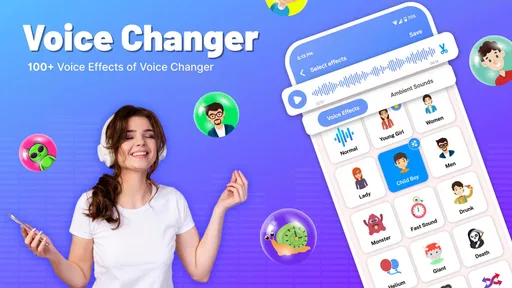
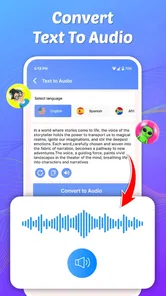
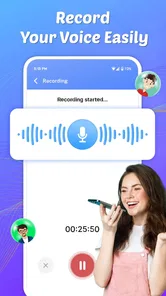
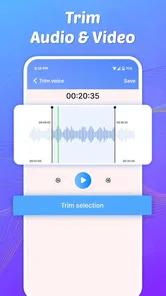
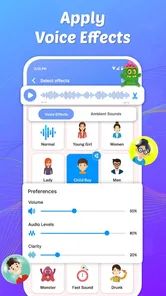
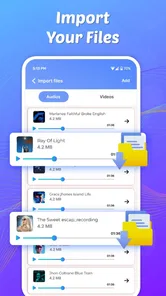
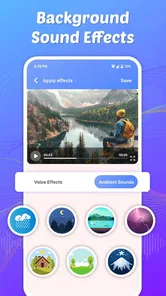
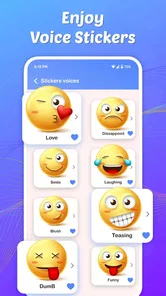
Analysis by Reviewed
I tried Voice Changer Male to Female as a casual music and audio tool, mainly to see whether it could turn a quick recording into something entertaining without demanding much technical knowledge. My first impression was that it is aimed at playful voice experiments rather than serious audio production. That distinction matters: it can be a handy way to make a funny clip for friends, test a different vocal character, or add variety to a personal recording, but it is not the kind of app I would choose for polished studio work.
The app is free to install, carries an Everyone age rating, and comes from DOSA Apps. Its audience is broad, but the most natural fit is someone who wants a simple voice-changing experience on an Android phone rather than a full editing suite. It has reached over 5 million installs and holds a 4.3 average from around 15 thousand ratings, which suggests that the basic idea is easy for many people to understand. I still found that the quality of the result depends heavily on how the original voice is recorded and how patiently the user handles the process.
What the first use is really like
The phrase “male to female” sets a clear expectation, but a voice effect is not the same as a complete transformation. In my experience, the most convincing results come from a clean, steady recording with moderate volume. If the source is muffled, recorded from too far away, or surrounded by music and conversation, changing the vocal character cannot fully repair it. The app is more enjoyable when I treat it as an effect for expression, not as a promise of a perfectly natural new identity.
The first place users can get stuck is before the effect itself: deciding what they are trying to make. A short spoken sentence, a joke, a greeting, and a song excerpt all behave differently. Speech gives the effect room to show its character. Singing introduces pitch changes, breath, background sound, and timing issues, so the result may feel less even. I recommend starting with a ten-second spoken line rather than immediately recording a long performance. That small test tells you much more about whether the style suits your voice.
It is also worth listening with headphones during the first check. Phone speakers can hide low-level noise and make an altered voice sound more impressive than it really is. Headphones reveal whether the recording has distracting room sound, clipped syllables, or an artificial edge. This is one of the simplest ways to avoid blaming the app for a source recording that was weak from the beginning.
Where setup usually becomes confusing
A voice changer feels simple only after the recording path is working. If the app does not capture anything, the useful first checks are ordinary ones: make sure the phone is not muted, close another app that may be using the microphone, and try a short recording again. I would also avoid testing in a crowded room. A quiet space makes it easier to tell whether the problem is input, playback, or the selected effect.
When a recording plays back but sounds very quiet, I would first move closer to the phone and speak at a normal distance instead of shouting. Speaking too loudly can make an altered result harsh, while speaking too softly leaves the effect with little material to work with. A consistent voice is more useful than dramatic delivery. This is a practical trade-off that is easy to overlook because the app encourages experimentation.
More From Our News Desk

 Gmail
GmailGmail in a Busy Inbox: Who Benefits Most?
From first account to crowded workday, Gmail earns its place through dependable search and flexible sorting—but its best fit depends on how much inbox maintenance you can tolerate.

 Prime Video
Switching to Prime Video: What Changes in Your Viewing Routine
Prime Video can make a compelling second home for streaming, but switching means learning a different catalog, rental layer, and route from browsing to playback.

 Universal TV Remote Control
Universal TV Remote Control Works Best as a Reliable Backup
A phone remote earns its place through quick setup and reliable habits. Here is how to get more from Universal TV Remote Control—and where its limits show.

 Weather - By Xiaomi
Weather by Xiaomi Review: Clear at a Glance, Less Clear Up Close
Xiaomi’s weather app makes everyday forecasts quick to scan, but its calm surface can leave useful details and recovery paths harder to find than they should be.

 X
XX Under Pressure: Can It Recover When Posting Goes Wrong?
A resilience-focused review of X, examining setup, mistaken posts, interruptions, weak connections, and the gaps that matter when recovery needs to be dependable.

 Clash of Clans
Clash of Clans Is Won Between the Battles
Its raids are quick; its community is a long-term project of coordination, teaching, rivalry, and shared responsibility—with all the friction that entails.
Latest News



Another useful setup habit is to keep the first recording deliberately plain. Do not add background music, sound effects, or a complicated performance until the dry voice sounds clear. If the plain version is understandable, later changes are easier to judge. If it is not, extra layers only make troubleshooting harder and can create the impression that the voice filter is malfunctioning.
Making a better recording before changing it
I got better results by holding the phone in a stable position and recording in a room with soft furnishings. Curtains, clothing, and furniture reduce the hard reflections that make speech sound hollow. You do not need special equipment for this; even choosing a bedroom over a bare kitchen can make a noticeable difference. The app cannot separate a voice from every echo, so the room becomes part of the result.
Keep the wording simple during the first pass. A sentence with clear consonants is more revealing than a whispered phrase or one delivered with exaggerated breath. I also found it helpful to leave a brief pause before speaking and after finishing. That makes it easier to judge the beginning and end of the recording and gives you a cleaner clip to share or replay.
The most useful improvement is usually a cleaner source recording, not a more extreme effect. This is especially true when the goal is a believable change rather than a deliberately comic sound. If you want a funny result, an imperfect recording may be acceptable; if you want friends to understand every word, recording discipline matters more than novelty.
Recovering when a result does not sound right
When the outcome is disappointing, I would not immediately repeat the same recording with the same delivery. Change one thing at a time. Record closer to the phone, speak more slowly, remove background noise, or use a shorter phrase. That makes the cause easier to identify. Repeating everything at once may produce a better clip, but you will not know which adjustment helped.
If playback appears delayed or behaves strangely, I would close the app and reopen it before doing anything more complicated. A fresh start is a sensible general fix for a temporary audio-session problem. It is also worth checking that the phone has enough free space for ordinary recording activity and that other audio apps are not still active in the background. These are general device checks, not special promises about how this particular app handles files, but they are practical steps before assuming the effect itself is broken.
For an important clip, I would make a short test first and listen all the way through before recording a longer version. This protects you from discovering at the end that the voice was not captured clearly or that the chosen style does not suit the whole sentence. It also makes the process less frustrating for younger users, who may otherwise spend time creating a long recording that needs to be discarded.
One trade-off is that experimentation takes a little patience. A quick tap-and-share approach can be fun, but the strongest results usually come from comparing a few short attempts. I would keep the best delivery rather than endlessly adjusting one weak take. The app is designed for accessible play, so a good performance often matters more than trying to force a technically perfect transformation.
When the phone or recording environment is the real problem
Not every audio issue originates in Voice Changer Male to Female. Bluetooth headphones, wireless speakers, and other connected devices can change where sound is heard, making playback seem silent or misplaced. If the result is missing, I would first test the phone’s own speaker and then reconnect external audio equipment. This simple comparison can separate an output problem from a recording problem.
Background applications can also interfere with a voice experiment. A call, video meeting, music player, or another recording tool may take priority over the microphone or audio output. Closing those apps and trying again is more useful than repeatedly tapping the effect. If the phone is busy or overheated, waiting briefly before another attempt can also make the experience less erratic.
There is a similar issue with expectations around live use. I would not assume that a voice effect made for a recording will automatically work inside every chat, game, or social platform. Other apps control their own microphone paths, and a voice-changing app may not be able to alter audio in places where the operating system does not provide that access. For a simple clip, record first and then use the finished result where appropriate. That workflow is usually more predictable than expecting every service to accept a modified microphone feed in real time.
Privacy and courtesy matter as well. I would avoid recording other people without their knowledge, especially in group conversations or public places. The Everyone rating describes the general age suitability of the app, but it does not remove the need to handle recordings responsibly. A silly voice can be harmless among friends and uncomfortable when used to impersonate someone or mislead an audience.
Everyday uses that make sense
The clearest everyday scenario is a friend-group message. Imagine recording a birthday greeting, a playful invitation, or a short reaction to an inside joke. I would write the sentence first, record it in a quiet room, listen with headphones, and only then send the version that is easy to understand. This workflow keeps the joke focused on the sound rather than on a confusing or noisy recording.
It can also work for creative practice. I enjoyed using an altered voice to test how a short character line might feel before deciding whether to perform it normally. The app gives a quick impression of tone and personality, which can help with brainstorming. It is less suitable for a finished audiobook, podcast, or professional voiceover because those projects need consistent control, clean editing, and repeatable results across many lines.
For children and families, the Everyone rating makes the app approachable as a general entertainment tool, but I would still supervise sharing. The important lesson is that changing a voice does not make a recording anonymous or automatically safe. A child can experiment with a silly clip at home without publishing it publicly. That is a better use than encouraging impersonation or sending altered audio to strangers.
How it compares with ordinary alternatives
Compared with recording a normal voice memo, this app offers more immediate novelty. A standard recorder is better when clarity, natural tone, or quick documentation is the priority. If I only need to remember an idea or send a clear message, I would choose the simpler option. The voice changer earns its place when the altered character is the point of the recording.
Compared with a full audio editor, it is easier to approach but less appropriate for detailed production. Desktop and advanced mobile editors usually provide more control over equalization, timing, layers, and cleanup. That extra control is valuable for musicians and creators, but it also creates a steeper learning curve. DOSA Apps has positioned this app for a lighter, more immediate kind of use, and I think that is where it makes the most sense.
It also differs from live voice tools that try to modify a microphone feed during calls or games. A recording-first workflow gives me more opportunity to listen, reject a weak take, and choose when to share it. The disadvantage is that it may not satisfy someone who wants an instant voice change while speaking inside another service. If live interaction is your main goal, this may not be the right category of tool for you.
What to know about the current app
The app is currently at version 2.1.3 and works on Android 8.0 or later. That makes it accessible to many older Android phones, although compatibility alone does not guarantee identical audio quality across devices. Microphones, speakers, processing power, and the phone’s own audio handling can all affect the experience. I would judge it on the device you actually plan to use rather than assuming every handset will produce the same result.
There is no purchase required to get started, while optional in-app purchases range from under a dollar to around a hundred dollars per item. That wide range makes it important to look carefully at any purchase screen before confirming anything. For a casual user, I would begin with the free experience and decide whether the extra value is genuinely useful for your own workflow. The app’s basic appeal is experimentation, so paying should be a deliberate choice rather than part of the setup.
The rating of 4.3, based on around 15 thousand ratings, is encouraging without meaning that every recording will be perfect. I read it as evidence that the concept works well for many casual users, not as a guarantee of professional audio quality. Its more than 5 million installs also show that it has broad reach, while the practical limitations remain the same: source quality, device behavior, and expectations about live use.
Who should try it, and who should skip it
I would recommend it to someone who wants a quick, playful way to alter a spoken recording, especially for private jokes, character ideas, and casual messages. It is also a reasonable first step for a user who has never tried audio effects and does not want to learn a complicated editor. The straightforward concept makes it easy to understand what the app is meant to do.
I would skip it if your priority is natural-sounding professional voice work, precise control over every part of a recording, or dependable voice modification inside calls and games. I would also choose a normal recorder when the message needs maximum clarity and no theatrical effect. The app is strongest when fun and speed matter more than production control.
My main advice is to judge the app after a controlled short test, not after a noisy first attempt. Use a quiet room, record a clear sentence, check playback with headphones, and change only one variable when something sounds wrong. That process answers the practical questions most users have: whether the phone is capturing audio, whether the result is understandable, and whether the effect matches the intended mood.
My practical verdict
Voice Changer Male to Female is a useful, accessible audio toy with a clear purpose. I like it most as a recording tool for playful moments, not as a replacement for a studio editor or a guaranteed live voice solution. Its strengths are the low barrier to entry, the broad Android availability, and the immediate fun of hearing a familiar phrase in a different vocal style.
Its weaknesses are tied to the same simplicity: results depend strongly on the original recording, unusual environments can create confusing problems, and users expecting a complete transformation may be disappointed. The optional purchases also deserve attention because the price range is broad. Still, if you approach it with realistic expectations and use the short-test workflow I described, it is easy to decide whether it belongs on your phone.
For me, the final recommendation is positive but specific: install it if you want quick voice experiments to share carefully with friends or use in small creative projects. Start with a clean recording, treat the effect as a playful interpretation rather than a perfect impersonation, and do not rely on it for professional production or every live communication app. Used in that lane, it delivers the kind of simple entertainment its concept promises.
Voice Changer Male to Female Frequently Asked Questions
Will Voice Changer Male to Female work on an iPhone or iPad?
Voice Changer Male to Female is an Android app, so it is intended for compatible Android devices rather than iPhones or iPads. If you use an Apple device, check the relevant app store for an alternative instead of assuming this Android app can be installed there. On Android, confirm that your operating system meets the minimum requirement before downloading.
Who makes the app, and what age rating does it have?
DOSA Apps develops Voice Changer Male to Female, which is listed in the Music & Audio category and has an Everyone content rating. That rating makes it broadly suitable from a store-classification perspective, but families may still want to guide younger users when they record voices, share clips, or make purchases. The app is free to download, with in-app purchases available.
What devices and operating systems can run Voice Changer Male to Female?
Voice Changer Male to Female is an Android app that requires Android 8.0 or later. Before downloading, check your device’s operating-system version and make sure you have enough space for the app and any audio recordings you plan to keep. The app is listed for everyone, though younger users should still follow their family’s usual guidance when installing apps and sharing audio.
Who develops Voice Changer Male to Female, and is it widely used?
The app is developed by DOSA Apps and is listed in the Music & Audio category. It has an average rating of 4.3 from around 15,000 ratings, with over 5 million installs. That level of use can help you gauge its popularity, but individual results may still depend on your device, recording quality, and expectations for the voice effect.
What is Voice Changer Male to Female and what does it do?
Voice Changer Male to Female is an audio-editing app designed to transform a recorded or live voice into a more feminine-sounding voice. It typically provides pitch, tone, and effect adjustments, allowing users to create playful voice messages, character voices, or short audio clips. The final result depends on the original recording, selected effect, and the quality of the device microphone.
Pros
- Simple interface makes voice changes quick to apply.
- Offers entertaining male-to-female voice effects for calls or recordings.
- Useful for creating playful clips
- messages
- and social media content.
- Audio previews let you test effects before saving or sharing.
- Works well for casual users without requiring audio-editing experience.
Cons
- Voice effects may sound artificial in some recordings.
- Advanced pitch and tone controls can be limited.
- Some features may require in-app purchases or subscriptions.
- Recording quality depends heavily on your phone’s microphone.
- Sharing options may vary between Android and iOS devices.













