Videoleap: AI Video Editor App
- 3.40K
- 4.5
- Installs
- 10.00M
- Price
- Free

Screenshots
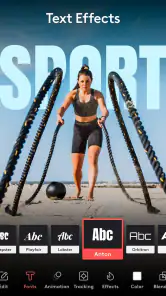
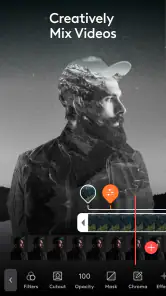
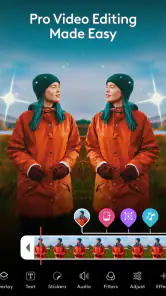

Analysis by Reviewed
I reach for a mobile editor when I want to shape a clip quickly without moving the project to a computer, and Videoleap: AI Video Editor is aimed squarely at that kind of work. It is a video-editing app from Lightricks Ltd., with a mix of hands-on tools and AI-assisted options. In my experience, its appeal is less about replacing a full desktop workflow and more about making a layered, polished social video possible on a phone.
Where it fits among phone editors
The most useful way to think about Videoleap is as a step up from a trim-and-filter tool, not a pocket version of a professional editing workstation. It gives me room to build a short sequence with multiple visual elements while keeping the whole job on a phone. That is valuable when I want to add context or personality to a clip, but it also means the app rewards a little planning instead of instant, one-tap results.
For a quick comparison, a basic editor is usually the better choice for trimming a clip and sending it on with minimal fuss. Videoleap is more appealing when the edit needs layers, text, sound, and a deliberate visual style. A desktop editor, meanwhile, is generally more comfortable for long-form projects or detailed work across many tracks. I see Videoleap occupying the practical middle ground: creative enough for social videos, but still designed around editing on a mobile screen.
How Videoleap fits into a mobile editing workflow
Videoleap is free to install, though in-app purchases range from $3.99 to $299.99 per item, so I would check which tools are available before building a routine around a paid feature. It is rated Teen and is listed for devices running Android 8.0 or later. The current version is 1.39.1; the app first arrived on July 27, 2021. Its 4.5 average across around 197,000 ratings and more than 10 million installs suggest it has found a substantial audience, but popularity alone does not tell you whether its editing style suits your projects.
What I like about Videoleap is the combination of a timeline-based approach and quick creative controls. You can put text, images, stickers, and video elements on separate layers, which gives you more control than a basic trim-and-filter editor. That structure is useful for a short product clip, a travel montage, or a birthday video where captions need to appear at specific moments. The trade-off is that every added layer asks for another small decision, so a simple edit can become fiddly if you keep stacking effects without a plan.
Getting started and choosing a workflow
First off, downloading and installing the app is as smooth as butter. Available for both Android and iOS, the app welcomes you with a clean and intuitive interface. Even if you're a newbie in the video editing arena, you’ll find it pretty easy to navigate. The app offers a variety of tutorials and tips to kickstart your editing journey, which is a nice touch.
For a practical first project, I would start with a few short clips, arrange them in the order the story happened, and trim each one before adding decoration. That order matters: it is easier to judge pacing when the basic sequence is settled. Then I would add only the captions or overlays that help someone follow the moment. A quick cooking clip, for instance, may need one ingredient label at the right point rather than a stream of animated text. This restrained approach keeps the edit readable on a small screen and makes revisions less tedious.
More From Our News Desk

Weather by Xiaomi Review: Clear at a Glance, Less Clear Up Close

X Under Pressure: Can It Recover When Posting Goes Wrong?

Clash of Clans Is Won Between the Battles

Android Auto Makes the Case for Quieter Car Software

MobiOffice: Transforming Mobile Productivity with Seamless Integration

EA SPORTS FC™ Mobile Soccer: Redefining Mobile Sports Gaming
AI, layers, and green-screen edits
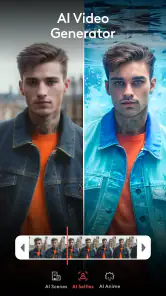
One of the first things that caught my eye was the app’s AI capabilities. The AI-driven features truly enhance the editing experience by automating tedious tasks. Whether it’s cutting clips, adjusting lighting, or adding transitions, the AI seems to understand the vibe you’re going for. And let’s not forget the multi-layer editing feature, which allows you to add texts, images, and even stickers to your videos. It feels like you’re doing magic with just a few taps!
I would treat AI suggestions as a starting point, not a substitute for reviewing the finished cut. Automated choices can save time when you are exploring a look, but the timing still has to match what is happening in the footage. Watch the sequence from beginning to end after applying a suggested change; a transition that looks attractive on its own may interrupt a punchline, a spoken sentence, or the rhythm of a music cue. Keeping an untouched copy of the original clips also makes it easier to try a different direction without feeling locked into the first edit.
A less obvious benefit of separating material into layers is that it lets you revise the message without rebuilding the entire sequence. If a title covers a face or a label appears too early, I can focus on that element rather than changing the clip order. The trade-off is that a crowded timeline becomes harder to inspect on a phone. I find it helps to give each layer a clear job and remove experiments that did not improve the story.
Another cool feature is the Chroma Key. Remember those scenes in movies where actors are flying or in some imaginary world? That’s thanks to green screen technology, and guess what? You can do this on Videoleap. Just shoot your scene with a green background, and the app helps you replace it with any backdrop you fancy.
For Chroma Key, the most useful preparation happens before opening the editor: keep the green background evenly lit and avoid clothing that matches it. Uneven shadows or green reflections can make the subject harder to separate cleanly, whatever editor you use. This feature is best for a deliberate, playful shot rather than rescuing poorly planned footage. If you only need to cut together ordinary family clips, setting up a green screen is extra work with little payoff.
Sound, pacing, and export choices
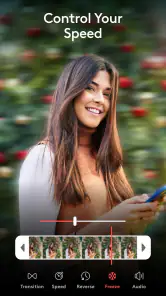
What’s a video without sound, right? Videoleap doesn’t disappoint here. It offers a library of sound effects and music tracks that can be easily integrated into your projects. Plus, the precision audio editing tools allow you to tweak your sound to perfection, ensuring your video hits all the right notes.
When I edit a short reel, I settle the voice or main sound first, then add music at a level that supports it instead of competing with it. I also replay the opening and ending separately: those are the moments where an abrupt start, a clipped final word, or a music cutoff is easiest to notice. If the project is meant to be watched without sound, captions become more important than decorative effects. These small checks are more valuable than adding another filter at the last minute.
A useful everyday example is a short clip from a family meal or a local outing. I would select a few moments that make sense together, trim the pauses, add a brief caption to identify the place or occasion, and choose music only if it improves the mood. That workflow keeps the edit personal without turning it into a long effects exercise. If the footage is mainly dialogue, I would prioritize clean speech and readable captions over transitions; if it is mostly visual, a carefully timed music bed can carry more of the mood.
Once your video masterpiece is ready, sharing it is a breeze. The app provides direct sharing options to social media platforms like Instagram, TikTok, and YouTube. You can also export your videos in different resolutions, which is perfect if you’re a stickler for quality.
Before exporting, I decide where the video will be watched and choose a resolution accordingly. A social post does not always need the largest available output, while footage intended for a larger display deserves closer attention to detail. Saving a draft or a clean source version before adding platform-specific captions is also a sensible habit if you want to reuse the same footage in a different format later. This keeps a single project from becoming cluttered with several nearly identical versions.
Who will enjoy it, and where it falls short
In the usual mobile-editor comparison, Videoleap sits between a basic trimming app and a more involved editing suite. A simple editor is often quicker if all you need is to cut the beginning and end of a clip; a desktop editor is usually more comfortable for long projects, careful track management, or detailed finishing. Videoleap makes more sense when you want to combine short clips, text, music, and visual layers without leaving your phone. The layered workflow is its advantage, but it is also why it may feel excessive for a one-step crop.
I would recommend it to someone who makes occasional reels, travel recaps, or playful green-screen videos and wants room to experiment. A realistic use is filming a weekend outing, trimming the best moments on the ride home, adding a short title and a music bed, then exporting a version to share. I would skip it if I mainly need to batch-process many clips, edit a long interview, or work with precise desktop-style controls. In those cases, a simpler utility or a computer-based editor is likely to be less frustrating.
It is also a better match for people who enjoy shaping a clip than for anyone who wants the app to make every creative decision. The layered approach can help a beginner learn why timing and visual hierarchy matter, but it does not remove the need to review the result. If I were preparing a video with lots of spoken information, I would keep the visuals restrained and spend time checking that the captions and audio are clear. For a purely casual clip, I might choose a quicker editor instead.
One practical question is whether it is useful without paying: you can begin with the free app, but some purchases are available, so check the cost of any feature you rely on before committing to a regular workflow. Another is whether it suits a beginner: the approachable interface and tutorials help, while the layers and audio controls still take practice. And if you are editing for a particular platform, direct sharing is convenient, but I would still review the exported file itself rather than assume the final crop, sound balance, and timing look right everywhere.
For someone deciding whether to pay for a tool, I would first make a small test project using the features they expect to use regularly. That reveals whether the free workflow is enough and whether a paid option is genuinely useful for their own style. The available purchase range is broad, so it is sensible to check the specific item and its cost before relying on it. I would not build a repeatable process around a feature until I had confirmed it fits both the project and my budget.
What to expect as the app evolves
The version history has brought Videoleap to its current release, but a version number by itself does not tell me which tools have changed or how an individual update affects a project. Existing users can make the most of the app by keeping their editing habits flexible: save source footage, review important drafts, and check the current purchase details before depending on a particular option. I would watch future releases for improvements that make layer-heavy edits easier to manage, while treating that as a hope rather than a promise.
For existing users, the practical question is less whether a new version number sounds significant and more whether their usual projects still open and export the way they expect. I would keep original footage outside the active edit and check a finished file after changes to the app, especially before a time-sensitive post. That cautious routine is useful for any mobile editor, but it matters particularly when a project depends on multiple layers and carefully timed sound.
Videoleap is a strong choice when I want more creative control than a basic phone editor offers without committing to a computer-based workflow. Its layers, audio tools, AI assistance, and green-screen option give short videos room to feel considered rather than merely trimmed. The cost of that flexibility is a learning curve and the possibility of getting drawn into effects that do not serve the clip. If that trade-off sounds worthwhile, I would start with a small project and see whether the editing process feels enjoyable as well as useful.
In conclusion, the Videoleap: AI Video Editor app offers a robust set of tools for both amateur and seasoned video editors. It’s user-friendly, packed with features, and most importantly, it lets you unleash your creativity without any hassle. So why not give it a try and see how it transforms your video editing game?
Videoleap: AI Video Editor App Frequently Asked Questions
Can Videoleap help improve the quality of my videos with AI?
Videoleap is promoted as an AI video generator and describes video-quality enhancement as part of its purpose. That makes it worth considering if you want AI-assisted editing alongside tools for making reels or movie-style projects. The results will depend on the clips and edits you use, so it is sensible to try the available tools on a short project first and see whether the finished look suits you.
Who makes Videoleap, and is it a well-used video editing app?
Videoleap is made by Lightricks Ltd. and sits in the video players and editors category. It has an average rating of 4.5 from around 197,000 ratings, with roughly 3,400 written reviews and over 10 million installs. Those figures suggest it has reached a broad audience, though your own experience will depend on the editing tools and workflow you need.
Is Videoleap free to download, and what might I pay for?
Videoleap is free to download, so you can try its video-editing tools before deciding whether to spend money. It also offers in-app purchases, with prices ranging from $3.99 to $299.99 per item. Because some features or content may be paid, check the purchase options shown in the app before confirming anything and consider which tools you actually need.
What kind of videos can I make with Videoleap?
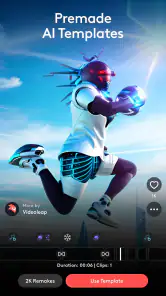
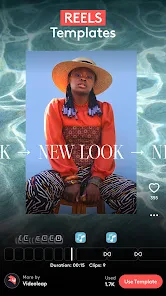
Videoleap is presented as an AI video generator, reel maker, and movie creator, so it is aimed at people making a variety of edited video projects. Its tools can help you shape clips into a finished piece, add visual treatments, and work with sound. Whether you are preparing a short social video or a more polished movie-style edit, the app focuses on creating and enhancing video.
Is Videoleap suitable for my device and age group?
Videoleap is listed for devices running Android 8.0 or later, which is useful to check before downloading. Its content rating is Teen, so families may want to review that rating and their device’s parental controls when deciding whether it is appropriate. The app is developed by Lightricks Ltd. and is categorized as a video player and editor.
Pros
- Intuitive user interface for easy navigation.
- Wide range of editing tools available.
- Supports high-resolution video exports.
- Regular updates with new features.
- Seamless integration with social media platforms.
Cons
- Requires a subscription for premium features.
- Occasional lag on older devices.
- Limited free version capabilities.
- Watermark on videos in free version.
- Large app size may consume significant storage.
- Category
- Video Players & Editors
- Version
- 1.39.1













