Video Compressor & Converter
- 1.96K
- 4.5
- Installs
- 10.00M
- Price
- Free

Screenshots

Analysis by Reviewed
In my first week with Video Compressor & Converter, its appeal was easy to understand: when a clip is too large to send or keep on a phone, a dedicated video tool can save a few steps. I found the basic idea approachable, especially for someone who wants to resize a file without learning a full video editor. The important question, though, is whether that convenience remains useful once the novelty wears off.
From a quick fix to a lasting habit
The app is a free video tool from TarrySoft, in the Video Players & Editors category. It has a 4.5 average from around 157,000 ratings and over 10 million installs, so it has clearly found a broad audience. Its current version is 4.0.0, it is rated for Everyone, and it runs on Android 7.0 and up. Optional in-app purchases range from $0.99 to $99.99 per item, so I’d check what a particular paid option offers before buying it.
Where it earns its place
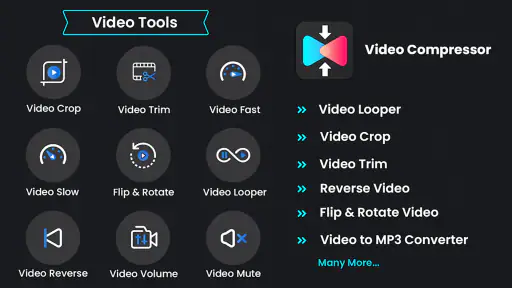
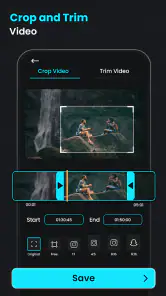
Compression is most valuable when it solves a recurring, specific problem: making a long family clip small enough to share, clearing room before recording more, or preparing a video for a service that limits uploads. In those situations, a focused utility can be quicker to reach for than opening a full editor and navigating a timeline. The app also advertises cropping and reversing, which may help with small adjustments when you don’t want to build a polished edit.
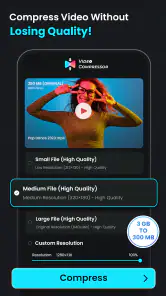
A useful habit is to keep the original until you have checked the compressed copy. Lower file size can mean a visible change in detail, particularly in fast-moving scenes, dim footage, or clips with fine textures. I’d compare the result on the screen where it will actually be watched, rather than judging it only from a small preview. For an important memory or a video you may edit again, preserving the original is the safer trade-off.
Choosing the right workflow
For a one-off message, I’d start with a modest reduction rather than aiming for the smallest possible file. If the recipient still cannot receive it, compress again from the original with a more aggressive choice; repeatedly recompressing an already reduced copy can make quality loss more noticeable. This is a practical way to balance shareability and clarity without treating “smaller” as automatically better.
Batch processing can be handy when several clips need similar treatment, but I’d use it selectively. A set of similar short recordings is a better candidate than a mixed folder of treasured footage, screen recordings, and clips with different purposes. Check a sample first, then apply the same approach to the rest only if its quality and size suit your needs. That small check can prevent saving a whole batch in a format or quality level you later regret.
What may become tiring
A compressor is not a substitute for a full editor. If you need precise cuts, titles, transitions, layered audio, or a carefully arranged sequence, a dedicated editing app is the better choice. Likewise, when a messaging or social app already accepts your video and handles its own upload processing, adding another export step may not be worth the effort. I’d use this tool when I want control over a file before sharing or storing it, not as a mandatory stop for every recording.
More From Our News Desk

Weather by Xiaomi Review: Clear at a Glance, Less Clear Up Close

X Under Pressure: Can It Recover When Posting Goes Wrong?

Clash of Clans Is Won Between the Battles

Android Auto Makes the Case for Quieter Car Software

MobiOffice: Transforming Mobile Productivity with Seamless Integration

EA SPORTS FC™ Mobile Soccer: Redefining Mobile Sports Gaming
Conversion and compression solve related but different problems: changing a file’s format does not necessarily make it smaller, and reducing its size does not guarantee it will play everywhere. Before converting, I’d check what the receiving device or service actually accepts. That simple step avoids doing extra work for a format change that brings no practical benefit.
Getting started with video compression
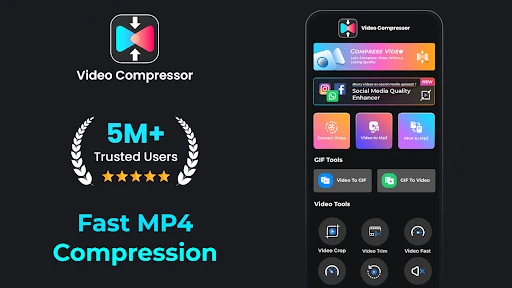
The first thing you'll notice when you open Video Compressor & Converter is its intuitive interface. It's designed for everyone, from tech newbies to seasoned pros. You don't need to be a tech wizard to figure this one out. Just pick the video you want to compress, choose your settings, and let the magic happen.
Features that stand out
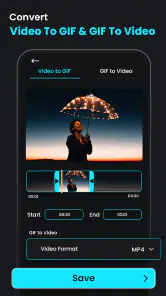
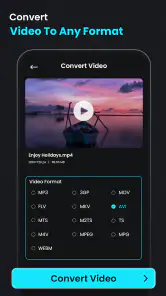
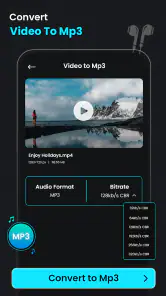
What really sets this app apart is its versatility. It doesn't just compress videos; it also offers a video conversion feature. Whether you're looking to convert from MP4 to AVI or any other format, this app has got you covered. And it does it all without a hitch, maintaining the video quality you need.
Another cool feature is the batch processing. If you've got a bunch of videos to compress, you can do it all in one go. This saves a ton of time, especially if you're dealing with multiple large files.
Performance and usability
I've tested other video compression apps, and I can confidently say that this one is a keeper. The compression speed is impressive, and the app doesn’t crash or freeze like some others I've tried. Plus, it's light on resources, so it won't slow down your device while it's doing its thing.
Usability is another strong point. The app guides you through the process without overwhelming you with technical jargon. It's straightforward, and the results are consistently good.
Keeping it useful over time
For everyday use, I’d make this a tool I open when there is a clear reason: a clip is too large, needs a crop, or must be converted for a particular destination. That keeps the workflow purposeful instead of creating another routine export to manage. After processing, check that the saved copy opens and that its picture and sound are acceptable before deleting or moving the source.
Who should skip it? Anyone who rarely handles video files may find that their phone’s built-in sharing and storage tools are enough. People who need detailed editing controls should choose an editor, while users who are highly particular about preserving every bit of original quality should avoid lossy compression for important footage. This app makes most sense for people who repeatedly face practical file-size or format issues and value a straightforward, focused workflow.
My long-term verdict
In a world where sharing videos is a daily routine, having a reliable tool like Video Compressor & Converter is essential. Whether you're looking to save space on your device or ensure your videos are shareable, this app delivers. It's easy to use, efficient, and versatile, making it a must-have for anyone dealing with video files regularly.
So, if you're in the market for a video compression app, give this one a shot. It's the perfect blend of simplicity and functionality, and I think you'll find it as useful as I did. I’d keep it installed if video files regularly create a practical hassle; if that problem comes up only occasionally, it can remain an on-demand utility rather than a permanent part of your routine.
Video Compressor & Converter Frequently Asked Questions
Will Video Compressor & Converter work on my version of Android?
The app is available for Android devices running version 7.0 or later. Before downloading, check your device’s operating system version to make sure it meets that requirement. Video Compressor & Converter is developed by TarrySoft and has a content rating of Everyone, so it is broadly suitable for general audiences.
Do I need an internet connection to use Video Compressor & Converter?
Whether you plan to compress a clip before sharing it or convert it for another purpose, it is sensible to consider when and where you will use the app. Video Compressor & Converter is a video editing app with tools for working on clips, but your ability to use particular features may depend on how the app handles them. Review its permissions and settings during setup to understand how it accesses your media.
Can I use Video Compressor & Converter to prepare clips for sharing?
Yes, the app is intended for common video-editing tasks that can help prepare a clip for sharing. Its listed tools include compression, conversion, cropping, and reversing video. Reducing a file’s size may make it more convenient to send or store, while cropping can adjust the visible frame. The result will still depend on the choices you make when editing.
Is Video Compressor & Converter suitable for my device?
Video Compressor & Converter is a video editing app from TarrySoft, with a content rating of Everyone. It is available for Android devices running version 7.0 or later, so checking your device’s operating system before downloading is worthwhile. The app is listed as free to install, making it easy to try its video tools and decide whether they fit your needs.
What can I do with Video Compressor & Converter besides compressing videos?
The app’s tools extend beyond reducing video size. Its store summary highlights video conversion, cropping, and reversing, so it can help with several straightforward editing tasks as well as compression. These options may be useful when you want to prepare a clip for sharing or adjust its orientation or playback direction. Video Compressor & Converter is categorized among video players and editors.
Pros
- User-friendly interface
- easy navigation
- Supports various video formats
- High-quality compression output
- Fast processing speed
- Batch processing available
Cons
- Limited features in free version
- Occasional crashes on older devices
- Requires internet for some features
- Ads in free version
- Limited editing tools
- Category
- Video Players & Editors
- Version
- 4.0.0













