USA TODAY: US & Breaking News
- 15.19K
- 4.2
- Installs
- 5.00M
- Price
- Free

Screenshots






Analysis by Reviewed
I judge a news app by whether it helps me understand what matters without turning every spare minute into an endless scroll. USA TODAY: US & Breaking News works best as a convenient, broad daily briefing: it brings national, world and local coverage together, while giving readers room to follow particular interests. I would recommend it to someone who wants one familiar starting point for the day, though not to a reader who expects a fully tailored local paper or a quiet phone with no breaking alerts.
A practical way to check the news
The everyday value is less about replacing every other source and more about making a quick check feel manageable. I might open the app while waiting for a coffee, scan the main stories, then save one that needs more attention for later. That small routine suits a general-news app: it helps me keep a sense of what is happening without requiring a dedicated reading session every time.
For a more useful read, I would treat the front page as a map, not a complete account. A headline can point me toward a developing story, while the article gives me a better basis for deciding whether it deserves more time. When a subject affects a local decision or a major personal choice, I would still compare coverage with a specialist source or another reputable outlet rather than rely on a single news feed.
Where it fits among news apps
Compared with a newspaper app focused on one city, USA TODAY offers a broader mix of national and local news, which is handy when I want context beyond my immediate area. Compared with a wire-style news service, its appeal is a more approachable, mixed reading experience rather than a feed built mainly around concise updates. The trade-off is that readers seeking deep coverage of one town, industry or political beat may be better served by a dedicated publication alongside it.
I also wouldn’t assume that personalization removes the need to browse beyond favorite subjects. Following the topics I care about can make the feed more relevant, but occasionally checking the wider mix is a useful counterbalance: it keeps the app from becoming only a mirror of my existing interests. That is a small habit, but it helps a general-interest source do its best work.
Who should choose it—and who might not
The app is developed by USA TODAY and sits in the news and magazines category. It is free to download, has an Everyone 10+ content rating, and offers in-app purchases ranging from $4.99 to $89.99 per item. Its current version is 8.5.2, and it requires Android 8.0 or later. On the store, it has a 4.1 average from around 59,000 ratings, with over 5 million installs. Those figures suggest a well-established option, but they don’t tell me whether its style will suit every reader.
I think it is a good fit for commuters, casual readers and anyone who wants national headlines plus local updates in the same place. It is less convincing for someone who wants every story to be free of commercial prompts, who needs a highly specialized source, or who finds frequent news alerts stressful. The app is free to start, but the listed in-app purchases are worth keeping in mind if you are deciding how much of your reading you want to do here.
More From Our News Desk

Weather by Xiaomi Review: Clear at a Glance, Less Clear Up Close

X Under Pressure: Can It Recover When Posting Goes Wrong?

Clash of Clans Is Won Between the Battles

Android Auto Makes the Case for Quieter Car Software

MobiOffice: Transforming Mobile Productivity with Seamless Integration

EA SPORTS FC™ Mobile Soccer: Redefining Mobile Sports Gaming
When I’m trying to keep notifications useful, I would allow only the alerts I genuinely want to interrupt my day, then check the app when I choose. If a major story is unfolding, that gives me a way to look for updates without treating every headline as urgent. For a calmer routine, I can open the app at set moments instead of letting the news dictate when I pick up my phone.
For local coverage, I would check whether the stories available in my area are specific enough for the decisions I actually make. A national perspective is useful for understanding the bigger picture, but it cannot replace a local source when the question is about neighborhood services or a nearby event. That distinction is important: the app can be a strong first stop without being the only stop.
All the News You Need, When You Need It
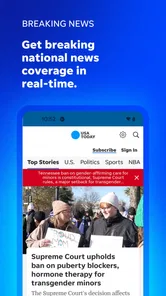
With the USA TODAY: US & Breaking News app, you’re not just getting the headlines; you’re getting a full-fledged news experience. From national headlines to local updates, this app has you covered. I found it incredibly easy to navigate through various news categories, and the real-time updates ensure that you’re always in the loop.
Interface and User Experience
One of the first things that stood out to me was the app's clean and intuitive interface. It's designed in a way that makes it simple for users to find what they’re looking for without any hassle. The app loads quickly, and transitions between sections are smooth, which is a big plus when you’re in a hurry.
Customizable News Feed
Now, this is a feature that I absolutely love. The app allows you to customize your news feed based on your interests. Whether it's sports, entertainment, or tech, you can tailor the app to show more of what you care about. This level of personalization makes the app feel like it’s truly yours, and it’s something I found myself using daily.
Multimedia Content
Gone are the days when news was just about text. The app offers a rich multimedia experience with videos, photo galleries, and even virtual reality content. This multimedia approach not only makes the news more engaging but also provides a deeper understanding of the stories.
Notifications and Alerts
I must mention the app’s notification feature, which is both a blessing and a curse. On one hand, it’s great to receive instant alerts for breaking news, ensuring you never miss out on important updates. On the other hand, the frequency of these notifications can be overwhelming. Thankfully, you can adjust the notification settings to suit your preferences.
Offline Reading
For those moments when you don’t have access to the internet, the app allows offline reading. You can save articles to read later, which is perfect for long commutes or travel. This feature ensures that you’re never left out of the news loop, even when you’re off the grid.
My reading routine
I find saved stories most useful when I separate quick checks from longer reading. I can skim during a short break, save an article that needs concentration, and return to it when I have a steadier connection and more time. It turns the app into a modest reading queue rather than a place where I feel obliged to finish everything immediately.
Offline access is helpful for planned gaps in connectivity, but I would save articles before leaving home or work rather than assume every story will already be available later. That is an easy trade-off to manage, especially on a commute: choose a few pieces in advance, then use the offline option as a convenience, not as a substitute for live updates.
Because the app covers several kinds of news, I would also be selective about what I follow. A feed tuned to a handful of interests is easier to scan than one that tries to include everything I might possibly read. If my priorities change, revisiting those choices can keep the front page useful instead of letting yesterday’s preferences shape every visit.
Making the app work around a busy day
A practical routine is to use the app in two different modes: a short headline check when time is tight, and a saved-article session when I can pay attention. For example, I might glance at the feed before leaving for work, keep one useful story for a lunch break, and avoid reopening the app simply because a notification arrived. That separation helps prevent a quick check from turning into a long, unfocused scroll.
When a story is changing quickly, I would also distinguish between an alert and a finished understanding. A notification is useful for knowing that something has happened; it is not necessarily enough to explain why it matters or what is confirmed. I would open the article for context, then revisit it later if the situation is still developing. For consequential subjects, checking another trusted source is a sensible habit rather than a criticism of this app in particular.
Choosing what deserves your attention
The customizable feed is most helpful when I use it to reduce clutter, not to shut out everything beyond my usual interests. I would start with a small set of topics that I genuinely follow, then judge the result after a few days: if the feed feels too narrow, I would broaden it; if I keep skipping sections, I would trim them. This light-touch approach is more useful than trying to make the feed perfectly reflect every passing curiosity.
There is a real trade-off in any personalized news stream. More relevant stories can make browsing faster, but a narrow selection may make important developments outside those interests easier to miss. I would occasionally scan the broader mix even when I have only a minute. That quick check gives the app a chance to surface a major national or world story I would not have chosen as a topic in advance.
When another source is the better tool
If I need detailed reporting about one neighborhood, a local publication may provide the practical specifics that a national outlet cannot prioritize. If I am following a specialist subject closely, a publication devoted to that field can offer more depth and continuity. And if I only want brief, rapidly updated dispatches, a wire-focused service may suit me better than a broader reading experience. I see this app as a useful everyday center of gravity, not a reason to abandon sources that do a different job well.
It is also not the right choice for every relationship with the news. Someone who finds breaking alerts upsetting may prefer to disable them and visit on their own schedule; someone who wants a completely quiet reading experience may find the commercial side of a free app distracting. The choice is not simply whether the coverage is useful. It is whether the mix of broad reporting, personalization, alerts and paid options feels comfortable for that person’s habits.
A sensible way to start
I would begin by opening the app at a time when I can spend a few minutes exploring, rather than installing it during a rushed moment and judging it from one screen. I would check how the main feed is organized, choose only a few interests, and decide whether breaking alerts belong in my day. Then I would save one or two longer reads and see whether returning to them fits my routine. These small choices reveal more about the app’s usefulness than endlessly adjusting every preference at once.
For someone deciding whether to pay for anything, I would first use the free experience long enough to understand how often the app becomes part of their routine. The available in-app purchases span different amounts, so I would review the specific purchase details in the app before committing and consider whether the added value matches my reading habits. A person who mainly checks a few headlines may not need to spend; a regular reader can make that decision based on the options presented to them.
What I would keep in perspective
The app’s strongest role is helping me get oriented: it can bring several types of coverage into one place, make it easy to follow selected interests, and give me a way to return to stories when I have time. That is valuable, but it is different from guaranteeing that every local question receives detailed treatment or that a single article settles a complicated issue. I get the most from it when I use it as a starting point and stay willing to look elsewhere when the subject calls for more.
That balance is especially useful for readers who want to stay informed without making news consumption a full-time hobby. I can check in, notice what deserves attention, and move on rather than feel that I need to read every update. The app supports that approach best when I set my own rhythm, keep the feed reasonably focused, and treat alerts as optional interruptions rather than instructions.
In conclusion, USA TODAY: US & Breaking News app is a must-have for anyone who wants to stay informed with ease and efficiency. Its user-friendly design, personalization options, and multimedia content make it stand out in a sea of news apps. While the notifications could be better managed, the overall experience is top-notch. If you haven’t tried it yet, I’d suggest downloading it and seeing for yourself how it can become an essential part of your daily routine.
USA TODAY: US & Breaking News Frequently Asked Questions
Is USA TODAY: US & Breaking News free to download?
Yes. USA TODAY is free to download, making it easy to try as a source for headlines and current news. The app also offers in-app purchases, with prices ranging from $4.99 to $89.99 per item. If you plan to access paid options, review the purchase details shown in the app before confirming so you know what you are choosing.
Who publishes USA TODAY: US & Breaking News?
USA TODAY: US & Breaking News is published by USA TODAY and is designed for readers looking for a news-focused app. Its main purpose is to bring together current headlines and coverage of breaking, world, and local news. If you are deciding whether it fits your routine, consider whether you want a dedicated app for following news rather than a general-purpose reading app.
Is USA TODAY: US & Breaking News suitable for all ages?
USA TODAY is a news and magazine app with a content rating of Everyone 10+, so it is intended for a broad audience while being aimed at users aged ten and older. Its coverage includes breaking, world, and local news, alongside other topics. Parents can consider that rating when deciding whether the app is appropriate for younger readers.
What does USA TODAY: US & Breaking News cover?
The app focuses on the latest headlines, breaking news, and coverage of national, world, and local events. It is published by USA TODAY and belongs to the News & Magazines category. If you want a single app for following current stories from different places and areas of interest, its broad news focus may be useful.
What features does the USA TODAY app offer to users?
The USA TODAY app provides users with real-time access to breaking news, sports, entertainment, and lifestyle content. It offers personalized news feeds tailored to user interests, interactive visuals like graphs and videos, and live event coverage. Additionally, users can get local weather updates and engage with content through comments and social media sharing.
Pros
- Comprehensive news coverage
- User-friendly interface
- Real-time updates
- Customizable alerts
- Offline reading available
Cons
- Ads can be intrusive
- Requires internet for most features
- Limited free content
- Occasional app crashes
- No dark mode option











