

Subwoofer Bass - Bass Booster
- 3.23K
- 4.7
- Installs
- 10.00M
- Price
- Free
Screenshots
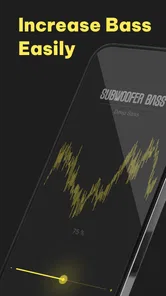
Analysis by Reviewed
Getting more weight from phone audio sounds simple until the result is either barely noticeable or so aggressive that vocals become muddy. I spent time looking at Subwoofer Bass as a practical music and audio tool rather than treating its short store description as the whole story. My impression is that it can be useful when your listening setup needs a little extra low-end presence, but it works best when you approach it as a sound-adjustment utility, not as a way to turn ordinary phone speakers into a real subwoofer.
That distinction matters. Bass is affected by the phone, headphones, Bluetooth speaker, music player, recording itself, room placement, and listening volume. An equalizer-style app can change the balance reaching your output device, but it cannot create physical speaker movement that the hardware does not support. Used with realistic expectations, this free Music & Audio app from ZipoApps is easy to understand and potentially handy. Used with exaggerated settings, it can make familiar tracks tiring rather than better.
Where the first results can disappoint
The most common frustration is probably expecting an instant, universal improvement. A bass adjustment may sound obvious with one song and almost invisible with another because recordings are mixed differently. A track with a strong kick drum may become boomy, while a thin recording may gain the warmth you wanted. That variation is not necessarily a fault in the app; it is a reminder that there is no single bass level that suits every source.
I also would not judge the app through a phone’s built-in speaker alone. Small speakers have limited low-frequency output, so pushing the bass control can mostly make the available sound less clear. On headphones or a capable external speaker, the change is easier to evaluate. If the sound becomes distorted, lowering the effect is usually more sensible than continuing to raise it.
Another point that can catch people out is the difference between perceived bass and actual bass. More low end can make music feel louder or fuller even when the detail has not improved. I listen for the kick drum, bass guitar, and lower vocal body, but I also check whether cymbals, speech, and melodies remain distinct. A stronger sound is not automatically a cleaner sound.
The app’s broad appeal is reflected in its established audience: it has passed ten million installs and holds a 4.7 average from roughly one hundred five thousand ratings, with about three thousand two hundred written reviews. Those figures suggest that many people find the basic idea useful, but they do not remove the need to match the tool to your hardware and listening habits.
Setup checks that save time
I recommend beginning with a familiar song rather than an unfamiliar playlist. Choose something you know well, play a short section with bass, vocals, and percussion, and make only one adjustment at a time. Starting from a moderate setting gives your ears a reference point. If you immediately move everything to an extreme, it becomes difficult to tell whether you are hearing a useful change or simple loudness and distortion.
More From Our News Desk

 Gmail
GmailGmail in a Busy Inbox: Who Benefits Most?
From first account to crowded workday, Gmail earns its place through dependable search and flexible sorting—but its best fit depends on how much inbox maintenance you can tolerate.

 Prime Video
Switching to Prime Video: What Changes in Your Viewing Routine
Prime Video can make a compelling second home for streaming, but switching means learning a different catalog, rental layer, and route from browsing to playback.

 Universal TV Remote Control
Universal TV Remote Control Works Best as a Reliable Backup
A phone remote earns its place through quick setup and reliable habits. Here is how to get more from Universal TV Remote Control—and where its limits show.

 Weather - By Xiaomi
Weather by Xiaomi Review: Clear at a Glance, Less Clear Up Close
Xiaomi’s weather app makes everyday forecasts quick to scan, but its calm surface can leave useful details and recovery paths harder to find than they should be.

 X
XX Under Pressure: Can It Recover When Posting Goes Wrong?
A resilience-focused review of X, examining setup, mistaken posts, interruptions, weak connections, and the gaps that matter when recovery needs to be dependable.

 Clash of Clans
Clash of Clans Is Won Between the Battles
Its raids are quick; its community is a long-term project of coordination, teaching, rivalry, and shared responsibility—with all the friction that entails.
Latest News



Before blaming the app for a weak result, check the output path. Make sure the phone is actually using the headphones or speaker you intended, and confirm that any separate volume control on the accessory is not set unusually low. Bluetooth equipment can also have its own sound profile or equalizer, so two devices may respond very differently to the same adjustment.
It is worth testing with more than one source. Try a downloaded track, a streaming service, and spoken audio if those are part of your normal routine. Music can hide problems because its arrangement is dense; speech makes muddiness easier to notice. If the effect appears in one source but not another, the difference may come from the player, recording, or output route rather than from the bass tool itself.
Keep the phone’s other audio controls in mind. If a music player already applies an equalizer, loudness effect, or bass boost, stacking another strong adjustment can produce an unpleasant hump in the same frequency area. I prefer to leave the player’s sound processing neutral while testing this app, then decide which tool gives the more predictable result. In many cases, using one adjustment system gently is better than combining several at full strength.
The app is free to install, and its content rating is Everyone, which makes it approachable for general household use. There are in-app purchases ranging from ninety-nine cents to ninety-nine dollars and ninety-nine cents per item, so I would pay attention to any purchase screen and avoid assuming that every available option is included without charge. The free starting point is enough to decide whether the sound change is worthwhile for your equipment before spending anything.
Recovering when the sound goes wrong
If the audio suddenly sounds harsh, the fastest recovery is to return to a neutral or low setting and compare again. Do not try to correct a muddy result by increasing treble and bass repeatedly. That can create a louder but more tiring signal. I normally reduce the bass first, listen to a vocal passage, and then bring the effect back gradually until the low end is present without swallowing the middle of the mix.
When the effect seems to disappear, I would work through the listening chain rather than repeatedly restarting the app. Stop and resume the track, switch briefly to another song, and check whether the selected output has changed. If you are using wireless audio, reconnecting the accessory can also clarify whether the problem is the connection path. These are simple checks, but they prevent a lot of unnecessary tweaking.
A useful everyday workflow is to make separate decisions for different situations. For quiet listening with headphones, a small lift may add warmth. For a portable speaker in a noisy room, more bass may seem attractive at first but can consume headroom and create a rougher sound when you raise the volume. I prefer a restrained setting for shared spaces and reserve stronger experimentation for short listening sessions where I can compare carefully.
Do not use one song as a permanent calibration reference. A bass-heavy track can make a setting seem exciting while hiding the fact that other music will become bloated. I keep a small mental test list: one track with a clear kick, one with acoustic or vocal detail, and one with sustained low notes. If all three remain comfortable, the adjustment is more likely to be useful beyond that single song.
There is also a practical hearing consideration. If you find yourself increasing bass and overall volume because the change still feels insufficient, take that as a signal to pause. The app is not a reason to listen louder than is comfortable. A modest improvement enjoyed at a sensible level is more valuable than a dramatic effect that quickly causes fatigue.
When the app is not the cause
Some problems sit outside the app. If a particular headphone has a weak seal, bass may disappear because air is escaping around the ear rather than because the software is ineffective. With in-ear models, fit can make a surprisingly large difference. On speakers, placement near a wall or in a corner can change the perceived low end, sometimes more than a small software adjustment.
Hardware limits are equally important. A compact phone speaker may reproduce the impression of warmth without producing deep bass, while an inexpensive speaker may distort when asked to handle more low-frequency energy. If the same setting sounds clean on headphones but rough on a speaker, that points toward the speaker’s limits. In that situation, lowering the effect or using a better-suited output device is the sensible fix.
The recording itself can be responsible too. Old, heavily compressed, or poorly mixed audio may respond unevenly. Some tracks have little low-frequency information to enhance, so the app cannot restore detail that was never captured. Other tracks already contain abundant bass and need less processing. This is why I would avoid judging the tool from a single disappointing file.
System audio behavior can complicate testing. Another player, a device-wide sound mode, or an accessory with its own processing may alter the result before you hear it. The cleanest comparison is to change only one part of the chain at a time. Keep the song, output device, and volume steady, then compare the app’s adjustment with the same setup without it.
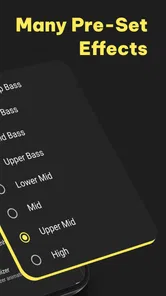
For listeners who want detailed control over many frequency bands, presets, and consistent adjustments across a large library, a full equalizer may be a better fit. Those tools are usually more appropriate when you want to correct a specific headphone profile or shape several parts of the spectrum. On the other hand, they can be more complicated. Subwoofer Bass makes more sense for someone who wants a focused low-end change without turning audio setup into a technical project.
Who will get the most from it
I see the strongest use case in casual listening: someone has headphones or a portable speaker that sounds a little thin, wants more impact from music, and would rather try a simple bass-focused tool than learn a multi-band equalizer. It can also help when switching between devices with noticeably different character. A setting that is comfortable on bright headphones may not be appropriate on a warm speaker, so I would treat the control as situational rather than permanent.
It may suit podcasts or videos only in limited cases. Extra low end can give a voice more body, but too much makes speech less intelligible. For spoken content, I would use the smallest change that adds warmth and then judge it by consonants and clarity, not by how powerful the voice sounds. If your main goal is clearer dialogue, a speech-focused audio tool or the player’s own clarity controls may be a better choice.
It is less suitable for anyone expecting studio-grade correction, deep hardware-like bass from a tiny speaker, or identical results across every app and device. It is also not the ideal first choice for listeners who need precise, repeatable profiles for different headphones. In those cases, a dedicated equalizer with more control may justify the extra complexity.
One non-obvious trade-off is that bass enhancement can change how you perceive volume. A fuller signal often feels more energetic, which may tempt you to turn the volume down less than you normally would. I would always compare at the same volume before deciding that the processed sound is genuinely better. Otherwise, the louder option can win simply because it is louder.
What the current release means for everyday use
The app was released on June 5, 2015, and the current version is 3.5.8. Its minimum operating system is Android 5.0, so it is accessible to a wide range of older Android devices as well as newer ones. That broad compatibility is useful if you are testing it on an older phone, although the actual listening result will still depend heavily on the phone’s audio hardware and software environment.
ZipoApps has kept the product positioned as a straightforward audio utility rather than a full music player. I like that narrow purpose because it makes the decision easier: install it when you want to experiment with bass, then remove it from your routine if your headphones and speakers already sound balanced. There is no reason to keep processing active simply because the option exists.
My practical advice is to treat the first session as a comparison test. Use the same song, output device, and comfortable volume. Make a small adjustment, listen to a quiet passage, then check a busier section. If the bass becomes fuller without masking detail, the app has earned a place in your setup. If the difference is weak or distorted, the limitation is likely to be the output device, the source, or the interaction with another audio control.
My practical verdict
Subwoofer Bass is a useful, focused option for Android listeners who want an uncomplicated way to experiment with low-end sound. I would recommend it to people whose headphones or portable speakers feel slightly thin and who understand that software cannot overcome every hardware limitation. Its free entry point makes testing easy, while the Everyone rating and support for Android 5.0 keep it approachable for many users.
I would not recommend relying on it as a universal fix. The best results come from modest changes, careful comparisons, and checking the entire audio chain before deciding that something is broken. If your music player already has a good equalizer, or if you need detailed frequency control and saved profiles, another type of audio tool may serve you better.
For me, the app’s value is in quick, practical adjustment rather than dramatic transformation. It can make a familiar playlist feel warmer on the right equipment, but it should be used with restraint. Start low, test several kinds of audio, watch for distortion, and remember that a clean, comfortable result is more important than maximum bass. With that approach, this Music & Audio app is worth trying, especially for casual listeners who want a simple low-end boost without committing to a complicated sound setup.
Subwoofer Bass - Bass Booster Frequently Asked Questions
Does Subwoofer Bass - Bass Booster change the original audio files?
Subwoofer Bass - Bass Booster is intended to adjust how media sounds during playback, rather than edit or create audio files. That makes it useful if you want a stronger bass effect while listening without changing the music or other media itself. The adjustment is about the listening experience, so your original files remain separate from the app’s sound enhancement.
Can I use Subwoofer Bass - Bass Booster with music, videos, and games?
The app is designed for enhancing the low-frequency sound of media, including bass-heavy music, videos, games, and podcasts. How noticeable the change is can depend on the sound in the content you are playing and the audio equipment connected to your device. Try it with a few different kinds of media to see where its bass enhancement best suits your listening.
What devices can run Subwoofer Bass - Bass Booster?
Subwoofer Bass - Bass Booster is an Android app that requires Android 5.0 or later. If your device meets that requirement, you can install it and try its bass-enhancement features. The app is listed in the Music & Audio category, so it is intended for adjusting the sound of media rather than editing or creating audio files.
Who develops Subwoofer Bass - Bass Booster, and is it popular?
The app is developed by ZipoApps and has a 4.7 average rating, based on around 105,000 ratings and 3,200 written reviews. It has been installed over 10 million times, suggesting that many people have tried it as a way to enhance bass on mobile devices. Ratings and experiences can vary, so it is worth checking whether its approach to sound suits your listening habits.
What is Subwoofer Bass - Bass Booster used for?
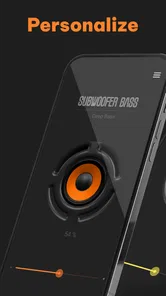
Subwoofer Bass - Bass Booster is designed to enhance the low-frequency sound produced by your phone or tablet. It can make bass-heavy music, videos, games, and podcasts sound fuller and more powerful, especially when using headphones or external speakers. The app generally works as a simple audio enhancement tool, allowing users to adjust bass intensity and customize the listening experience without changing their media files.
Pros
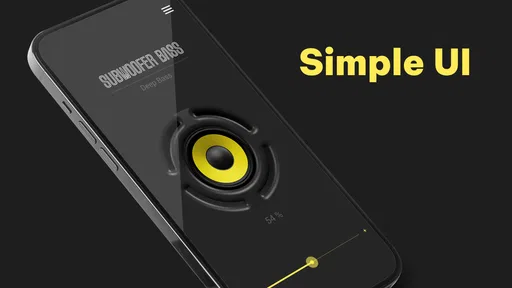
- Simple interface makes bass adjustments quick and easy.
- Works with headphones
- speakers
- and many Bluetooth audio devices.
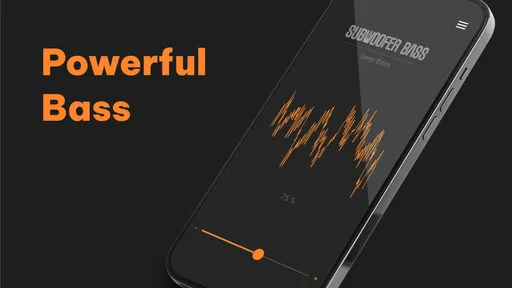
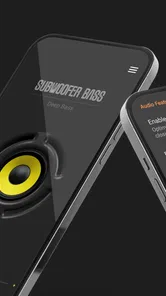
- Includes a visualizer that adds a dynamic touch during playback.
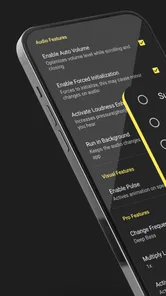
- Preset options help beginners improve sound without technical knowledge.
- Small app size and low setup effort make it convenient for casual use.
Cons
- Results vary significantly depending on the phone and speaker hardware.
- Heavy bass boosts can cause distortion at higher volume levels.
- Some features may be restricted by ads or premium upgrades.
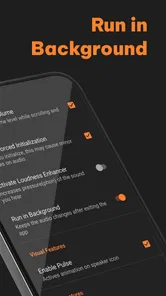
- It may continue using battery while running with visual effects enabled.
- Audio enhancement may not work equally well with every music app.













