Sky News: Breaking, UK & World
- 888.00
- 4.2
- Installs
- 5.00M
- Price
- Free

Screenshots




Analysis by Reviewed
I judge a news app by a practical question: does it help me understand what matters without turning every spare moment into a scroll? Sky News: Breaking, UK & World is a straightforward option for readers who want a UK-focused news source alongside coverage of events around the world. I would approach it as a place to check headlines and follow developing stories, rather than as a replacement for every kind of reporting or analysis.
Who will get the most from it
The app makes the most sense if you like having one familiar news source ready for quick checks during the day. For example, I might open it over breakfast, scan the main stories, then return at lunchtime to see whether a developing event has changed. That routine is more useful than repeatedly checking a stream of unrelated alerts, especially if I want a manageable overview rather than an endless feed.
It is also a reasonable fit for someone who prefers a dedicated news app to relying on social media for updates. Social feeds can mix reporting with commentary and posts of uncertain context; a news publisher’s app gives you a more direct route to its coverage. I would still compare important stories with other reputable outlets, particularly when a major event is unfolding and details are changing quickly.
Choosing between news sources
Compared with a general news aggregator, Sky News offers a clearer editorial identity: you are choosing to read one broadcaster’s selection and presentation of stories. That can make checking the news feel less scattered. The trade-off is that a single publisher cannot represent every newsroom’s priorities or angles. If you want to compare how different outlets frame the same story, an aggregator or a small selection of trusted sources may suit you better.
It is worth thinking about the kind of reading you do, too. A quick headline check is different from a deep research session. I would use this app to keep up with current events and then seek out longer explanations when a subject needs background, specialist reporting, or more than one perspective. No single news app should be expected to do every job equally well.
Making notifications and video work for you
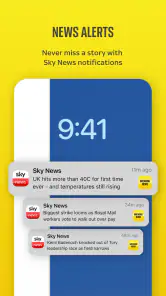
Alerts are most helpful when they mark genuinely important developments, not every story that happens to be new. If notifications are available in your setup, I would begin with a restrained approach and keep only the updates that help me act or understand what is happening. That reduces interruption and makes each alert easier to notice. During a busy day, opening the app when I choose can be calmer than letting every headline compete for attention.
Video can also be useful when seeing a report is more convenient than reading one, but it is not always the best choice. On a commute, in a quiet waiting room, or with limited time to watch, text may be easier. I would treat video as another way to follow coverage rather than the default; a written story is often more practical when I need to skim, revisit a detail, or read without sound.
More From Our News Desk

Weather by Xiaomi Review: Clear at a Glance, Less Clear Up Close

X Under Pressure: Can It Recover When Posting Goes Wrong?

Clash of Clans Is Won Between the Battles

Android Auto Makes the Case for Quieter Car Software

MobiOffice: Transforming Mobile Productivity with Seamless Integration

EA SPORTS FC™ Mobile Soccer: Redefining Mobile Sports Gaming
For anyone wondering whether it costs anything to start, the app is free. Sky News is developed by Sky UK Limited and sits in the news and magazines category. It has an average rating of 4.2 from around 58,000 ratings, with over 5 million installs, which suggests it has found a broad audience without telling me whether its particular style will match yours.
Why Sky News Stands Out
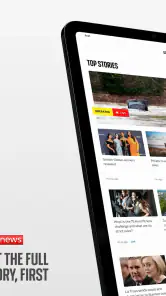
Right off the bat, what I appreciate about Sky News: Breaking, UK & World is its simplicity and user-friendly interface. Unlike other news apps that feel like a maze, Sky News offers a clean, straightforward layout that makes it super easy to navigate. Whether you’re a news junkie or just someone who likes to stay informed, you’ll find it a breeze to use.
A Diverse Range of Topics
One of the greatest strengths of this app is its wide variety of content. Breaking news is just the tip of the iceberg. You can dive into different sections like politics, technology, entertainment, and even sports. The app does a fantastic job of curating content that's relevant and timely. So whether you’re interested in the latest political upheaval or the newest gadget on the market, Sky News has got you covered.
Real-time Updates
We live in a fast-paced world where news is constantly evolving, and Sky News ensures you’re never out of the loop. The app provides real-time updates and notifications, so you’re always in the know. I particularly love how the notifications are not intrusive and can be customized based on your interests. It’s like having a personal news curator in your pocket!
Video Content at Your Fingertips
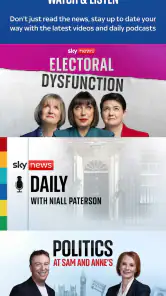
Sometimes, reading an article just doesn’t cut it. For those moments, Sky News offers a robust video section. From live broadcasts to detailed news reports, the video content is top-notch and adds a dynamic element to the news consumption experience. It’s perfect for when you’re on the go and need to catch up on the latest happenings through a quick video.
Offline Mode Convenience
Another cool feature is the offline mode. You can save articles to read later when you’re offline, which is a lifesaver for those long commutes or when you’re in an area with spotty internet. It’s these thoughtful features that make Sky News a standout choice for news enthusiasts.
Device and version fit
The current release is version 6.13.0, and the app requires Android 9 or later. Its content rating is Everyone 10+, a useful point for families deciding whether it is appropriate for a younger reader. I would check device compatibility before making it part of a daily routine, then give the layout a few visits: a news app is only convenient if its navigation feels natural on your screen.
What to expect when switching
Moving from another news app is a small change, but the habit matters more than the download. I would start by using Sky News for one specific check-in, such as a morning scan, instead of keeping several news feeds open at once. After a few days, it becomes easier to tell whether its selection and pace give you enough context. If you miss a broader mix of publishers, keep a separate source for comparison rather than expecting this app to cover every viewpoint.
A useful routine for following a developing story
When an event is moving quickly, I find it helps to separate checking for changes from trying to absorb every new post. I would use the app to get an initial sense of what has happened, then revisit the relevant coverage later rather than refreshing continuously. That makes a single-publisher feed easier to use without mistaking frequent updates for a complete account. For a consequential story, I would also check another established outlet and look for clear context before sharing a claim.
That workflow suits people who want timely coverage but do not need a constant stream on screen. It also helps answer a practical question: should this replace a news aggregator? For a focused daily briefing, it can. For comparing editorial choices across outlets or discovering stories beyond one publisher’s selection, an aggregator is the better companion. I would choose based on whether my priority is a familiar source or breadth of publishers, not assume one format is automatically superior.
Reading around a busy day
A realistic use is checking headlines while waiting for a meeting, then saving a longer read for a quieter moment if the app’s offline option is part of your version and workflow. Before relying on saved material, I would make sure it is actually available without a connection; that small check matters when travelling through poor reception. Offline reading is most valuable for planned gaps in connectivity, not as a guarantee that every part of a live news service will work without internet.
For video, I would make the opposite decision when the setting calls for it: watch when I can give the report attention, and choose text when I need to move quickly or search back through details. Video can convey the atmosphere of a report, while written coverage is easier to skim and revisit. Neither format is ideal for every situation, so having both approaches available is useful as long as I do not confuse a brief clip with all the context a story needs.
Limits worth weighing before you settle in
The main trade-off is editorial focus. Sky News gives you one outlet’s priorities and voice, which makes the experience coherent but also means its front page is not a neutral map of everything happening. Readers who want local coverage from many places, specialist publications, or a wide range of international perspectives may be better served by adding other sources or choosing an aggregator. That is not a flaw unique to this app; it is the natural cost of following one publisher closely.
There is also a difference between being quick and being comprehensive. A headline and a short update may be enough to know that a story has changed, but not enough to understand why it matters or what remains uncertain. I would treat breaking coverage as a starting point, then open the full report and seek additional context for decisions that affect work, travel, money, or family. If your main purpose is long-form investigation or specialist explanation, a general news app should not be your only reading habit.
People often ask whether a free news app is useful without making it their main source. In my view, yes: it can serve as a convenient check-in even if you read analysis elsewhere. The more important question is whether its selection fits the stories you care about. I would try it alongside an existing source for a short period, compare what each helps me notice, and keep the combination that feels informative without becoming another obligation.
Who should pass, and who should keep it
I would recommend trying it if you want a direct route to Sky’s coverage, a quick way to check UK and world headlines, and the option to use written reports or video according to the moment. Its free entry point makes that trial straightforward, and its 4.2 average from around 58,000 ratings gives some sense of its broad reach, though a crowd’s score cannot predict whether you will like its editorial mix.
I would skip it as a primary choice if you specifically want a multi-publisher front page, a specialist source for a narrow subject, or a reading experience centered on long-form analysis. In those cases, another category of news app—or a deliberately chosen set of publications—will fit better. Families can also use the Everyone 10+ content rating as one consideration, while still checking whether individual stories suit the age and maturity of the person reading.
On Android, the minimum requirement is version 9, and the app is at version 6.13.0. I would check that before installing on an older device. It has been available since July 11, 2016, and has passed 5 million installs, but neither longevity nor reach removes the need to judge the app by your own routine: clear navigation, relevant coverage, and a manageable level of interruption matter more day to day.
In conclusion, if you’re tired of cluttered interfaces and news apps that feel like a chore to navigate, give Sky News a try. It’s designed with the user in mind, offering a seamless experience that keeps you informed without the fuss. Whether you’re catching up on the latest headlines or diving deep into a specific topic, this app is sure to become your go-to source for news.
Sky News: Breaking, UK & World Frequently Asked Questions
Does Sky News: Breaking, UK & World cost anything to download?
Sky News: Breaking, UK & World is free to download, and its store summary describes the news as free wherever you get it. You can use it to follow news without paying for the app itself. If you plan to watch video while away from Wi-Fi, remember that your mobile provider may charge for data use.
Who is Sky News: Breaking, UK & World intended for?
The app is intended for people who want to follow news from the UK and around the world on a mobile device. Its content rating is Everyone 10+, making it suitable for a broad audience while providing age guidance for younger users. It is categorized as a News & Magazines app, so its main purpose is keeping up with current events.
Is Sky News: Breaking, UK & World suitable for my device?
Sky News: Breaking, UK & World is a news app from Sky UK Limited for Android and iOS. Its current version is 6.13.0, and it requires Android or iOS version 9 or later. The app is rated Everyone 10+, so it is intended for a broad audience while carrying that age guidance. Check your device’s operating system before downloading.
What can I expect from Sky News: Breaking, UK & World, and who publishes it?
The app is published by Sky UK Limited and focuses on news from the UK and around the world. Its store summary promises the full story, first, with news available free wherever you get it. It is listed in the News & Magazines category and has an average rating of 4.2 from around 58,000 ratings, giving prospective readers a quick sense of its focus and reception.
What features does the Sky News app offer?
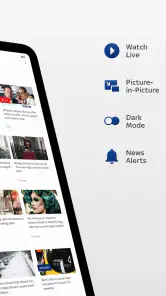
The Sky News app provides users with the latest breaking news, live video coverage, and up-to-date stories from the UK and around the world. It includes personalized news feeds, notifications for major news events, and access to expert analysis and opinion pieces. Users can also watch live Sky News TV and access exclusive podcasts.
Pros
- User-friendly interface
- easy navigation.
- Real-time news updates and alerts.
- High-quality video content available.
- Customizable news feed options.
- Wide range of news categories covered.
Cons
- Ads can be intrusive at times.
- Requires stable internet for streaming.
- Limited offline content availability.
- Occasional app crashes reported.
- Some features require subscription.
- Category
- News & Magazines
- Version
- 6.13.0











