Selfie Camera - Photo Effects
- 113.00
- 4.6
- Installs
- 500.00K
- Price
- Free

Screenshots
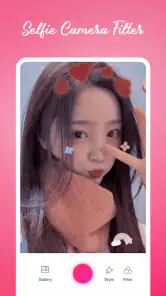
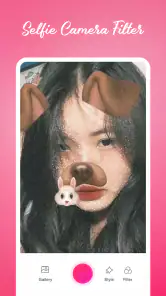
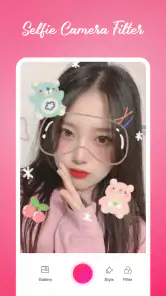
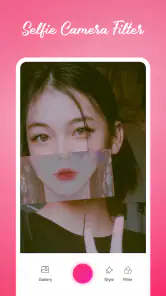
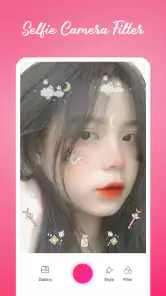
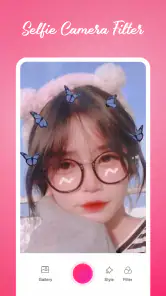
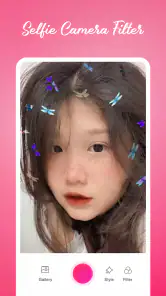
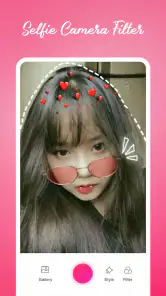
Analysis by Reviewed
I like a selfie camera that gets me from opening the app to a usable picture without turning a quick moment into an editing project. Selfie Camera - Photo Effects is aimed at exactly that casual, playful use: it is a free beauty app from Battery Stats Saver, with a 4.6 average from around 3,800 ratings and over 500,000 installs. It is rated for Everyone, and its current version is 2.1.0. The appeal is straightforward: take a self-portrait, try a face effect, and decide whether the result feels like you.
A simple routine works best
My most useful approach with a selfie app is to start with the photo, not the effects. I get into decent light, hold the phone at a comfortable angle, and take a moment to check what is behind me. Then I try a filter or playful face effect and compare it with the unedited look before settling on anything. That small pause helps keep a cute effect from taking over a picture I otherwise like.
For an everyday example, imagine I have a few minutes before meeting friends and want a cheerful picture to send in a group chat. I can use the app for a quick, lighthearted result rather than opening a more involved editor and adjusting every detail. If the image is meant for a work profile, an important announcement, or a print, I would take a more restrained route and inspect the finished image carefully instead.
Choosing the right moment for an effect
I find that the best use for an expressive selfie camera is often a moment when the picture itself is part of the conversation. A quick birthday greeting, a reaction to a friend’s message, or a relaxed snapshot from a day out can benefit from a playful look because the goal is to communicate mood, not produce a formal portrait. In those cases, an effect can add personality without needing a separate round of editing.
There is a useful distinction between taking a picture to keep and taking one to send immediately. If I want a photo that might serve several purposes later, I would make a natural-looking capture first and treat the decorated version as an extra. If I only need a fun image for a specific chat, I can be more adventurous because the context is clear. That small choice helps me avoid regretting an effect that looked amusing in the moment but feels too specific for later use.
Unleashing Creativity with Filters
The first thing that caught my eye with Selfie Camera - Photo Effects was its wide array of filters. From vintage vibes to modern aesthetics, the app is packed with options that transform your selfies into pieces of art. I found myself spending way more time than I’d like to admit just playing around with different looks, trying to find the perfect one. What’s great is that these filters don't just slap on a generic look; they really adjust the lighting and tones to suit your photo, making each selfie unique.
Easy Editing Tools
If you’re anything like me, you probably appreciate an app that’s easy to use. This app doesn’t disappoint. The user interface is intuitive, with all the editing tools neatly organized and easily accessible. You can tweak brightness, contrast, and saturation with just a few taps. It’s like having a mini Photoshop in your pocket, without the complexity!
More From Our News Desk

Clash of Clans Is Won Between the Battles

Android Auto Makes the Case for Quieter Car Software

MobiOffice: Transforming Mobile Productivity with Seamless Integration

EA SPORTS FC™ Mobile Soccer: Redefining Mobile Sports Gaming

How Microsoft OneDrive Became a Mobile Productivity Giant

How Google Translate Breaks Language Barriers Effortlessly
Settings worth checking before you shoot
I would take a quick look at the available camera and editing controls before relying on the app for a particular occasion. A filter that looks lively on a bright face can feel too strong in a dim room, so I prefer to compare the effect against the original and make modest brightness or color adjustments rather than stacking changes blindly. When a picture matters, I also check the saved result at normal viewing size; a preview that looks charming on the camera screen may not be the look I want to share.
That is also where I would decide whether a face effect suits the audience. A silly overlay can make a casual message more personal, but it may distract in a profile picture where the point is to look clearly like yourself. Keeping one version natural and choosing an effect only for the playful shot is a practical way to avoid turning a single camera style into the answer for every situation.
Small checks that prevent wasted takes
Before I start experimenting, I like to settle the basics that are easy to overlook: whether the lens is clean, whether the background is cluttered, and whether the light is falling evenly across my face. These are not special app tricks, but they matter more than another round of filter browsing. A bright window can make a playful effect easier to judge, while overhead indoor light may cast shadows that make the same effect feel harsher.
I also recommend taking a moment to check the crop and the edges of the frame. A sticker or face effect can draw attention toward an area that was not the focus of the original shot, and a small change in head position can make the result feel much more balanced. Rather than trying to repair every issue with editing, I would retake the selfie if the framing is clearly off. That is often faster and looks more natural.
Fun Stickers and Overlays
Who doesn’t love a good sticker or overlay to add a bit of fun to their photos? The app offers a plethora of stickers ranging from cute to quirky, allowing you to add a personal touch to your selfies. I particularly enjoyed the seasonal overlays that can give your photos a festive feel during holidays.
Faster patterns for repeat shots
If I am taking several pictures for the same conversation or occasion, I try to keep the lighting, distance, and angle consistent while changing only the filter or sticker. That makes it easier to compare options and avoids mistaking a change in room light for an improvement in the effect. I also settle on a small shortlist instead of browsing endlessly; with playful camera apps, the extra time spent hunting can outlast the fun of the final photo.
This routine suits people who want an uncomplicated way to make a selfie feel expressive, especially for chats, informal social posts, and holiday snapshots. It is less suited to someone who wants detailed retouching, precise control over every part of an image, or a broad photography workflow. A phone’s standard camera is often the better choice when I want a dependable, natural-looking capture first, while a full photo editor makes more sense when I need careful finishing after the shot.
Make a repeatable mini-workflow
For a batch of selfies, I find it helpful to decide on the purpose before opening the effects. If I am choosing a picture for a casual post, I take a few clean frames from the same spot, then test a small number of looks on the strongest one. If it is just a one-off message, I skip that selection process and choose the effect that fits the joke or mood. This keeps the app from turning a quick task into a long session.
A second useful habit is to compare like with like. I avoid changing the angle, expression, lighting, and effect all at once, because then I cannot tell what improved the picture. Holding the phone in the same place while trying a different filter gives me a clearer comparison. It is a simple workflow, but it makes the app’s playful options easier to evaluate and helps me stop once I have a result I like.
Advanced limits and practical trade-offs
There is a real difference between a quick effect and a polished portrait. Filters and overlays can give a picture personality, but they cannot replace good lighting, a steady hand, or a composition that works. I would not count on a decorative effect to rescue a blurry or poorly lit image. For a more important photo, I would capture a clean version with the regular camera as well, then use this app for a separate, more playful take.
The app is free to download, with optional in-app purchases ranging from $0.99 to $99.99 per item. That makes it worth checking what is included before treating every effect or tool as available at no cost. It runs on Android 5.0 or later, so it can suit people using older compatible devices, though the experience still depends on how well their phone handles camera apps. The developer is Battery Stats Saver, and the app was released on August 20, 2022.
Where it sits among selfie options
Compared with the camera that comes with a phone, this app makes sense when I want effects to be part of the picture-taking process rather than something I add later. The regular camera is usually the safer starting point for a clean, natural photo, especially when I care about a straightforward capture more than a playful treatment. A dedicated photo editor is the better fit when I want detailed adjustments after the shot. This app sits between those approaches: it favors quick experimentation over a full editing workflow.
That middle ground is useful, but it also sets expectations. I would not choose it as my main tool for carefully preparing a portfolio image or making a consistent set of professional portraits. I would choose it for casual self-portraits where a filter or overlay is part of the fun. If someone already has a preferred camera app and rarely uses face effects, adding another app may not improve their routine; if they enjoy trying looks without learning a complex editor, it has a clearer purpose.
Cost, compatibility, and when to pass
The free download lowers the barrier to trying it, but optional purchases mean I would pay attention to any purchase prompt and check the price of an item before confirming. The listed in-app purchase range stretches from $0.99 to $99.99 per item, so I would not assume that every effect or tool is included without cost. Someone who only wants occasional, basic selfie effects may be content with what they can use freely; anyone considering a paid item should first decide whether it solves a specific need rather than buying while browsing.
Its Everyone age rating and support for Android 5.0 or later make the app accessible to a broad range of users and compatible devices. Still, an older phone may handle camera effects differently from a newer one, so I would test the app with an ordinary selfie before planning to use it for an event. I would skip it if I need dependable, unfiltered image capture above all else, if I dislike stickers, or if I expect advanced portrait controls. Those are not failures of the app so much as signs that another tool better matches the job.
Sharing Made Simple
Once you’ve perfected your selfie, sharing it with friends and family is a breeze. The app allows direct sharing to all major social media platforms, making it easy to show off your creations. Plus, the images retain their quality during the upload process, which is a huge plus in my book.
For the cleanest results, I would look at the saved image before sharing rather than judging it only in the camera preview. That is a useful final check for an effect that feels too bold, an awkward crop, or a sticker sitting in a distracting spot. I would also choose the sharing destination with the picture in mind: a goofy filter may be perfect for a friend, while a simple, natural portrait is more flexible elsewhere.
Who will get the most from it
My verdict is that this is a cheerful, low-pressure choice for people who enjoy trying face effects and adding personality to quick selfies. Its strength is the short path from taking a picture to making it feel more playful; its trade-off is that it is not the tool I would choose for serious portrait work or fine-grained edits. If you want an easy way to experiment, it is worth a try. If you care more about natural capture or precise retouching, stick with your regular camera or a dedicated editor.
In conclusion, Selfie Camera - Photo Effects is a fantastic app for anyone looking to enhance their selfies with minimal effort. It’s user-friendly, packed with features, and most importantly, it makes taking selfies fun again. So next time you’re in the mood to capture the perfect selfie, give this app a try. You might just find it becomes your new go-to photo editor!
Selfie Camera - Photo Effects Frequently Asked Questions
What devices can run Selfie Camera - Photo Effects?
Selfie Camera - Photo Effects is a beauty app for Android devices running version 5.0 or later. It is free to download, and its age rating is Everyone, so it may suit a broad range of users. Before installing, check that your device meets the minimum operating-system requirement and has enough room for another app.
Who develops Selfie Camera - Photo Effects, and is it popular?
The app is developed by Battery Stats Saver and has reached over 500,000 installs. It has an average rating of 4.6 from around 3,800 ratings, giving prospective users a useful sense of its reception. Those figures can help with initial research, though whether its selfie effects and editing style suit you will depend on what you want from a camera app.
What features does Selfie Camera - Photo Effects offer?
Selfie Camera - Photo Effects comes packed with a variety of features to enhance your photography experience. Users can enjoy real-time photo filters, beauty effects, and editing tools such as crop, rotate, and brightness adjustment. Additionally, it offers fun stickers and frames to personalize your selfies. The app also supports sharing your edited photos directly to social media platforms like Instagram and Facebook.
Is Selfie Camera - Photo Effects free to use?
Yes, Selfie Camera - Photo Effects is free to download and use. However, it offers in-app purchases for premium features and additional content like exclusive filters and effects. Users can enjoy the basic functionalities without any cost, but subscribing to the premium version unlocks a more comprehensive experience, providing more creative options for photo editing. In-app purchase prices range from $0.99 to $99.99 per item, so review the purchase details before buying.
Does Selfie Camera - Photo Effects require an internet connection?
No, Selfie Camera - Photo Effects does not require an active internet connection to edit photos or apply effects. Nonetheless, an internet connection is necessary if you wish to download additional filters or frames and to share your photos on social media. This makes it convenient for users who want to edit photos on the go without relying on data or Wi-Fi connectivity.
Pros
- Variety of filters and effects.
- User-friendly interface.
- Fast processing speed.
- High-resolution photo saving.
- Regular updates with new features.
Cons
- Contains ads that can be intrusive.
- Some features require in-app purchases.
- Occasional glitches with certain devices.
- Limited free features.
- Consumes significant battery life.
- Category
- Beauty
- Version
- 2.1.0













