REC - Screen | Video Recorder
- 2.28K
- 4.6
- Installs
- 10.00M
- Price
- Free

Screenshots

Analysis by Reviewed
Shared phones and tablets make screen recording a small household task as much as a personal one. I can imagine using REC to show a relative how to find a setting, capture a child’s game moment to share later, or save a short walkthrough for someone who uses the same device. The appeal is straightforward: record what is happening on screen instead of trying to explain every tap from memory. For a quick demonstration, that can be clearer and easier to replay than a string of messages.
Choose the right moment on a shared screen
There is a useful distinction between recording something for yourself and recording a guide that another person will follow. For a personal game clip, I might care most about capturing the action. For a troubleshooting guide, I would slow down, pause briefly on important screens, and make the sequence easy to imitate. That small change in pace can make a recording much more helpful without requiring editing afterward.
On a shared tablet, coordination can matter just as much as the recording itself. If another person is using the device, I would ask before interrupting their activity or capturing their screen. When several people need the same walkthrough, agreeing on one place to send the finished clip avoids repeated recordings and prevents the household from ending up with several near-identical versions.
Set expectations before recording
On a shared device, I would decide first who is recording and what should be visible. A screen capture can include notifications or personal details that appear while recording, so it is worth closing unrelated screens and waiting until the display is ready. I would also agree where the finished video should be kept and who may share it; the recorder itself should not be treated as a household account or privacy boundary.
For a tutorial, a useful workflow is to plan the steps, make one short test, and watch it back before recording the full explanation. That catches a missing tap or an awkward pause without leaving a long, confusing video to edit. If narration matters, check that the chosen recording includes the audio you need; if the video is meant to show only a visual sequence, recording without sound may make it easier to follow.
Small checks that improve the result
I would also think about how the video will be watched. A clip intended for someone who is unfamiliar with the device benefits from a steady pace and clear pauses at decision points. A quick capture for a friend who already knows the app can be much shorter. Recording the same steps at the speed I normally tap may feel natural to me, but it can make the important screen disappear before another person has time to recognize it.
When the screen contains a long list or a small setting, I would avoid trying to explain several things at once. A focused clip is easier to replay and less likely to expose unrelated material. If the task has separate stages, recording a short clip for each stage can be more practical than making one continuous video that the recipient has to scrub through.
More From Our News Desk

Weather by Xiaomi Review: Clear at a Glance, Less Clear Up Close

X Under Pressure: Can It Recover When Posting Goes Wrong?

Clash of Clans Is Won Between the Battles

Android Auto Makes the Case for Quieter Car Software

MobiOffice: Transforming Mobile Productivity with Seamless Integration

EA SPORTS FC™ Mobile Soccer: Redefining Mobile Sports Gaming
Where it fits—and where it may not
I see this as a practical choice for occasional screen captures and simple how-to clips, especially for someone who wants a direct start rather than a complicated editing setup. Compared with relying on screenshots, a video preserves the sequence of actions and can include sound. Compared with a full video-editing app, it keeps the job focused on recording, though anyone who needs a polished production workflow should choose a tool built around editing as well.
Its role is also different from a messaging app’s built-in camera or a camera app on the phone. Those are natural choices for recording people or surroundings; a screen recorder is useful when the thing worth showing is a menu, a game, or a sequence of taps. I would not choose it just because I want to make a video generally. The subject determines the tool, and screen capture is most convincing when the viewer needs to see exactly what happened on the device.
Plan longer captures rather than improvising
Long sessions call for a little planning: screen recordings can create sizable files, and available storage, battery, and device performance can affect how comfortable a lengthy capture is. I would keep important recordings short, review the result, and remove unwanted takes rather than assuming every clip is ready to share. That is a more reliable habit than recording an entire session and sorting it out afterward.
A practical approach is to decide the stopping point before starting. If I am demonstrating a task, I can stop as soon as the final screen is visible instead of leaving the recorder running while I search for the next thing to show. For gameplay, I would consider whether I want one memorable moment or a long session; the first is easier to review and pass along. These choices reduce avoidable footage and make it simpler to find the useful part later.
What I would use it for day to day
Have you ever had one of those moments where you wish you could just capture what's happening on your screen? Whether it's a gaming triumph, a quick tutorial for a friend, or a work presentation, REC - Screen | Video Recorder is here to save the day! I've been using this app for a while now, and let me tell you, it's been a game-changer.
One realistic household use is explaining a setting to a relative who cannot sit beside me while I demonstrate it. I can prepare the screen, record only the route to the relevant option, and send that brief visual explanation through the method we already use. If the recipient is likely to follow along while watching, I would keep the device names and personal details out of the clip, and make sure the steps are shown in the same order they need to be repeated.
A Peek into REC - Screen | Video Recorder
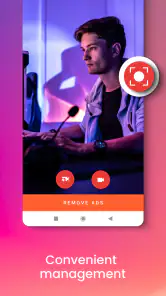
First things first, the user interface is sleek and intuitive. You don't need to be a tech wizard to figure things out. The app opens up with a straightforward menu that allows you to start recording with just one tap. No fuss, no muss. What I really appreciate is the minimalistic design; the developers did a great job ensuring that the app isn't cluttered with unnecessary features.
Features That Stand Out
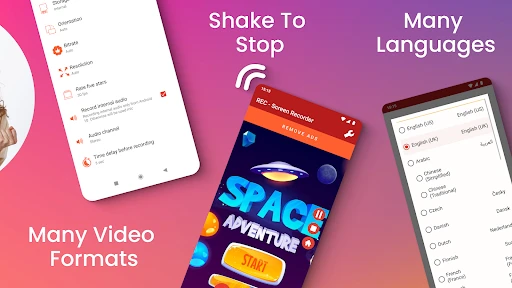
One of the standout features of REC - Screen | Video Recorder is its ability to record at high resolutions. If you're a stickler for quality like me, you'll love the crisp and clear recordings. The app supports a variety of resolutions, so whether you're recording for personal use or something more professional, you've got options.
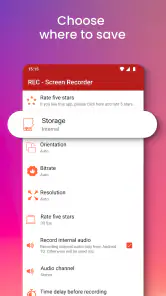
In practice, I would match the resolution to the job rather than always choosing the highest available setting. A detailed demonstration benefits from clarity, but a quick clip sent to someone who only needs to see which menu to open may not need maximum sharpness. Higher-quality capture can also mean larger files, so choosing sensibly helps balance visual detail with storage and sharing convenience.
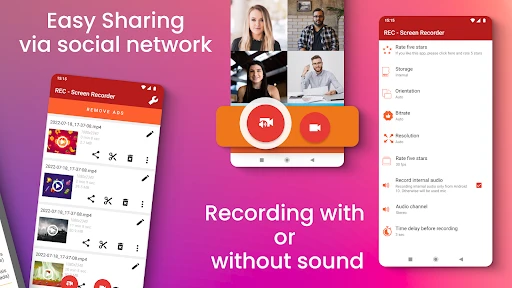
Another feature I can't get enough of is the audio recording capability. You can choose to record with or without audio, and if you opt for sound, the quality is impeccable. This is perfect for creating tutorials or recording gameplays where commentary is essential.
Audio is worth checking before the main take, especially when a clip depends on spoken instructions or game sound. I would make a brief sample and play it back on the device to confirm that the result is understandable. For a silent walkthrough, leaving sound out can keep attention on the taps and screens; for spoken guidance, I would keep explanations concise and pause before changing screens so the viewer can follow what I am saying.
My Experience and Final Thoughts
Using REC - Screen | Video Recorder has been a breeze, and it's quickly become one of my go-to apps. The app doesn't drain my phone's battery excessively, which is a huge plus. I also noticed that the recordings don't take up a massive chunk of storage, thanks to its efficient compression technology.
Even with a simple interface, the best result still depends on how the recording is prepared. I would close anything unrelated, make a test if sound or timing matters, and review the final clip before sharing. A screen capture is easy to make, but it can be awkward to fix if it includes a notification, a personal conversation, or several minutes of waiting. A quick playback is a worthwhile final step, not busywork.
To wrap it up, if you're in the market for a reliable, easy-to-use screen recording app, give this one a shot. It's got everything you need without overwhelming you with features you don't. Trust me, once you start using it, you'll wonder how you ever managed without it!
Shared use needs a simple routine
REC is a free screen-recording app from ZipoApps in the video players and editors category. It has a 4.6 average from around 304,000 ratings, with over 10 million installs, and its age rating is Everyone. Those figures suggest a broad audience, but in a household I would still keep the basics clear: ask before recording another person’s activity, avoid capturing private messages, and make sure everyone knows where clips are saved. A general age rating is not a substitute for a family’s own rules about sharing videos.
The app is on version 4.6.11 and works on Android 5.0 and later. It is free to install, with in-app purchases ranging from $0.99 to $99.99 per item. I would treat those purchases as optional until I knew exactly what I wanted from the app, rather than paying just to try a basic screen capture. Its simple approach is useful when a family member needs a quick visual explanation, but people who need shared profiles, managed permissions, or a coordinated editing library should look for a separate household workflow rather than assume a recorder provides those tools.
A sensible fit for quick clips
One everyday example is helping someone troubleshoot a setting: I can record the path once, keep the clip brief, and send it through whatever sharing method the household already uses. Before pressing record, I would silence or dismiss notifications where practical, then review the video for personal details before passing it along. This small check matters more on a shared device, where the screen may reveal information belonging to someone else.
For a quick capture, the built-in screen recorder on a phone may be enough and can be the simpler option if it already meets your needs. REC is more appealing when I want a dedicated recording app with a clear start point and resolution choices; a conventional camera app, by contrast, records the physical world rather than the device display. If my goal is to trim, combine, caption, or carefully arrange several clips, I would choose an editor after recording instead of expecting this focused tool to handle the entire production.
REC was released on August 23, 2016, and is free to try, which makes it approachable for occasional use. I would recommend it to someone who wants an uncomplicated way to demonstrate on-screen steps or capture a short game session, and who is comfortable checking the clip before sharing. I would skip it if I needed household account controls, extensive post-production, or a way to guarantee that every recording is private by default. For everyday family coordination, it works best as one small part of an agreed routine: record deliberately, review carefully, and share only with the people who should see it.
REC - Screen | Video Recorder Frequently Asked Questions
What devices can install REC - Screen | Video Recorder?
REC - Screen | Video Recorder is an Android app for devices running Android 5.0 or later. Check your device’s operating system before downloading, since compatibility affects whether the app can be installed. The app is rated for Everyone, making it suitable for a broad audience. It is a screen-recording tool in the Video Players & Editors category.
Who develops REC - Screen | Video Recorder, and is it widely used?
REC - Screen | Video Recorder is developed by ZipoApps. It has been downloaded over 10 million times and has an average rating of 4.6 from around 304,000 ratings, giving prospective users a sense of its reach and overall reception. Those figures can help with initial expectations, but whether its recording tools suit your needs will depend on how you plan to use it.
What is REC - Screen | Video Recorder used for?
REC - Screen | Video Recorder is an application designed for recording your device's screen. It is particularly useful for creating tutorials, recording gameplay, or capturing any on-screen activity for later viewing or sharing. The app provides users with a simple and effective way to record high-quality video directly from their device, making it an essential tool for content creators and educators alike.
Is REC - Screen | Video Recorder free to use?
REC - Screen | Video Recorder is free to download, with in-app purchases available. These purchases range from $0.99 to $99.99 per item, so review the purchase options in the app before choosing anything. Its free availability makes it possible to try the screen recorder, while the optional purchases may be relevant to users considering additional app features.
What are the key features of REC - Screen | Video Recorder?
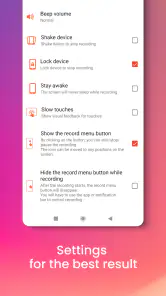
Some of the key features of REC - Screen | Video Recorder include the ability to record high-definition video, adjust the recording settings such as resolution and frame rate, and use the built-in audio recording for narration or commentary. The app is presented for recording in HQ, FHD, and UHD, so users can choose a suitable quality for their screen captures. Additionally, the app supports editing tools to trim and enhance videos post-recording, making it a comprehensive solution for screen recording needs.
Pros
- Easy to use interface
- High-quality video recording
- Supports multiple formats
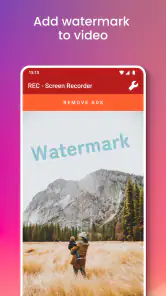
- No watermark on videos
- Allows screen capturing
Cons
- Limited editing options
- Consumes a lot of battery
- Ads in free version
- Requires in-app purchases
- Occasional lagging issues
- Category
- Video Players & Editors
- Version
- 4.6.11













