Peacock TV: Stream TV & Movies
- 77.57K
- 4.5
- Installs
- 50.00M
- Price
- Free

Screenshots




Analysis by Reviewed
When it comes to streaming services, there's a new kid on the block and it's called Peacock TV: Stream TV & Movies. I've been diving into this app for a while now, and let me tell you, it's been quite the ride. Just like a peacock showing off its feathers, this app certainly has a lot to flaunt. So gather around as we explore what makes this app tick and whether it deserves a spot on your device.
A Dive into the Features
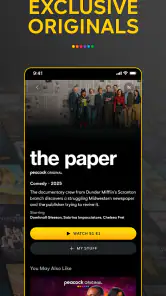
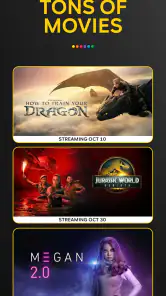
First things first, let’s talk about the variety of content available on Peacock TV: Stream TV & Movies. The app offers an impressive library that includes everything from classic TV shows, blockbuster movies, to exclusive Peacock Originals. I mean, who wouldn't want to binge on classics like "The Office" or enjoy a fresh new series like "Brave New World"? Whether you're a sucker for nostalgia or looking for the next big thing, Peacock TV has something for everyone.
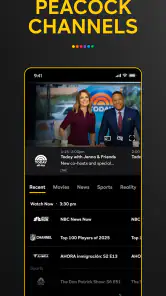
One feature that really caught my eye is the ability to watch selected content for free. Yes, you heard that right! While there are premium options available, the free tier offers a generous amount of content, which is perfect if you're just dipping your toes into the streaming world. Plus, the app offers live TV options, including news and sports, which is a sweet bonus for those who like to keep up with current events or catch a game live.
User Experience and Interface
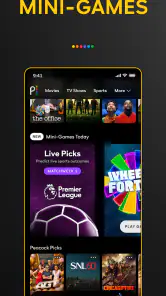
Now, let’s talk about how the app feels to use. The user interface of Peacock TV is sleek and intuitive. Navigating through the menus feels smooth and natural, almost like flipping through channels on your old TV set, but with a modern twist. The design is clean, and the layout is straightforward, which means you'll spend less time searching and more time watching.
However, like any app, it isn’t without its quirks. Occasionally, there are minor buffering issues, especially during peak times. It can be a bit of a bummer when you’re engrossed in a movie, and suddenly, it pauses to buffer. But hey, patience is a virtue, right?
Final Thoughts
So, is Peacock TV: Stream TV & Movies worth downloading? In my opinion, absolutely. It offers a rich selection of content, a user-friendly interface, and the flexibility of a free tier. Whether you’re a hardcore binger or a casual viewer, this app caters to all. While the occasional buffering can be a slight hiccup, it's not enough to overshadow the multitude of benefits it provides. So go on, give it a shot, and let Peacock TV spread its feathers into your streaming collection. Happy watching!
Pros
- Wide variety of shows and movies.
- High-quality streaming available.
- User-friendly interface.
- Affordable subscription options.
- Exclusive Peacock Originals.
Cons
- Limited content without subscription.
- Ads in free version.
- Region restrictions apply.
- Occasional streaming issues.
- Limited simultaneous streams.

- Category
- Entertainment
- Version
- Varies with device