

NOAA Weather Unofficial
- 35.84K
- 4.7
- Installs
- 1.00M
- Price
- Free

Screenshots
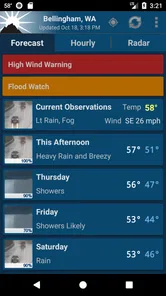
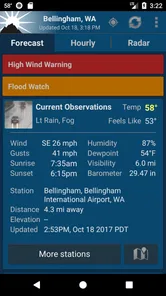
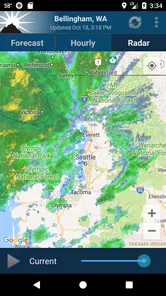
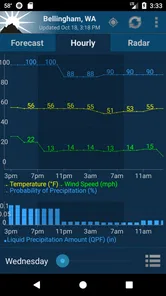
Analysis by Reviewed
If you’re new to NOAA Weather Unofficial, the easiest way to get value from it is to begin with one ordinary question: “Will the weather affect what I’m doing next?” Rather than exploring every screen at once, I’d start with the forecast for the place you’ll be and use radar only when the timing of rain matters. That small routine makes the app feel practical from the first check, without asking you to become a weather enthusiast.
Start with the decision, not every setting
Before relying on any forecast, decide what you need it to answer. For a walk, you may only need to know whether rain is likely during the next few hours. For a drive, wind or a storm warning may matter more. This app is most helpful when you connect its information to a specific choice instead of repeatedly checking the screen without a plan.
If you are trying it for the first time, look at the selected location and the hourly outlook, then ask whether the answer changes your plan. If it does, radar can give useful visual context. If it does not, you can close the app and get on with your day. I like this approach because it keeps a weather check brief while still making room for a closer look when conditions could disrupt something.
A useful routine for changing plans
Imagine you have an outdoor appointment after work and the sky is clear in the morning. I would check the hourly forecast before leaving, then look again closer to the appointment if rain seems possible. Radar can help me see whether precipitation is nearby, while the forecast gives me a broader sense of the timing. I would still carry a light layer or adjust the plan if the sky changes; neither screen can promise exactly what one street will experience.
That is also a good way to avoid overreacting to a single icon. A daily symbol compresses a lot of changing conditions into one small image. Checking the hour that matters to you is more actionable, and checking radar near departure adds context without turning every forecast into a certainty. For a first-time user, this is a simple, repeatable path from opening the app to making a decision.
If you’ve ever been caught in a sudden downpour without an umbrella or found yourself shivering at a beach when the weather forecast promised sunshine, then you know the importance of having a reliable weather app on your phone. Enter the NOAA Weather Unofficial app, a tool that promises to keep you well-informed about the weather in your area. But does it live up to the hype? Let’s dive into my experience with this app.
What to Expect Before You Open It
This is a weather app from Granite Apps, built around forecasts and radar rather than a broad collection of lifestyle extras. It is free, rated for Everyone, and has a 4.7 average from around 105,000 ratings; more than a million people have installed it. Those figures suggest a well-used option, but what matters in daily use is whether the information helps you make a decision quickly. I find its strongest appeal is a direct, practical view of conditions for a chosen location, especially when rain or changing weather could affect plans.
More From Our News Desk

 Gmail
GmailGmail in a Busy Inbox: Who Benefits Most?
From first account to crowded workday, Gmail earns its place through dependable search and flexible sorting—but its best fit depends on how much inbox maintenance you can tolerate.

 Prime Video
Switching to Prime Video: What Changes in Your Viewing Routine
Prime Video can make a compelling second home for streaming, but switching means learning a different catalog, rental layer, and route from browsing to playback.

 Universal TV Remote Control
Universal TV Remote Control Works Best as a Reliable Backup
A phone remote earns its place through quick setup and reliable habits. Here is how to get more from Universal TV Remote Control—and where its limits show.

 Weather - By Xiaomi
Weather by Xiaomi Review: Clear at a Glance, Less Clear Up Close
Xiaomi’s weather app makes everyday forecasts quick to scan, but its calm surface can leave useful details and recovery paths harder to find than they should be.

 X
XX Under Pressure: Can It Recover When Posting Goes Wrong?
A resilience-focused review of X, examining setup, mistaken posts, interruptions, weak connections, and the gaps that matter when recovery needs to be dependable.

 Clash of Clans
Clash of Clans Is Won Between the Battles
Its raids are quick; its community is a long-term project of coordination, teaching, rivalry, and shared responsibility—with all the friction that entails.
Latest News



It is not the right fit for everyone. If you mainly want animated maps, polished widgets, or a highly visual weather dashboard, a more design-focused alternative may suit you better. I would choose this one when I care more about checking a forecast and radar than browsing presentation. NOAA-based information can also feel more useful to someone in the United States than to a traveler looking for one familiar, globally consistent interface everywhere.
First Impressions
I remember the first time I downloaded the app. Right off the bat, I was impressed by its no-nonsense interface. It’s clear that the developers wanted to focus on functionality rather than flashy graphics. The app provides a straightforward way to get the weather information you need without any distractions. As someone who values simplicity, this was a big plus for me.
Getting Set Up and Finding a Useful Forecast
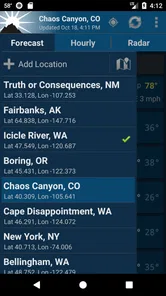
On a first visit, I would start by checking that the location shown is the place I actually care about, rather than assuming the first screen has already settled the question. If you are planning a commute, a walk, or a trip to a second neighborhood, compare the forecast for the relevant place before relying on a general impression of the day. Location matters: conditions can shift over a short distance, and an exact-location forecast is only useful if the app is looking at the location you intend.
A simple first success is to check the hourly view before leaving home, then look at radar if rain is a concern. That order is more useful than staring at a daily icon: the forecast helps with timing, while radar gives a visual way to judge whether precipitation is nearby or approaching. For example, before taking a dog out, I would use the hourly outlook to choose a drier window and radar as a second check. It is a small workflow, but it turns the app into a planning tool rather than a quick glance that can be easy to misread.
Features and Usability
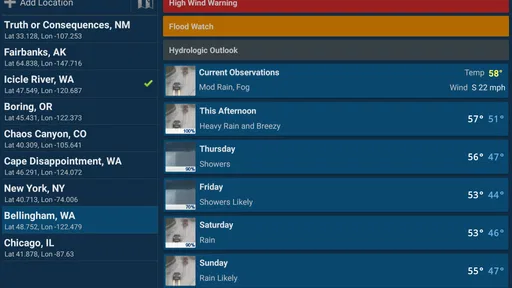
The app pulls data directly from the National Oceanic and Atmospheric Administration, which instantly gives it a credibility boost. You get access to real-time weather updates, detailed forecasts, and even radar images. One feature I particularly enjoyed was the ability to customize weather alerts. Whether it's a thunderstorm warning or a temperature drop alert, having these notifications tailored to my preferences was incredibly useful.
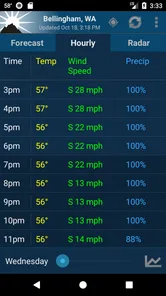
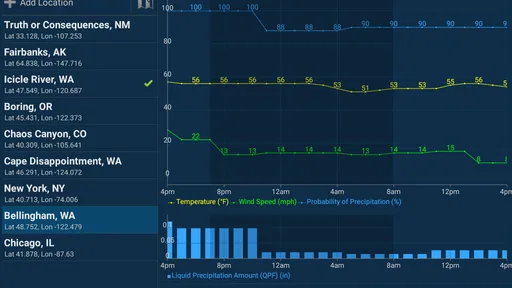
Navigating through the app is a breeze. The menus are intuitive, and finding specific information like humidity levels or wind speed takes just a couple of taps. I also appreciated the inclusion of hourly forecasts alongside the standard daily ones. This feature is a lifesaver when planning outdoor activities.
Making Alerts and Radar Work for You
Alerts are most helpful when they match the decisions you actually make. I would keep the ones that could change whether I drive, exercise outside, or bring equipment indoors, rather than treating every possible notification as equally important. Too many alerts can become background noise, and then the warning that matters is easier to overlook. Customizing them is therefore not just a convenience; it is a way to keep the app useful without letting it interrupt the day unnecessarily.
Radar also needs a little interpretation. A radar image is a snapshot, not a promise that a particular street will stay dry, so I would use it alongside the hourly forecast instead of treating it as a guarantee. If a shower is close, checking again shortly before leaving is more sensible than making a plan from one early glance. This is a practical trade-off with any weather radar: it can add context that a simple icon lacks, but it cannot remove uncertainty from fast-changing conditions.
Accuracy and Performance
One of the critical aspects of any weather app is accuracy, and I have to say, the forecasts have been dependable in my experience. The app’s forecasts were spot on during my testing period, and I didn’t encounter any discrepancies between the app’s predictions and the actual weather conditions. It’s definitely reassuring to know that when I get a weather alert, it’s something to take seriously.
Performance-wise, the app runs smoothly without any hitches. It loads quickly, which is essential when you’re in a hurry and need weather info ASAP. The radar images, despite being detailed, render swiftly without causing any lag.
Where It Fits Among Weather Apps
Compared with a typical phone weather app, this one puts more emphasis on NOAA forecasts and radar than on a glossy overview. That can be an advantage if you prefer to inspect conditions and time an outdoor plan; the familiar built-in app may be easier if you want a quick glance from a widget without opening anything. For severe-weather awareness, I would treat alerts as useful prompts, not as a substitute for local emergency guidance or common sense. The app can help me decide when to check conditions, but I would still reassess if the sky changes quickly.
Version 2.16.0 supports Android 4.4 and later, which makes it accessible to people using older Android devices. I would not choose it solely for that compatibility, though: the real question is whether NOAA-centered forecasts and a functional interface match how you check the weather. If you want elaborate visual customization or a broad set of extras, another weather app may be more satisfying. If you want a focused forecast-and-radar routine, this is a sensible place to start.
Making It Useful Beyond the Daily Glance
A less obvious benefit of keeping a radar-and-forecast app handy is that it can help you compare two possible plans, not just decide whether to go out. If you can move an errand by an hour or choose an indoor activity instead, check the relevant hours first and use radar to see whether the immediate pattern supports that choice. I would avoid reading a moving patch of precipitation as a precise arrival time for my exact address. The practical takeaway is to compare options and leave room for uncertainty, not to treat the map like a countdown.
For someone who regularly spends time outdoors, I’d also make the forecast check part of packing rather than a last-minute verdict. A forecast suggesting changing conditions may be enough reason to bring a layer, protect items that should stay dry, or choose a route with an easy fallback. The app is not a substitute for preparation, but its combination of hourly information and radar can make that preparation less guesswork-heavy. This is especially useful when a short activity is easy to reschedule but an entire day out is not.
When a Different Weather App Makes More Sense
The best alternative depends on what you want to do with the information. If your usual habit is to glance at a phone widget and move on, the built-in weather app may be the more convenient choice. If you enjoy animated presentations, elaborate map layers, or a dashboard designed for visual customization, a more feature-rich competitor may feel more satisfying. I would not install this app expecting it to replace every weather tool for every purpose; its appeal is strongest when a straightforward forecast and radar check are enough.
Travel can also change the calculation. NOAA-centered information is a natural match for checking conditions in the United States, but frequent international travelers may prefer an app whose presentation and location workflow feel consistent across all the places they visit. That does not make this one unsuitable for every trip, but I would test it in the places that matter to me instead of assuming the same experience everywhere. For a local routine, the focused approach is easier to recommend than for someone who needs one all-purpose global weather companion.
Another trade-off is that simplicity can mean fewer reasons to linger in the app. I see that as a benefit when I want an answer quickly, but it may disappoint anyone who likes exploring weather displays or personalizing a home screen. Before switching, ask yourself whether those extras solve a real problem for you. If they do, choose accordingly; if they are mostly decoration, a direct forecast-and-radar workflow may be the more useful fit.
Final Thoughts
In conclusion, this is a robust tool for anyone looking to stay ahead of the weather. Its user-friendly interface, accurate data, and customizable alerts make it a standout choice among weather apps. While it might not have the flashy graphics of some other apps, its focus on delivering reliable weather information more than makes up for it.
For a new user, my recommendation is to begin with one location and one practical routine: check the hourly forecast when timing matters, then consult radar if rain could change your plans. Keep alerts focused on the conditions that would genuinely affect your day, and treat both forecasts and maps as guidance rather than guarantees. That is enough to judge whether the app earns a place in your regular routine without spending time configuring every option first.
So, if you’re tired of getting caught off guard by unexpected weather changes, give it a try. I can assure you, it’s worth the space on your phone.
NOAA Weather Unofficial Frequently Asked Questions
Does NOAA Weather Unofficial show forecasts and radar for my location?
Yes. NOAA Weather Unofficial is described as providing NOAA forecasts and radar for your exact location, making local conditions the focus of the app. That can be useful when you want to check what is happening near home or before heading out. The app is in the weather category and is developed by Granite Apps.
Is NOAA Weather Unofficial suitable for all ages?
NOAA Weather Unofficial has an Everyone content rating, so it is suitable for a broad audience. Its purpose is to provide weather forecasts and radar, which can make it a practical option for anyone who wants to check local conditions. As with any app, parents can decide whether it is appropriate for a child’s device and how it fits into their family’s app use.
What devices and operating systems can run NOAA Weather Unofficial?
NOAA Weather Unofficial is a weather app from Granite Apps for Android devices running Android 4.4 or later. Check your device’s Android version before downloading, especially if you use an older phone or tablet. The app is listed for Everyone, so its content rating is suitable for a broad audience.
What features does the NOAA Weather Unofficial app offer?
NOAA Weather Unofficial provides real-time weather updates, forecasts, radar images, and severe weather alerts. Users can customize notifications and access detailed weather data, including temperature, humidity, wind speed, and more. The app also offers interactive maps and widgets for quick weather checks on your home screen. These features make it an essential tool for staying informed about changing weather conditions.
Is the NOAA Weather Unofficial app free to use?
The NOAA Weather Unofficial app is free to download. Its price makes it easy to try as a weather tool without an upfront purchase. Before installing, consider whether it meets your needs for checking forecasts and radar at your location. The app is available for Android devices that meet its operating-system requirement.
Pros
- Highly accurate weather forecasts
- Comprehensive radar maps
- Customizable alerts
- User-friendly interface
- Covers wide range of locations
Cons
- Contains ads in free version
- Some features require premium
- App size may be large
- Occasional data refresh delays
- Limited offline access












